
 ChatGPT
 Perplexity
 Claude
 Gemini
 Grok
Grok


Search "Descript vs InVideo" and the results treat them as rival video makers you pick between. They are not really rivals: one edits footage you already shot, the other builds a video from scratch. After running each tool through the job it is built for, and the job it is not, the honest TL;DR is this: Descript edits the footage you already have, and InVideo generates the footage you don't. If you record yourself, run a podcast, or cut talking-head and screen content, Descript wins. If you start from a script and want a finished marketing or faceless social video without filming anything, InVideo wins. Below is what that looked like in practice, dimension by dimension.
Descript vs InVideo: The 30-Second Verdict
Here is the at-a-glance picture before we get into the testing. Prices below are the annual-billing rates as of June 2026; both tools also sell pricier month-to-month plans.
| Descript | InVideo | |
|---|---|---|
| Best at | Editing footage you recorded | Generating video from a prompt |
| Core method | Edit video by editing a transcript | Text-to-video + templates + stock |
| Learning curve | Moderate (editor + AI tools) | Low (type a prompt, get a draft) |
| Free tier | 1 hr media/mo, watermark | 10 AI min/week, watermark, no commercial use |
| Paid from | $16/mo (Hobbyist), $24/mo (Creator) | $20/mo (Plus), $48/mo (Max) |
| Stock library | Limited (it's an editor) | 8M+ stock assets, 5,000+ templates |
| Generate from scratch? | No, you bring the footage | Yes, from a text prompt |
| G2 rating | ~4.6 stars | ~4.5 stars |
Both are well-liked tools, sitting around 4.6 (Descript) and 4.5 (InVideo) on G2 across thousands of reviews, so this is not a good-versus-bad story. It is a fit story. The one-line verdict: for editing what you filmed, Descript; for generating what you didn't, InVideo. Most people don't actually need both, and the rest of this piece is about telling which camp you're in.
What Each Tool Is Actually Built to Do
Descript is a text-based audio and video editor. It transcribes your recording, and then you edit the video by editing the transcript: delete a sentence in the text and the matching footage disappears. On top of that sit its AI tools (Studio Sound to clean up audio, filler-word removal, Overdub-style AI voices, an "Underlord" AI assistant, and screen plus remote recording for up to 10 guests in 4K). It assumes you already have something recorded.
InVideo comes at video from the opposite end. Its newer Agent mode takes a written prompt and plans, scripts, voices, and renders a finished video, pulling from 5,000+ templates and 8M+ stock clips. You do not need a camera, footage, or editing skill. You describe the video; InVideo assembles it. That difference (edit vs generate) is the whole comparison, and it shows up in every dimension below.
How I Tested Both
Here is the honest snag in pitting these two against each other: they do not take the same kind of input, so a single prompt cannot judge both fairly. InVideo wants a brief to generate from; Descript wants footage to edit. So I ran the test in both directions and gave each tool the job it is built for, then handed it the other tool's job to see what breaks.
For InVideo I used a from-scratch brief: an 8-second cinematic clip of a golden retriever puppy running through a sunlit autumn park, warm late-afternoon light. For Descript I used an editing brief: a rough two-minute talking-head recording to trim, strip the filler words from, and caption. Same machine, same week (June 2026). One caveat I will be upfront about: I captured InVideo's run live (screens below), but Descript's editor sits behind a login I could not screen-capture cleanly, so its side here leans on its documented editing flow rather than a staged screenshot. I would rather say that than fake one.
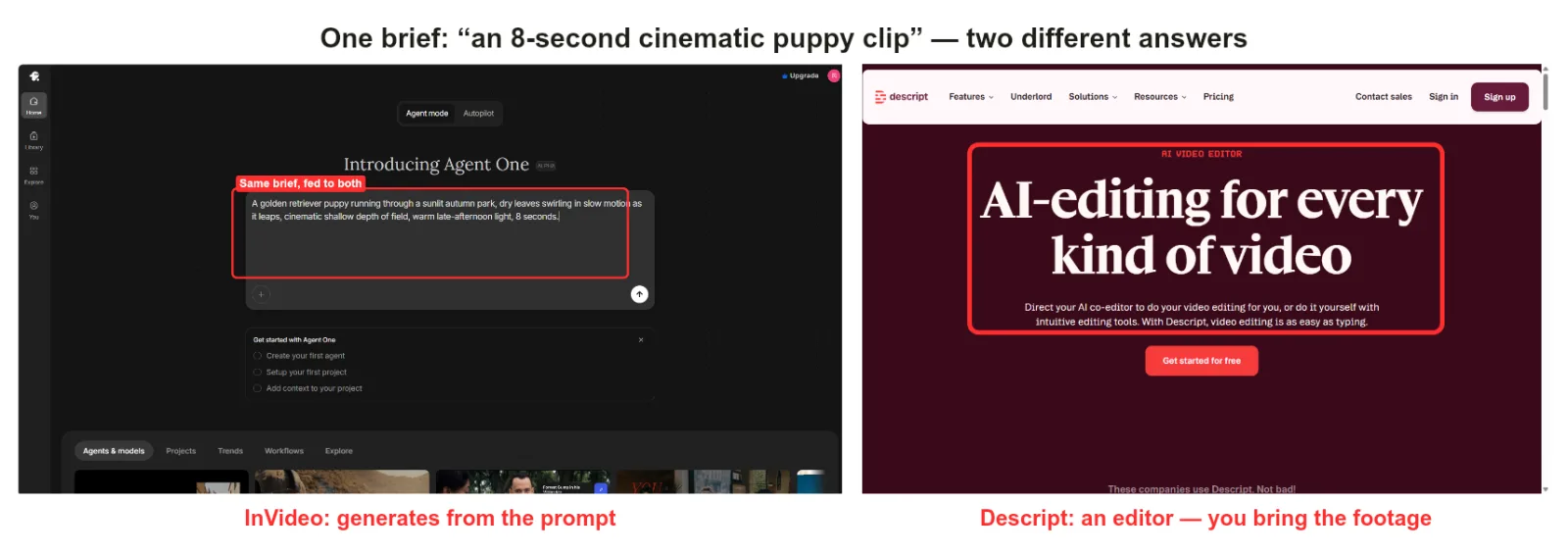 The generation brief, two stances. InVideo's Agent mode read the puppy prompt and started planning an 8-second render. Descript's own product framing is an editor where editing is as easy as typing, so that same prompt has nothing for it to act on until you bring footage. Hand each tool the input it is built for and the picture flips.
Head-to-Head, Dimension by Dimension
Ease of Use and Learning Curve
InVideo is easier to start cold. I typed the puppy prompt, and within a minute it had a plan, a script, and a reference sheet in motion. No timeline, no tracks. Descript asks more of you up front, because there is nothing to edit until you import or record footage. Once you have a recording, though, Descript's text-based editing is about as gentle as editing gets: if you can edit a Google Doc, you can cut a video. Winner: InVideo for a true cold start; Descript for first-time editors who already have footage. Call it even; it depends on where you begin.
Output: What Each Tool Did With Its Own Brief
Honesty first: I never saw a finished puppy clip. InVideo read the prompt, drew up a plan, generated a character reference sheet, and then hit a credit wall before it could render (the screenshot is two sections down, under pricing). So I can tell you how InVideo starts, by assembling from stock and AI off a plain text brief, but on the free tier I did not get to watch it land a final video. Descript, given its own brief, does the opposite job by design: the recording becomes an editable transcript, deleting a line of text removes the matching footage, filler words come out in a single pass, and captions generate straight from the audio. Swap the briefs and both stall. Descript has nothing to edit without footage, and InVideo has no transcript-level control to tighten a raw take word by word. Same goal, a finished video, opposite starting points. Winner: InVideo for generating from nothing, Descript for refining real footage. I won't crown an output-quality winner I didn't fully watch finish.
Templates, Stock, and Assets
No contest on raw volume. InVideo ships 5,000+ templates and 8M+ stock assets, which is most of why a faceless video comes together so fast. Descript is not template-driven at all, because it edits your material rather than assembling stock. If your video is built from library clips and text, InVideo's catalog is the engine. If your video is you, templates are beside the point. Winner: InVideo.
Speed
InVideo gets you to a rough draft fastest, since generation does the assembly. But "fast" has an asterisk: on the free and Plus tiers, generation is metered in credits, and I hit the ceiling mid-render (more on that under pricing). Descript's speed is your editing speed; text-based cutting is quick, though exporting and rendering a long, multi-track project can crawl. Winner: InVideo to first draft; Descript for fast edits on short pieces.
Pricing and Value
Both start free, and both free tiers watermark your exports. The catch worth knowing: InVideo's free plan grants no commercial-use rights and meters AI generation by the week, so it is a trial, not a workhorse. I learned this the hard way mid-test.
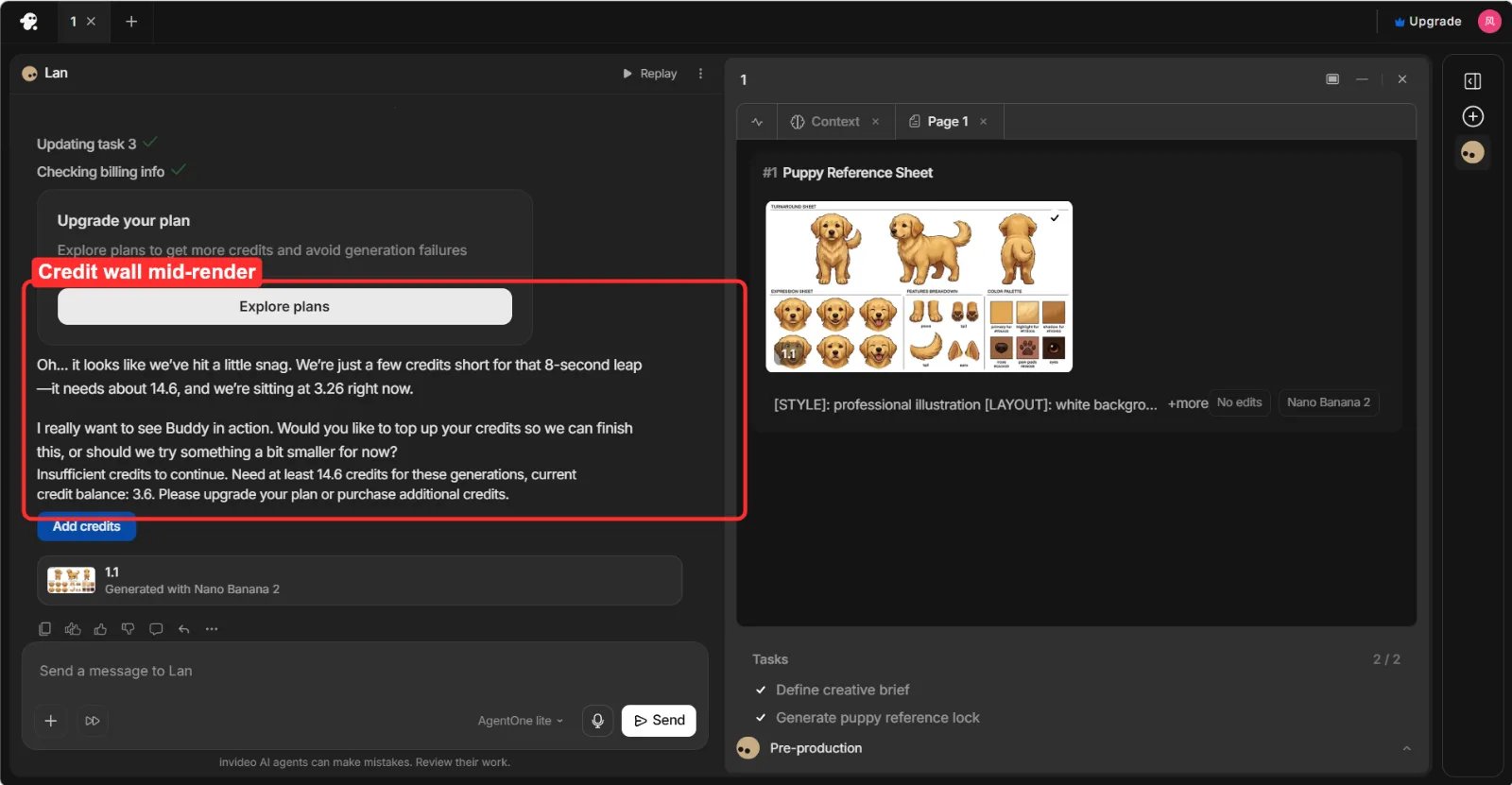 Mid-generation, InVideo stopped and asked me to upgrade or buy credits: it was sitting at 3.26 credits, short of finishing the 8-second clip.
Paid, Descript's Creator plan runs $24/mo (annual) with full AI access, while InVideo's Plus is $20/mo (annual) and Max is $48/mo for 4K and heavier generation. Winner: an honest tie. They charge for different things (editing time and AI credits vs generation volume and stock), so "cheaper" depends entirely on what you make.
Integrations and Export
Descript is built for the publish-and-repurpose loop: its AI Actions turn a recording into clips, show notes, and social posts, and it exports clean files for YouTube and podcast hosts. InVideo leans toward direct social output and stock-driven formats, with one-click sizing for vertical and square. If your job is "one long recording, many outputs," Descript's repurposing is stronger. If it's "many short social videos from prompts," InVideo's export flow fits better. Winner: Descript for repurposing, InVideo for social-first output.
Pros and Cons at a Glance
Descript
- Pros: text-based editing anyone can learn; excellent transcription, Studio Sound, and filler-word cleanup; strong repurposing into clips and notes.
- Cons: can't generate video from a prompt (you must bring footage); long-project exports can be slow; AI features are credit-capped.
InVideo
- Pros: generates a finished video from a written brief; huge template and stock library; fastest path to a faceless or marketing draft.
- Cons: free tier watermarks and grants no commercial rights; generation halts when credits run out; less fine control than a real editor.
Choose Descript If / Choose InVideo If
Choose Descript if you record yourself or guests (podcasts, talking-head, courses); you want to edit by editing text instead of dragging clips; you need accurate transcription and one-click repurposing into shorts and show notes; or polishing real footage is 80% of your work.
Choose InVideo if you start from a script or idea with no footage; you make faceless, marketing, or social videos at volume; you want templates and stock to do the heavy lifting; or speed from prompt to draft matters more than frame-level control.
If you only edit, you'll never miss generation. If you only generate, a transcript editor is dead weight. Pick the one that matches the job you actually do most days.
Still Not Sure? A Third Path
There's a gap between these two that neither fills cleanly: you want a finished video generated for you (InVideo's lane), but without learning a prompt-and-template workflow or rationing generation credits to get there. That gap is where a conversational option like Pexo sits. Instead of a prompt box or a timeline, you just describe what you want the way you'd text a friend, and Pexo works with the best model for the job (Seedance, Kling, and more) rather than making you pick. It's an AI video partner, not an editor and not a template engine, so it won't replace Descript for cutting your own recordings. But if the thing you actually want is "make me the video, just from a conversation," it's worth a look as a third option. (Disclosure: Pexo is our product; the Descript-vs-InVideo comparison above is independent of it.)