

 ChatGPT
 Perplexity
 Claude
 Gemini
 Grok
Grok



People keep recommending Fliki and Pictory in the same sentence, as if they were two versions of the same product. They are not. I put both in front of the same brief, a short marketing script I wanted turned into a faceless video, and the difference showed up in the first five minutes. Fliki is built to generate a video from a script in almost any voice and language. Pictory is built to repurpose video and articles you already have into short, captioned clips. If you pick based on the marketing copy alone, you can easily buy the wrong one.
So here is the short version before the detail. Choose Fliki when your starting point is a script or an audio file and you care about voice quality and languages. Choose Pictory when your starting point is a long video, a webinar, or a blog post you want to cut down. Below is how they compared, dimension by dimension, with the trade-offs each one is hiding.
Fliki vs Pictory at a Glance
Here is the side-by-side I built while testing, so you can scan the decision before reading the full breakdown.
| Dimension | Fliki | Pictory |
|---|---|---|
| Best for | Script and audio to faceless video | Repurposing long video and articles |
| Voices and languages | 1,300+ voices, 75+ languages, 100+ dialects | Around 60 voices, fewer languages |
| Stock visuals | AI-matched stock library | Storyblocks library, strong scene matching |
| Edit existing video | Limited | Yes, edit by deleting transcript text |
| Blog or URL to video | Supported | A core strength, well automated |
| Free option | Free tier, about 5 min per month | Free trial, 3 projects |
| Paid entry (verify live) | From roughly 21 to 28 USD per month | From roughly 19 to 25 USD per month |
| Export | MP4, social-ready aspect ratios | MP4, social-ready aspect ratios |
Pricing moves often, so treat the numbers as a mid-2026 snapshot and confirm on each official page before you buy.
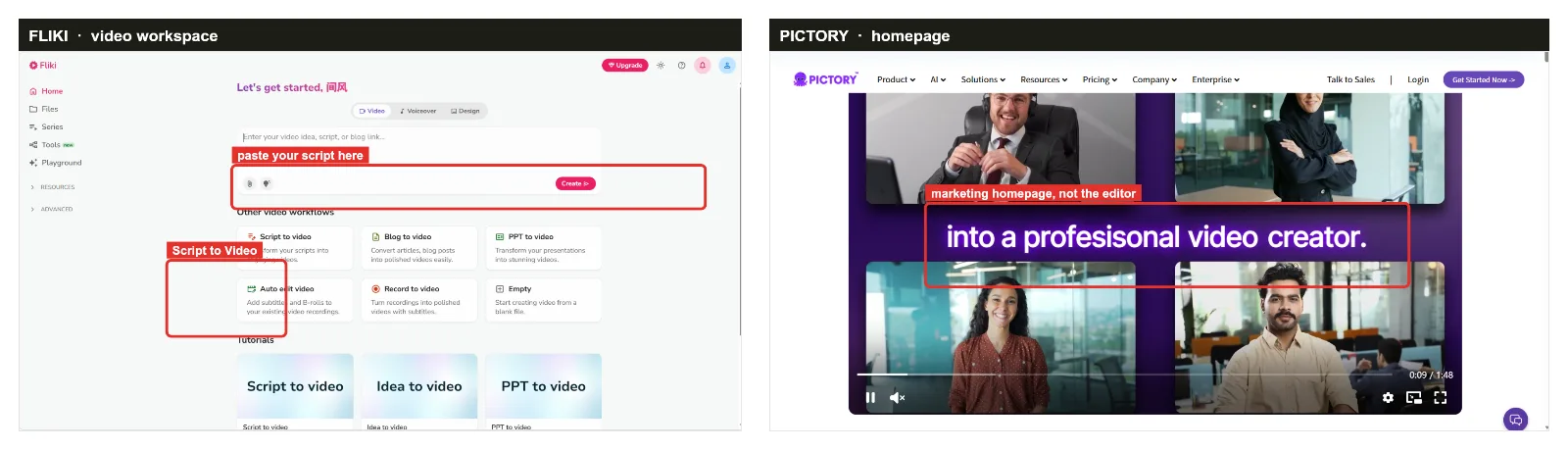 Two very different starting points. Fliki opens straight into a script-to-video workspace, while Pictory leads with its homepage. The red boxes mark where each tool actually begins.
What Each Tool Is Actually Built For
This is the dimension that decides the other seven, so it goes first. Fliki starts from words. You paste a script, paste an article link, or upload an audio file, pick a voice, and it assembles a faceless video with captions and matched stock footage. The center of gravity is the voiceover.
Pictory starts from media you already have. Its signature move is taking a long recording, a webinar, or a written post and shrinking it into short clips. The standout feature is editing video by editing its transcript: delete a sentence of text and the matching footage disappears. Winner here is a tie, because they are simply built for different jobs. Naming that honestly is the whole point of this comparison.
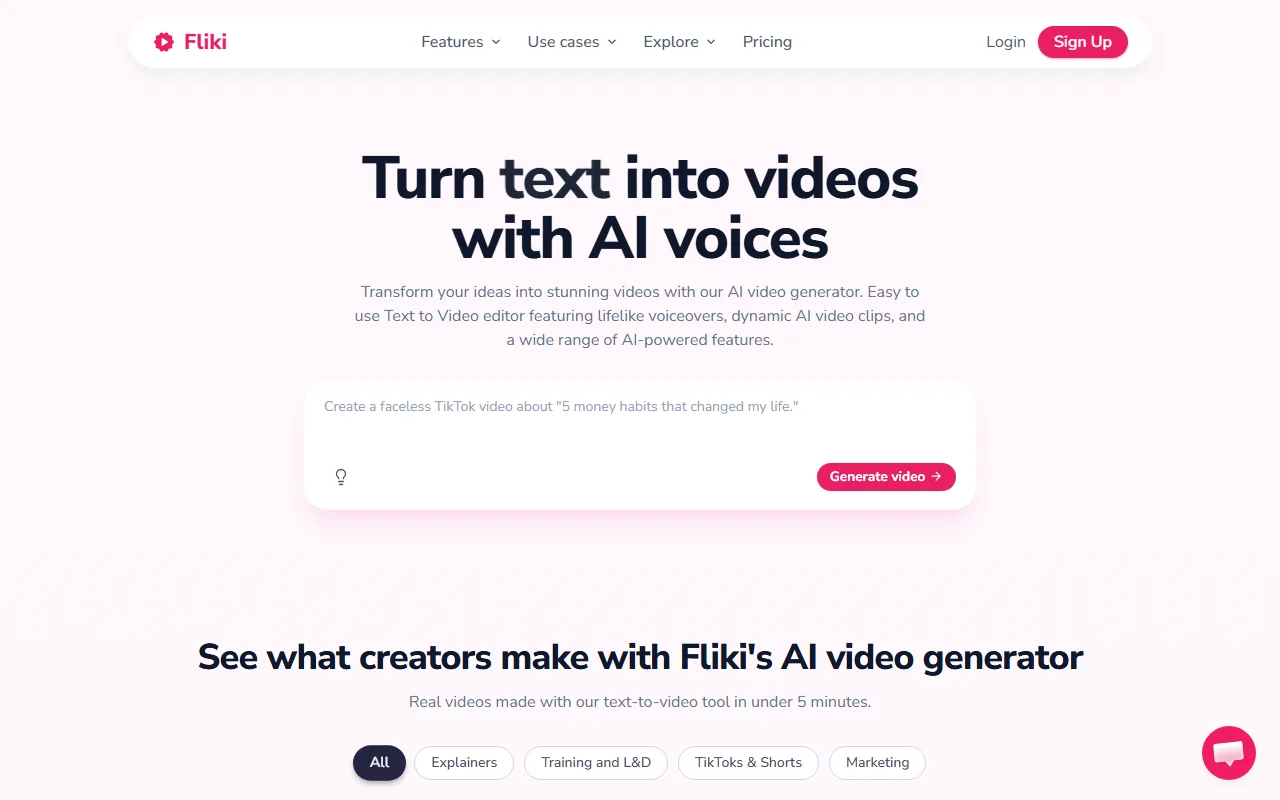 Fliki leads with voice and script, the opposite of Pictory's editing-first layout.
Voiceover and Languages: Fliki's Home Turf
If your video lives or dies on the narration, this section is the comparison. Fliki carries a voice library in the 1,300-plus range across more than 75 languages and 100-plus dialects, and it lets paid users clone a voice. That breadth is its single biggest advantage, and it is not close. For regional content, a Hindi or Spanish or Arabic voiceover is a two-minute job.
Pictory covers the basics with around 60 voices and far fewer languages. The voices are clean and usable for English business content, but they are not the reason anyone buys Pictory. Winner: Fliki, decisively, on voice realism and language coverage. Where Fliki falls short: all that voice power does nothing for you if your raw material is existing footage rather than a script.
Visuals, Stock Footage and Text-Based Editing: Where Pictory Pulls Ahead
Now the mirror image. Pictory's visual engine pulls from a large Storyblocks library and is genuinely good at reading a script, picking keywords, and dropping in relevant high-resolution clips with little babysitting. Add the edit-by-transcript feature and Pictory becomes the better tool the moment your project involves real video you need to trim, caption, or summarize.
Fliki also auto-matches stock visuals, and the result is fine for talking-points content, but it gives you less control over the footage and no real way to cut down an existing long video. Winner: Pictory, on visual control and any workflow that touches footage you already own. Where Pictory falls short: it is slower and clunkier when all you wanted was a quick multilingual voiceover clip from a paragraph of text.
Ease of Use and Speed: First Video From the Same Script
Both tools are beginner-friendly, and neither needs editing skills, so this came down to how few steps stood between me and a first export. With Fliki, the path is short: paste the script, choose a voice, generate. For a plain narrated video, it is the faster of the two to a first draft.
Pictory asks for a little more up front, because it is setting you up to edit scenes and swap footage, which is more capability than a quick voiceover needs. For a simple text-to-video task, that is friction. For a repurposing task, that same structure is exactly what you want. Winner: a narrow edge to Fliki for speed-to-first-draft on simple jobs, with Pictory even or ahead once real editing is involved.
Pricing and Value: What You Actually Pay
Price should not be the headline, because these tools win on fit, not on being cheap, but it is fair to be transparent. Both offer a free way in: Fliki with an ongoing free tier of roughly five minutes of video a month, Pictory with a limited free trial. Paid plans land in a similar entry band, very roughly the low-to-high twenties of US dollars a month, with Pictory's longer-video work pushing you toward a higher tier and Fliki's commercial rights and voice cloning sitting on its upper plans.
The honest read is that neither is meaningfully "cheaper" once you match features. Winner: a tie on value, decided by which feature set you actually need. Confirm the live numbers on the Fliki pricing page and the Pictory pricing page before you commit, since both change them regularly.
Choose Fliki If / Choose Pictory If
After all eight dimensions, the verdict is not "X beats Y." It is that they serve two different people. Both, for the record, hold strong user ratings in the mid-4-star range on G2 and Capterra as of mid-2026, so this is a fit decision, not a quality gap.
Choose Fliki if:
- Your starting point is a script or an audio file, not existing video.
- You need voiceovers in many languages or dialects, or you want to clone a voice.
- You are pumping out faceless TikToks, Shorts, or podcast-to-video clips at volume.
Choose Pictory if:
- You are repurposing long videos, webinars, or recorded talks into short clips.
- You want to edit video by editing a transcript instead of a timeline.
- Turning blog posts and article URLs into videos is your main workflow.
One honest aside, since this is a two-horse article and you may not love either fit: if your real wish is to skip both the script box and the scene timeline and just describe the video you want in plain language, a conversational, multi-model AI video partner like Pexo is worth a look as a third path. It picks the underlying model for you instead of making you configure one.





