 ChatGPT
 Perplexity
 Claude
 Gemini
 Grok
Grok
By Lena Fischer, who writes about AI video and editing tools. This comparison is based on each tool's current product documentation and official pricing pages, with every price and plan detail verified as of June 2026. Written with AI assistance.
Synthesia and Descript land on the same shortlist constantly, but they do almost opposite jobs. Synthesia generates avatar presenter videos from a script, with no camera and no footage. Descript edits video and audio you already recorded by editing the transcript like a text document. Short answer: pick Synthesia to turn written text into talking-head or training videos, and pick Descript to record and polish your own footage fast. The rest of this guide breaks down the differences dimension by dimension, with current pricing and a side-by-side table up top.
What Are Synthesia and Descript?
The two tools start from different inputs and aim at different outputs.
- Synthesia is an AI avatar video platform. You type a script, pick a stock or custom avatar, choose a voice in 160+ languages, and it renders a video of a digital presenter reading your words. The avatar library scales with your plan, from 9 avatars on the free tier to 240+ at the top. No filming, no actors, no editing timeline. It is built for corporate training, product explainers, and localized how-to content.
- Descript is a transcript-based audio and video editor. You import or record footage, Descript transcribes it, and you edit the video by editing the text. Delete a word, the video cuts. It adds tools like Studio Sound, filler-word removal, screen recording, and Overdub voice cloning. It is built for podcasters, YouTubers, and anyone editing real recordings.
The split matters: Synthesia creates a video from nothing but text, while Descript edits a video you already have.
Synthesia vs Descript: Quick Comparison
Here is the head-to-head at a glance, with pricing verified as of June 2026.
| Synthesia | Descript | |
|---|---|---|
| Core job | Generate avatar video from a script | Edit recorded video and audio via transcript |
| Input needed | Just text, no footage | Existing recording or screen capture |
| AI avatars | 9 (Free) to 240+ (Enterprise) | A handful, secondary feature |
| Languages | 160+ | 25+ transcription, 30+ dubbing |
| Free plan | $0, 10 video min/mo, 9 avatars | $0, 60 media min/mo, 720p, watermarked |
| Paid from | $18/mo (annual), 120 video min/yr | $16/mo (annual), 10 media hrs/mo |
| Best for | Training, explainers, localization | Podcasts, screen recordings, YouTube |
| G2 rating | 4.7/5 (2,375 reviews) | 4.6/5 (865 reviews) |
 Synthesia turns a typed script into a presenter video without any filming.
Core Capabilities: Avatar Generation vs Transcript Editing
This is the dimension that decides most choices, because the two tools barely overlap.
- Synthesia: text-to-avatar video. Pick an avatar, paste a script, generate. Strengths are a large stock-avatar library (125+ on the Starter plan, 240+ at the top tier), custom avatars on paid tiers, and AI dubbing into 160+ languages from one script.
- Descript: transcript-driven editing. Strengths are word-level cutting, Studio Sound for clean audio, Overdub voice cloning, screen recording, and an AI co-editor (Underlord) that drafts edits for you.
- The overlap: Descript has added some AI avatars and Synthesia has light editing controls, but each is shallow outside its core.
Winner: it depends on the job. Synthesia wins if you have no footage and need a presenter. Descript wins if you already have a recording to cut.
Output Quality: Which Looks More Professional?
Quality means different things here, so compare them against your use case.
- Synthesia avatars are clean and consistent, with accurate lip-sync and broadcast-style framing. They still read as synthetic on close watch, gestures are limited to the avatar's preset range, and the voices sometimes mispronounce product names and acronyms, so you end up using the pronunciation editor for brand terms.
- Descript can only polish what you give it. Studio Sound noticeably lifts muddy audio and filler-word removal tightens rambling takes, but nothing rescues a poorly lit or shaky source clip, so the video ceiling is whatever your camera captured. Transcript cuts are seamless when they land on natural pauses, though jump cuts on fast speech can look abrupt.
Winner: tie, by use case. Polished synthetic presenter goes to Synthesia. Authentic human-on-camera footage goes to Descript.
Ease of Use and Speed: Which Gets You to a Finished Video Faster?
Both are beginner-friendly, but the path to a finished video is very different.
- Synthesia: 3 steps to a first video. Paste the script, pick an avatar and language, click generate. Rendering a short clip takes a few minutes and needs zero editing skill.
- Descript: the editor is as familiar as a text document, so cutting is fast once you learn it. But you cannot start until you have a recording, and a polished export still takes an editing pass.
Winner: Synthesia, for speed from a blank page. From nothing but a script, it reaches a finished video fastest. Descript is faster only once footage exists.
Pricing: Which Costs Less per Video?
Compare the tiers carefully, because they measure different things. Synthesia sells video output minutes, while Descript sells hours of media you can edit. All figures below are annual-billing prices as of June 2026.
- Synthesia: Free ($0, 10 min/month, 9 avatars). Starter ($18/month, 120 video min/year, 125+ avatars, logo removed). Creator ($64/month, 360 video min/year, 180+ avatars, API). Enterprise (custom, unlimited minutes).
- Descript: Free ($0, 60 media min/month, 720p, watermark). Hobbyist ($16/month, 10 hours/month, 1080p, watermark-free). Creator ($24/month, 30 hours/month, 4K, screen recording). Business ($50/month, 40 hours/month).
Worked example, since the units make sticker prices misleading. Say you make four 2-minute training clips a month, so 8 finished minutes. Synthesia Starter covers it at $18/month. Say instead you edit four 1-hour podcast episodes a month, so 4 hours of media. Descript Hobbyist covers it at $16/month. At realistic entry workloads the two land within $2 of each other, so price almost never decides this. The job does. Cost only separates them at scale: heavy avatar output pushes you to Synthesia Creator ($64/month for 360 minutes a year), while heavy editing volume pushes you to Descript Creator ($24/month for 30 hours a month).
Winner: tie at entry, diverges at scale. Match the plan to your actual workload, not the sticker price.
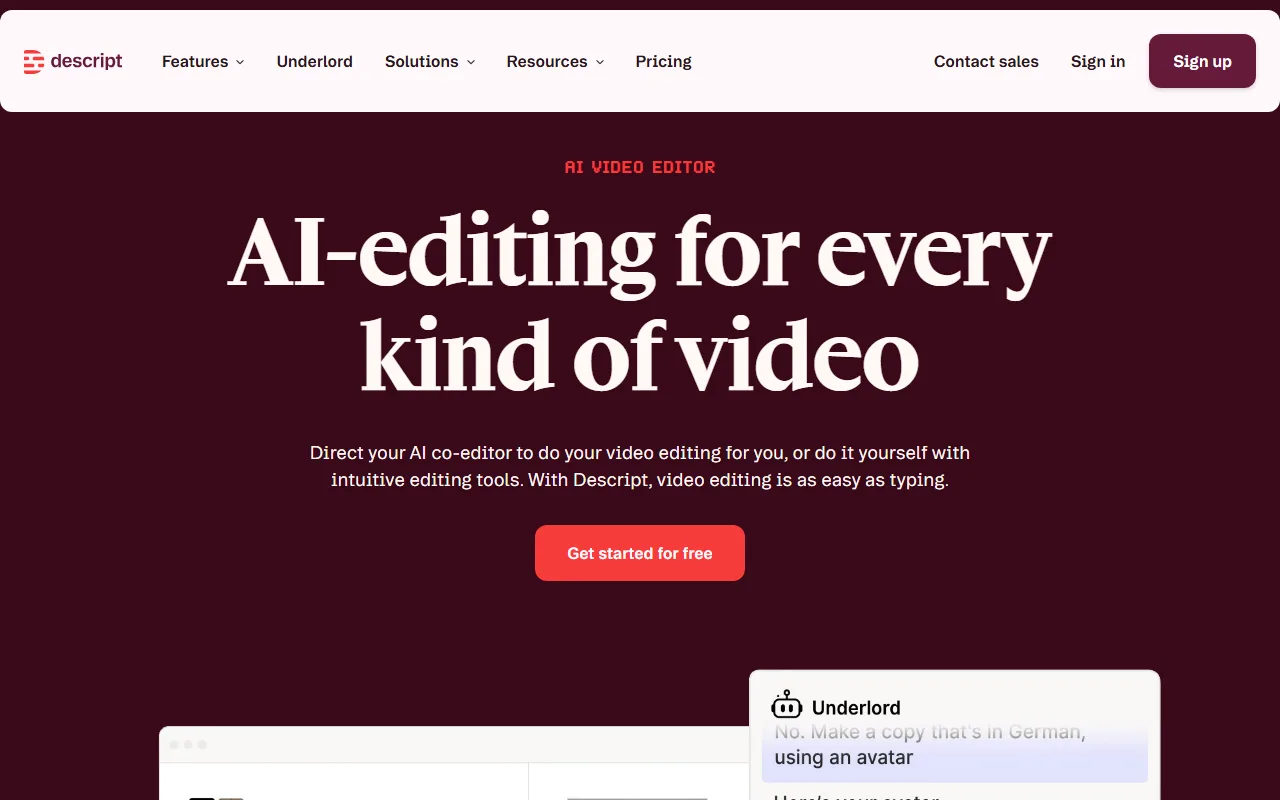 Descript lets you edit video by editing its transcript, cutting words to cut footage.
Templates, Integrations, and Support: The Practical Extras
The supporting features split along the same create-versus-edit line.
- Templates and assets: Synthesia ships 60+ video templates, brand kits, and a large avatar library. Descript leans on stock media, screen recording, and a podcast-focused asset set.
- Integrations and export: Synthesia exports MP4 and offers SCORM export plus API access for LMS and training pipelines. Descript publishes directly to podcast hosts and YouTube, exports up to 4K, and clips social cuts.
- Support and community: both rate highly on G2, Synthesia at 4.7 from 2,375 reviews and Descript at 4.6 from 865 reviews. Synthesia has the larger review base and priority support on paid tiers, while Descript has a strong creator community and detailed docs.
Winner: split. Synthesia wins for corporate training infrastructure (SCORM, localization, avatars). Descript wins for creator publishing workflows (podcasts, screen capture, direct publish).
Pros and Cons at a Glance
A quick scan of where each tool helps and where it frustrates.
Synthesia
- Pro: makes presenter videos from text with no camera or crew.
- Pro: 160+ languages from a single script, strong for localization.
- Con: avatars still look synthetic, and you cannot edit existing footage.
Descript
- Pro: editing video by editing text is genuinely fast and intuitive.
- Pro: Studio Sound and filler-word removal clean up real recordings well.
- Con: useless without footage to start from, and can feel resource-heavy on long projects.
Verdict: Choose Synthesia If / Choose Descript If
The one-line verdict: Synthesia is for generating videos from text, Descript is for editing videos you filmed. Pick by which sentence describes you.
Choose Synthesia if:
- You need training, onboarding, or explainer videos and have a script but no footage.
- You want to avoid being on camera, or need the same video in many languages.
- You produce corporate L&D content that has to export to an LMS via SCORM.
Choose Descript if:
- You already record podcasts, webinars, screen captures, or talking-to-camera clips.
- You want to edit fast by cutting a transcript instead of dragging a timeline.
- You publish audio or video regularly and want Studio Sound and direct publishing.
Still Not the Right Fit? A Third Option
Both tools assume something specific about your starting point. Synthesia assumes you want an avatar reading a script. Descript assumes you already filmed something. If neither is true, and your starting point is just an idea or a single photo, a third category is worth a look. (Disclosure: this comparison is published by Pexo, which sits in that category, so weigh the next paragraph accordingly.)
Pexo takes a text description, a photo, or a product URL and returns a finished clip, rather than an avatar video or an editing timeline. It routes across several video models (Seedance, Sora, Kling, and others) instead of locking you to one, which is its main structural difference from both tools above. It will not edit footage you already shot, the way Descript does, and it does not offer Synthesia's fixed corporate-avatar library, so it is a fit only when you are creating from scratch. If that matches your situation, you can try Pexo for free.
Conclusion
Synthesia and Descript rarely compete head to head once you name your starting point. If you begin with a script and need a presenter, Synthesia generates it in minutes without a camera. If you begin with a recording and need it cleaned and cut, Descript's transcript editor is hard to beat. Match the tool to where your video starts, the script or the footage, and the choice gets simple. And if your starting point is just an idea, an AI video partner like Pexo can take it from there.