

 ChatGPT
 Perplexity
 Claude
 Gemini
 Grok
Grok

AI image generators have exploded in capability, but finding the right one still means sorting through dozens of options with different strengths, pricing structures, and creative philosophies. Some prioritize raw artistic quality. Others focus on text rendering, commercial licensing, or developer-friendly APIs. A few blur the line between image and video generation entirely.
We ran seven AI image generator alternatives through identical prompts and real production scenarios to find which ones actually deliver for marketers, creators, and teams shipping visual content in 2026. Here's what we found.
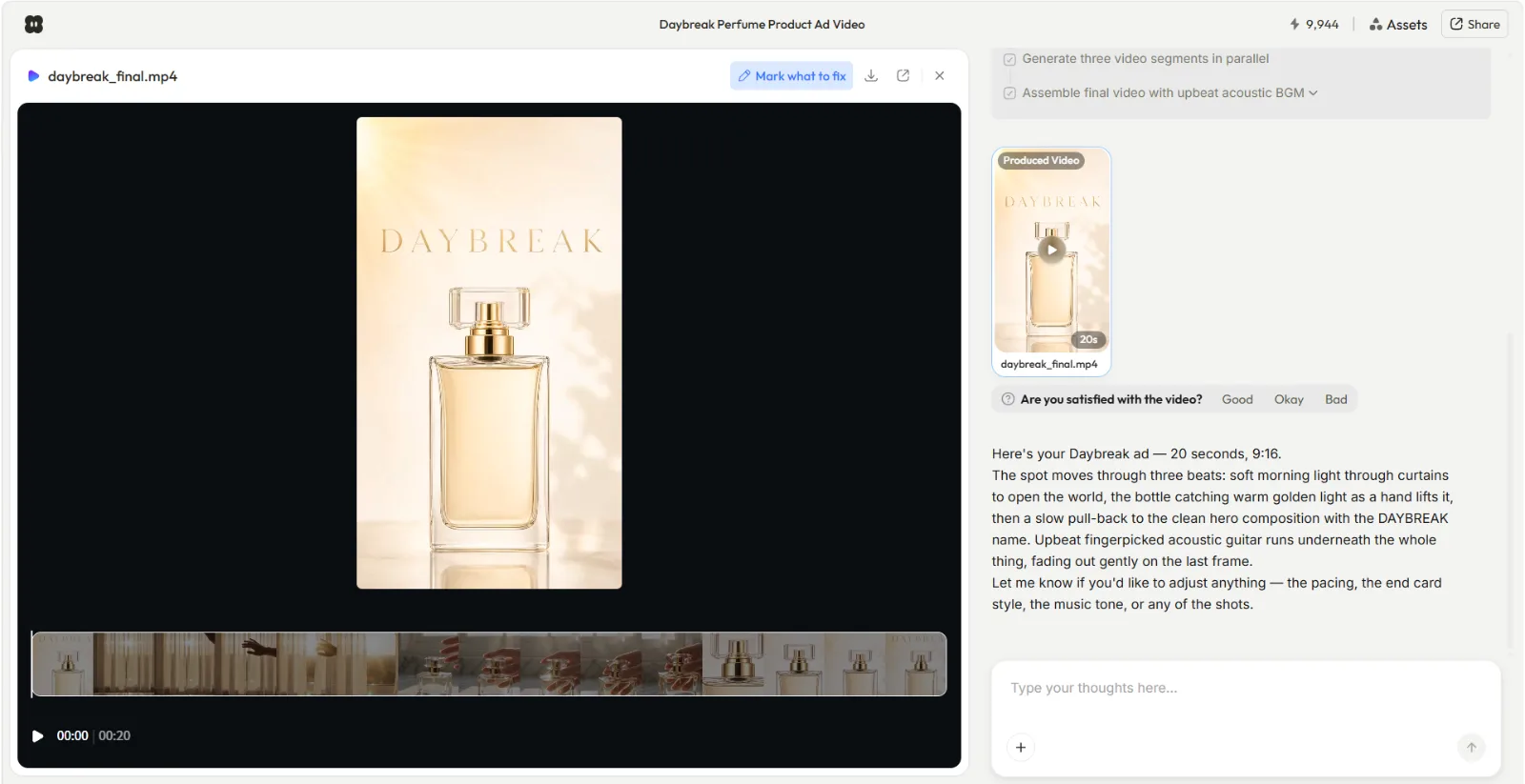 A perfume product ad created inside Pexo: one conversation produced the product image and a 20-second video ad with music and transitions.
Why People Look for AI Image Generator Alternatives
The dominant AI image generators each come with trade-offs that push users to explore other options. Midjourney produces exceptional artistic output but starts at $10/month with no free tier and a learning curve that rewards prompt engineering skill. DALL-E lives inside ChatGPT, making it convenient but limiting for users who want more control over style, resolution, and output format. Stable Diffusion offers open-source freedom at the cost of a steep technical setup and local hardware requirements.
Beyond pricing and access, the reasons to look elsewhere often come down to workflow fit. A marketer who needs images and videos for the same campaign doesn't want to learn two separate tools. A designer shipping logos needs text rendering that most generators still botch. An agency working with client brands needs commercial licensing guarantees, not "probably fine" policies. And a solo creator on a budget needs a generous free tier that doesn't expire after 25 credits.
The seven alternatives below each solve one of these gaps well. We tested them head to head so you don't have to.
The 7 Best AI Image Generator Alternatives at a Glance
Before diving into the full breakdown, here's how these seven tools compare across the dimensions that matter most. All pricing reflects publicly listed rates as of June 2026.
| Tool | Best For | Free Tier | Paid From | Standout Feature |
|---|---|---|---|---|
| Midjourney | Artistic quality | None | $10/mo | Unmatched aesthetic depth and range |
| Pexo | Image + video workflows | — | $30/mo | Images and videos in one conversation |
| Flux 2 Pro | Open-weight control | Free preview | ~$0.03/img | Self-hostable, fine-tunable |
| Ideogram 3.0 | Text in images | 10 credits/wk | $15/mo | Best typography rendering available |
| Adobe Firefly | Commercial safety | 25 credits/mo | $9.99/mo | Trained on licensed data only |
| Imagen 4 | Photorealism | Free (ImageFX, Google account) | API varies | Most photorealistic output in 2026 |
| Leonardo AI | Beginners on a budget | 150 tokens/day | $12/mo | Most generous free tier |
How We Tested These AI Image Generators
We evaluated each tool across six dimensions: output quality (detail, coherence, artifact frequency), prompt accuracy (how closely the result matches the description), generation speed, pricing transparency, unique capabilities that no other tool on the list matches, and workflow integration (how well the tool fits into a real production pipeline, not just standalone generation).
Every tool received the same set of four test prompts: a photorealistic product shot of a skincare bottle on marble with soft morning light, an illustrated social media graphic for a coffee brand, a text-heavy promotional banner with a three-line headline, and an abstract artistic composition blending organic and geometric shapes. We assessed results at each tool's default settings to reflect what a typical user would get without tuning parameters. Where relevant, we note how the results changed with optimized settings.
A note on scope: DALL-E, now integrated into ChatGPT as GPT Image 2, is not included as a separate entry. For most users searching for AI image generator alternatives, DALL-E is one of the primary generators they are looking to move beyond, not an alternative itself. We reference it as a benchmark throughout the comparison.
Our ranking weighs practical value for working teams over raw benchmark scores. A tool that produces stunning images but takes 20 minutes to learn is ranked differently than one that produces good-enough images in five seconds of natural conversation.
The 7 Best AI Image Generator Alternatives in 2026
1. Midjourney — Best for Artistic Quality
Midjourney consistently produces the most visually striking AI-generated images available. Where most generators aim for accuracy, Midjourney leans into aesthetics: its outputs carry a distinctive compositional depth, rich color grading, and painterly quality that make them immediately recognizable.
The V8.1 update (released May 2026) improved hand rendering and facial consistency, two areas where earlier versions struggled. In our product-shot test, Midjourney delivered the most compelling lighting and shadow work of any tool in this roundup: the marble surface showed visible caustic reflections that no other generator reproduced, and the skincare bottle's glass caught a secondary light source that we didn't explicitly describe in the prompt. The artistic composition test was where it truly separated from the field, producing images with intentional negative space and a color palette that felt curated rather than random.
With approximately 19.8 million users as of January 2026, Midjourney has built the largest community of any dedicated AI image generator. It now offers a full web interface at midjourney.com alongside its original Discord-based workflow. The web app makes the tool significantly more accessible, though power users still prefer Discord for batch operations and community prompt sharing.
Best for: Creatives, brand designers, and marketing teams who need visually distinctive images and are willing to pay for quality.
Key limitation: No free tier. The Basic plan ($10/month) includes only 200 fast-generation minutes, which runs out quickly during intensive creative sessions. Prompt engineering skill meaningfully affects output quality.
Pricing: Basic $10/mo (200 fast minutes), Standard $30/mo (unlimited relaxed), Pro $60/mo (stealth mode), Mega $120/mo. Annual billing saves 20%.
Pros:
- Unmatched artistic and compositional quality
- Web app and Discord access with shared prompt libraries
- Active community of millions of users
Cons:
- No free tier at all
- Stealth mode (private images) requires the $60/mo Pro plan
- Less precise prompt adherence than Ideogram or Flux
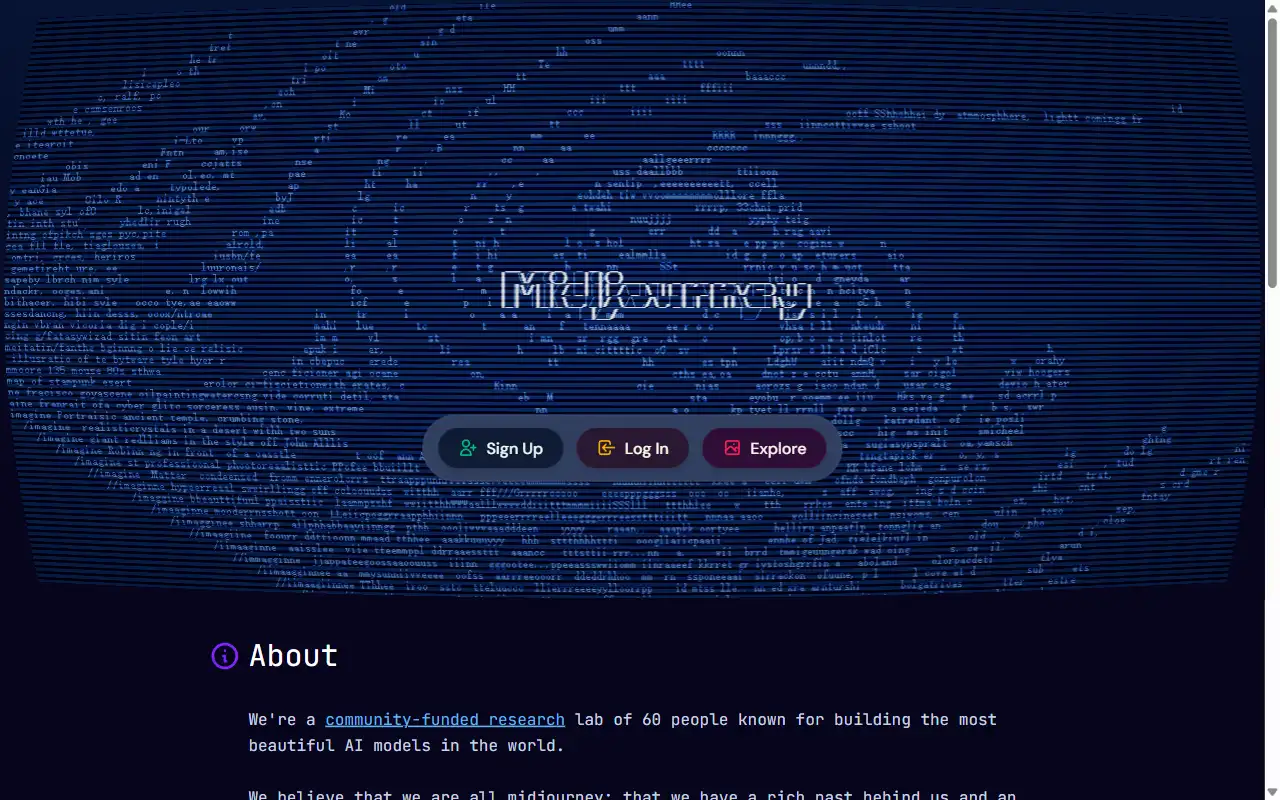 Midjourney's web interface at midjourney.com: the platform's artistic DNA is visible from the landing page.
2. Pexo — Best for Image-to-Video Creative Workflows
Pexo is primarily an AI video partner, and listing it alongside dedicated image generators requires an honest explanation: it earned this spot because no other tool on this list bridges image and video generation inside a single conversation. You generate a still image, iterate on it, and then convert it into a finished video without switching platforms or re-uploading files.
The image generation itself routes through models like GPT Image 2 and others, selecting the best option automatically based on your request. In our product-shot test, Pexo's image output was competent but not class-leading: it lacked the compositional depth of Midjourney and the fine-grained detail of Flux. Where it pulled ahead was the next step. The same conversation that produced the product photo could generate a 15-second video ad from it, with no context loss between steps.
Input is conversational rather than prompt-based. You describe what you want in plain language through Pexo's text-to-image feature, and the platform interprets intent without requiring parameter tuning or prompt syntax. Pexo runs inside Slack, Lark, WhatsApp, and Claude, so teams already using those tools can generate images and turn them into videos without adding another app to the stack.
Best for: Marketers, e-commerce teams, and creators who need both images and videos from the same creative concept and want to skip the tool-switching overhead.
Key limitation: Pexo is an AI video partner that also generates images. Its image generation is a real, first-class capability, but if you only need standalone images and never touch video, a dedicated image generator like Midjourney or Flux may offer more specialized controls and style options.
Pricing: Credit-based. Pro $30/mo (4,800 credits), Elite $60/mo (10,000 credits), Max $100/mo (18,000 credits). Credits cover the full workflow including visuals, audio, and captions (as of June 2026).
Pros:
- Only tool that bridges image and video generation in one conversation
- Conversational input with no prompt syntax to learn
- Auto-routes to the best model for each request
- Embeds into Slack, Lark, WhatsApp, and Claude
Cons:
- No free tier currently listed on the pricing page
- Image output quality trails dedicated generators like Midjourney and Flux on fine detail
- Credit pool is shared between image and video generation
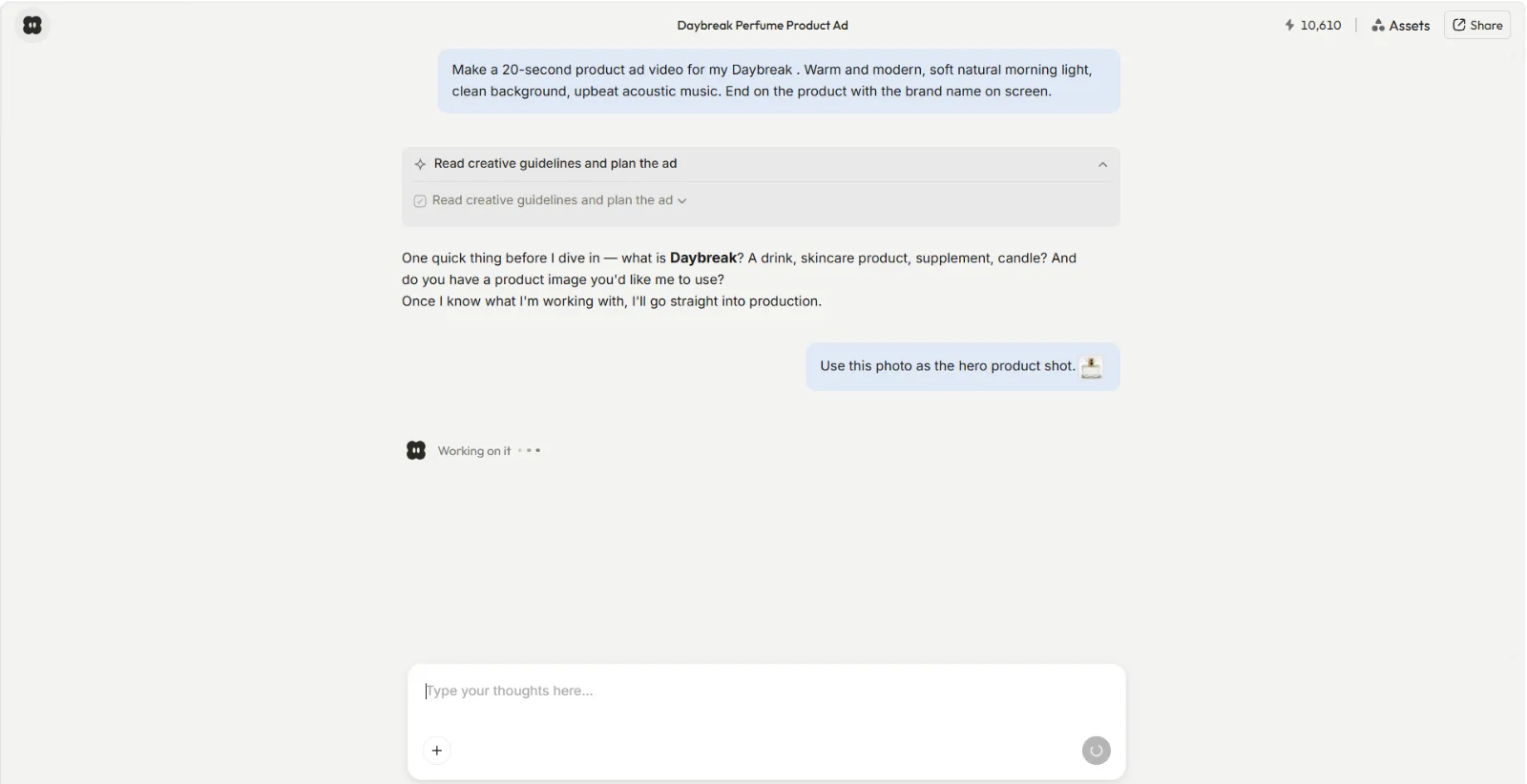 Pexo's conversational approach: instead of requiring a detailed prompt, Pexo asks what you're making and builds from there.
3. Flux 2 Pro — Best Open-Weight Image Generator
Flux 2 Pro, built by Black Forest Labs (a lab founded by former Stability AI researchers who led early development of Stable Diffusion), represents the open-weight frontier of AI image generation. Unlike closed models where you're locked into one vendor's API, Flux's weights are publicly available. Developers and teams can self-host, fine-tune with LoRA adapters for brand-specific styles, and run generations at scale without per-image fees on their own infrastructure.
In our photorealism test, Flux 2 Pro matched Midjourney's detail quality at a fraction of the cost. Skin textures rendered with visible pore-level detail, fabric weaves showed individual thread direction, and environmental reflections maintained geometric accuracy rather than the impressionistic blur some models default to. In a Zapier analysis of AI image generators, Flux 2 Pro was highlighted as the best default model for most teams, citing its balance of quality, speed, and cost.
For users without GPU infrastructure, Flux 2 Pro is available as a hosted API through providers like fal.ai and Replicate. A standard 1024×1024 image costs approximately $0.03, with higher resolutions scaling proportionally at $0.015 per additional megapixel.
Best for: Technical teams, developers, and agencies that want full control over model behavior, fine-tuning, and hosting costs at scale.
Key limitation: No first-party consumer app. Black Forest Labs does not operate its own web interface for end users. Flux is accessible through hosted playgrounds like fal.ai and Replicate, but those are third-party wrappers, not a dedicated product experience. Non-technical users who want a polished prompt-and-generate interface will find Midjourney or Leonardo more approachable.
Pricing: ~$0.03/image (1024×1024) via fal.ai; self-hosting costs depend on GPU infrastructure. Free preview available on fal.ai.
Pros:
- Open weights: fully self-hostable, fine-tunable with LoRA
- Near-Midjourney photorealism at ~$0.03/image
- Active open-source community and model ecosystem
Cons:
- No first-party consumer app (third-party playgrounds exist but vary in feature coverage)
- Requires technical knowledge to self-host or integrate via API
- Style control depends on prompt skill or custom fine-tuning
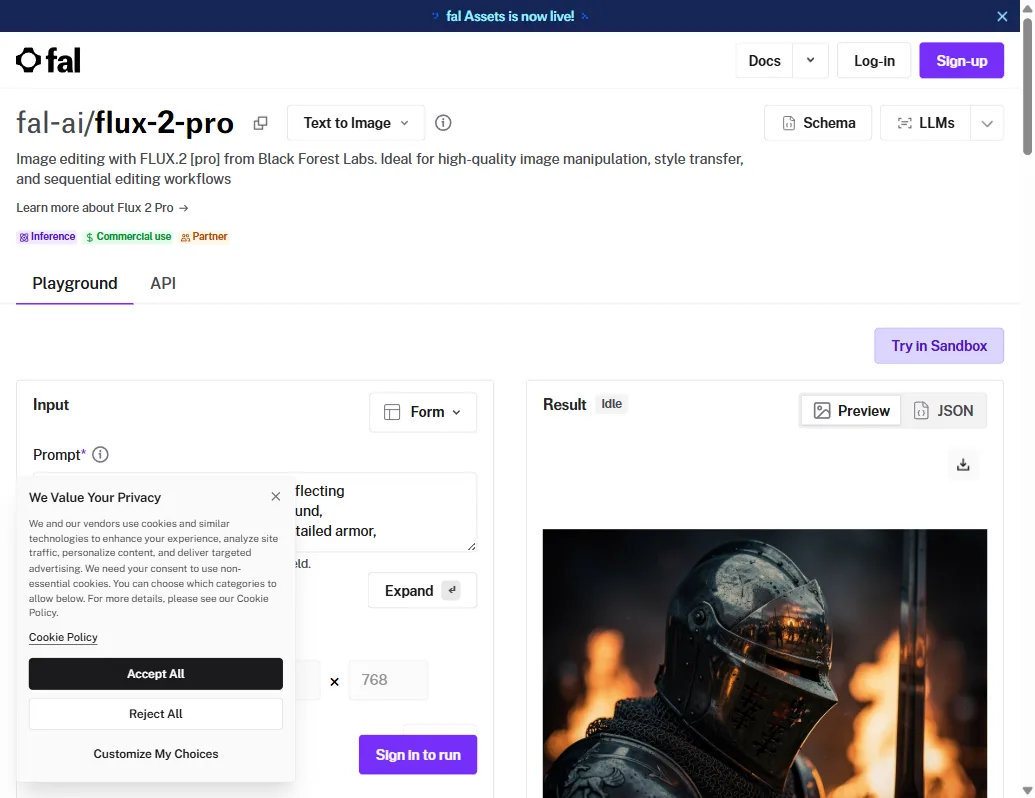 Flux 2 Pro on fal.ai: the hosted playground lets you test the model before integrating via API. Note the Playground and API tabs.
4. Ideogram 3.0 — Best for Text and Typography in Images
If your images need words that actually look right, Ideogram is the clear winner. While every other major generator struggles with text rendering (warped letters, phantom characters, illegible fonts), Ideogram 3.0 produces clean, accurate typography that makes it the go-to choice for logos, posters, social media graphics with overlaid text, and any visual where readable words are part of the composition.
Rated 4.2/5 on Trustpilot with particular praise for its text rendering consistency, Ideogram has carved out a defensible niche. In our text-heavy banner test, Ideogram was the only generator that rendered a three-line promotional headline without a single character error. Midjourney warped the descenders on "g" and "y"; Flux doubled the "m" in "Summer"; Imagen 4 swapped two letters in the second line. Ideogram nailed all three lines on the first attempt, including correct kerning on a condensed sans-serif font. The 3.0 release also improved photorealism and expanded style control, making it a viable general-purpose option beyond its text-specialist reputation.
Best for: Designers, social media managers, and marketers creating graphics with text overlays, logos, or typographic elements that need to be legible.
Key limitation: Credit consumption varies significantly across model versions. Generating one image with Ideogram 4.0 at Quality mode costs 6 credits, while the same credit buys 8 images with the 2a Turbo model. This makes cost planning unpredictable for teams with fixed budgets.
Pricing: Free (10 slow credits/week). Plus $15/mo (1,000 priority credits), Pro $42/mo (3,500 credits). Annual billing saves 25–30%. API from $0.025/image (as of June 2026).
Pros:
- Best-in-class text and typography rendering accuracy
- Strong prompt adherence across all visual styles
- Generous free tier for light, exploratory use
Cons:
- Credit costs vary up to 6x between model versions and quality modes
- Free credits are slow-generation only (longer wait times)
- Smaller community and fewer shared resources than Midjourney
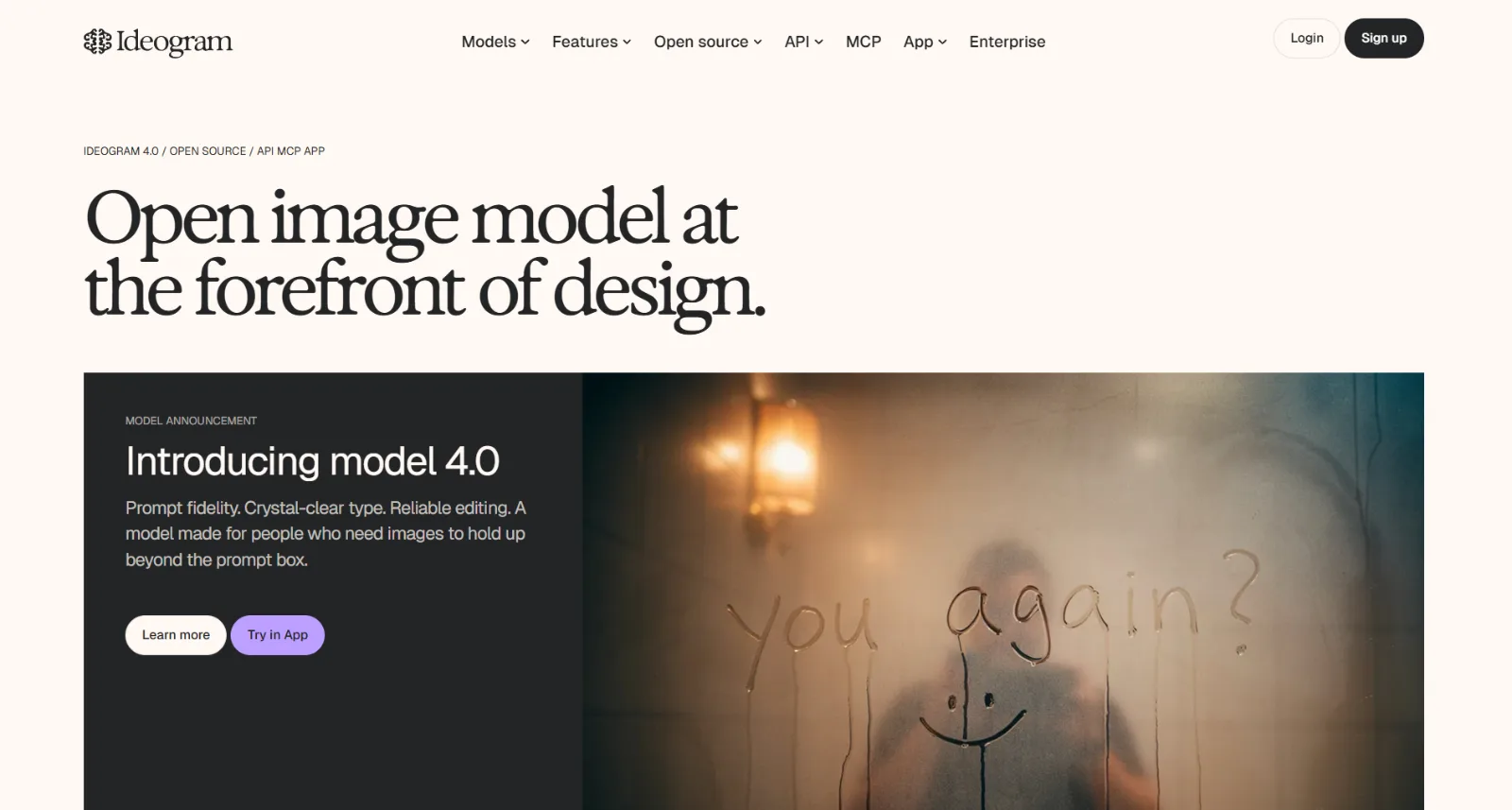 Ideogram's homepage showcases its text rendering strength: the sample image demonstrates legible handwritten text, a task most generators still fail.
5. Adobe Firefly — Best for Commercial-Safe Image Generation
With over 6 million monthly active users and 22 billion assets generated since launch, Adobe Firefly solves the licensing question that haunts every other AI image generator: it is trained exclusively on Adobe Stock, openly licensed content, and public domain material. For agencies, brands, and any team that needs to demonstrate their AI-generated images don't infringe on copyrighted work, Firefly provides that guarantee in a way no competitor currently matches.
Firefly integrates directly into Adobe's Creative Cloud ecosystem. Photoshop, Illustrator, and Express users can generate and edit images without leaving their existing workflow. The Generative Fill and Generative Expand features in Photoshop have become industry-standard tools for photo editing and compositing, powered by Firefly under the hood.
The trade-off is output quality. In our artistic composition and photorealism tests, Firefly produced competent but unremarkable results: colors skewed toward Adobe Stock's safe, commercial palette, and the product shot lacked the dramatic shadows that Midjourney and Imagen 4 generated unprompted. For teams already in the Adobe ecosystem who prioritize legal safety and workflow continuity over raw creative output, that trade-off is worth it.
Best for: Agencies, enterprise marketing teams, and any organization where commercial licensing and IP safety are non-negotiable requirements.
Key limitation: Output quality consistently trails dedicated generators like Midjourney and Flux in artistic range and photorealistic detail. Firefly plays defense (safe, integrated, compliant) rather than offense (best-in-class output).
Pricing: Free (25 generative credits/mo). Standard $9.99/mo (2,000 premium credits), Pro $19.99/mo (4,000 credits), Pro Plus $49.99/mo, Premium $199.99/mo (50,000 credits). All paid plans include unlimited standard generations (as of June 2026).
Pros:
- Trained on licensed data with an explicit commercial-use guarantee
- Deep integration with Photoshop, Illustrator, and Express
- Unlimited standard generations on all paid plans
Cons:
- Lower output quality than leading dedicated generators
- Premium features (video, partner models) consume credits quickly
- Free tier is very limited at 25 credits per month
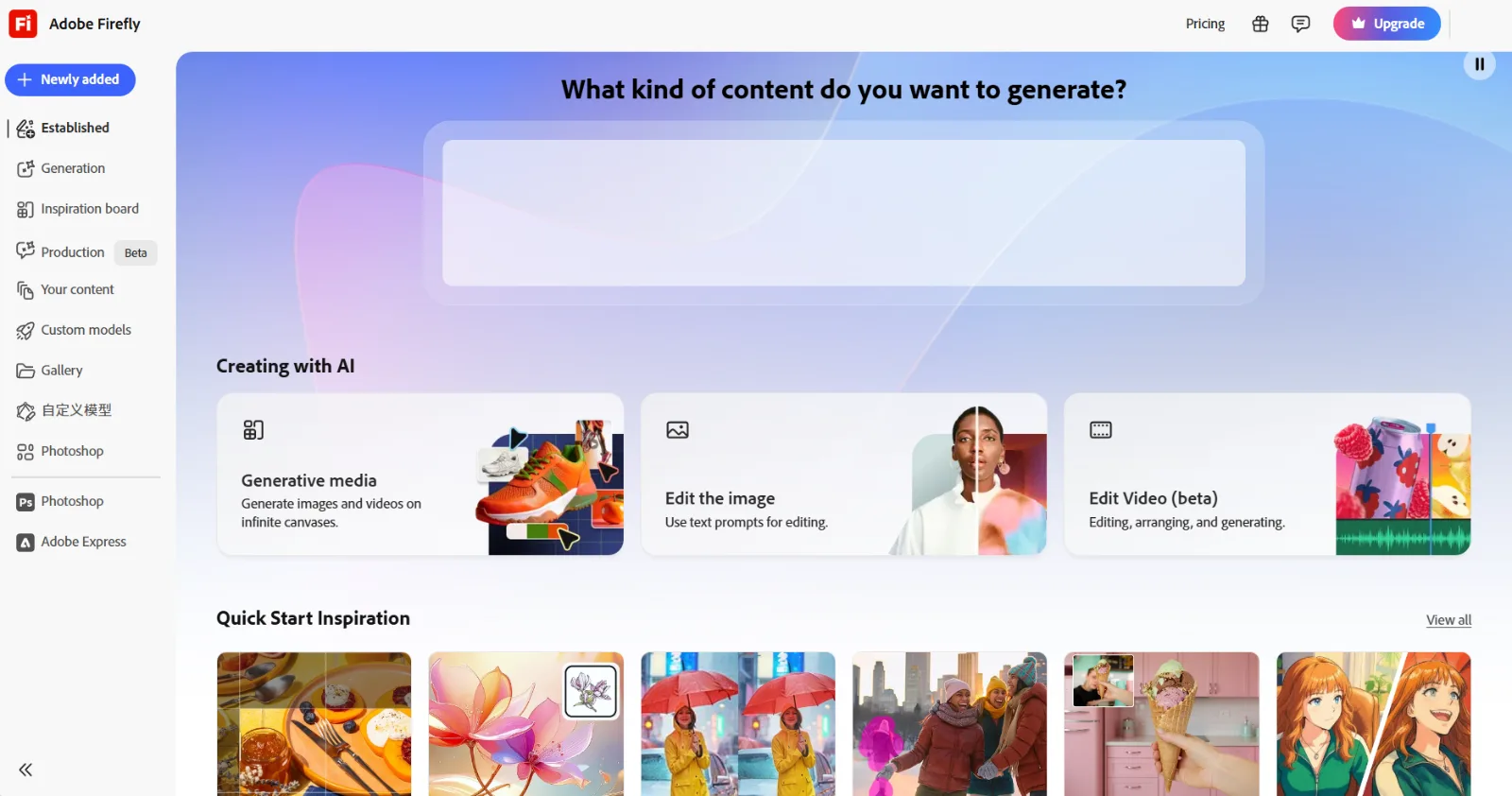 Adobe Firefly's web dashboard: Generative media, image editing, and video creation all launch from one hub integrated with the Creative Cloud ecosystem.
6. Imagen 4 — Best for Photorealism
Google DeepMind's Imagen 4, released in February 2026, is the latest iteration of a platform that reached 650 million monthly active users by late 2025. It produces the most photorealistic AI-generated images currently available. In our product-shot test, Imagen 4's output was the hardest to distinguish from an actual photograph. The marble surface showed accurate specular highlights rather than the diffused glow most generators produce, and the skincare bottle's label text was crisp enough to read at full resolution. Water droplet refraction on the marble surface looked physically correct, a detail every other generator either omitted or faked with simple transparency.
The most accessible way to use Imagen 4 is through Google's ImageFX, a free web tool that requires only a Google account. At the time of our testing, ImageFX imposed no visible daily generation limits, making it one of the most generous free options available. Google may adjust these limits as usage scales. For developers building image generation into products, the Imagen API is accessible through Google Cloud's Vertex AI platform with usage-based pricing.
Imagen 4 excels at natural scenes, portraits, and environmental photography where realism is the goal. Where it falls short is in stylized or artistic compositions. If you need a watercolor illustration, an anime-style character, or a logo with custom typography, Midjourney, Leonardo AI, or Ideogram will serve you better. Imagen 4's strength is narrow but deep: when you need a photo that doesn't look AI-generated, it's the best option in 2026.
Best for: Photographers, e-commerce product teams, and anyone who needs images that could pass for real photographs.
Key limitation: Tightly coupled to the Google ecosystem. ImageFX is free but feature-limited (no advanced editing tools). The full API requires Google Cloud setup, billing configuration, and technical integration.
Pricing: Free via ImageFX (Google account required, no visible daily limits at time of testing). API pricing through Google Cloud Vertex AI varies by resolution and volume.
Pros:
- Most photorealistic output of any publicly available generator
- Free access through ImageFX with no visible daily caps at time of testing
- Strong handling of faces, hands, and complex natural scenes
Cons:
- Weak on stylized, artistic, or illustrated content
- Full API requires Google Cloud infrastructure and billing
- Limited style control and creative range compared to Midjourney or Flux
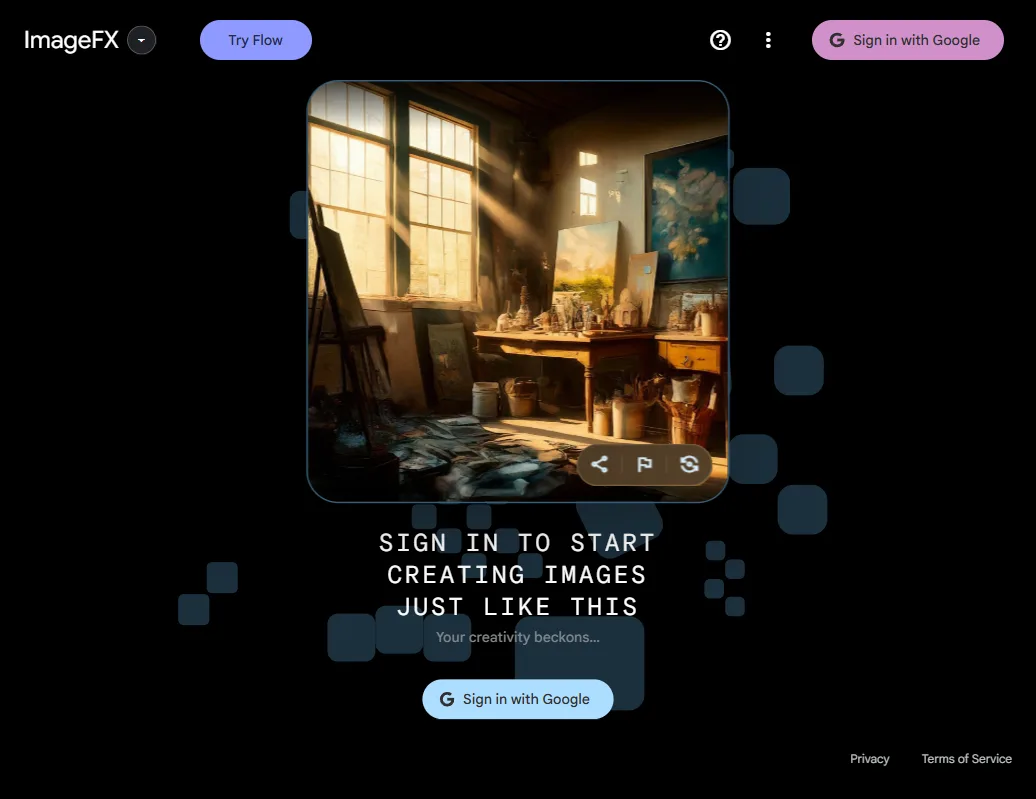 Google ImageFX: free access to Imagen 4 with a Google account. The sample image on the landing page demonstrates the photorealistic quality Imagen 4 is known for.
7. Leonardo AI — Best Free AI Image Generator for Beginners
With over 19 million registered users following its acquisition by Canva, Leonardo AI offers the most generous free tier of any AI image generator in 2026: 150 tokens per day, resetting daily, which translates to roughly 25 to 37 images depending on the model and quality settings you choose. For anyone exploring AI image generation for the first time or working on personal projects without a budget, Leonardo is the lowest-friction entry point.
The platform provides a web-based canvas interface with built-in model selection, style presets, and real-time generation previews. In our product-shot test, Leonardo's default model produced serviceable results with good color accuracy, though fine details like the marble veining appeared softer than what Midjourney or Flux rendered. The Leonardo Diffusion XL model produces solid all-purpose results, while community-trained fine-tuned models add specialized styles from anime to architectural visualization. The community angle is a real differentiator: shared model libraries and prompt guides lower the learning curve significantly for beginners.
The free tier does come with practical caveats. Leonardo retains broad usage rights to images generated on the free plan, and commercial licensing terms are less clearly defined than on paid tiers. The Alchemy Refiner, which significantly improves output quality, consumes two to three times more tokens per image than standard generation, cutting your effective daily output to 10 to 15 images if used consistently.
Best for: Beginners, hobbyists, students, and anyone testing AI image generation without wanting to commit money upfront.
Key limitation: Free-tier images carry usage rights implications. Leonardo's terms grant the platform a license to use, reproduce, and distribute free-tier outputs, which may matter for anyone planning to use generated images in commercial projects.
Pricing: Free (150 tokens/day, ~25–37 images). Apprentice $12/mo (8,500 tokens), Artisan $30/mo (25,000 tokens), Maestro $60/mo (60,000 tokens). Paid plans offer cleaner commercial licensing (as of June 2026).
Pros:
- Most generous free tier with 150 daily tokens, resetting every day
- Web-based canvas with built-in style presets and community models
- Active community with shared fine-tuned models for specialized styles
Cons:
- Free-tier usage rights may restrict commercial applications
- Alchemy Refiner drains tokens at 2–3x the standard rate
- Output quality at default settings trails Midjourney, Flux, and Imagen 4
 Leonardo AI positions itself as a creator-first platform: 150 free daily tokens make it the most accessible entry point for AI image generation.
How to Choose the Right AI Image Generator
The right tool depends on what you're building and where image generation fits in your broader creative workflow.
For marketing teams: If your campaigns regularly need both images and video ads from the same concept, Pexo eliminates the gap between the two. If you need standalone hero images with maximum visual impact, Midjourney is the quality benchmark. For teams already embedded in the Adobe ecosystem, Firefly keeps everything in one place.
For e-commerce and product photography: Imagen 4's photorealism makes it the strongest option for product shots that need to look real. Pexo adds the ability to turn those product images into ad videos without switching platforms.
For designers and typographic work: Ideogram 3.0 is the only reliable choice when text needs to render accurately in your images. No other tool on this list comes close to its typography precision.
For developers and technical teams: Flux 2 Pro's open weights and API-first architecture give you full control over customization, fine-tuning, and self-hosted deployment.
For budget-conscious creators: Leonardo AI's free tier provides the most daily headroom at 150 tokens. Imagen 4 via ImageFX requires only a Google account and had no visible daily limits at the time of our testing.
Conclusion
Each of these seven AI image generator alternatives occupies a distinct position. Midjourney leads on artistic quality, Flux 2 Pro on open-weight flexibility, Ideogram 3.0 on typography accuracy, Adobe Firefly on commercial safety, Imagen 4 on photorealism, and Leonardo AI on free access for beginners.
Pexo occupies a different niche: it is the only tool that bridges image and video generation in one conversation, which matters if your creative workflow regularly moves from stills to motion. Its image quality trails the dedicated generators, but eliminating the handoff between separate tools has real value for teams shipping both formats. The best choice isn't the tool with the highest output quality in isolation. It's the one that fits how you actually work. If your workflow ends at the image, pick the specialist. If your images are the starting point for video content, try Pexo.





