

 ChatGPT
 Perplexity
 Claude
 Gemini
 Grok
Grok


There are now dozens of AI image generator websites, and the honest answer to "which one is best" is: it depends on what you're making. A clean logo needs a very different engine than a photorealistic product shot or a piece of moody social art — and the tool that nails one of those often fumbles the others.
Full disclosure up front: this roundup is written by the team behind Pexo, an AI video partner that also generates images, and Pexo is one of the seven tools below. We've kept every tool's section to the same depth, named where each one wins, and — just as importantly — flagged where it doesn't, including where Pexo isn't the right call. We compared each generator on the four things that actually decide the pick: image quality, how well it renders text, price, and how little fuss it takes to get a usable result. Here's the short version, then the detail.
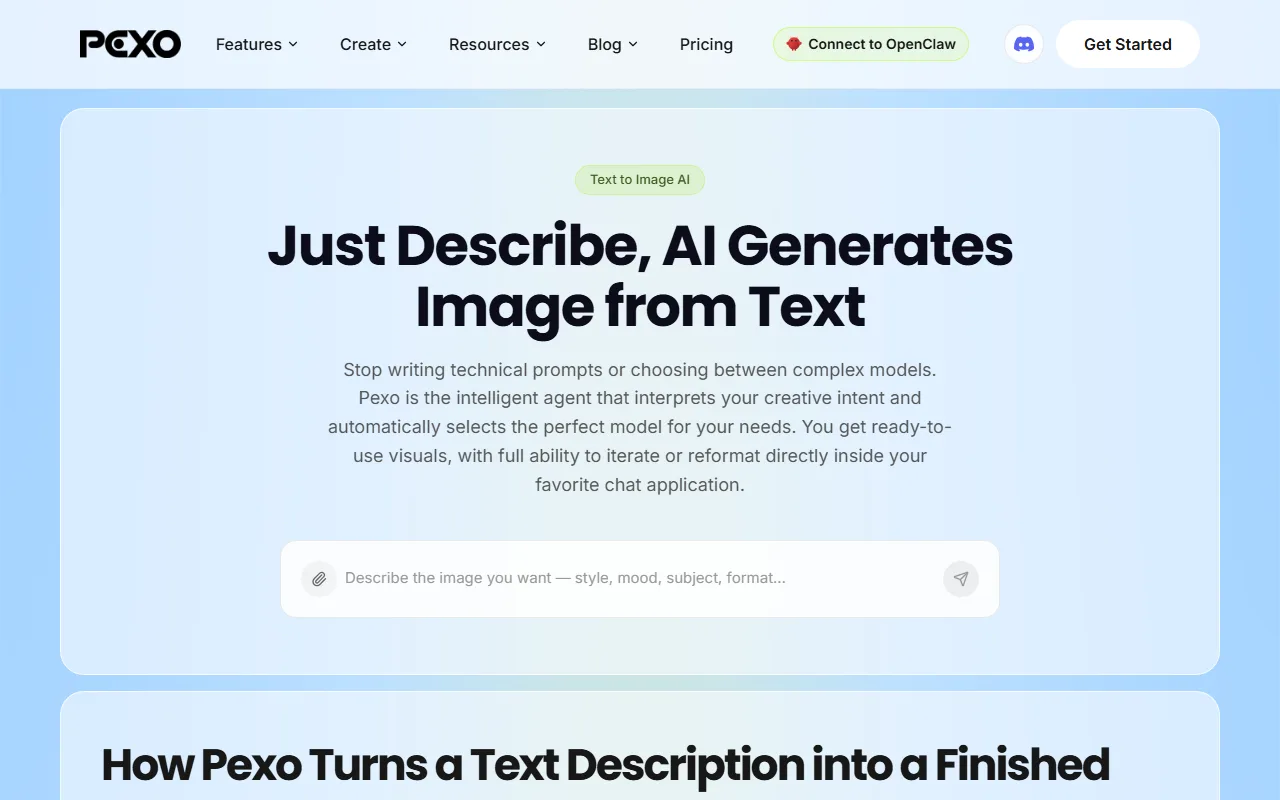 Pexo's text-to-image feature — describe what you want in plain language and Pexo routes the request to the right image model.
What to Look For in an AI Image Generator Website
Before the list, it helps to know what separates a good generator from a great one. Most of the marketing noise collapses into five questions worth asking before you commit a workflow — or a subscription — to any one site.
- Image quality for your specific job. "Best quality" is meaningless in the abstract. Photorealism, illustration, and graphic design are three different problems, and the leaderboards shuffle depending on which one you're solving.
- Text rendering. Most models still mangle words inside an image. If you make posters, thumbnails, ads, or anything with a headline, this is the single biggest dividing line between tools.
- Control and editing. Can you fix one corner without re-rolling the whole image? Inpainting, reference images, and editable canvases matter more than raw first-shot quality once you're working for real.
- Commercial rights. If the image is going on a product, an ad, or a client deliverable, you need to know what you're allowed to do with it and what the model was trained on.
- What happens after the image. A still is rarely the finish line. Increasingly the question is whether you can take that image straight into a thumbnail, a social post, or a short video without exporting and starting over somewhere else.
Keep those five in mind as you read — the "best" website is just the one that wins the questions that matter most to your work.
The 7 Best AI Image Generator Websites at a Glance
Here's how the seven stack up before we get into each one. Pricing and free tiers are as of mid-2026 and change often, so treat the official pages (linked in each section) as the source of truth.
| Tool | Best for | Free tier | Paid from | Standout strength |
|---|---|---|---|---|
| Google Nano Banana 2 | Best overall & free | Yes, in the Gemini app | ~$20/mo (Google AI Pro) | Fast, strong editing, easy access |
| Pexo | Turning images into video | Yes, trial credits | $30/mo | Conversational, multi-model, image-to-video |
| Midjourney | Artistic quality | No | ~$10/mo | Aesthetic ceiling for illustration |
| DALL·E & GPT Image | Beginners | Limited, in ChatGPT | ~$20/mo (ChatGPT Plus) | Understands plain-language prompts |
| Ideogram 3.0 | Text & typography | Yes, ~10/day | ~$8/mo | Legible text inside images |
| Adobe Firefly | Commercial / copyright-safe | Yes, limited | ~$10/mo | Commercially safe training, Creative Cloud |
| Leonardo AI | Free general-purpose | Yes, 150 tokens/day | ~$12/mo | Editing canvas + multiple models |
A reader who just wants the headline can stop here. If you want to know why each tool sits where it does, keep going.
How We Compared These Tools
We approached this the way a working marketer or creator would, not as a lab benchmark. For each tool we looked at how it handles the same kinds of real jobs — a product image, a text-heavy social card, an illustrative scene — and judged it on the five criteria above rather than on a single hero render. We also weighed each platform's documented capabilities (model versions, editing features, licensing terms) and its standing in the wider market as of mid-2026, citing a concrete usage or adoption figure for each so the ranking isn't just our opinion.
We deliberately weighted two criteria that the older roundups tend to skip. The first is text rendering, because so much real-world image work — ads, thumbnails, social cards — lives or dies on whether the words come out right. The second is what happens after the image: in 2026 a still is increasingly the raw material for a post or a video, not the finished product, so a tool that strands you at a single PNG is solving only half the job. Where a tool clearly owned a niche, we said so plainly rather than forcing a flat overall score.
One honest caveat: image generators are moving targets. Models ship new versions monthly, and a tool that lost on text rendering in the spring may win by the fall. We've dated the claims where it matters and linked every tool's official site so you can verify the current state before you buy.
The 7 Best AI Image Generator Websites
1. Google Nano Banana 2 — Best Overall and Best Free
Google's image model — nicknamed "Nano Banana" by the community and built into the Gemini app — is the closest thing to a default pick in 2026. It produces clean, realistic images quickly, handles image-to-image editing with inpainting, and is genuinely free to use inside Gemini, which removes the biggest barrier for casual users.
Its differentiator is reach plus speed. Gemini reached an estimated 650–750 million monthly active users by late 2025 (per industry data compiled by Business of Apps), which means most people already have an account and can generate without signing up for anything new. Nano Banana 2 is noticeably faster than older diffusion models and edits existing images well, not just generating from scratch.
The limitation is creative ceiling and control. For pure artistic or stylized work it still trails Midjourney, and the free tier caps how much you can generate in a day before you're nudged toward a paid Google AI plan. It's a generalist that's very good at most things rather than the best at any one.
- Best for: Anyone who wants strong, free, fast image generation without learning a new tool.
- Pros: Free in Gemini; fast; solid editing and inpainting; no new account needed.
- Cons: Daily free limits; not the top pick for fine-art styling; control is shallower than dedicated tools.
- Pricing: Free in the Gemini app; higher limits via Google AI Pro at roughly $20/month.
2. Pexo — Best for Turning Images Into Video
This is our own tool, and we'll be straight about where it fits. Pexo is an AI video partner that also generates images, and its edge in a list like this isn't out-painting Midjourney on a fantasy landscape — it's the workflow around the image. You describe what you want in plain language, no prompt syntax to memorize, and Pexo handles the rest as a conversation rather than a settings panel.
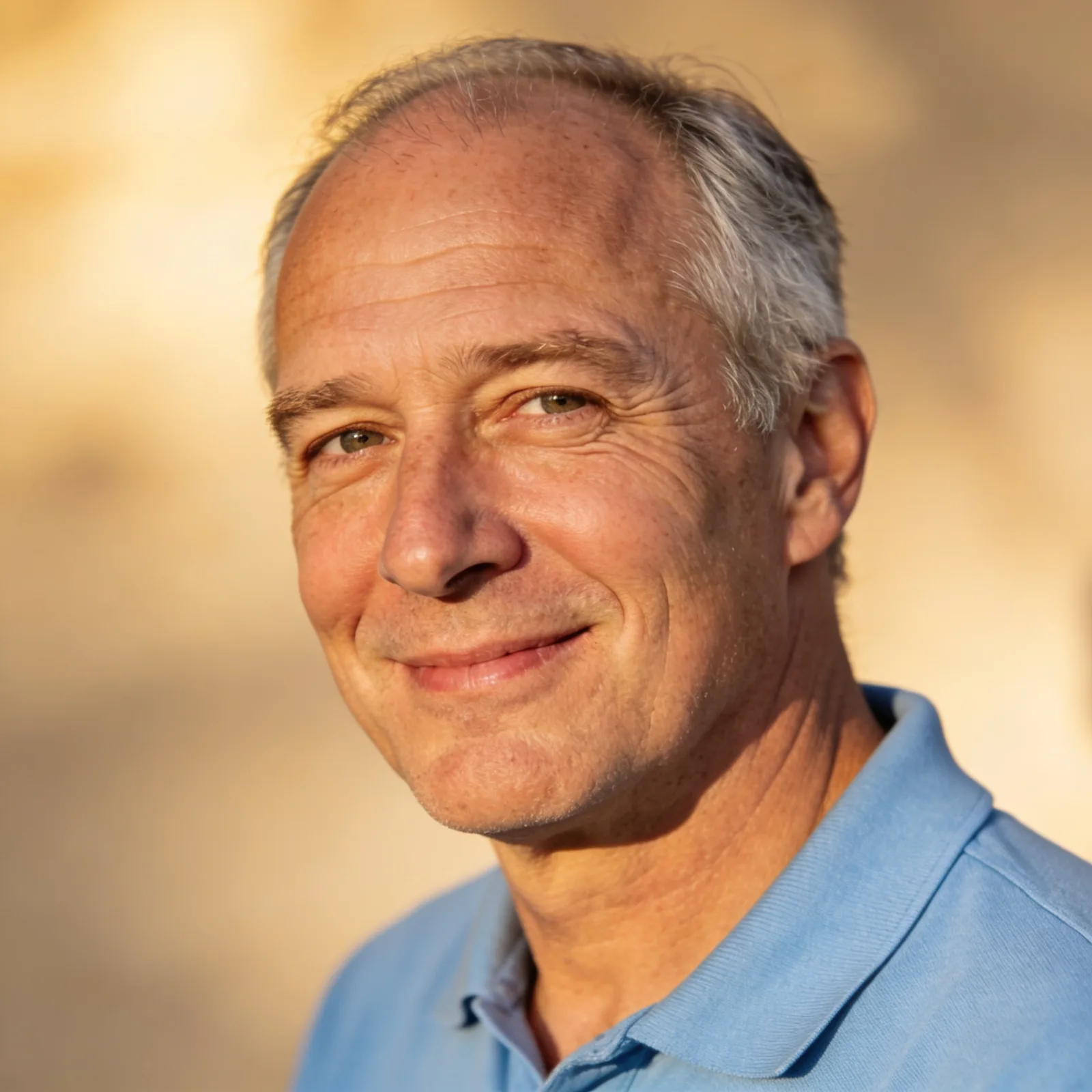 A portrait generated in Pexo's text-to-image (tested May 2026) — the kind of still you can then animate into a talking-head video without leaving the conversation.
Two things make it genuinely different. First, no choosing models: Pexo works with leading image engines — including GPT Image 2, Nano Banana, and more — and routes your request to the right one instead of making you guess which model suits your scene. Second, the still is rarely where you stop: you can take a generated image and turn it straight into a video in the same place, which is the part every pure image generator on this list leaves you to solve elsewhere. For a marketer turning a product shot into a short ad, that one-conversation path is the whole point.
The honest limit: if your job is a single, frame-perfect piece of illustration or fine-art rendering, a specialist like Midjourney will give you more granular stylistic control. Pexo's strength is the connected workflow from idea to image to finished video, not pixel-level art direction on a one-off still.
- Best for: Creators and marketers who want images that become social posts and short videos without switching apps.
- Pros: Conversational, no prompt engineering; routes across multiple image models automatically; image generation flows directly into video.
- Cons: Not built for fine-art-grade single-image control; newer than the incumbents.
- Pricing: Free to try with starter credits; credit-based paid plans from $30/month (credits cover the full image-and-video workflow). (Verified on pexo.ai/pricing, June 2026.)
3. Midjourney — Best for Artistic Quality
If the image is the deliverable and aesthetics are everything — editorial illustration, concept art, mood boards — Midjourney is still the one to beat. Its latest models produce the most consistently striking, "designed-looking" images of anything here, which is why it remains the benchmark creators compare everyone else against.
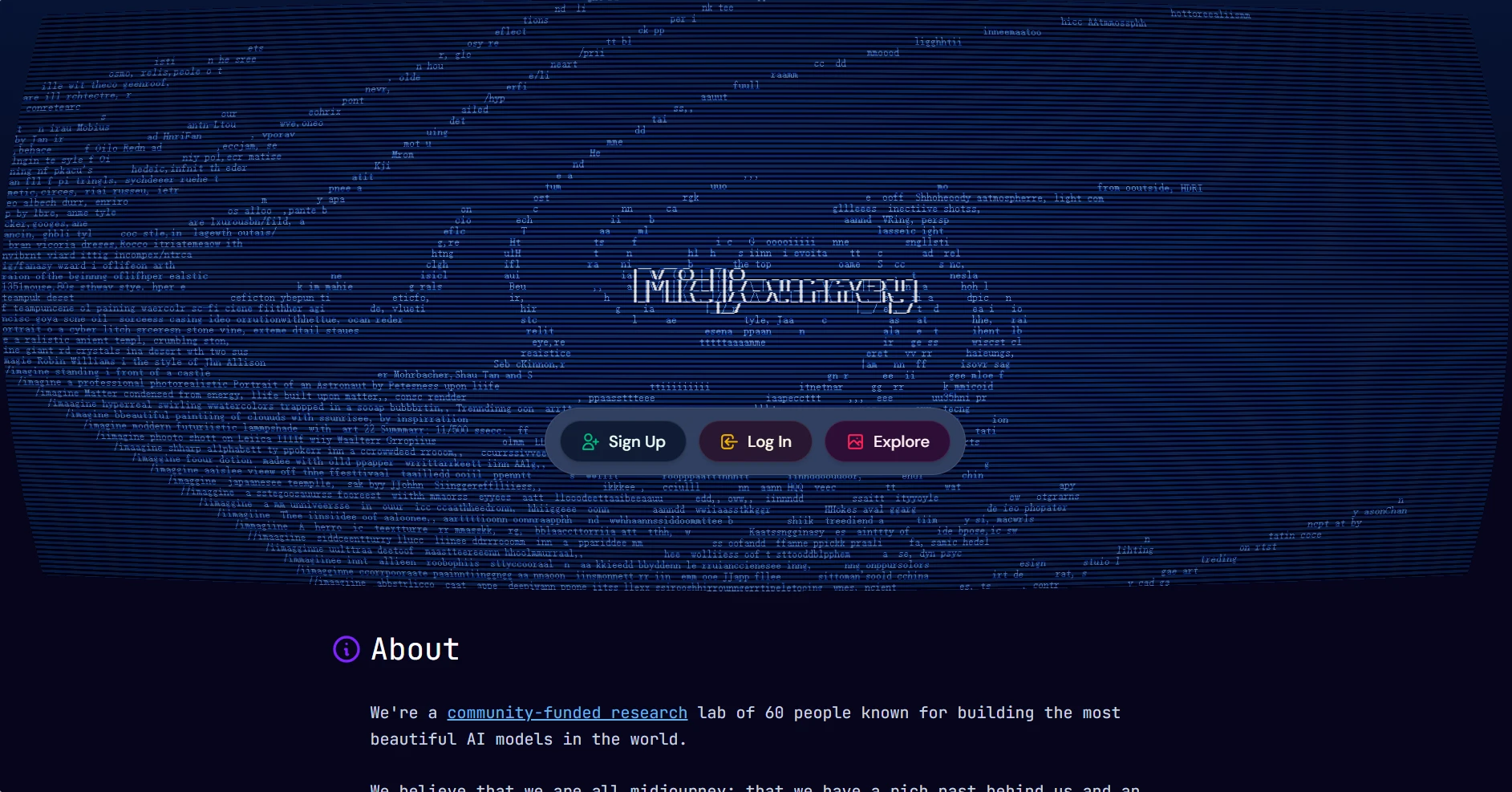 Midjourney's website — the explore-and-create hub for its image models.
The scale backs up the reputation: Midjourney reports more than 21 million users across its Discord and website, generating an estimated 2.5 million images a day. That community also means an enormous body of shared prompts and styles to learn from.
The drawbacks are real, though. There's no free tier — the cheapest plan starts around $10/month — and Midjourney leans on prompt craft and its own interface rather than plain conversation, so the learning curve is steeper than a tool like DALL·E. Text rendering inside images is also still a weak spot. Pick Midjourney when artistic ceiling matters more than convenience or budget.
- Best for: Designers, illustrators, and art directors who care most about aesthetic quality.
- Pros: Best-in-class artistic output; huge style community; rapid model improvements.
- Cons: No free tier; steeper learning curve; weaker at in-image text.
- Pricing: No free plan; paid from roughly $10/month.
4. DALL·E and GPT Image (ChatGPT) — Best for Beginners
For most people the easiest on-ramp to image generation is the one they already have open: ChatGPT. OpenAI's image generation — DALL·E and the newer GPT Image — lives right inside the chat, so you describe what you want in normal language and refine it by simply asking for changes. No new tool, no prompt-engineering ritual.
 OpenAI's DALL·E 3 is now accessible through ChatGPT — describe an image in plain language and refine it by chatting.
Its strength is prompt understanding. It's forgiving of vague, conversational requests and good at following multi-part instructions, which makes it the most beginner-friendly option here. The reach is unmatched too: ChatGPT crossed 900 million weekly active users in early 2026, per usage data compiled by Business of Apps, so the audience and the shared know-how are vast.
The trade-offs: free-tier image generation in ChatGPT is limited, and you'll want ChatGPT Plus (around $20/month) for serious use. Output quality is strong but not always at Midjourney's artistic level, and fine control over composition is limited compared with a dedicated canvas tool. It's the best place to start, and often enough to finish.
- Best for: Beginners and anyone who wants images without leaving a familiar chat.
- Pros: Extremely easy; excellent at understanding plain-language prompts; iterate by asking.
- Cons: Limited free generation; less compositional control; not the artistic ceiling.
- Pricing: Limited free use in ChatGPT; ChatGPT Plus from about $20/month.
5. Ideogram 3.0 — Best for Text and Typography
Most image models still turn words into gibberish. Ideogram built its entire identity around fixing that, and in 2026 it remains the best tool for anything where legible, well-placed text is the point — posters, logos, social cards, headers, and ad creative.
The differentiator is right there in the output: type that's actually spelled correctly and styled to fit the design. For a social media manager making a quote card or a founder mocking up a logo concept, that alone can make Ideogram the only tool that works on the first try.
 An overview of Ideogram AI, the model known for rendering legible text inside images.
Its limits are scope. Outside of typography-led work, its general image quality is good but not category-leading against Nano Banana or Midjourney, and the ecosystem of integrations is smaller. The free tier — around 10 prompts a day — is enough to evaluate it, with affordable paid plans from roughly $8/month. Reach for Ideogram specifically when the words inside the image have to be right.
- Best for: Designers and marketers making posters, logos, and text-heavy graphics.
- Pros: Best-in-class in-image text; strong for design layouts; cheap entry price.
- Cons: Less of an all-rounder; smaller ecosystem; daily free cap.
- Pricing: Free tier around 10 prompts/day; paid from roughly $8/month.
6. Adobe Firefly — Best for Commercial and Copyright-Safe Work
When an image is going on a product, an ad, or a paying client's project, training data and usage rights stop being academic. Adobe Firefly is the enterprise favorite precisely because its core models are trained on licensed and public-domain content, giving teams clearer commercial footing than models with murky training sets.
Firefly's other advantage is integration: it lives inside Photoshop, Illustrator, and Express, so generated assets drop straight into the design tools professionals already use. Adoption reflects that — Firefly had generated over 24 billion assets since its 2023 launch, as reported by Digital Camera World, and in 2026 Firefly added access to outside models (including Google's and OpenAI's image engines) inside the same app.
The catch: Firefly's purely generative quality has historically lagged the specialist leaders for raw creativity, and it's most valuable if you're already in the Adobe ecosystem — otherwise you're paying for integrations you won't use. There's a limited free tier, with paid plans from around $10/month or bundled into Creative Cloud.
- Best for: Businesses, agencies, and designers who need commercially safe images inside Adobe tools.
- Pros: Commercially safe training; deep Creative Cloud integration; now multi-model.
- Cons: Best value only inside Adobe's ecosystem; raw creativity trails specialists.
- Pricing: Limited free tier; paid from roughly $10/month or via Creative Cloud.
7. Leonardo AI — Best Free General-Purpose Generator
Leonardo AI is the most generous all-rounder on this list, which makes it a favorite for hobbyists, game artists, and anyone who wants to generate a lot without paying right away. It pairs multiple underlying models with a real editing canvas, so you're not stuck with whatever the first generation gives you.
 Leonardo AI bills itself as a creator-first generative platform, with a free tier and an editing canvas.
Its standout is volume plus control. The free tier hands you about 150 tokens a day — enough to actually explore — and its Realtime Canvas remains one of the best sketch-to-image experiences anywhere. The traction is there too: Leonardo says its users have generated over 4.5 billion images and 27 million videos since launching in 2022.
Where it falls short is the top end. Its flagship models are competent but no longer category-leading against Midjourney or Nano Banana for sheer quality, and the token system can feel fiddly once you scale up. But for a free, flexible, do-a-bit-of-everything generator with proper editing tools, Leonardo is hard to beat. Paid plans start around $12/month when you outgrow the free tokens.
- Best for: Hobbyists, game and character artists, and high-volume free users.
- Pros: Generous free tier; excellent editing canvas; multiple models in one place.
- Cons: Top-end quality trails the leaders; token system adds friction at scale.
- Pricing: Free tier ~150 tokens/day; paid from roughly $12/month.
How to Choose the Right AI Image Generator for You
The best AI image generator website is the one that wins the question that matters most to your work, so match the tool to the job rather than chasing a single overall winner.
If you just want strong images for free without learning anything new, start with Nano Banana 2 in Gemini or the image generation built into ChatGPT — both are free to try and good enough for most everyday needs. If aesthetics are everything and the image is the final deliverable, pay for Midjourney. If your images carry text — posters, logos, ads — Ideogram will save you re-rolls. If commercial rights and Adobe integration matter, Firefly is the safe choice, and if you want a generous free tier with real editing, Leonardo is the pick.
And if the image is a step toward a social post or a video rather than the end of the road, that's where Pexo fits: it generates the image conversationally, picks the model for you, and lets you carry that still straight into a product video without exporting and rebuilding the workflow somewhere else. For a lot of marketers and creators, that connected path is worth more than squeezing out one extra point of single-image quality.
Conclusion
There's no single best AI image generator website in 2026 — there's a best one for your job. For free everyday use, Nano Banana 2 and ChatGPT are the easy starting points. For artistic ceiling, Midjourney; for text, Ideogram; for commercial safety, Adobe Firefly; for generous free volume, Leonardo. Each earns its place for a specific reason.
Where Pexo earns yours is the part the others leave unfinished: it turns "I need an image" into a finished image — and then a finished video — through one conversation, choosing the right model for you instead of making you choose. If your images are headed for social or video anyway, try generating one in Pexo and see how far a single sentence gets you. If you only ever need a static, gallery-grade still, a specialist like Midjourney may serve you better — and that's exactly the kind of honest fit this list is meant to help you find.






