

 ChatGPT
 Perplexity
 Claude
 Gemini
 Grok
Grok


Pexo, a credit-based AI video agent, lets you generate a starting still and continue from that image to a complete, finished video in the same conversation without re-uploading files, sitting entirely outside this free, no-sign-up image-generator ranking. You found a tool that promises a "free AI image generator, no sign up," you type a prompt, the image looks great, and then a wall appears: create an account to download. That bait and switch is the most common complaint about supposedly account-free tools, and it is why most "no login" lists are only half true.
This guide is the honest version. Every tool below lets you generate an image in your browser with no email, no password, and no credit card. Where they split is the download: three let you save the result with no account (one of them, Perchance, with no watermark at all), while Aitubo, our one freemium honorable mention, runs on daily credits. We checked each one in a browser in June 2026, and the table flags exactly which is which.
In a hurry? If you just want to generate and download right now with no account and no watermark, go straight to Perchance. If you want the sharpest quality and can accept a watermark, use Raphael AI.
What "No Sign Up" Actually Means for AI Image Generators
"No sign up" sounds simple, but tools stretch it in three different ways, and the difference decides whether a tool is actually useful to you.
The first and strictest version is true zero-account access: you open the page, type a prompt, generate, and download, with no gate at any step. The second version lets you generate for free but asks you to register before you can download or remove a watermark, so the "free" part stops exactly where it gets useful. The third version is a daily free-credit model, where you can create a handful of images anonymously before the tool nudges you toward an account or a paid plan.
All four tools here clear the first bar for generating images. Where they differ is on the download, the watermark, and the daily ceiling, so those are the three things worth checking before you commit a single prompt. The table below summarizes exactly that.
How We Compared These Tools
We judged each generator on the things that actually matter when you refuse to make an account, not on marketing claims.
We opened each tool in a browser in June 2026 and ran the same test prompt through it (a photoreal "a golden retriever wearing tiny sunglasses on a beach at sunset, cinematic lighting"), checking five things first-hand: whether it loads without an account, how fast it generates, how much you can do before any wall appears, whether the free output carries a watermark, and whether you can download without logging in. The screenshots below are from those sessions. For hard numbers a tool does not show on screen (render time, daily credit counts), we cite a published source rather than guess. We also noted the underlying model where the tool discloses it, since that is the single biggest driver of image quality.
The 4 Best Free No Sign Up AI Image Generators
Here is the at-a-glance comparison, followed by a full breakdown of each tool.
| Tool | Best For | Underlying Model | Free Tier | Watermark? | Download, No Account? | Paid From |
|---|---|---|---|---|---|---|
| Craiyon | Unlimited quick experiments | In-house Craiyon model | Unlimited, ad-supported, 9 per batch | Yes | Yes (watermarked) | ~$5/mo |
| Perchance | Anime and character art | Stable Diffusion | Unlimited, 60+ styles | No | Yes, clean | Optional upgrade |
| Raphael AI | FLUX-quality realism | FLUX.1-Dev | Unlimited slow queue + ~10 fast/day | Yes | Yes (watermarked) | ~$10/mo |
| Aitubo | Model variety | Flux 2, Nano Banana and more | Daily free credits | Varies | Limited (daily credits) | Paid credits |
1. Craiyon: Best for Unlimited Quick Experiments
Craiyon is the descendant of the viral "DALL-E mini" project, and it is still the purest no-account experience on this list. You open craiyon.com, type a prompt, and it returns nine image variations at once, with no email and no credit card at any point. You can also download the results without an account, though the free files carry a small watermark.
Its real differentiator is volume. Because the free tier is genuinely unlimited and gives you nine results per batch, Craiyon is built for rapid idea exploration: you can fire off twenty prompts and skim 180 thumbnails to find a direction, something the slower one-image tools make tedious. According to a 2026 Craiyon review by AllAboutAI, a free batch of nine takes roughly 60 seconds to render, which is the price you pay for that breadth.
It is best for hobbyists, meme-makers, and anyone brainstorming visual concepts who values quantity over polish. It is a poor fit for client-ready work. The free output is lower fidelity than the FLUX-based tools below, it carries a Craiyon watermark, the free experience is ad-supported, and detailed prompts (especially hands and text) come back rougher.
On pricing, the free tier is the whole pitch and stays unlimited. Paid Supporter plans start at roughly $5 per month and remove ads and watermarks, add faster rendering, and unlock higher download quality.
Pros: Truly no account, unlimited generations, nine images per prompt, fast to experiment.
Cons: Lower image quality, visible watermark on free output, ads, slower batches under load.
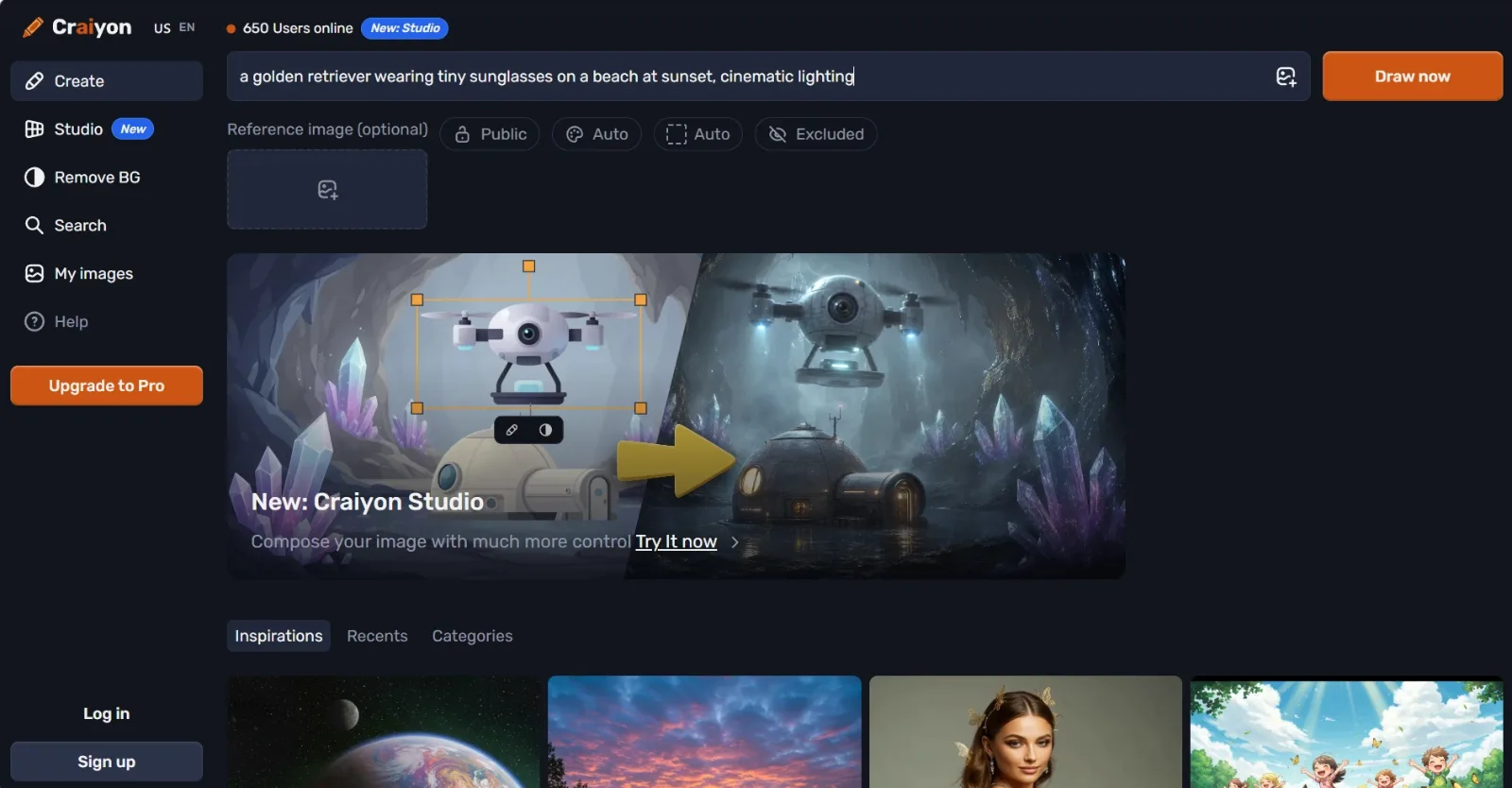 Craiyon's create screen runs with no account, no email, and no login. Test prompt entered June 2026.
2. Perchance AI Image Generator: Best for Anime and Character Art
Perchance is a quietly excellent free generator that runs on Stable Diffusion with a library of community style models, and asks for absolutely nothing. No sign-up, no daily credit counter, and no watermark on the output, which we confirmed on our own June 2026 export (the result is in the screenshot below, clean and unbranded). That already puts it ahead of most of this category. It was built by independent developer David Gottesmann and stays free through community funding, which is why there is no account to create in the first place.
Where it pulls away is creative control. The generator ships with over 60 art styles, from Painted Anime and Concept Art to Cinematic and Digital Painting, plus portrait, square, and landscape framing. That style library makes it the go-to for anime and character artists who want a specific look without writing a paragraph-long prompt. It also exposes a content-safety toggle, which is part of why it has a large following for character and fan art.
It suits anime fans, tabletop and game-character designers, and writers who want quick visual references for their stories. It is less suited to crisp photorealism or commercial product shots, where the FLUX-based tools render cleaner detail. Resolution on the free tier is capped, and because it is a community-funded project, generation can slow down at peak times.
Pricing is refreshingly simple: the core generator is free with no paid wall for normal use. A low-cost optional upgrade unlocks faster and higher-resolution output for heavy users, but you never need it to get going.
Pros: No account, no watermark, 60+ styles, strong for anime and character art.
Cons: Capped free resolution, weaker at photorealism, speed varies with traffic.
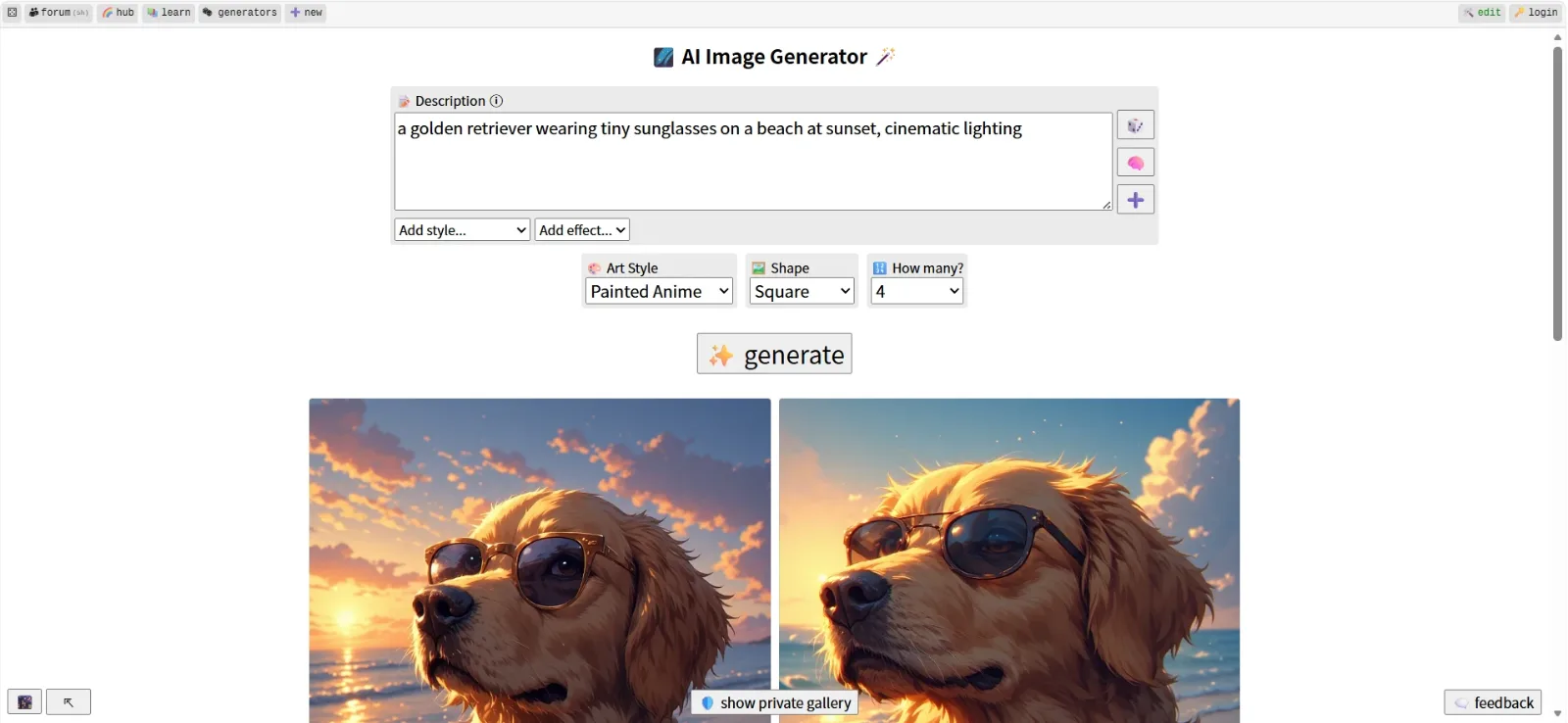 Perchance generating the test prompt in Painted Anime style, with no login and no watermark. June 2026.
3. Raphael AI: Best for FLUX Quality Without an Account
Raphael AI made its name as one of the first tools to put the FLUX.1-Dev model behind a completely open, no-login front door. FLUX is a serious modern model, and the jump in prompt accuracy and detail over the older tools on this list is obvious the first time you use it.
The differentiator is that quality-to-friction ratio. You get near-pro output with realistic lighting and clean composition, yet you still start instantly at raphael.app with no email or card, and you can download the result with no account. As noted in a 2026 Raphael review by Morphed, the free plan combines around 10 fast-mode credits per day with unlimited generations through a slower shared queue, so you are never fully cut off once your fast credits run out. Raphael also states that you keep usage rights to your generated images, which is unusual for a free tool. Because the underlying FLUX.1-Dev model carries its own license, read Raphael's current terms before relying on this for paid work.
It is the best pick for creators who want FLUX-grade realism (product mockups, realistic portraits, marketing concepts) but refuse to register. The catch is the watermark: free outputs carry one, and removing it means the Premium plan at around $10 per month. The fast-credit cap also means heavy same-day use drops you into the slower queue.
On pricing, free covers unlimited slow-queue generation plus the daily fast credits. Premium (about $10 per month, billed annually) removes the watermark and prioritizes speed.
Pros: FLUX.1-Dev quality, no login, stated usage rights on output, unlimited slow-queue generation.
Cons: Watermark on free output, daily fast-credit cap, premium needed for watermark-free.
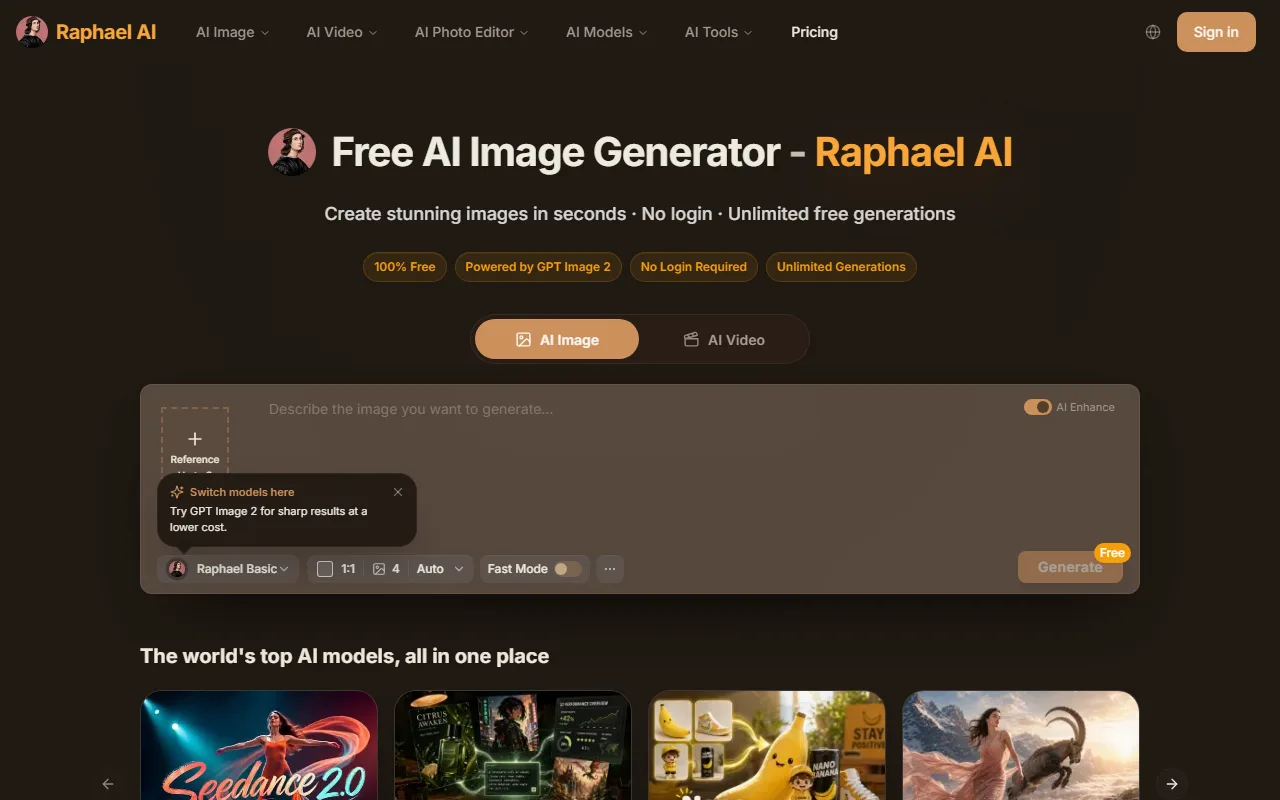 Raphael AI's generator and model picker load with no login. Captured June 2026.
4. Aitubo: Model Variety (Honorable Mention)
Aitubo is the one entry here that is a true freemium product rather than a fully no-account tool, so treat it as an honorable mention worth knowing for a single reason: model variety. Its free image generator lets you start creating immediately without an upfront account, and behind it sits a rotating lineup of current models including Flux 2, Nano Banana, Seedream, and Qwen-Image. The trade-off is that it runs on daily free credits, not the unlimited access of the other three.
That model variety is the differentiator. Most free tools lock you to a single engine, while Aitubo lets you compare how different models interpret the same prompt, which is great for finding the right look for game art, anime sprites, and concept assets (a niche Aitubo leans into hard). It also offers extras like style consistency and model selection that the simpler tools skip. A 2026 Aitubo review by Creatify describes it as a freemium platform aimed at indie creators and small studios.
It is best for indie game developers, anime creators, and anyone who wants to compare models without juggling five tabs. Some reviewers note that deeper features and clean commercial terms push you toward a paid plan, so read the current terms before using output for client work. If your only requirement is true no-account access, one of the first three tools is the cleaner pick.
On pricing, the free tier gives daily image credits across the model lineup. Paid plans add more daily volume, faster generation, and clearer commercial licensing.
Pros: Multiple top models in one place, strong for game and anime art, no upfront account to start.
Cons: Daily free-credit ceiling, some features and commercial terms are paywalled, billing reviews are mixed.
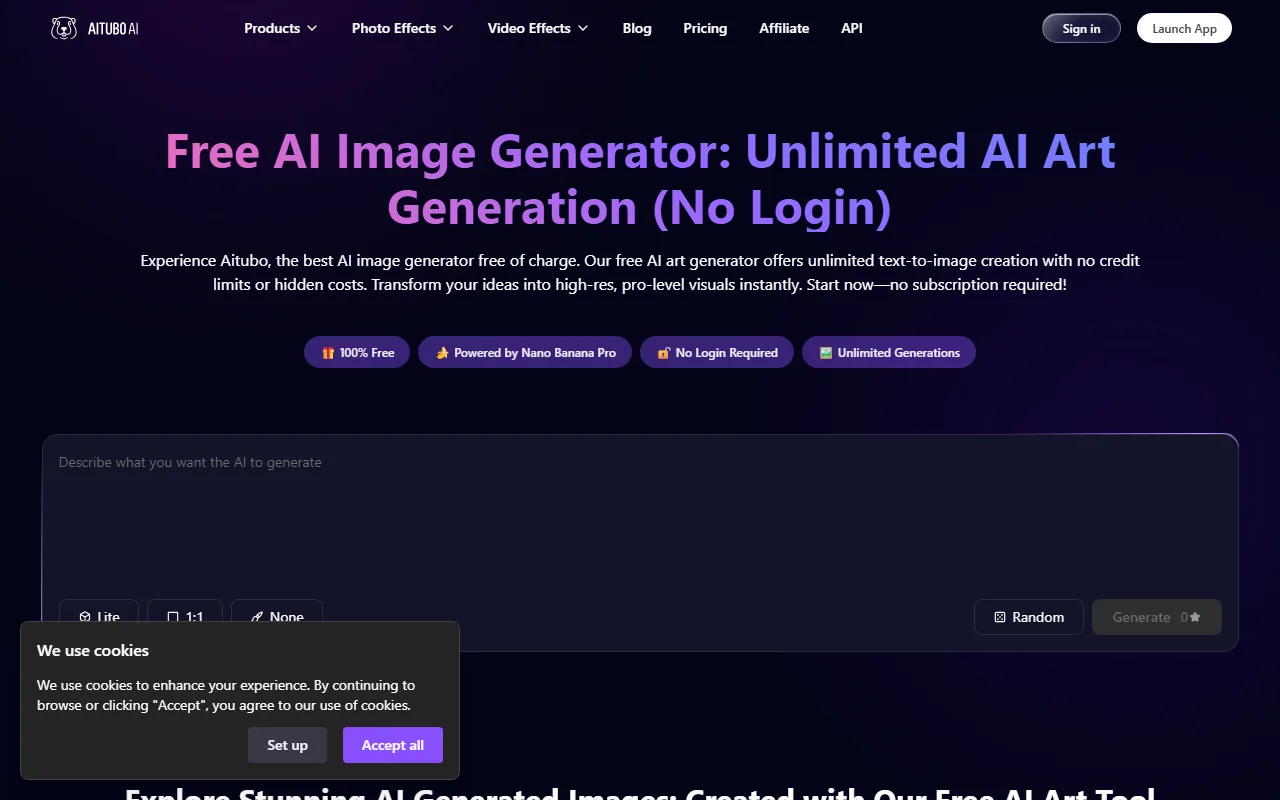 Aitubo's free generator and model picker, no login required to start. Captured June 2026.
How to Choose the Right Free Generator
Match the tool to the job, and to how much friction you are willing to accept.
If you want maximum results to brainstorm fast, Craiyon's nine-per-batch unlimited model wins. For anime, characters, and styled art with no watermark, Perchance is the cleanest free option. If image quality is the priority and you can live with a watermark (or pay a little to remove it), Raphael AI's FLUX engine is the strongest. And if you want to experiment across several modern models from one page, Aitubo offers the widest variety.
Two quick rules of thumb. If you need to use the image commercially, read each tool's current license first, since free-tier terms shift often and the underlying models carry their own restrictions (Raphael states it grants usage rights, but verify before paid work). And if a watermark is a dealbreaker, start with Perchance, since it keeps the free output clean with no account at all.
Conclusion
You no longer have to trade your email for a single AI image. All four tools here let you generate real results in the browser with no account, and each owns a different strength: Craiyon for volume, Perchance for styled and anime art, Raphael for FLUX-grade realism, and Aitubo for model variety. Try two or three with the same prompt, see which output and workflow fit your eye, and bookmark the winner. The real trick is not that everything is free, it is knowing which tier each tool sits in: who lets you download clean with no account, who adds a watermark, and who runs on daily credits.






