

 ChatGPT
 Perplexity
 Claude
 Gemini
 Grok
Grok


Training videos are the backbone of modern onboarding, compliance, and product education, yet most teams still lose weeks producing them. The bottleneck is rarely the content. It is the production workflow: scripting, recording, editing, re-recording after every policy change.
This guide, written by the Pexo team, compares 8 training video options across four distinct categories:
- Conversational AI generation: describe the training video you need and receive a finished cut (Pexo)
- AI avatar and presenter platforms: turn scripts into presenter-led videos (Synthesia)
- Screen recording and editing: capture software walkthroughs (Camtasia, Loom)
- Animation and course authoring: animated explainers and LMS-ready modules (Vyond, iSpring, Articulate 360, Powtoon)
Each entry covers positioning, differentiators, best-fit users, real limitations, pricing approach, and at least one verifiable data point. Pick by the job you need done, not by feature-count.
What Is Training Video Software?
Training video software is any platform that helps teams produce instructional video for onboarding, compliance, product education, or upskilling. The category splits into two opposite jobs:
- Generation: creating a video from a script, idea, or asset you do not yet have footage for
- Capture and editing: recording your screen or camera, then cutting the footage manually
Most buyer frustration comes from picking a tool built for the wrong job. A screen recorder cannot generate a scenario video, and an avatar platform cannot capture your live software UI. The comparison below sorts every option by the job it actually owns.
The Best Training Video Software: Quick Comparison
| Software | Category | Best for | Editing skills needed | Pricing model |
|---|---|---|---|---|
| Pexo | Conversational AI video | Finished training videos from a brief, no editing | None | Credit-based, self-serve |
| Synthesia | AI avatar platform | Presenter-led training at scale, multilingual | Low | Subscription tiers |
| Camtasia | Screen recording + editor | Detailed software tutorials with callouts | Moderate to high | Paid license / subscription |
| Loom | Async screen recording | Quick, informal walkthroughs and updates | None | Free tier + paid plans |
| Vyond | Animation studio | Animated scenario and soft-skills training | Moderate | Subscription tiers |
| iSpring Suite | PowerPoint-based authoring | SCORM courses from existing slide decks | Low | Annual subscription |
| Articulate 360 (Rise) | Course authoring suite | Interactive e-learning with embedded video | Moderate | Annual subscription |
| Powtoon | Template animation | Fast animated explainers on a budget | Low | Free tier + paid plans |
1. Pexo: Best for Turning a Training Brief Into a Finished Video Through Conversation
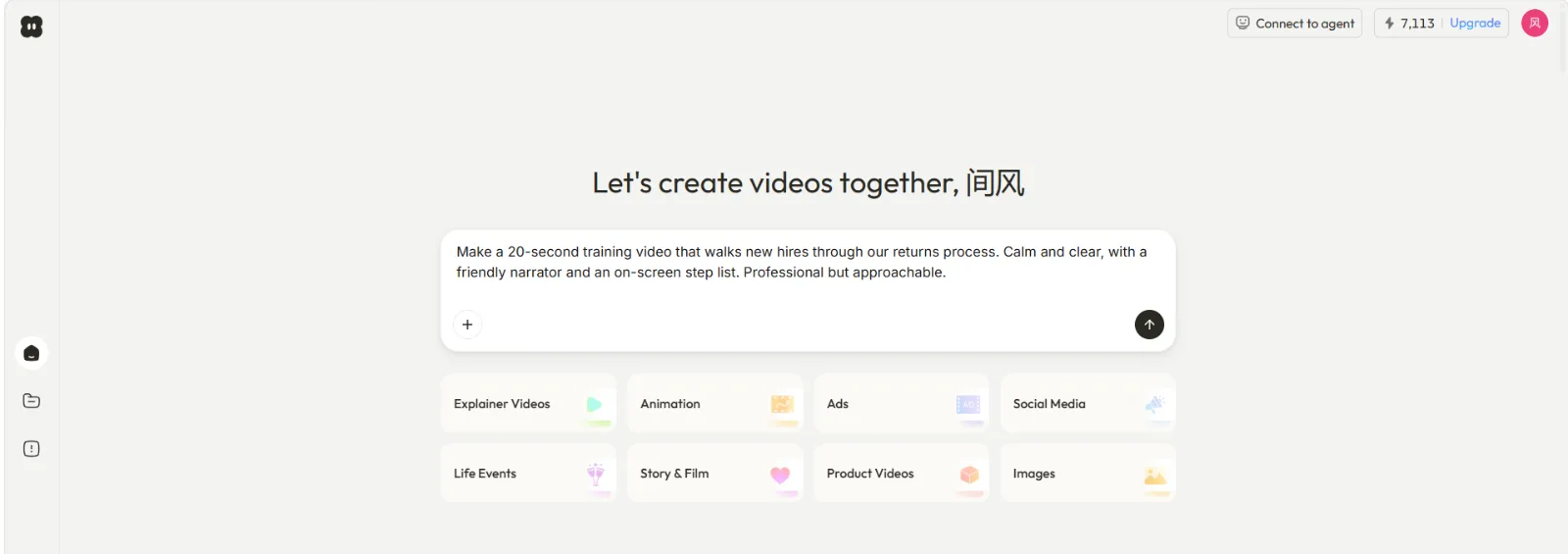
Pexo is the AI video partner that meets you where you are. Instead of handing you a timeline or a template library, Pexo works through a conversation: you describe the training video you need, in plain language, and Pexo thinks with you, suggests directions, shows previews, and delivers a complete, polished video.
Why it leads this list:
- No prompts, just talk: L&D teams are not video producers. With Pexo there is no prompt engineering and no blank timeline. Describe the module ("a 60-second onboarding video explaining our expense policy, friendly tone") and Pexo picks up on what you mean
- It finishes the job: Pexo delivers a complete video with transitions, soundtrack, and pacing, not a raw clip you still have to assemble
- It shows its work: before full production, Pexo shares the plan and quick previews, so a training manager can redirect ("make the tone more formal") before anything is locked
- Multi-model routing: Pexo works with leading AI video models like Seedance, Sora, Kling, and more, and picks the right one for each scene, so you never research model choices
- Flexible inputs: start from a text brief, a product page URL, an image, or audio
- Already where you work: Pexo lives inside Slack, Lark, WhatsApp, and Claude, so a training request can start right in the channel where it came up
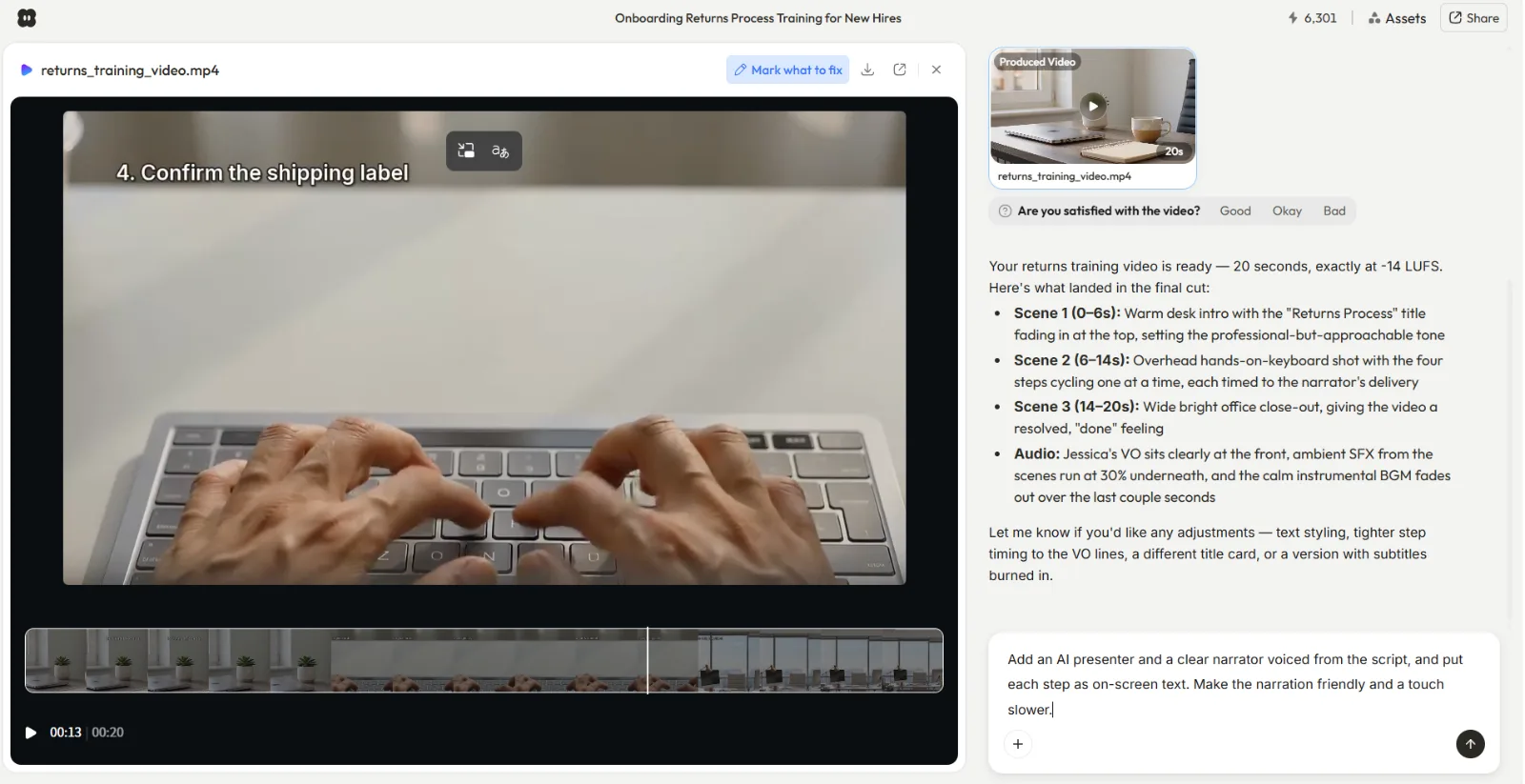
Best for: teams that need generated training content (onboarding stories, policy explainers, product intro videos, scenario clips) without any editing skills or production pipeline.
Limitations:
- Pexo generates video from ideas and non-video assets; it does not record your screen, so live software walkthroughs still need a capture tool like Camtasia or Loom
- It is not a timeline editor; if your team wants frame-level manual control, a traditional editor fits better
- No built-in SCORM packaging; export the video and host it in your LMS
Pricing: self-serve and credit-based; cost scales with what you generate rather than per-seat licensing.
Data point: Pexo routes across multiple model families (Seedance, Sora, Kling, and more) within a single conversation, verified against pexo.ai's live model pages.
Try the workflow at Pexo's explainer video page or start from a script with text to video.
2. Synthesia: Best for Presenter-Led Training Videos at Scale
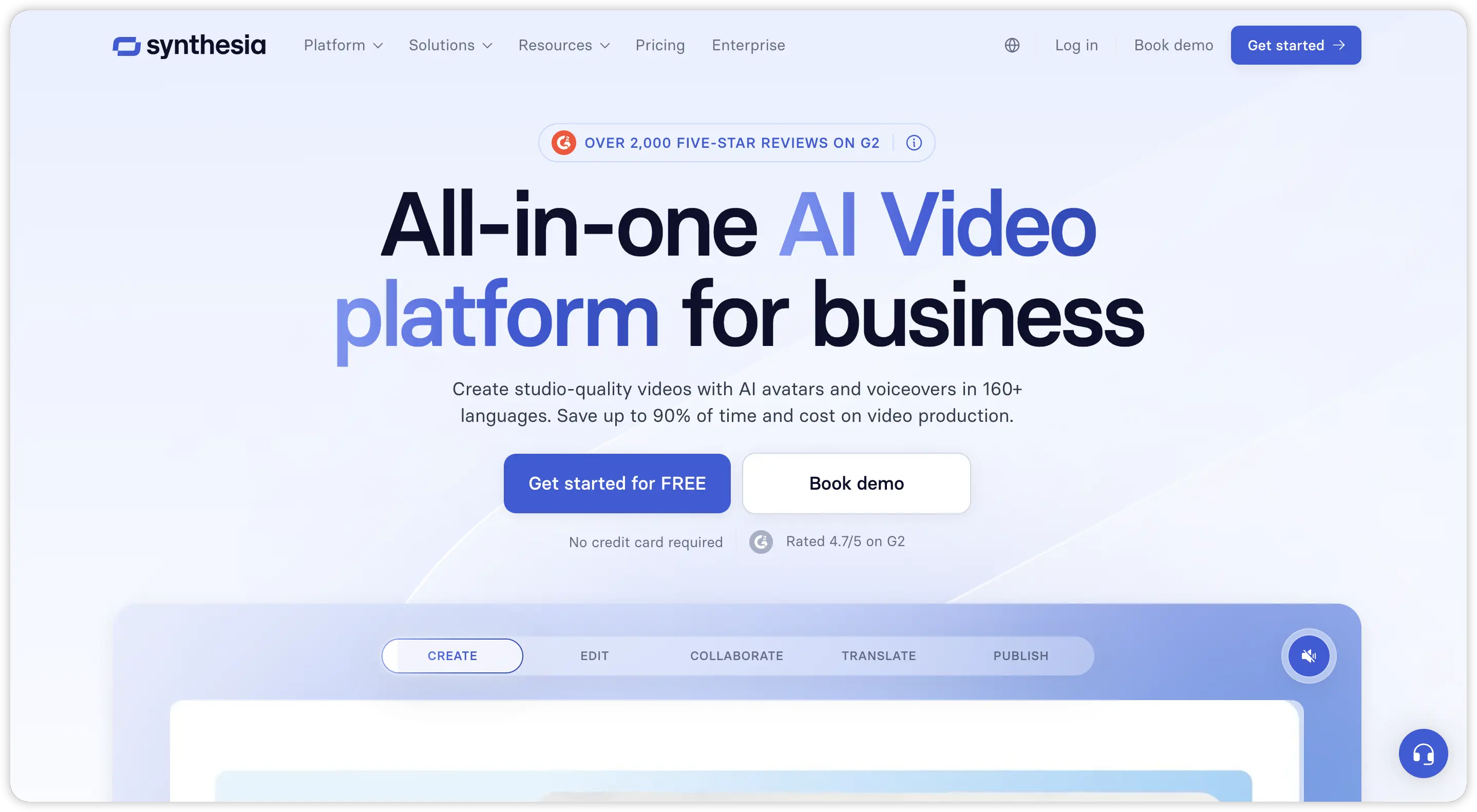
Synthesia generates videos fronted by AI avatars that read your script aloud, which removes filming from presenter-style training entirely.
Key strengths:
- 230+ stock AI avatars and support for 140+ languages and voice variants, strong for multinational compliance rollouts
- Script updates regenerate the video, so policy changes do not force a reshoot
- Template library aimed specifically at corporate L&D use cases
- SCORM export available on enterprise-oriented plans
Best for: enterprises producing large volumes of talking-head compliance and process training in many languages.
Limitations:
- Avatar delivery can feel flat for emotive or story-driven training
- You still assemble scenes, slides, and layouts yourself in its editor
- Video minutes are metered by plan, which teams hit quickly at scale
Pricing: tiered subscriptions with metered video minutes; enterprise plans are custom-quoted.
Data point: Synthesia holds a 4.7/5 rating on G2 across 1,500+ reviews, one of the highest in the AI avatar category.
3. Camtasia: Best for Detailed Software Tutorial Production
Camtasia by TechSmith is the long-standing standard for screen-recorded software training, pairing a capture tool with a full desktop editor.
Key strengths:
- Records screen, webcam, and system audio together, then edits on a multi-track timeline
- Built-in callouts, zoom-and-pan, cursor effects, and quiz insertion designed for tutorials
- Exports SCORM packages for LMS delivery
- One of the most documented tools in the category, with 20+ years of tutorials behind it
Best for: instructional designers producing polished, step-by-step software walkthroughs with annotations.
Limitations:
- Real editing skills required; expect a learning curve measured in days, not minutes
- Production is manual, so a 10-minute tutorial can take hours to cut
- Desktop software, with collaboration handled through file passing rather than the cloud
Pricing: paid desktop license with subscription options; a free trial is available.
Data point: Camtasia rates 4.6/5 on G2 from 5,000+ reviews, reflecting its large installed base in corporate training teams.
4. Loom: Best for Quick, Informal Training Clips
Loom is an async screen recorder built for speed: press record, talk over your screen, share a link.
Key strengths:
- Recording to shareable link in minutes, with zero editing required
- Viewer analytics show who watched, useful for confirming training reach
- AI features generate titles, summaries, and chapters automatically
- Browser extension and desktop app keep it one click away
Best for: managers and subject-matter experts capturing tribal knowledge, quick how-tos, and process updates without a production step.
Limitations:
- Minimal editing beyond trimming; not built for polished, structured courses
- Free tier caps recording length and video count
- Informal single-take style suits updates better than evergreen curriculum
Pricing: free tier with recording limits; paid plans unlock longer videos and admin controls.
Data point: Loom reports 25 million+ users across 400,000+ companies, making it one of the most widely deployed async video tools.
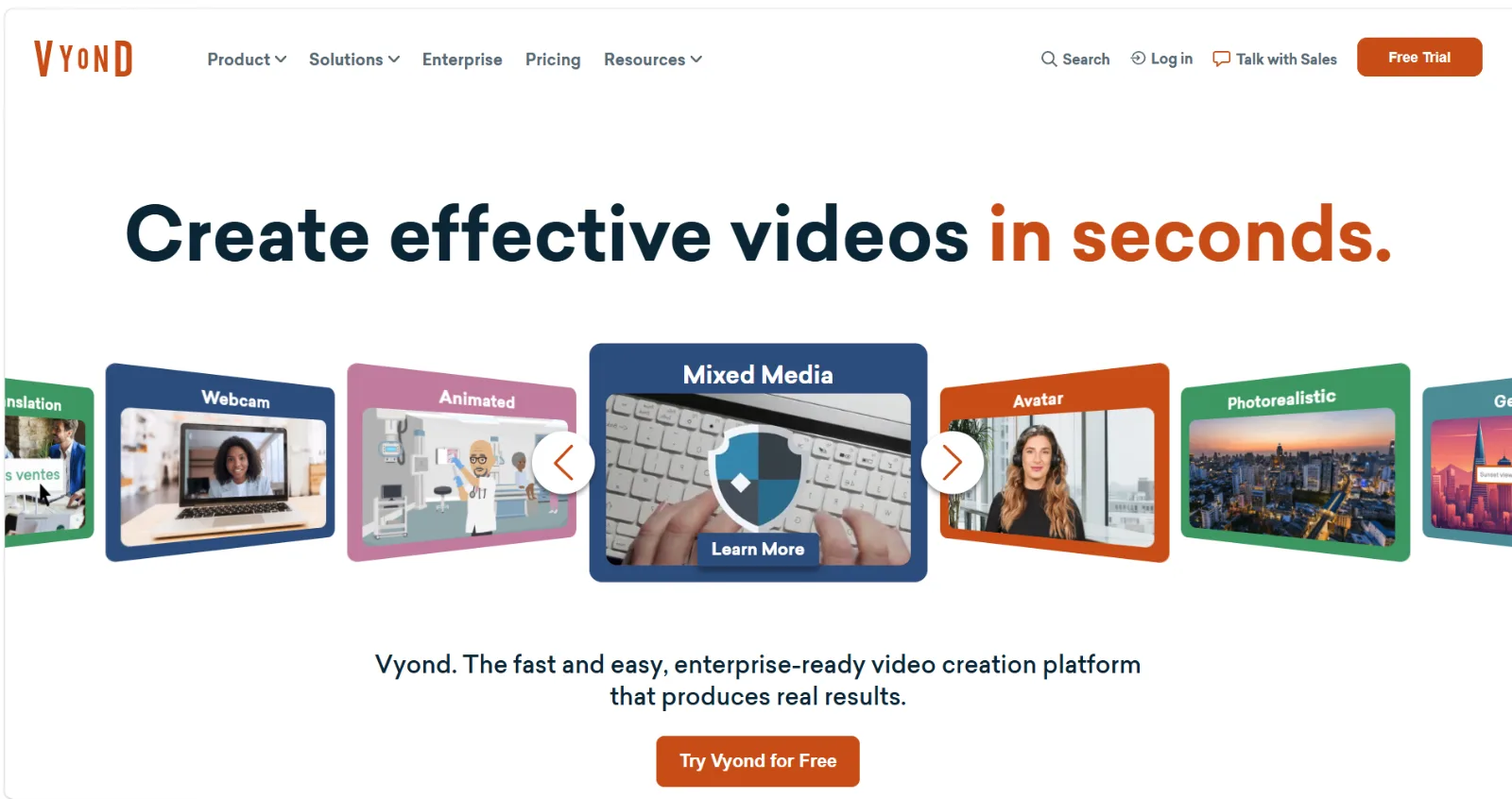
5. Vyond: Best for Animated Scenario and Soft-Skills Training
Vyond is an animation studio for business, used heavily for scenario-based training where filming real people is impractical or sensitive.
Key strengths:
- Character builder with thousands of combinations for diverse, on-brand casts
- Three visual styles suited to workplace scenarios, whiteboard explainers, and infographics
- Strong for compliance topics (harassment prevention, safety) where acted scenarios beat lectures
- Lip-sync from uploaded audio speeds up dialogue scenes
Best for: L&D teams producing scenario-driven soft-skills and compliance training in an animated format.
Limitations:
- Scene-by-scene assembly is time-consuming; budget hours per finished minute
- Animation style is recognizable, which some brands find generic
- Priced toward professional and enterprise budgets rather than casual use
Pricing: subscription tiers by feature set and team size; annual billing oriented.
Data point: Vyond rates 4.6/5 on G2 with 400+ reviews, concentrated among corporate L&D users.
6. iSpring Suite: Best for Turning PowerPoint Decks Into LMS Courses
iSpring Suite lives inside PowerPoint and converts slide decks into SCORM-compliant e-learning with video, quizzes, and interactions.
Key strengths:
- Authoring happens in PowerPoint, so trainers reuse existing decks and existing skills
- Records screencasts and webcam video, then embeds them in course modules
- Publishes to SCORM, xAPI, and cmi5 for near-universal LMS compatibility
- Quiz maker with 14 question types for knowledge checks
Best for: training departments with large PowerPoint libraries that need proper LMS-tracked courses quickly.
Limitations:
- Windows-centric; macOS support is limited
- Video capabilities are functional rather than cinematic
- Course look and feel inherits PowerPoint's constraints
Pricing: annual per-author subscription; a free trial is available.
Data point: iSpring Suite holds a 4.6/5 rating on G2 across 1,000+ reviews, with LMS compatibility cited frequently as the standout.
7. Articulate 360 (Rise and Storyline): Best for Interactive E-Learning With Embedded Video
Articulate 360 is the dominant course-authoring suite, where video is one ingredient inside interactive modules built in Rise (web-based, responsive) or Storyline (deep custom interactions).
Key strengths:
- Rise builds mobile-responsive courses fast from pre-built blocks, including video blocks
- Storyline supports branching scenarios, triggers, and simulations around your video content
- Content library includes stock assets and templates
- Industry-standard SCORM/xAPI publishing plus its own Reach delivery option
Best for: instructional design teams building full interactive courses where video supports quizzes, branching, and tracked completion.
Limitations:
- It authors courses around video; you still produce the video itself elsewhere
- Storyline carries a genuine learning curve
- Suite pricing is a meaningful budget line for small teams
Pricing: annual per-user subscription for the full suite.
Data point: Articulate reports 120,000+ organizations as customers, including a large share of Fortune 100 companies.
8. Powtoon: Best for Fast, Template-Based Animated Explainers
Powtoon is a browser-based animation platform built around templates, trading Vyond's depth for speed and a lower entry price.
Key strengths:
- Large template library so a first training video ships in an afternoon
- Multiple styles: cartoon, infographic, whiteboard, and live-action mixes
- Drag-and-drop editing that non-designers pick up quickly
- Free tier available for evaluation
Best for: small training teams and educators producing simple animated explainers without an animation budget.
Limitations:
- Free and lower tiers apply watermarks and export caps
- Less character and scene control than Vyond
- Template-based output can look similar across companies
Pricing: free tier with watermark; paid plans unlock HD export and premium assets.
Data point: Powtoon reports 40 million+ registered users, one of the largest user bases in template animation.
How to Choose Training Video Software
Match the tool to the job, in this order:
- Define the video's source material. No footage yet and no desire to film or edit? A generative partner like Pexo owns that job. Need to show live software? Screen capture (Camtasia, Loom) owns it
- Count who will produce. If subject-matter experts must self-serve, pick zero-skill options (Pexo, Loom). If a dedicated designer produces, Camtasia or Vyond's depth pays off
- Check LMS requirements early. SCORM tracking needed? Shortlist iSpring, Articulate, Camtasia, or Synthesia's enterprise tiers; pure video outputs get hosted as media instead
- Estimate update frequency. Content that changes quarterly favors regenerable formats (Pexo's conversation, Synthesia's script edits) over re-editing timelines
- Pilot with one real module. Produce the same 60-second module in your top two candidates and compare hours spent against output quality
Many teams end up pairing two tools: one generator for polished content, one capture tool for walkthroughs.
Conclusion
There is no single best training video software, only the best fit for the job in front of you:
- Pexo if you want a finished training video from a plain-language brief, with no editing and no learning curve
- Synthesia for multilingual presenter-led training at enterprise volume
- Camtasia or Loom for software walkthroughs, polished or fast respectively
- Vyond or Powtoon for animated scenarios, deep or quick respectively
- iSpring or Articulate 360 when SCORM courses, not standalone videos, are the deliverable
If your bottleneck is production time and editing skill, start where the friction is lowest: describe your next training module to Pexo and see the finished video come back from one conversation.





