ChatGPT
 Perplexity
 Claude
 Gemini
 Grok
Grok


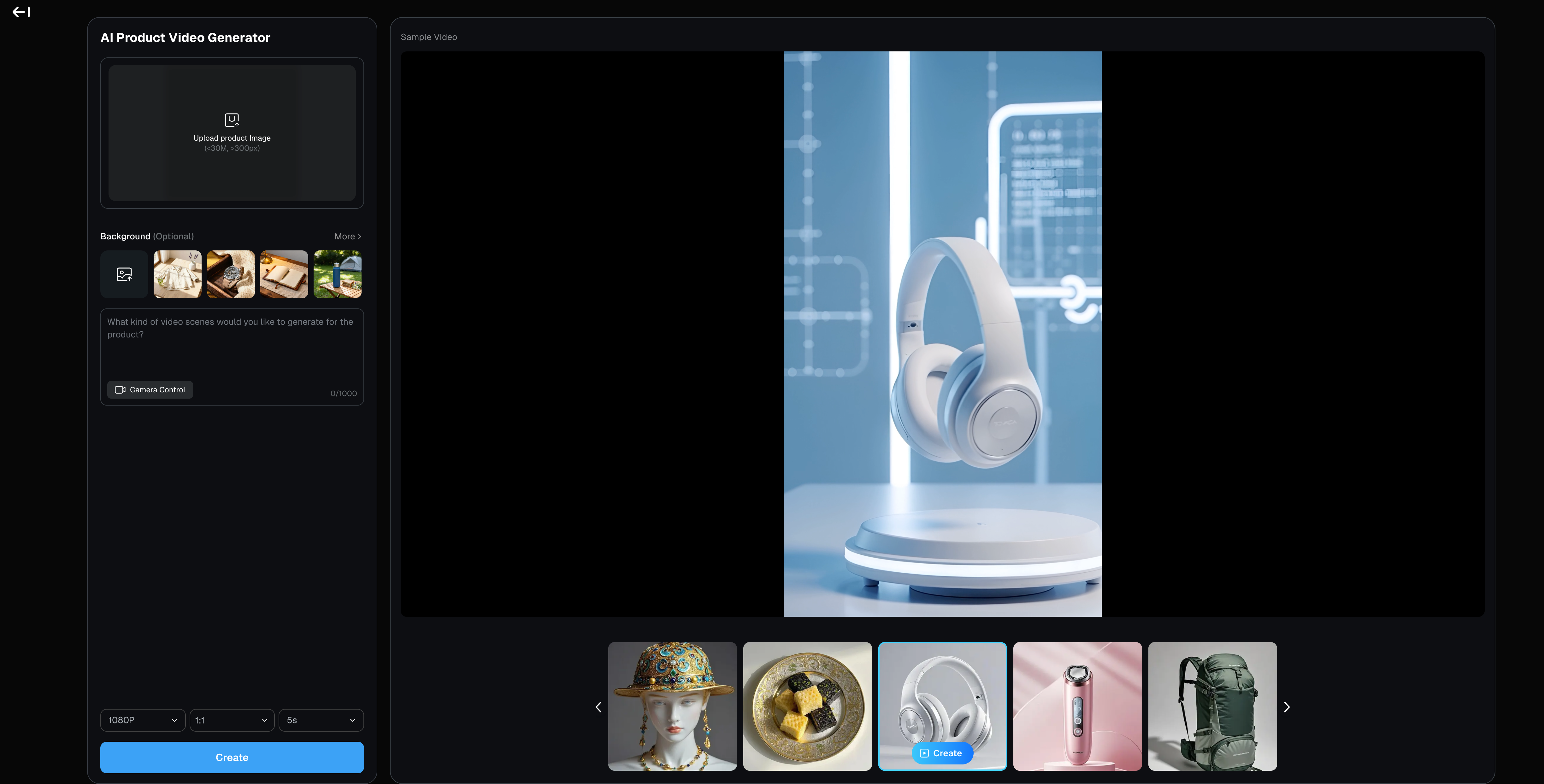
A product ad can look convincing until the lid tab changes shape between shots. That is the standard worth using when you evaluate DeeVid AI, which advertises an Agent, storyboarded product videos, scene regeneration, Canvas, and an Editor. This article checks public information against one fictional brief. The Lumen Bottle screenshot below shows a clip generated from that fictional prompt. The workflow remains a proposed evaluation, not a hands-on verdict on a finished product ad.
Is DeeVid AI a fit for a product video brief?
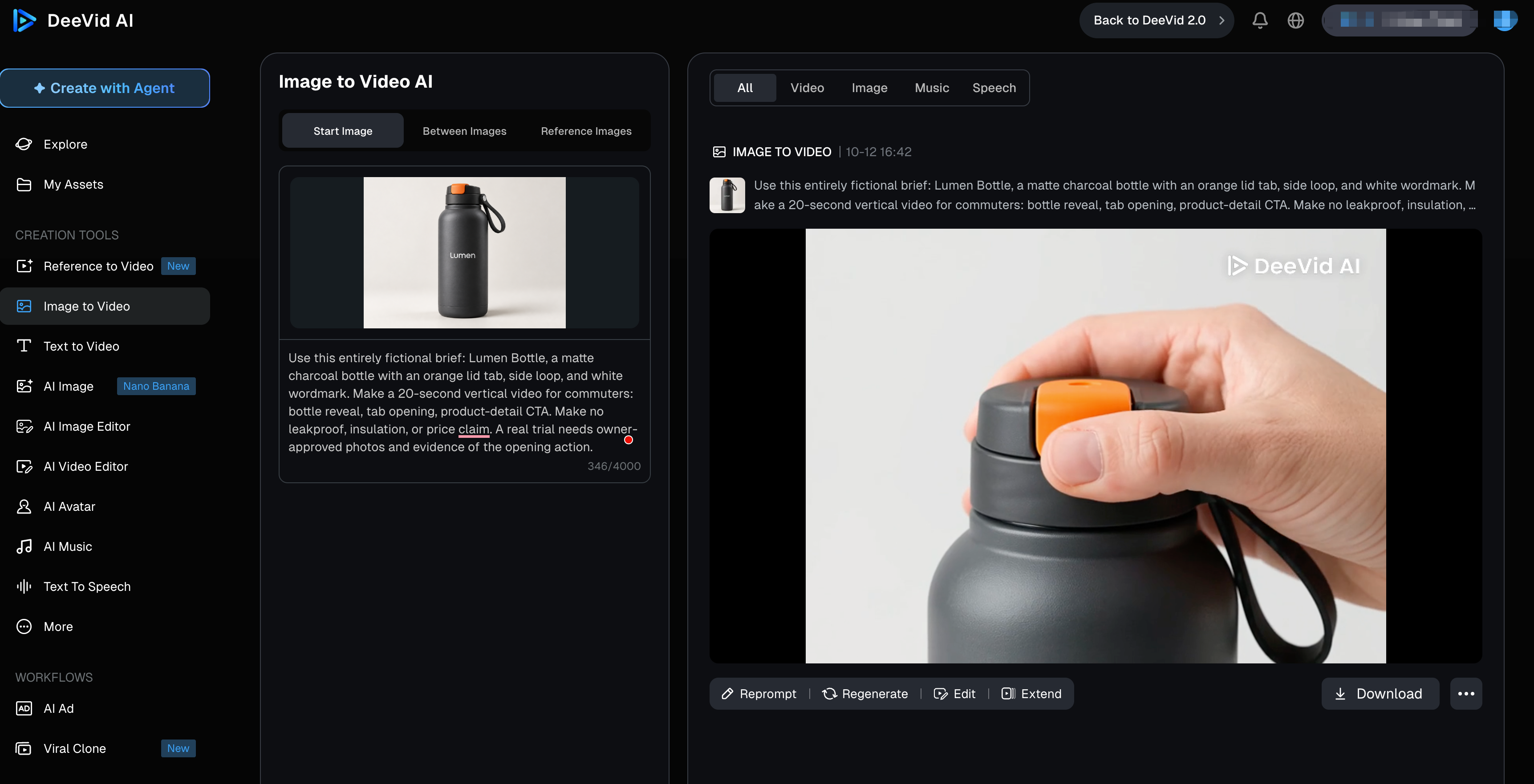
Yes, DeeVid's workflow is designed for this kind of brief. A DeeVid product video can start from a storyboard, then use scene regeneration, text changes, and vertical, square, or landscape export. The question for a buyer is whether the complete cut keeps the product recognizable, communicates one supported benefit, and remains affordable after correction.
For a team covering several SKUs, one attractive render is too small a sample. Compare a first cut with a targeted revision. Save the brief, assets, settings, credit counter, export, and time spent on human fixes. Without those records, quality and speed claims are guesses.
What can a team provide as the starting assets?
DeeVid lists text, image, video, audio, documents, and URLs as Agent starting sources. Its product-video page also mentions images, scripts, and product links; its image-to-video tutorial describes photo input in a separate workflow. Those entry points do not prove correct extraction of specifications or packaging text. Check the controls in your chosen workflow; Agent, model modes, and templates may differ.
Use approved front, side, and detail photos, the logo file, and a claims sheet. Separate visual references from facts the ad may state. A product page can contain an expired offer, so mark the approved feature, price, and destination explicitly. Check upload rights too; DeeVid's terms place responsibility for input permissions on the user.
Assess one product brief across the workflow
Use this entirely fictional brief: Lumen Bottle, a matte charcoal bottle with an orange lid tab, side loop, and white wordmark. Make a 20-second vertical video for commuters: bottle reveal, tab opening, product-detail CTA. Make no leakproof, insulation, or price claim. A real trial needs owner-approved photos and evidence of the opening action.
| Stage | Request using the same brief | What the team should save and inspect | Evidence status here |
|---|---|---|---|
| Input | Add front, side, and tab images, logo, audience, CTA, and no-go claims. | Input list and pre-render credit estimate. | Source types documented; brief not uploaded. |
| First cut | Show a hook, bottle, tab action, and end card across scenes. | Preview, storyboard, settings, credits, product details. | Full-video workflow documented; output unobserved. |
| Revision | Keep correct scenes; redo a wrong tab shot or remove an invented claim. | Before/after frames, new charge, unintended changes. | Scene regeneration advertised; result untested. |
| Before shipping | Check cut, captions, sound, crop, CTA, claims, and permissions. | Approved export and remaining fixes. | Requires a real file and review. |
Keep product and brand details recognizable
Compare the tab, loop, wordmark, and silhouette in every scene with approved photos. A logo can look right in a paused frame and deform in motion. Mark each scene pass, revise, or reject; an overall "good quality" score hides a wrong product shot. If the tab cannot open accurately, cut the action.
Build a story beyond a single shot
The sequence is commuter context, bottle reveal, opening action, CTA. The prettiest orbit may be the first thing to cut if it leaves no room for the latch. DeeVid advertises storyboarded scenes and scene-level edits; the trial should check beat order and product continuity. Keep a still from each scene beside the approved photos. If the orange tab disappears in the reveal and returns in the action shot, the story has broken even if both shots look polished.
Revise a weak first draft
Make the correction narrow: "Keep the opening and end card. Replace only the middle shot with the approved tab opening. Preserve the charcoal body, orange tab, and white wordmark. Remove any leakproof text." Compare the entire new cut. If that fix changes audio timing, the logo, or an adjacent transition, it created more work. Record incremental credits and minutes. DeeVid AI revisions matter only if the whole ad moves closer to approval.
What do model choices change for this task?
DeeVid AI models may differ in reference controls, duration, resolution, and credit consumption. DeeVid lists multiple model families, but its public material does not establish identical controls in every mode. For the bottle test, choose a mode that accepts the approved images and target frame; record its model label and settings. A model name cannot establish product fidelity.
Use a small render log: workflow, model label, supplied references, duration, resolution, credits shown before creation, and credits charged afterward. Name the defect you are trying to fix before another render. Otherwise, a change in model and prompt at the same time leaves you unable to tell which one affected the bottle. The useful cost is the cost of an approved cut, including rejected attempts, not the cheapest clip on the plan card.
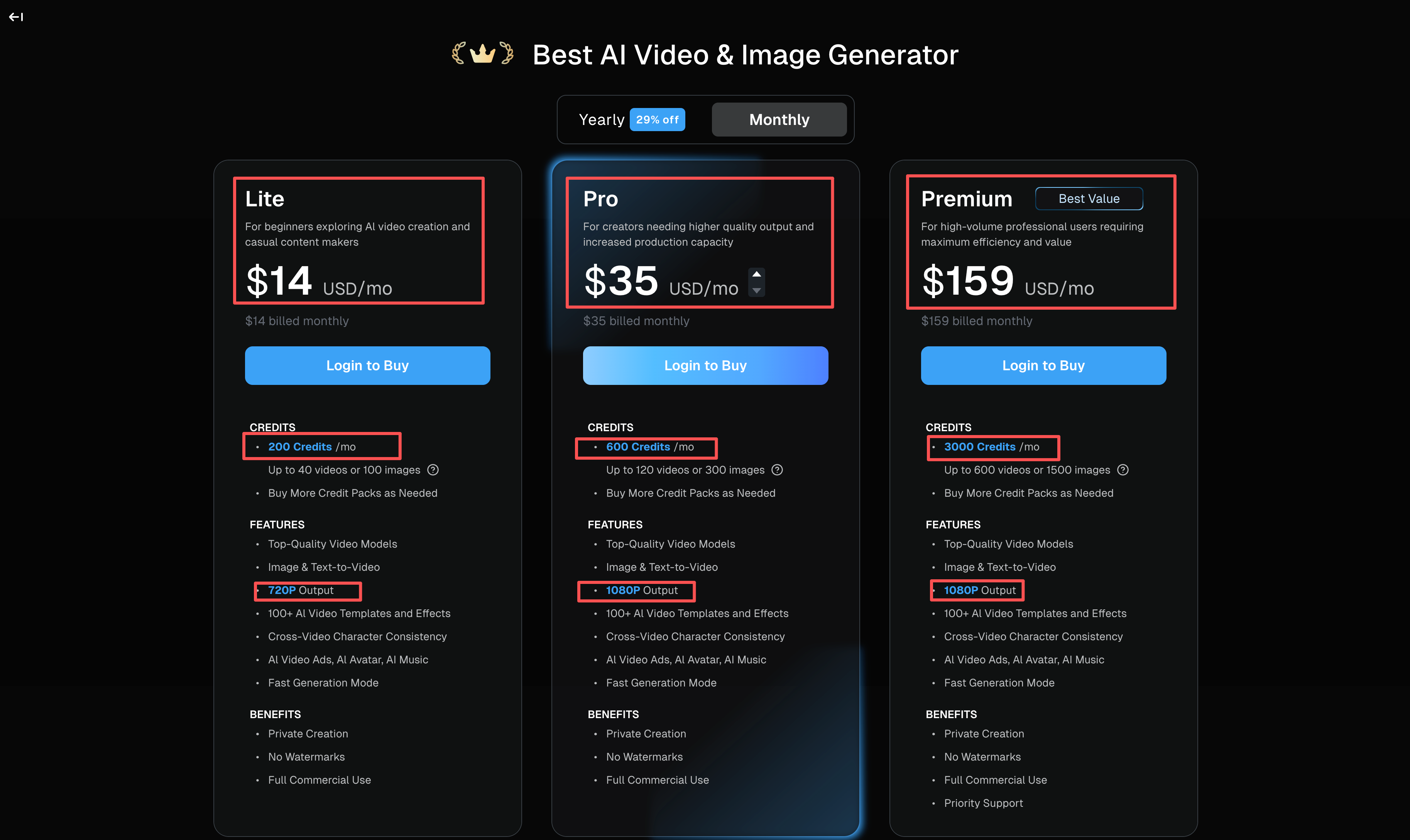
DeeVid AI pricing also needs task-level reading. On October 12, 2026, its public plan page showed monthly billing at $14 for Lite, $35 for Pro, and $159 for Premium, with 200, 600, and 3,000 monthly credits respectively. It showed lower monthly equivalents with annual billing. The page listed 720p for Lite and 1080p for Pro and Premium, plus 20 free signup credits; free outputs carry a watermark. Its "up to" video counts are ceilings, not a price for this four-scene ad. The public page does not state what this exact first cut and correction would cost. Check the live counter before each render and the current plan terms before purchase.
What remains before a video ad can ship?
Claims, accessibility, placement, and rights checks remain. Watch the export at placement size with and without sound. Read captions and claims, check the CTA destination, and inspect the crop around the tab and wordmark. Google Ads specifications vary by campaign and format; a listed export ratio does not settle every requirement. For speech, use W3C's caption guidance as an accessibility check.
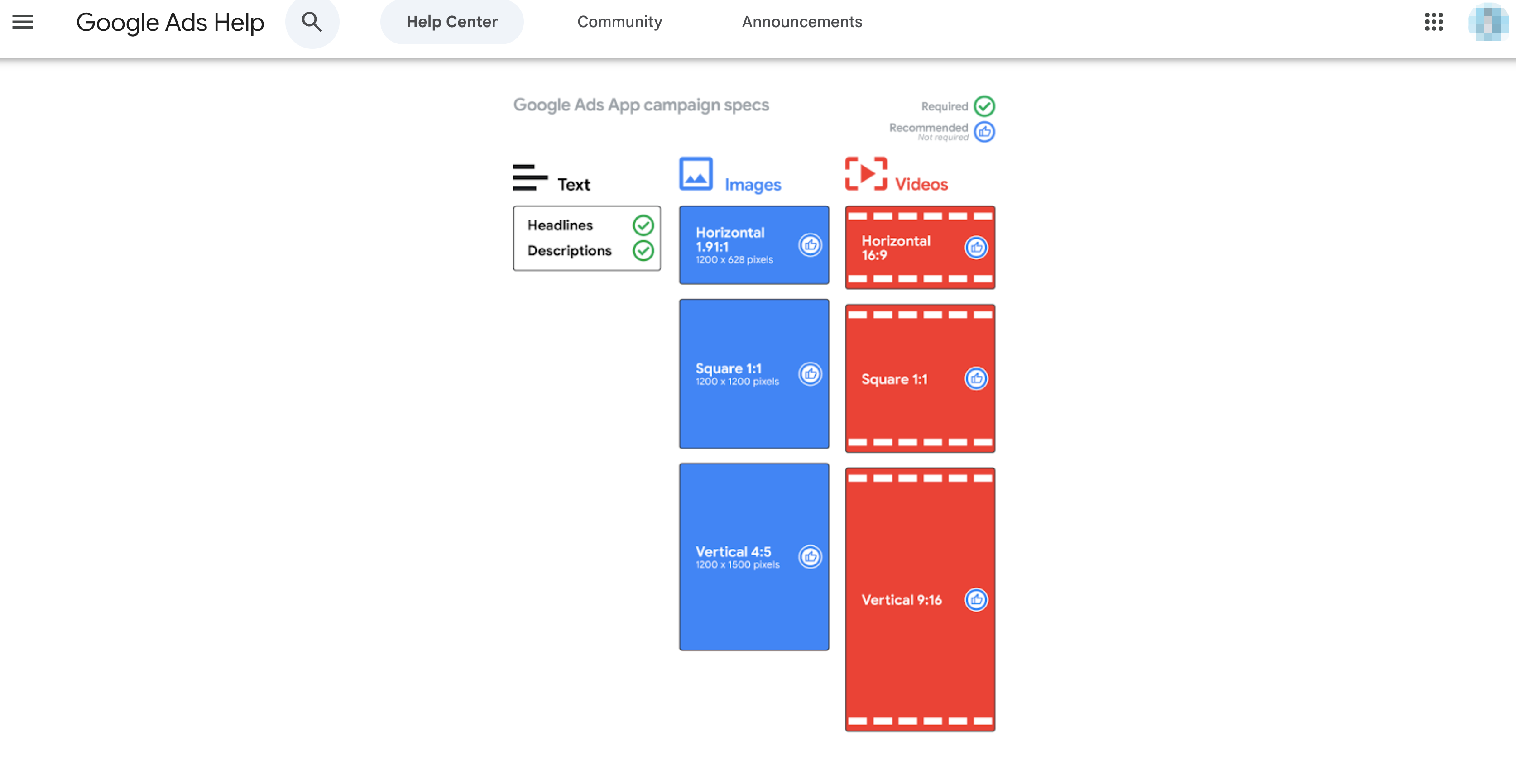
The claims sheet remains the source of truth. In the US, the FTC expects objective advertising claims to have support before an ad runs. If the generated cut introduces "leakproof," a test result, or a discount absent from the brief, remove it or obtain the required evidence and approvals. DeeVid's terms also say it does not guarantee output accuracy or freedom from third-party rights issues. Production capability is only one gate; the brand, rights owner, and legal reviewers still decide whether the file can ship.
Who should use a different production route?
Teams needing frame-accurate mechanics or exact labels should switch routes if corrections exceed their time and credit budget. Approved live footage and a conventional editor may fit better. That is a task decision, not a verdict on every DeeVid output.
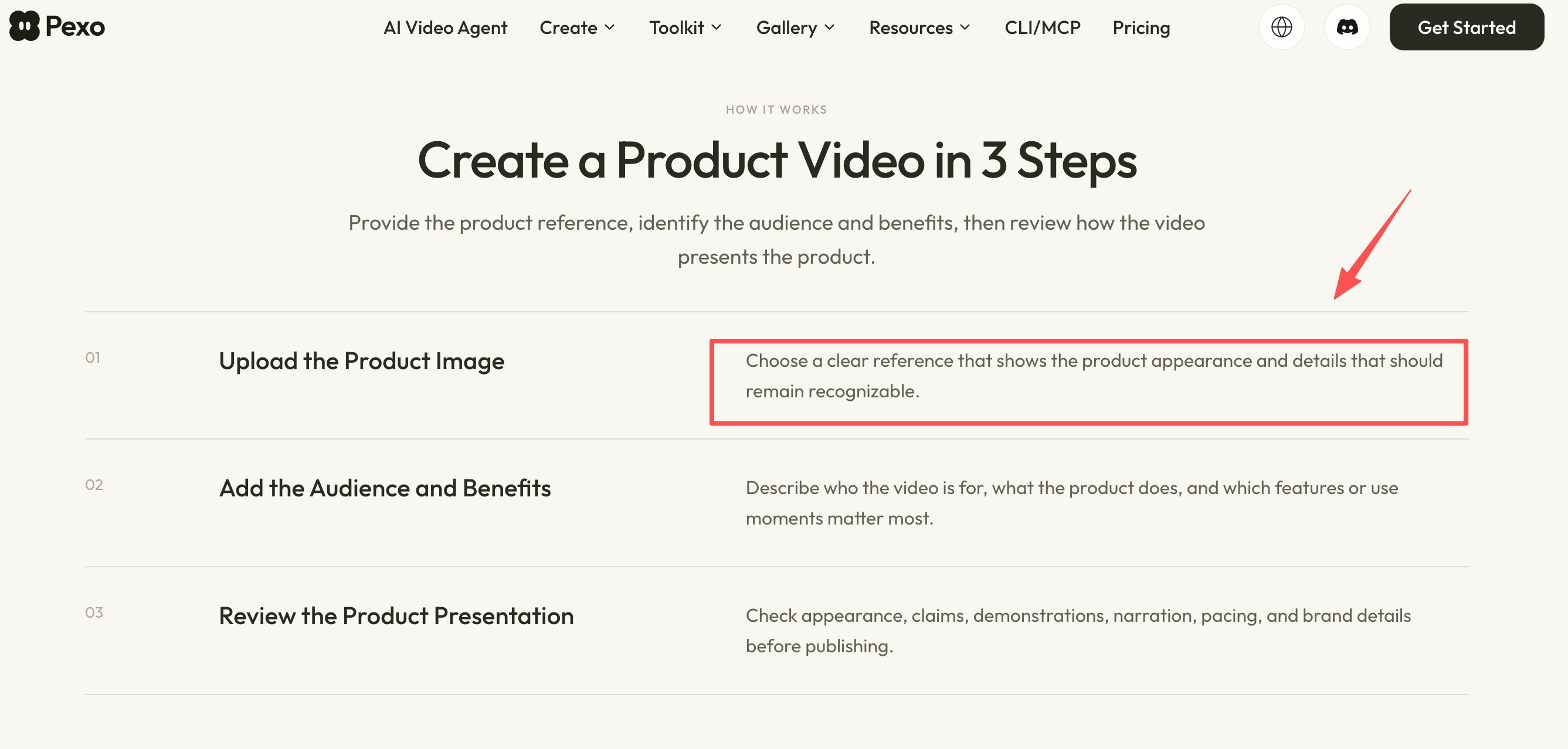
Pexo is another candidate when a team wants to direct a complete video and request changes in one conversation; its product-video workflow describes image-led scene planning and review, and its complete-video workflow describes conversational revision. Give Pexo the same Lumen Bottle brief, files, no-go claims, and acceptance checks. DeeVid documents Agent, Canvas, Editor, and scene regeneration, so do not assume either service wins at continuity or rework. Compare saved cuts, correction effort, credits, and remaining manual fixes for the same task.