ChatGPT
 Perplexity
 Claude
 Gemini
 Grok
Grok


A short explainer can rush the one moment that matters: seeing the product work. A 30 second explainer video needs one answer and enough screen time to make it believable. Here is a four-beat storyboard and a before-and-after edit for marketers with approved product assets.
When is a 30-second explainer enough?
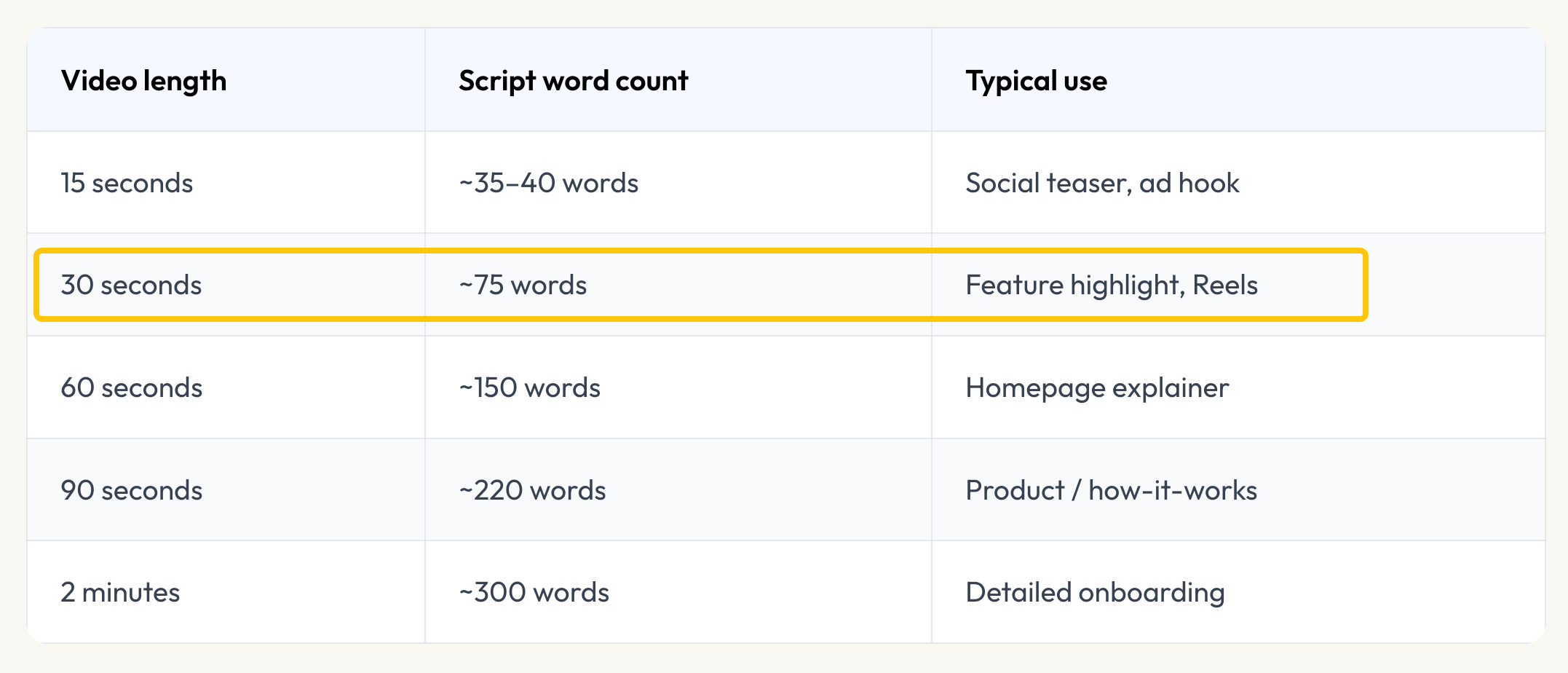
Thirty seconds is enough when a viewer needs one action or benefit explained before a modest next step. A booking-flow introduction fits; plan comparisons and setup details need a page or longer demo. Runtime should follow the goal and placement, rather than a universal rule. Pexo's explainer script length table offers broader timing context. Here, the job is compression: what stays visible, what moves to page copy, and what changes the claim if cut.
Choose one message and one next step
Write a message the viewer can check on screen. For the entirely fictional service Maple Slot, it is: "A customer can choose an available appointment time from a booking link." The next step is to view the full booking flow. No real service, interface, or customer result exists in this example.
In a live brief, collect the current booking page, slot picker, and confirmation capture. If one is missing, narrow the wording. Keep reminders, team calendars, and pricing on the page until each can be verified. An explainer video script cannot turn an imagined screen into evidence.
Map the story to four visual beats
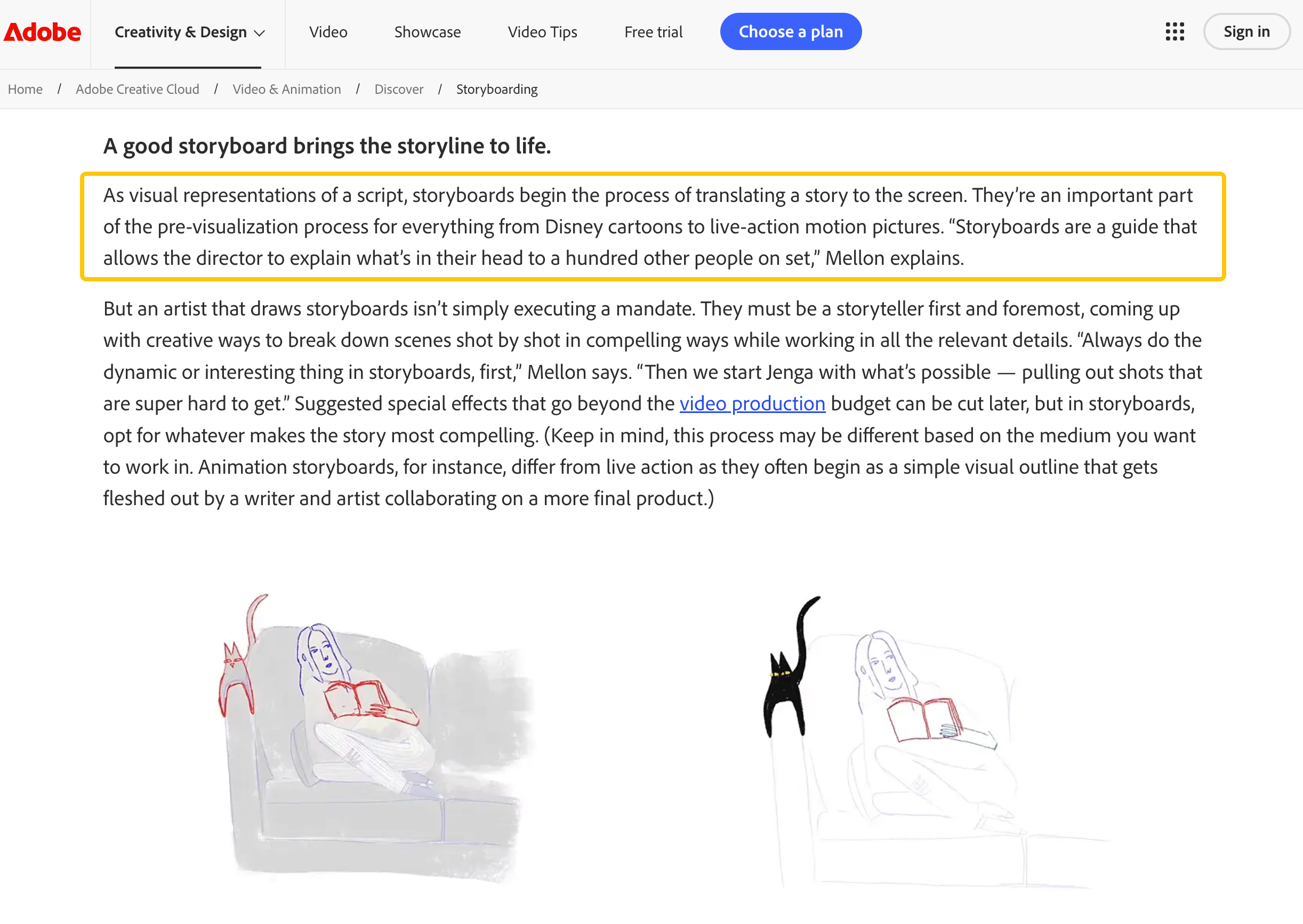
Give each panel one job. A storyboard translates a script into ordered pictures and shows when a line asks the picture to prove too much. Timings are estimates. Every product detail here is fictional.
Hook and context
The inbox gives context, not proof of demand. Show it briefly, then move to the product. A long staged exchange spends precious seconds without explaining the service.
Product reveal and proof
The reveal names the service; proof gets 12 seconds. An animated explainer video can carry context, but the booking steps must match the released interface. Otherwise, motion gives a fictional product the appearance of a working one.
Next step
Close on the next question: how does the flow work? Keep the destination specific and live. A generic homepage loses the thread the first three beats established.
Turn the storyboard into a first cut
Use the board as a brief, leaving pauses between its 32 spoken words. Record a scratch read, place approved screens in order, and time how long the selection and confirmation remain visible. Spoken-word estimates alone miss that visual dwell time.
Pexo's conversational AI video agent can start from text, images, or other source material; its URL-to-video workflow can adapt an accessible product page around a stated takeaway. Request four beats, the intended placement, and a 30-second target, then review scene order and ask for focused changes. Generated UI cannot verify product behavior. Use approved current captures for the proof beat, and check the export's actual duration.
Trim scenes without losing the claim
Delete details that need another explanation, not the shot that proves the message. Compare the board with this fictional first draft:
"Maple Slot is a flexible booking platform for growing service teams. Set your hours, offer group sessions, send reminders, connect calendars, customize your page, and review scheduling reports. Share a link so customers can find an appointment. Try Maple Slot today." | First draft | 30-second cut | Reason | | :---: | :---: | :---: | | "Flexible booking platform" | "One link to your available times" | Name the action shown. | | Group sessions, reminders, reports | Move to page copy after verification | Each needs its own explanation. | | "Customers can find an appointment" | Show slot choice and confirmation | Make the central claim visible. | | "Try Maple Slot today" | "See how Maple Slot works" | Match the viewer's next question. |
The shorter cut has less copy and more proof time. If confirmation cannot be shown, say only "choose an available time." A transition cannot supply a missing product state. Useful explainer video examples expose this edit, not only the polished result.
Check the cut in its intended placement
Put explainer video best practices to a practical test: watch the export in place with sound and muted. On a phone, check the smallest caption, names, line breaks, and text that might cover the booking action. Accurate captions for prerecorded speech matter to viewers who cannot hear it; do not trust an unchecked transcript.
Check actual runtime and crop. Pexo lists reframing and subtitle review workflows, but each export still needs inspection: a vertical crop may hide a confirmation visible in widescreen. For paid video, format-specific ad specifications may require another cut.