 ChatGPT
 Perplexity
 Claude
 Gemini
 Grok
Grok


What Are Doodly and VideoScribe?
- Doodly is a desktop whiteboard animation application from the Voomly (formerly Bryxen) ecosystem. It focuses on a simple drag-and-drop workflow: place images on a canvas, and the software animates a hand drawing them in sequence. It supports whiteboard, blackboard, greenboard, and glassboard styles.
- VideoScribe is a whiteboard animation product from Sparkol, a UK company that has been building it since 2012, making it one of the longest-running tools in the category. It started as desktop software and now leads with a browser-based editor, positioning itself for marketing, training, and education teams.
Both tools do the same core job: turn a script and a set of illustrations into a hand-drawn-style animated video. Neither generates footage from scratch, and neither is a general-purpose video suite. The differences show up in workflow, assets, output options, and pricing model.
Doodly vs VideoScribe: Quick Comparison
| Dimension | Doodly | VideoScribe | Edge |
|---|---|---|---|
| Core focus | Whiteboard, blackboard, greenboard, glassboard videos | Whiteboard-style animation with a more designed, polished look | Tie, different flavors |
| Platform | Desktop app (Windows and Mac) | Browser-based editor, with desktop roots | VideoScribe |
| Ease of first video | Very simple drag-and-drop | Simple, slightly more options to learn | Doodly |
| Asset library | Built-in characters, props, and scenes; more via upsells | Large managed library of images, music, and templates | VideoScribe |
| Custom assets | Import your own images; draw-path editor for custom draw effects | Import supported; library-first workflow | Doodly |
| Voiceover and audio | Record or import voiceover, royalty-free tracks included | Voiceover recording or import, music library included | Tie |
| Export | Rendered video files for upload to any platform | Video export plus sharing options tied to plan | Tie |
| Collaboration | Single-user desktop workflow | Browser-based, friendlier to teams | VideoScribe |
| Pricing model | Historically sold with one-time and upgrade-style offers; current terms vary | Subscription-based with a free trial | Depends on preference |
| Best for | Solo creators, hobby projects, budget-conscious beginners | Marketers, educators, trainers, teams | Use-case dependent |
Pricing specifics for both tools change often and vary by promotion, so verify current numbers on the official Doodly and VideoScribe pricing pages before deciding.
Ease of Use: Which Is Faster to Learn?
- Doodly is about as simple as video software gets. You pick a board style, drag characters and props onto the canvas, set the order, and Doodly animates the drawing hand automatically. Most people can produce a rough first video in their first session.
- VideoScribe is also beginner-friendly, but it exposes more creative controls: canvas positioning, camera movement between elements, timing adjustments, and morphing between images. That means a slightly longer learning curve and noticeably more polish once you know it.
- Winner: Doodly for the very first video, VideoScribe for the tenth. If you will make one video a quarter, Doodly's simplicity wins. If whiteboard video becomes a recurring part of your content, VideoScribe's extra control pays off.
Asset Libraries: Who Gives You More to Work With?
- Doodly ships with a base library of characters, props, and scene elements. Characters come in multiple poses, which helps when building a narrative. A recurring complaint is that a lot of desirable content sits behind add-on purchases such as expanded image packs and club-style upsells.
- VideoScribe leans on a large managed library of images, GIFs, music tracks, and pre-built templates, maintained as part of the subscription. For teams that do not want to shop for add-ons, that all-in-one library is a real convenience.
- Custom assets: Doodly has a notable trick here. Its draw-path editor lets you import your own image and manually define the stroke paths, so the animated hand draws your custom artwork realistically instead of just fading it in. VideoScribe supports imports too, but its workflow is more library-first.
- Winner: VideoScribe for out-of-the-box breadth, Doodly for custom-artwork control.
Output and Export: What Do You Actually Get?
- Both tools render standard video files you can upload to YouTube, embed in a course, or drop into a larger edit.
- Doodly renders locally on your machine, so export speed depends on your hardware, and long videos can take a while on older computers.
- VideoScribe's browser-based flow handles rendering on its side, and export resolution and sharing options are tied to your plan tier.
- Neither tool is built for heavy post-production. If you need multi-track editing, advanced transitions, or motion graphics beyond the drawing hand, you will finish the video in another editor either way.
- Winner: tie. Both deliver usable explainer output; check your plan tier for resolution limits before committing.
Pricing Model: One-Time vs Subscription?
- Doodly built its reputation on one-time-purchase-style offers, with optional paid add-ons and upsells layered on top. Its current terms and what counts as included have shifted over time under the Voomly umbrella, so read the checkout page carefully.
- VideoScribe uses a conventional subscription model with a free trial, which is easier to predict but keeps billing as long as you keep using it.
- We deliberately do not quote exact prices here because both companies change offers frequently. The structural difference is the real decision point: pay once and accept upsell pressure, or pay continuously and get an actively maintained cloud product.
- Winner: depends on your preference. Occasional users often prefer Doodly's ownership feel; ongoing producers often prefer VideoScribe's predictable subscription and maintained library.
Where Each One Falls Short
Doodly: where it falls short
- The visual style is recognizably "Doodly." With a limited base library, videos from different creators can look samey.
- Add-on and upsell pressure frustrates users who expected everything for one price.
- Desktop-only, single-user workflow makes team collaboration awkward.
- Local rendering can be slow on modest hardware.
VideoScribe: where it falls short
- Subscription cost accumulates, which is hard to justify if you only make a couple of videos a year.
- It is still fundamentally a whiteboard tool. If your brand outgrows the hand-drawing aesthetic, you outgrow the product.
- More options means more decisions; total beginners can find the first project slower than in Doodly.
Verdict: Choose Doodly or VideoScribe?
Choose Doodly if:
- You are a solo creator, teacher, or hobbyist making occasional whiteboard videos.
- You want the shortest possible path to a first finished video.
- You want to animate your own custom artwork with realistic draw paths.
- You prefer ownership-style pricing over a subscription, and you are willing to read the offer terms closely.
Choose VideoScribe if:
- You produce explainer or training videos regularly, for marketing, education, or internal comms.
- You want a large maintained library of images, music, and templates without shopping for add-ons.
- You work in a team and benefit from a browser-based workflow.
- You want a more designed, polished whiteboard look and are happy to invest a bit more learning time.
One-line verdict: Doodly is the simpler starter tool, VideoScribe is the stronger long-term whiteboard workhorse.
A Third Option: Skip the Whiteboard Constraint Entirely
Here is the honest question underneath this comparison: do you actually want a whiteboard video, or do you want a finished explainer video, and whiteboard just seemed like the accessible way to get one? For years, hand-drawn animation was popular partly because it was what non-editors could realistically produce. That constraint has loosened.
Pexo is the AI video partner that meets you where you are. Instead of dragging assets onto a canvas and timing a drawing hand, you describe the video you need in plain language, like texting a colleague: the product, the audience, the tone, the length. Pexo thinks with you, proposes a plan and quick previews before full production, routes the work through leading AI models such as Seedance, Sora, Kling, and more, and hands back a complete video with pacing, transitions, and soundtrack handled. You can start from text, an image, a product URL, or audio, and redirect anything by simply saying what to change.

To be fair in both directions: if you specifically need the hand-drawn whiteboard aesthetic, Doodly and VideoScribe remain the right tools, and Pexo is not a whiteboard animator. But if the goal is a 60-second explainer for your app, a training video, or a product story, and you are choosing whiteboard mainly to avoid editing software, a conversational workflow removes that tradeoff entirely. No timeline, no asset shopping, no editing skills needed.
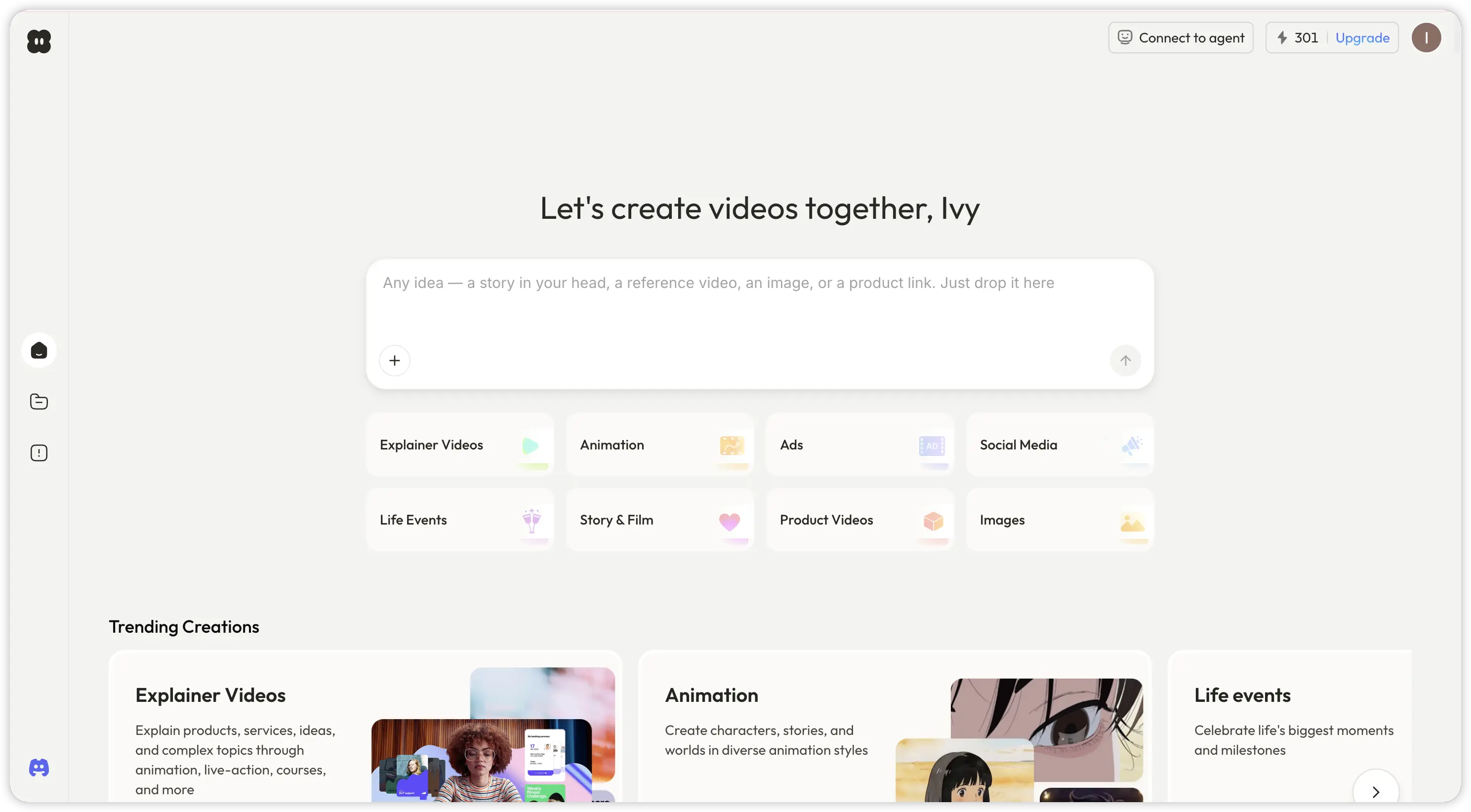
You can try the explainer route on Pexo's explainer video page or start from a script with text to video.
Conclusion
Doodly vs VideoScribe comes down to how seriously you take whiteboard video. Doodly is the fast, simple, budget-minded starter: perfect for solo creators and one-off projects, with a genuinely useful custom draw-path feature, but a samey base library and upsell friction. VideoScribe is the professional's whiteboard tool: a bigger maintained library, a browser-based team-friendly workflow, and more polish, in exchange for a subscription and a slightly longer learning curve.
And if the whiteboard style was never the point, only the finished explainer was, it is worth trying the conversational route once. Describe your video to Pexo, review the plan and previews, and ship the result. Sometimes the best answer to "which animation tool" is a partner that handles the production for you.