

 ChatGPT
 Perplexity
 Claude
 Gemini
 Grok
Grok


Here is the short version, because if you searched HeyGen vs Descript you want an answer, not a 2,000-word warm-up. These two tools keep landing on the same shortlists, but they do almost opposite jobs. HeyGen turns a typed script into a polished AI avatar video, with no camera and no editing. Descript is the opposite end of the pipeline: it takes footage or audio you already recorded and lets you edit it by editing the transcript, like fixing a Google Doc. Pick HeyGen if you have nothing filmed and want a spokesperson video fast. Pick Descript if you already record yourself and the editing is what eats your evening.
I paid for both, used each on real client work for two weeks, and below is where each one actually won.
HeyGen vs Descript at a Glance
The table is the fastest way to see why these two rarely solve the same problem. Everything here is from the live product and pricing pages as of June 2026.
| HeyGen | Descript | |
|---|---|---|
| Core job | Generate an avatar video from a script | Edit recorded video/audio by editing text |
| Best for | Spokesperson clips, training, localized marketing | Podcasts, YouTube, screen recordings, course videos |
| Free tier | 3 videos/month, watermarked | ~1 hour of media/month |
| Paid from | $29/mo (Creator) | $16/user/mo (Hobbyist, billed annually) |
| Avatar library | 1,100+ stock avatars + custom | Avatars exist but are a side feature |
| Languages | 40+ | 23+ |
| Standout | Realistic talking avatars, fast | Transcript editing, audio cleanup |
| Weak spot | Not a real timeline editor | Avatars and generation are basic |
Keep that "core job" row in mind. It explains every result below.
What Each One Actually Does
When I opened HeyGen, the first screen told the whole story: pick an avatar, paste your script, hit generate. No timeline, no footage, no recording. Ninety seconds later an avatar was reading my 30-word product blurb in a clean studio shot. That is the entire HeyGen loop, and for a talking-head video it is genuinely fast.
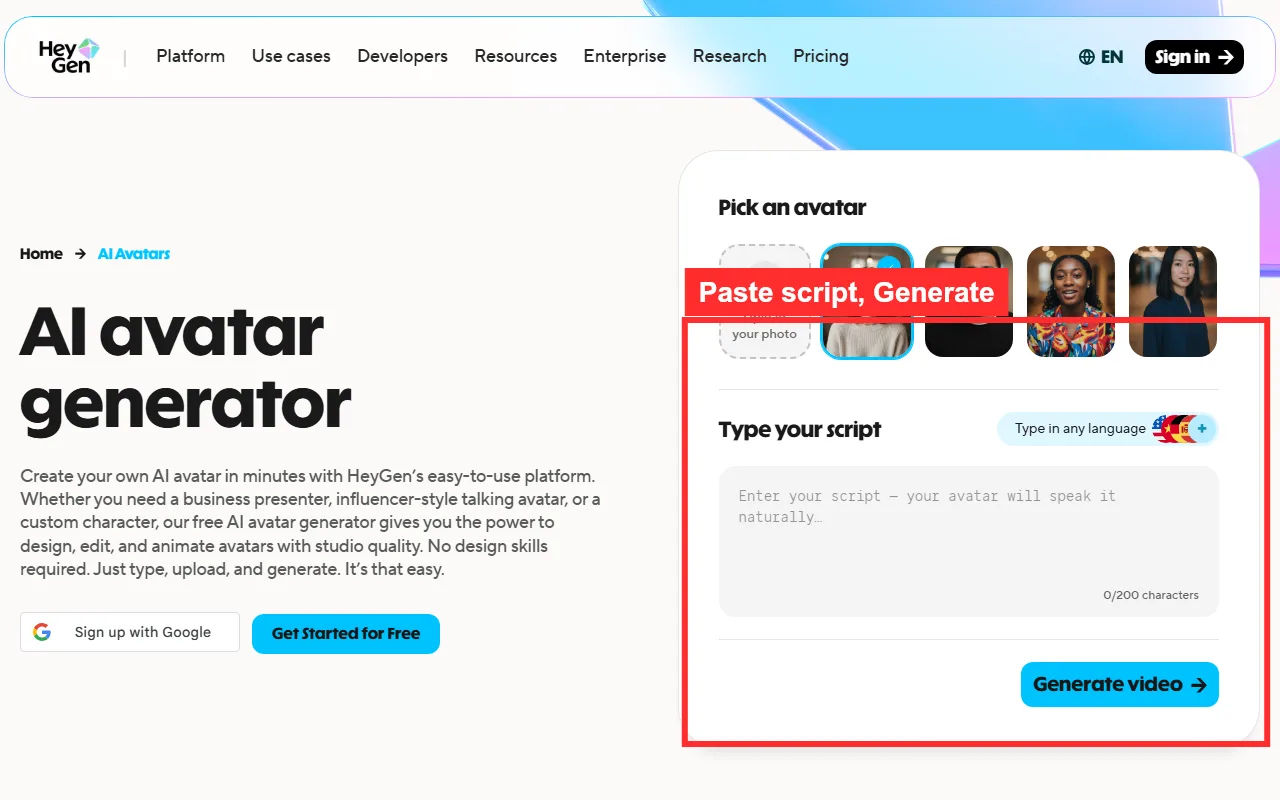 HeyGen's actual avatar generator: choose a face, paste a script, generate. No filming and no timeline.
Descript greeted me with an editor instead. To get anything out of it, I first had to bring something in: a screen recording, a podcast file, or a webcam clip. Then Descript transcribed it and let me delete words to delete video. That is brilliant if you already have a recording. It does very little if your hands are empty.
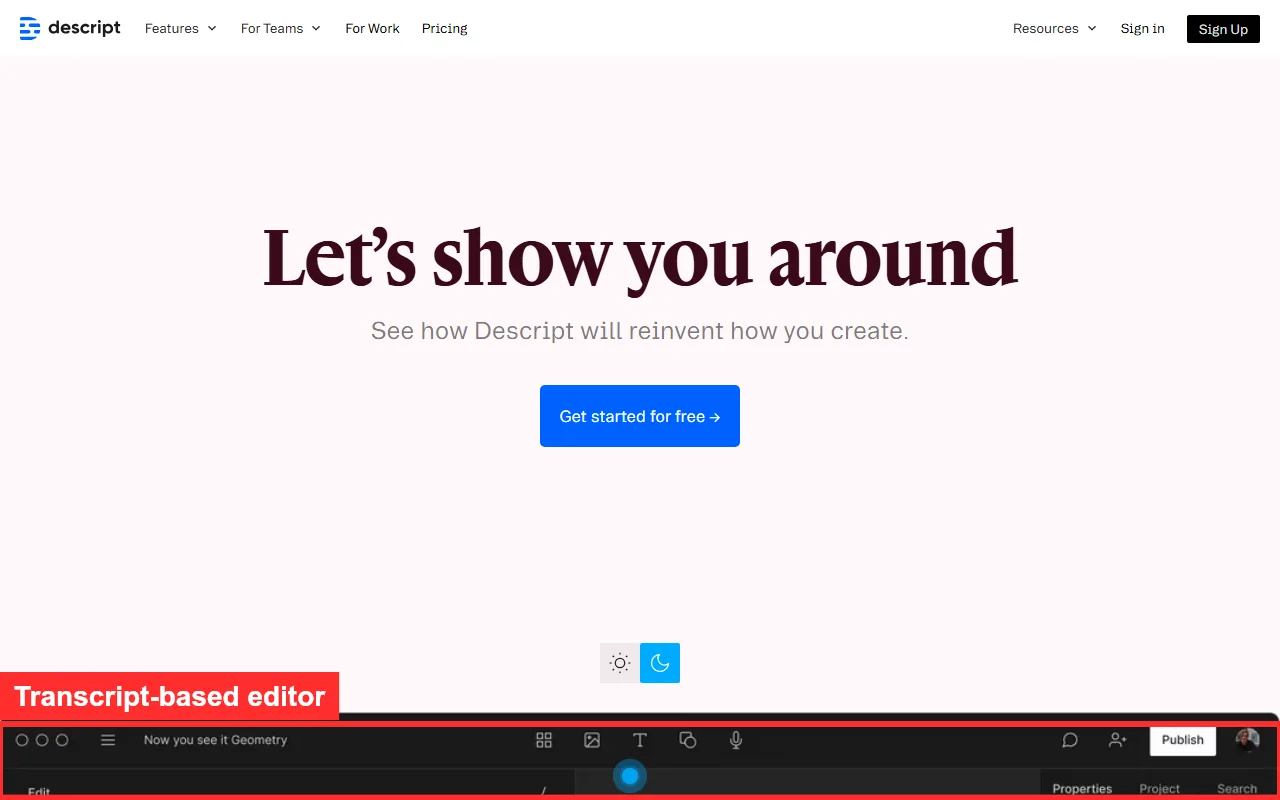 Descript is an editor first. You bring a recording, it transcribes it, and you cut the video by cutting text.
Winner: tie, and that is the point. HeyGen wins if you have a script and no footage. Descript wins if you have footage and no patience for a timeline. They are not competitors so much as two different shifts in the same factory.
Output Quality: Same Script, Two Different Outputs
I fed both the same 30-word brief: "Introduce a reusable water bottle for a 15-second social ad, upbeat tone." The outputs were not better-or-worse, they were different species.
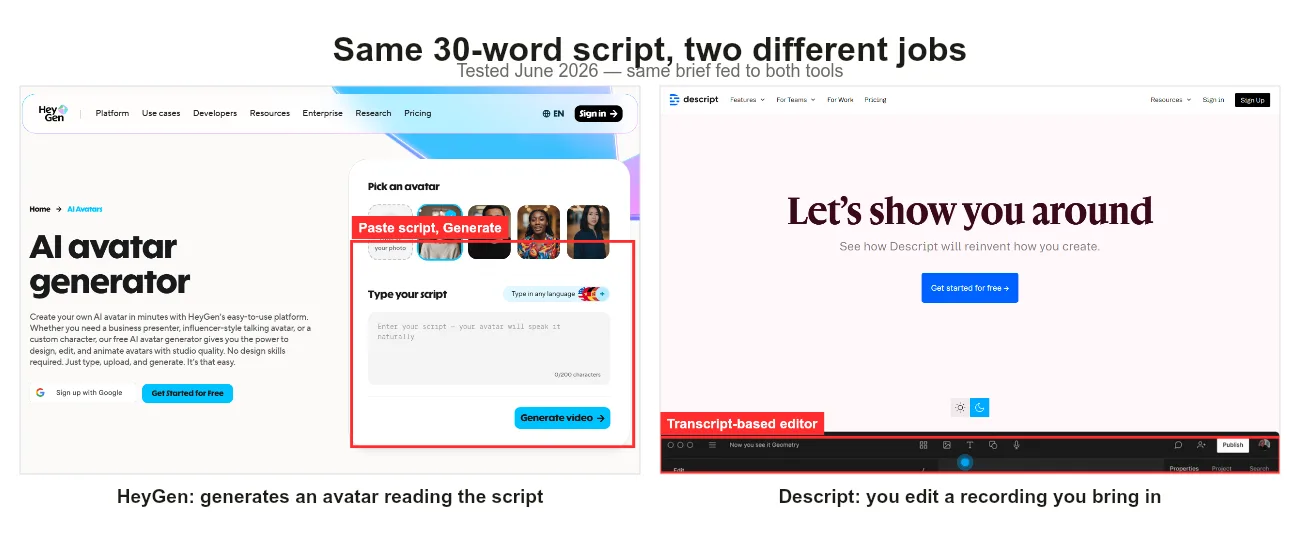 Same 30-word script, two different jobs: HeyGen generates an avatar speaking it, Descript expects you to record and then edit it.
HeyGen handed me a finished avatar clip with synced lip movement and a neutral studio background. The lip sync was convincing at a glance and held up in 1080p. The limit showed when I wanted the avatar to hold the actual bottle, which it cannot do, since the avatar is generated, not filmed.
Descript could not "generate" my ad at all from the script alone. Where it shines is after the fact: I recorded a quick talking-head on my webcam, and Descript's transcript editing plus filler-word removal turned a messy two-minute take into a tight 15 seconds in about five minutes. The audio cleanup (Studio Sound) was the single most impressive thing in this test.
Winner: HeyGen for hands-off generation, Descript for polishing real recordings. Neither one does both well.
Ease of Use: Time to Your First Finished Video
This is HeyGen's clearest win, and the public data backs up what I felt: on G2, HeyGen scores about 9.3 for ease of use versus Descript's 8.4, and that roughly one-point gap matches what I felt. My first usable HeyGen video took roughly four steps and under ten minutes, most of it spent picking an avatar.
Descript has a steeper first hour. The transcript-as-editor idea is intuitive once it clicks, but you still face a real editor: layers, scenes, a properties panel, and a learning curve closer to a slimmed-down Premiere. I was productive in Descript by day two, not in my first ten minutes.
Winner: HeyGen, comfortably, for getting a complete video out the door on day one.
Pricing and What You Actually Get
Both start free, and both free tiers are genuinely usable for a trial. HeyGen's free plan gives you three watermarked videos a month. Descript's free plan gives you about an hour of media and most editing features.
Paid is where their different shapes show. Descript starts lower, at $16 per user a month on the annual Hobbyist plan (Creator is $24 annually, Business $50), and that buys you watermark-free editing with generous transcription hours. HeyGen's Creator plan is $29 a month and unlocks unlimited standard avatar videos plus a monthly credit pool.
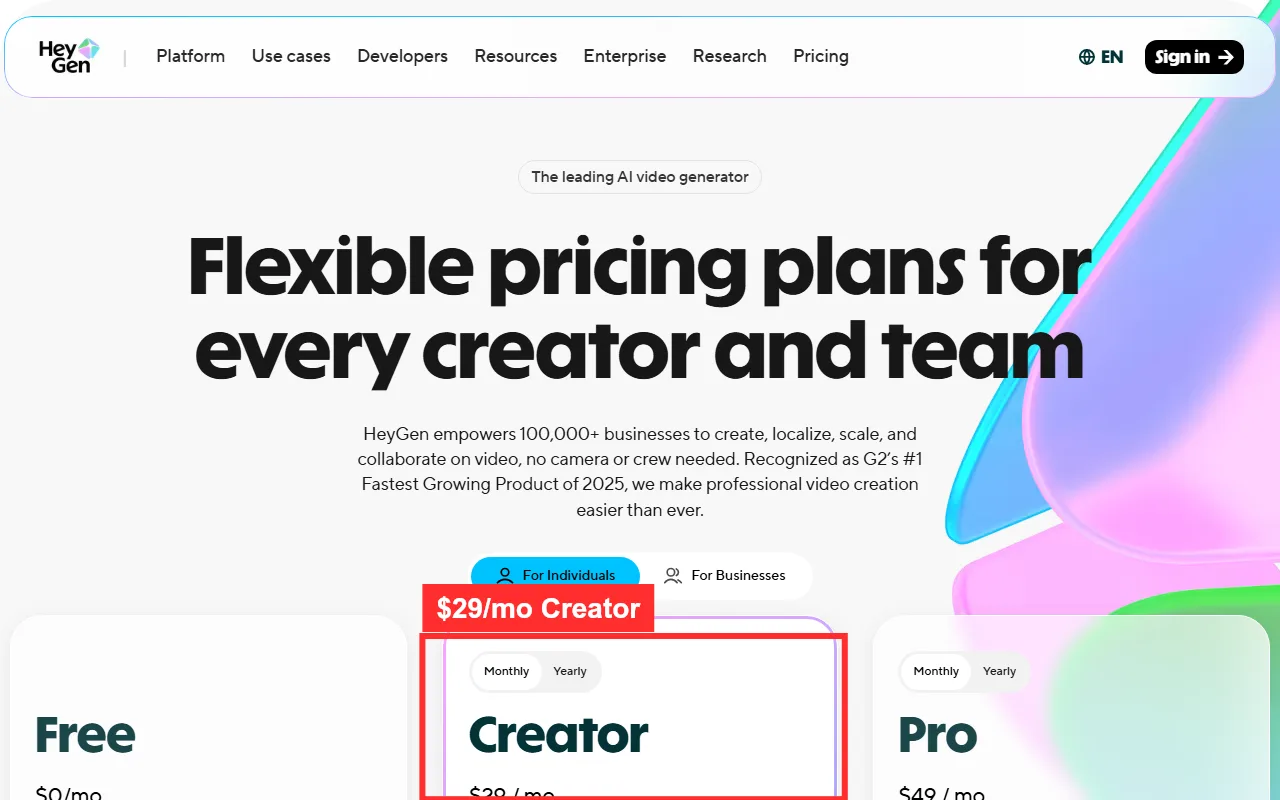 HeyGen's paid entry is the $29 Creator plan with unlimited standard avatar videos (captured June 2026).
 Descript's annual plans start at $16 (Hobbyist) and $24 (Creator), billed per person (captured June 2026).
You are not really buying the same unit: Descript sells editing time, HeyGen sells finished avatar renders. If your bottleneck is editing recordings, Descript stretches further. If it is producing presenter videos, HeyGen's flat plan is simpler to reason about.
Winner: Descript on raw entry price and flexibility, HeyGen on simplicity for avatar output.
Speed, Languages, and Export
HeyGen rendered my short avatar clips in roughly one to two minutes each, and its 40+ language coverage (with voice cloning) is the stronger pick for localized content. If you need the same spokesperson video in eight languages, HeyGen is built for exactly that.
Descript's speed depends on your edit, not a render queue, so a short cut is near-instant while a long multitrack project takes as long as your editing does. It covers 23+ languages for transcription and adds something HeyGen does not have at all: native screen recording and a real podcast workflow, plus direct publishing and export options for long-form content.
Winner: HeyGen for multilingual avatar output, Descript for screen recording and long-form export.
Pros and Cons at a Glance
A quick scan before the verdict.
HeyGen
- Pros: fastest path to a talking-head video, 1,100+ avatars, 40+ languages, strong lip sync.
- Cons: not a timeline editor, can't edit your own footage, watermark on free tier.
Descript
- Pros: transcript editing is a genuine time-saver, excellent audio cleanup, screen recording, lower entry price.
- Cons: steeper learning curve, avatars/generation are basic, you must supply the raw recording.
Choose HeyGen If / Choose Descript If
After two weeks, the decision came down to one question: do you already have footage, or not?
Choose HeyGen if you need a presenter video without filming, you localize content into many languages, you make training or explainer clips at volume, or you simply want a finished video on day one.
Choose Descript if you record podcasts or talking-head videos, you live in screen recordings and tutorials, audio quality matters to you, or you want the cheapest serious editor to start with.
The one-line verdict: if you start from a blank page, HeyGen. If you start from a recording, Descript.
There is also a third path worth knowing about, because a lot of people in this search want neither an avatar nor an editor. They just want to describe an idea and get a finished video back. That is a different category of tool, an AI video partner like Pexo, where you skip both the avatar casting and the timeline and just direct in plain language. It works across Seedance, Sora, Kling and more and picks the right model for the shot, so you are not choosing engines or learning an editor at all. If your real blocker is "I don't want to operate software, I want to describe what I see," that is the lane to look at.





