

 ChatGPT
 Perplexity
 Claude
 Gemini
 Grok
Grok


I put together a complete employee onboarding video last week without filming anything, and the whole production took under 20 minutes of my time. I described what I wanted to Pexo, reviewed a preview, asked for two changes, and downloaded a finished clip. In this guide I will walk you through the exact process: why onboarding videos are worth making, the 5 types most teams need, the full plan-to-measure workflow, and 3 production routes so you can pick the one that fits your budget and timeline.
What Is an Employee Onboarding Video?
An employee onboarding video is a short video, usually 1 to 5 minutes, that helps a new hire understand your company, their role, or a specific process during their first days and weeks. Instead of a manager repeating the same 30-minute walkthrough for every new starter, the video delivers it consistently, on demand, and in the new hire's own time.
The business case is straightforward. Research from Brandon Hall Group found that organizations with a strong onboarding process improve new hire retention by 82% and productivity by over 70%. Gallup reports that only about 12% of employees strongly agree their company does a great job onboarding. Video closes part of that gap because it is repeatable, scalable, and far more engaging than a 40-page PDF handbook. One well-made 3-minute video can replace dozens of repeated live sessions per year.
The 5 Types of Onboarding Videos (Pick Before You Produce)
Do not make one giant "everything" video. Onboarding works better as a series of short, focused clips. Here are the 5 types, in the order most new hires encounter them:
- Welcome video (30 to 90 seconds). A warm greeting, ideally framed around the founder's or team's voice. Goal: make day one feel human. Keep it under 90 seconds.
- Culture and values video (1 to 3 minutes). What the company believes, how people work together, what "good" looks like here. This is the one that affects retention most.
- Role-specific video (2 to 5 minutes per role). What this person's job actually involves, who they work with, and what success looks like in the first 90 days.
- Compliance and policy video (2 to 4 minutes each). Security, safety, code of conduct, data handling. Break each policy into its own clip so completion can be tracked per topic.
- Tools walkthrough video (1 to 3 minutes per tool). How to log into the CRM, file expenses, book meeting rooms. Screen recordings often carry this type, with generated intro and outro segments to keep the series consistent.
A typical starter kit is 4 to 6 videos totaling 10 to 15 minutes. That is very achievable in a week once you have a production route, and if you go the conversational route with Pexo, the first draft of each clip can exist the same day you write the brief.
What You Need Before You Start
- An outline of your onboarding content. Even 10 bullet points per video is enough.
- Brand basics. Logo, brand colors, and any product screenshots or team photos you want on screen.
- A production route. Filming gear, screen-recording software, or a Pexo account at pexo.ai if you want to generate the videos from a written brief. If you are starting from zero footage, sign up first so you can test the flow while you script.
- A distribution home. Your LMS, HR platform, Notion wiki, or even a shared drive.
How to Make an Employee Onboarding Video in 6 Steps
I will use Pexo as the demo throughout, because it is the route that requires no filming and no editing. Pexo is the AI video partner: you describe the video in plain language, it thinks with you, proposes a plan, shows previews, and delivers a finished clip with pacing, transitions, and soundtrack handled. Where a step differs for the filming or screen-recording routes, I will flag it.
Step 1: Plan the Series, Not a Single Video
List every question a new hire asks in week one. Cluster those questions into the 5 types above. Then assign each cluster a target length and an owner. My rule: no single video over 5 minutes, and no more than 3 key messages per video. Viewers retain far more from three 2-minute clips than from one 6-minute lecture.
Decide the format per video too. Culture and welcome videos suit cinematic, people-forward visuals. Tools walkthroughs suit screen capture. Compliance suits clear animated explainers, which is exactly the kind of job you can hand to Pexo in one sentence.
Step 2: Write a Short Script or Brief
For each video, write either a full script (roughly 130 to 150 spoken words per minute of video) or a brief that covers: who it is for, the 3 key messages, the tone, and the call to action at the end ("message your buddy on Slack" beats "good luck").
If you are generating with Pexo, the brief can be conversational. Here is close to what I actually sent:
"Make a 60-second welcome video for new employees at a software company. Warm and energetic tone. Cover three things: we ship fast, we communicate openly, and your first week is about learning, not output. End with 'Welcome aboard.' Wide format, upbeat background music."
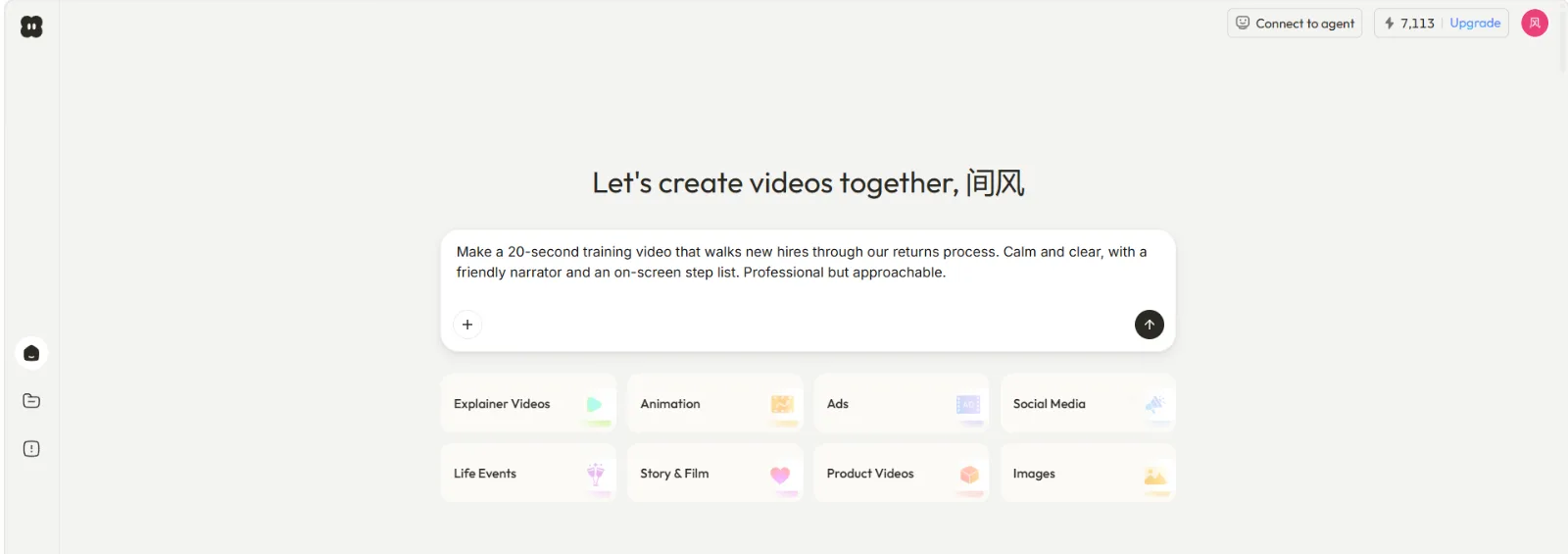
That is the entire input. No prompt engineering, no template hunting. Pexo picks up on the intent behind a messy description, so you do not need to get the wording perfect on the first pass.
Step 3: Produce the Video (3 Routes)
Route A: Film it. Highest authenticity for welcome and culture videos, and the highest cost. Budget 1 to 2 days for shooting plus 2 to 5 days for editing, or $1,000 to $10,000+ if you hire a crew. Worth it for a flagship culture video at a larger company. Overkill for a 10-video series.
Route B: Screen-record it. The natural route for tools walkthroughs. Record the workflow at 1080p, narrate as you go, trim the dead air. Cost is near zero, but raw screen recordings look inconsistent as a series and go stale every time the UI changes.
Route C: Generate it through conversation with Pexo. The route I used. After you send the brief from Step 2, Pexo does not just silently render. It proposes a creative direction, asks a clarifying question if the brief is ambiguous, and shows you the plan and quick previews before committing to the full production. You see what it is thinking and can redirect at any point, so there is no black box between your brief and the result.
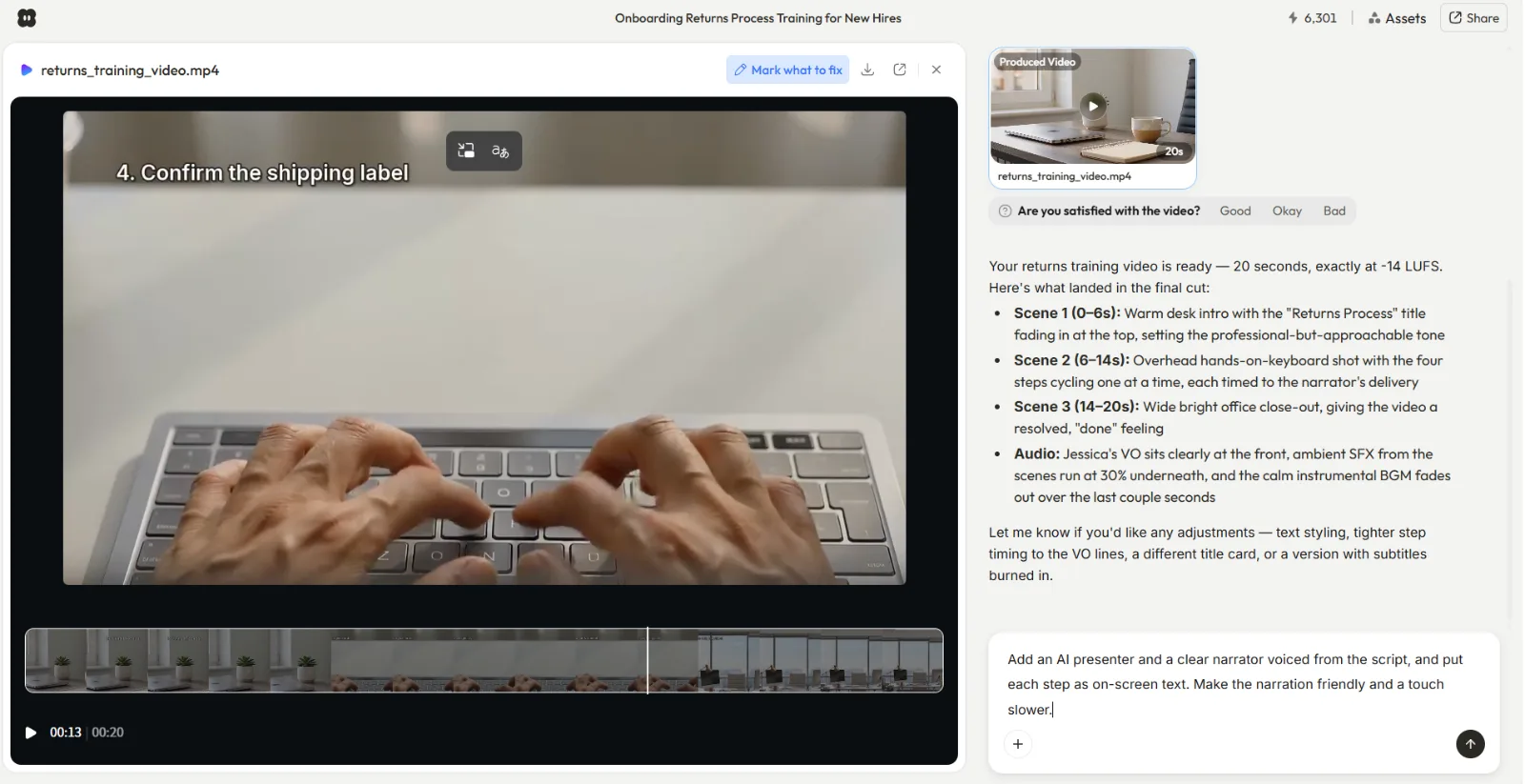
Under the hood, Pexo routes each scene to the best fit among leading AI models like Seedance, Sora, Kling, and more, so you never have to research which model handles which style. For a 5-video onboarding series, this is the difference between a multi-week project and an afternoon. Try the flow yourself at pexo.ai/features/text-to-video.
Mixing routes is normal, by the way. Many teams film one welcome video, screen-record the tools clips, and generate the culture and compliance explainers.
Step 4: Review and Revise
Watch the draft with one question in mind: would a person on day one understand this with zero context? Check names, dates, policy details, and pronunciation of anything company-specific.
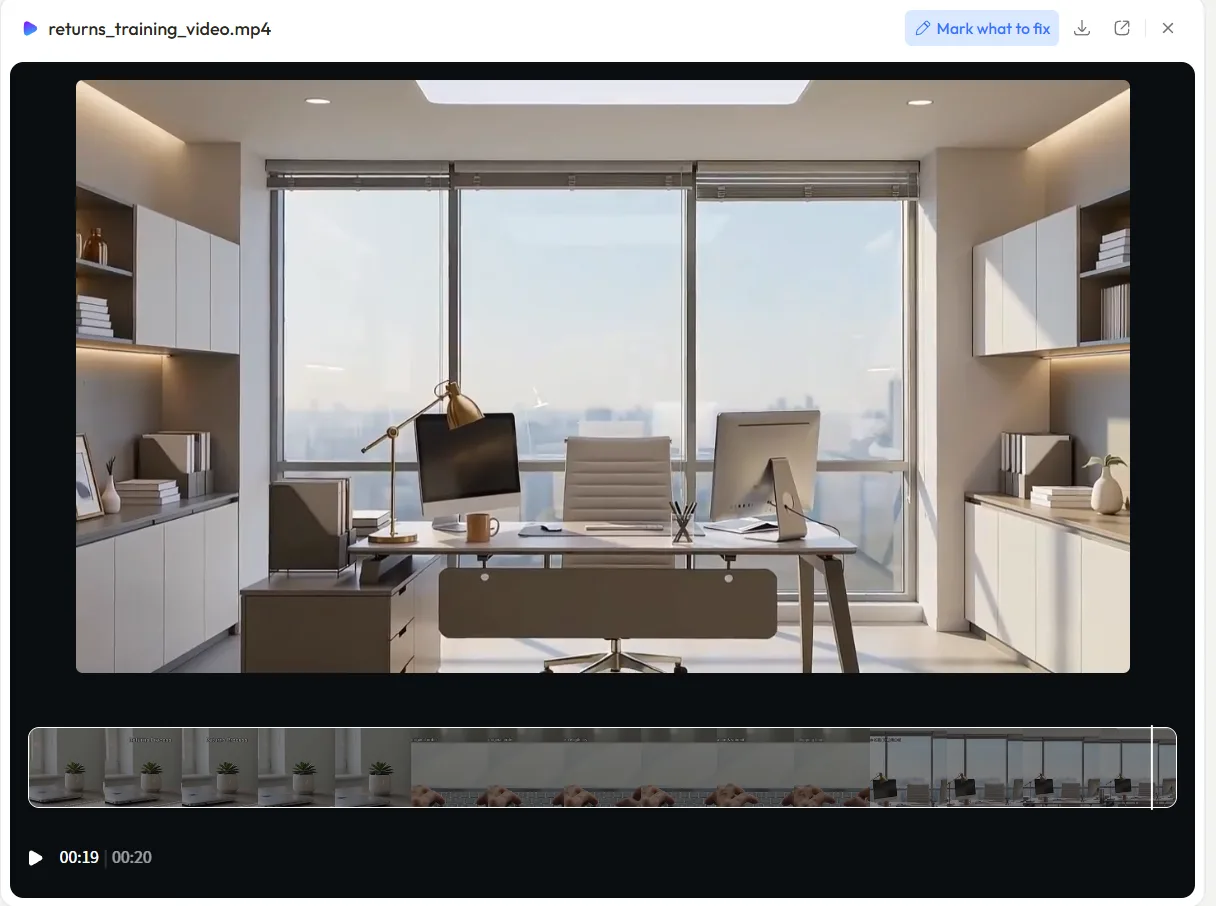
With filmed footage, revisions mean re-editing or reshooting, which is why filmed onboarding videos so often ship with known flaws. In Pexo, revision is the same conversation you started with. I watched my first cut and replied: "Make the opening 2 seconds punchier and swap the music for something calmer." Point at what is wrong, describe the change, get a new version. No timeline, no keyframes, no editing skills needed. My video went from brief to approved final in 3 rounds and about 15 minutes of my attention.
Step 5: Distribute Where New Hires Already Are
A great onboarding video that lives in a forgotten folder helps nobody. Put each clip at the exact moment it is needed: the welcome video in the offer or day-one email, the tools walkthroughs inside the wiki page for each tool, compliance videos inside the LMS with completion tracking.
One practical advantage of the conversational route: Pexo works inside Slack, Lark, WhatsApp, and Claude, so an HR manager can request and receive an updated onboarding clip in the same Slack workspace where onboarding actually happens. When your PTO policy changes, you ask for the update where you already work, without opening another app.
Step 6: Measure and Refresh
Track three numbers per video: completion rate (aim for 80%+ on clips under 2 minutes), a 1-question usefulness rating from new hires at day 30, and time-to-productivity for the cohort. Kill or rework any video that new hires consistently skip.
Then schedule a refresh every 6 months. This is where short clips and a low-effort production route pay off compounding dividends: updating a generated 90-second video is a two-line message, while updating a filmed one is a new shoot.
Common Mistakes to Avoid
- One monolithic 15-minute video. Completion rates collapse after the 3-minute mark. Split it.
- Information dump instead of orientation. The video's job is confidence, not completeness. Link to docs for details.
- No call to action. Every clip should end with one concrete next step.
- Shipping without a refresh plan. Outdated onboarding content is worse than none, because it teaches wrong things confidently.
- Letting production friction set the scope. Teams skip role-specific videos because "we can't film 8 of them." With a generate-from-brief route, 8 role videos is 8 briefs, so scope the series around what new hires need, not around camera time.
Pro Tips
- Write the day-30 survey question before you produce anything. It forces clarity about what each video must achieve.
- Give the series one visual identity. Same intro style, same music family, same color world. In Pexo, describe the style once and reference it in each follow-up brief to keep the set coherent.
- Use real employee quotes in the script. Even a generated culture video lands harder when the words came from actual teammates.
- Batch your briefs. Writing all 5 briefs in one sitting keeps the messaging consistent, and you can send them to Pexo in one working session.
When a Video Is Not the Answer
Be honest about the limits. Skip video when the content changes weekly (keep a living doc instead), when the topic needs two-way dialogue like career expectations (that is a manager conversation), or when your audience genuinely prefers text reference material, as is common for developer-heavy teams who want searchable docs. Video is the wrong format for anything a new hire will need to ctrl-F later.
What Else Can You Use?
- Loom: the fastest option for quick, informal screen-recorded walkthroughs with your face in the corner. Great for tools videos, less suited to polished welcome or culture clips.
- Synthesia: template-driven AI avatar videos where a presenter reads your script. A fit if you specifically want a talking-head format and are comfortable working inside a template editor.
- iMovie / Clipchamp: free editors for teams that already have filmed footage and someone willing to cut it.
Conclusion
A good employee onboarding video series is really 4 to 6 short, focused clips: welcome, culture, role, compliance, and tools. Plan the series, write tight briefs, pick the production route that matches each clip, distribute at the moment of need, and measure with real numbers. The biggest unlock is removing production friction, because the team that can produce and update videos in minutes actually keeps its onboarding fresh. If you want to test that for yourself, describe your welcome video to Pexo in one message and see the first preview today.





