ChatGPT
 Perplexity
 Claude
 Gemini
 Grok
Grok


People want their videos to look like movies whether it is for music videos or short films or even posts, on TikTok. If you’re wondering how to make video look like old film, the secret isn’t just adding a single filter. The most convincing vintage videos combine film grain, color grading, motion characteristics, and subtle imperfections that mimic real analog footage.You have to do all of these things to make your videos look like movies. TikTok posts and brand stories can also look like movies if you do this.
What Makes a Video Look Like Old Film?
Before editing, it’s helpful to understand what gives vintage footage its distinctive appearance.
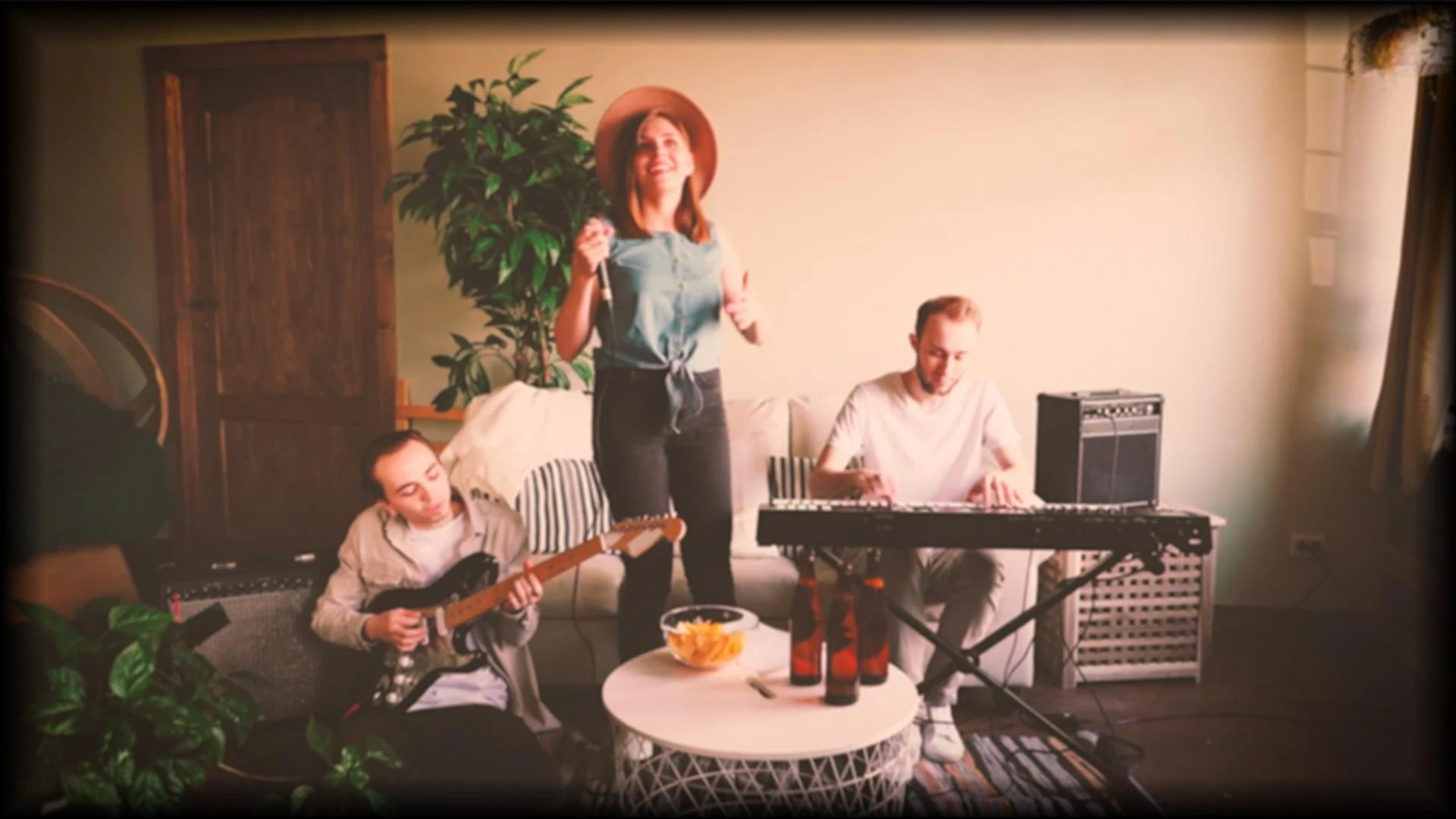
Film Grain
An old movie film has dots on it which gives it a nice texture that you do not see in digital videos. If you add a bit of this texture to modern videos, they will look more like real movies and feel more natural. Many creators start by generating reference frames and mood boards before editing, which is why AI image generation has become a useful part of many video workflows.
Faded Colors and Lower Contrast
Old film rarely has the bright colors that you see in modern digital cameras. The colors in film are a little washed out the bright parts are not too sharp and the difference between light and dark is not too strong. This is what gives film that old look that people like. Old film has a look, with slightly desaturated tones and softer highlights and reduced contrast that makes it look real and old.
Light Leaks and Lens Imperfections
Vintage cameras used to make weird things happen with light. They would let light in make weird streaks with the lens and sometimes the picture would be too bright or too dark. This made the pictures look really funny. These mistakes make the video look more real and not so perfect like it was made on a computer. Vintage cameras are really good, at making footage that's not perfect and that is what makes it special. Vintage cameras have a lot of character because of these leaks and other issues.
Dust, Scratches, and Flicker
Subtle dust particles, film scratches, and frame flicker can enhance authenticity when used sparingly. The goal is to suggest age without making the effect look exaggerated.
How to Make Video Look Like Old Film Manually
If you use editing software like Premiere Pro, you can make the effect yourself. Some creators start with text-to-video to get a vintage-style clip that makes it look better with normal editing. DaVinci Resolve and CapCut are also good for making the effect.
Some creators also start with text-to-video to generate an initial vintage-style clip before refining the look with traditional editing techniques.
Step 1: Add Film Grain
Apply a film grain overlay or use the built-in effect.
When you are using these settings it is an idea to start with low intensity and then make changes as needed. The recommended settings are:
-
Intensity between 8 and 18 percent
-
Size between 1.0 and 1.5
-
Opacity, between 60 and 80 perce
You should start with a setting and then adjust it based on your footage.
Step 2: Color Grading
• Reduce Saturation by 15–25%
• Lower Contrast by 10–20%
• Soften Highlights
• Add a subtle warm tint (+8 to +18 Yellow/Orange) DaVinci Resolve’s Film Emulation LUTs or FilmConvert Nitrate plugin work particularly well here.
Step 3: Add Vintage Artifacts
Layer occasional light leaks, dust, and scratches. Use keyframing so they appear naturally rather than constantly.
Step 4: Refine Motion
Slightly reduce the sharpness. Add a motion blur. Play the footage at 18–24fps. This makes it look like cameras.
Using AI to Make Your Video Look Like Old Film (Faster Method)
AI have made creating vintage film looks much faster and more flexible in 2026.
The most convenient approach is using a conversational AI agent. Just tell Pexo what you are looking for in your words , and the AI can generate or transform footage with authentic old film characteristics.
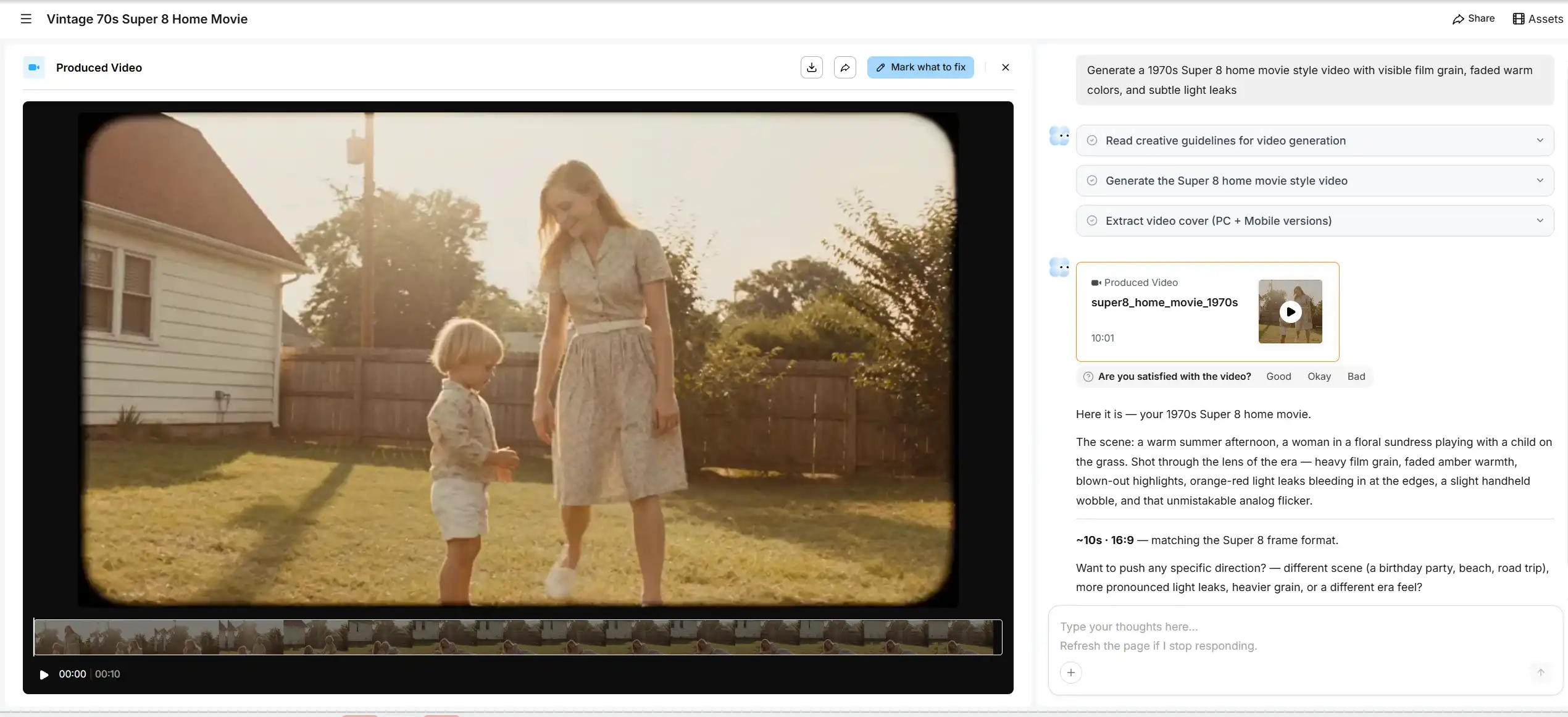
For example, you can say things like:
• “Generate a 1970s Super 8 home movie style video with visible film grain, faded warm colors, and subtle light leaks”
• “Convert this footage to aged 16mm documentary film look with dust and gentle flicker”
• “Apply a natural vintage cinematic style with film imperfections to this scene”
Pexo works particularly well for this. You can talk to this thing like you would talk to a person. It will help you make old style movie videos. You can tell it what you want to change.
You can iterate quickly by describing changes, test different eras (Super 8, 1970s, faded 90s, etc.), and generate results without rebuilding projects from scratch. It also lets you turn pictures into videos so you can upload your photos. Make them look like they are moving in a vintage way.
Common Mistakes to Avoid
Using Too Much Grain
Excessive grain often makes footage look noisy rather than cinematic.
Overusing Scratches and Dust
Real film imperfections are usually subtle. Too many overlays can make the effect feel fake.
Ignoring Color Grading
Film grain alone rarely creates a convincing vintage aesthetic. Color treatment is equally important.
Applying One Filter to Every Scene
Lighting conditions are not all the same, so you have to make changes for each one. You cannot just use one setting for the video project . It does not work that way.
Final Thoughts
To make video look like old film,you have to add a lot of different effects to the video. The video needs these effects to really look like film. You cannot just use one filter. Things like film grain and colors that're not so bright and light leaks all work together. The way the video moves is also important. You have to think about the colors you use.
If you use a way of editing or try out new tools that use artificial intelligence paying attention to these things will make your video look real and old and, like a movie. Old film looks a way and to make your video look like old film you have to think about old film and what makes it look that way.