ChatGPT
 Perplexity
 Claude
 Gemini
 Grok
Grok


If you are looking for a truly functional and free AI video tool that does not demand making use of a film crew, professional editing skills, or pricey software, Vidnoz AI is among the platforms that is popping up over and over again in 2026. With too many AI video generator products appearing every month, it’s difficult to tell which are the ones that really value your time. Here's in plain terms, our non-hyped opinion review of Vidnoz AI after putting it to the test.
What Is Vidnoz AI?
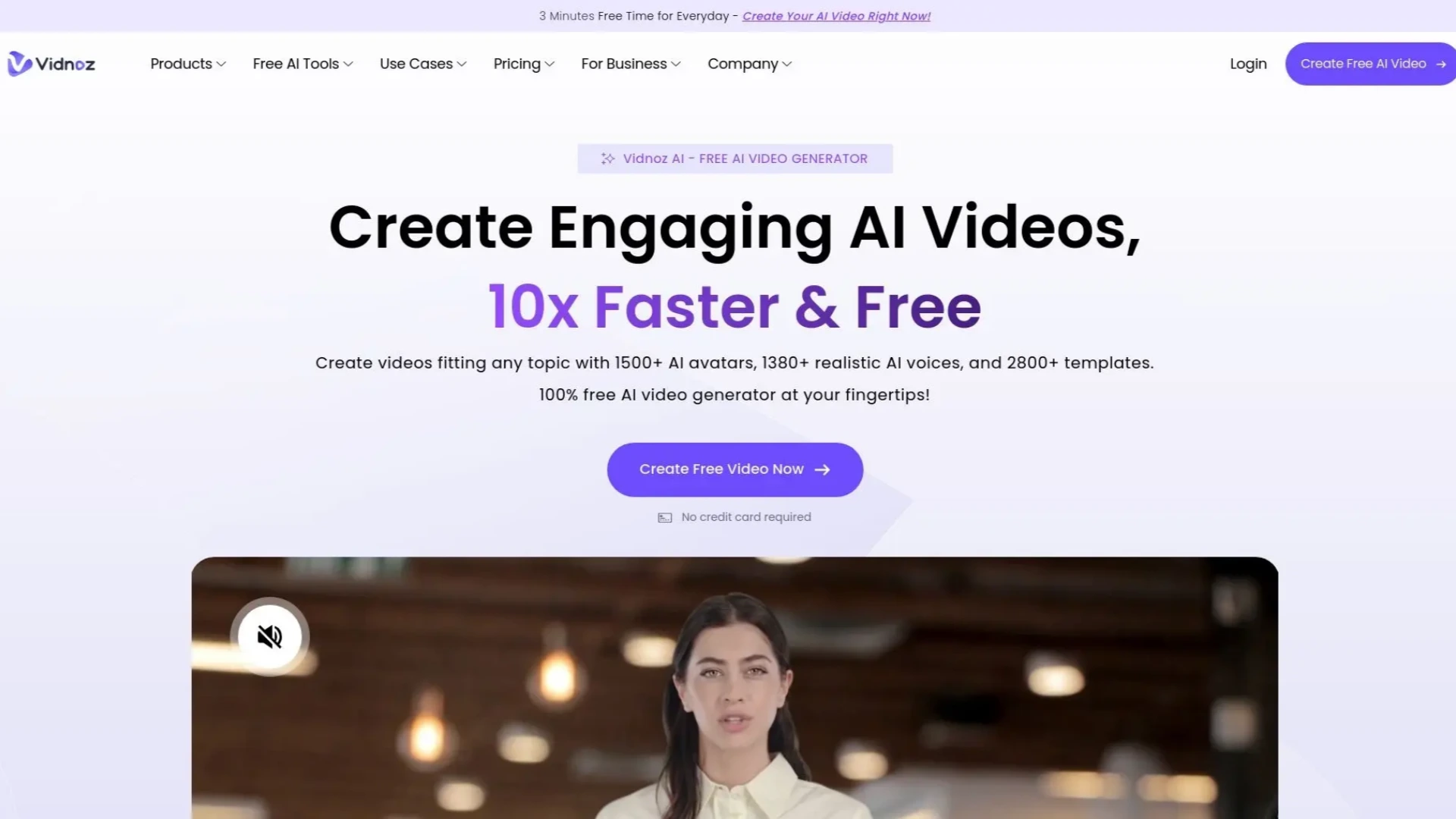
Vidnoz AI is a website that helps people make videos with talking avatars, turn text into videos and make images into animations with languages in just a few minutes.
It has a collection of AI characters over 1,900 to choose from and lots of realistic voices more than 2,000 options.They also offer a plan that you can use without giving them your credit card details.
This tool is really liked by people who work in marketing, teachers, HR staff and small business owners.They use it to make explainer videos, training videos, sales videos and social media clips.The best part is that they don't need to hire actors or video editors to make these videos.
Key Features
- 1900+ AI Avatars — Realistic talking heads with natural gestures, lip-sync, and expressions. Many support body movement (expressive avatars).
-
Text-to-Video & Prompt-to-Video — You can make a video from a script or a simple idea with Text-to-Video and Prompt-to-Video.
-
Image-to-Video — Upload a photo (product, person, or artwork) and turn it into an animated clip.
-
Voice Cloning & 2000+ Realistic Voices — You can copy your own voice or pick one from a huge list of voices that speak more than 2000 voices and they speak over 140 languages
-
Video Translator — Upload or link a video and get it dubbed into other languages with lip-sync.
-
2800+ Professional Templates — These are ready made styles that you can use for marketing for education for corporate and so on.
-
AI Script Assistant —It helps you write your script or refine the one you already have.
-
Easy Editing Tools — You can add background music, subtitles, transitions, and branding to your video.
Pricing (as of May 2026)
Vidnoz uses a credit system. Here’s the current breakdown:
| Plan | Price | Credits / Limits | Best For | Key Limitations |
|---|---|---|---|---|
| Free | $0 | 30 credits/day (~1 minute/day) | Testing & light use | 720p, watermark on some exports, daily limits |
| Starter | $19.99/mo (or less yearly) | More credits, 1080p, no watermark | Individuals & small teams | Still credit-based |
| Business | $56.99/mo | Higher limits + team features | Growing teams & agencies | — |
| Enterprise | Custom | Unlimited + SSO, analytics, dedicated support | Large organizations | Contact sales |
The free plan is really helpful for testing the tool. Most serious users end up switching to a paid plan for reliable 1080p output and more capacity.Serious users need 1080p output and higher volume that's why they move to a paid plan.The free plan is good for trying out. It has its limits.
What We Liked and What Could Be Better
Vidnoz AI is more generous with its free tier than most existing competitors. It's so simple to use you don't really need to learn how. It provides a great lip sync with excellent multi-lingual support and stable video translation. Rendering is quick, and you no need to input your credit card details so can get started swriting immediately.
The credit system, however, starts to feel limiting once you get past the daily free allotment. Most avatars have a business or professional look that makes them less suitable for casual social media content like TikTok videos. You don’t need to worry about advanced editing controls being too complex because you don’t get many advanced controls in full-featured video editors. A few users have also experienced rare, but random Esperanto quality when processing complicated scripts.
How to Use Vidnoz AI: Step-by-Step Guide
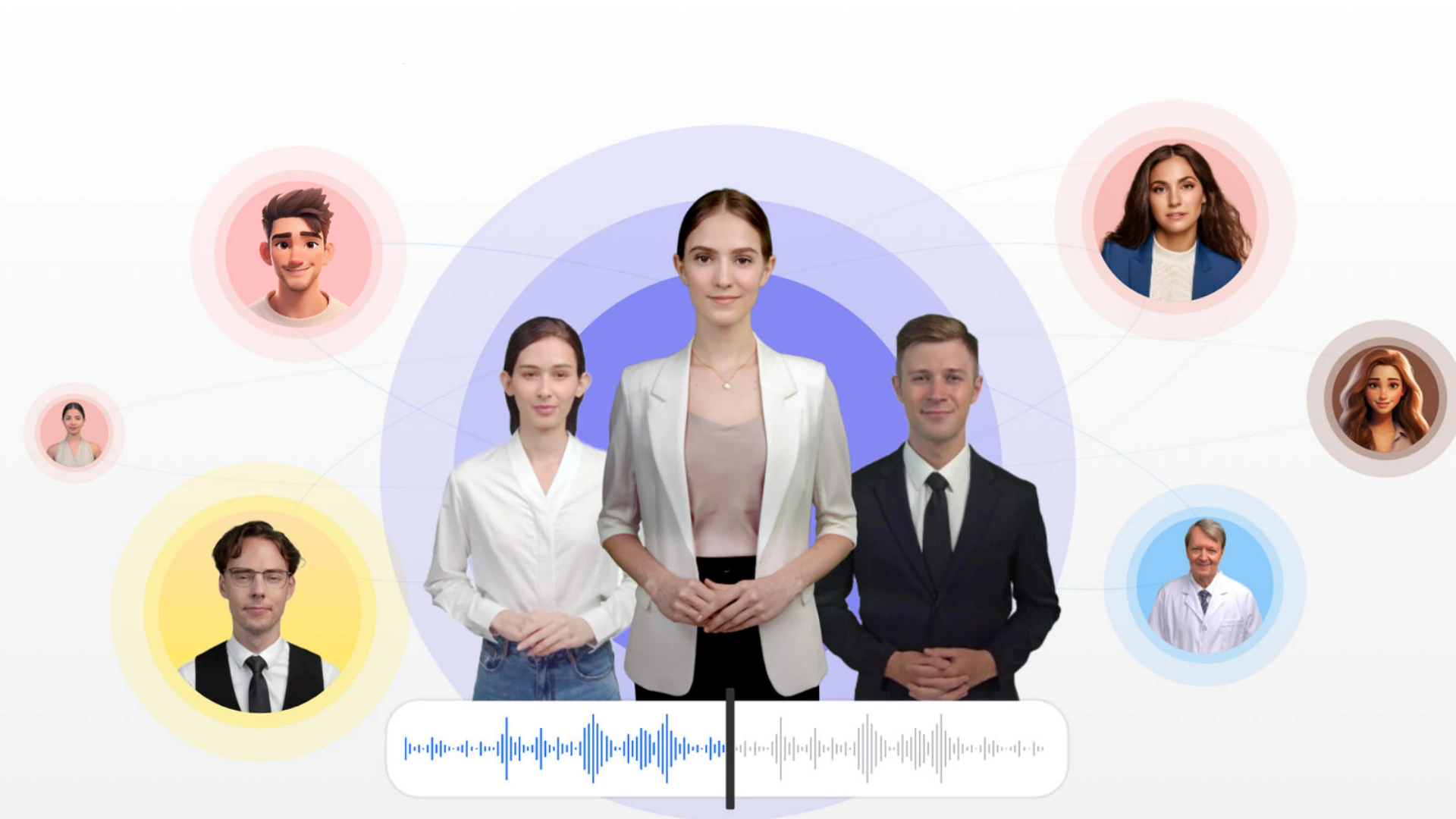
- Sign up — Visit vidnoz.com and register for a free account (30 seconds is all it takes).
-
Select How you Want to Create Your Content — Text to Video, Image to Video, Talking Avatar or Explore Templates.
-
Submit your material — Paste your script, submit an image, or tell us what you want.
-
Personalize — Select an avatar, voice, language, background music and any branding elements.
-
Preview & tweak — Render a preview, modify timing, subtitles, or expressions as needed.
- Export — Download in 720p (free) or 1080p (paid). Sharing a link or embedding it directly are other options.
It usually takes around 5 to 15 minutes to process a video.
Who Is Vidnoz AI Best For?
Vidnoz AI works especially well for people who want to create clean professional videos quickly and affordably. It is a strong choice when your content needs to deliver clear information rather than artistic flair.
The platform performs best in these situations:
-
Corporate training and onboarding videos
-
Product explainers and sales videos
-
Educational content and e-learning
-
Multilingual marketing campaigns
-
Quick social media content
It’s less ideal if you need highly creative, cinematic, or heavily customized UGC-style videos.
Vidnoz AI vs Alternatives
Vidnoz AI is currently one of the most accessible AI video tools especially if you are working with a limited budget and mainly need talking avatar or template based videos. That said its credit system and more structured workflow can feel restrictive once you start creating higher volumes or need frequent revisions.
Many creators we have spoken with eventually look for tools that offer a more fluid conversational experience. You can simply describe what you want and the AI handles the full production including script visuals voice music and edits with easy back and forth iteration.
One platform that takes this agent style approach is Pexo AI. It is particularly helpful when you want to move faster from idea to finished video without jumping between multiple tools or fighting credit limits. A lot of people test both Vidnoz and Pexo side by side to see which workflow feels more natural for their content.
Final Verdict
Rating: 4.2 / 5
Vidnoz AI is a genuinely useful free or low cost option right now. It gives you solid results for the price especially if you mainly need talking head or explainer videos. The free tier is generous enough that it is worth trying for yourself.
If your projects are fairly simple and you want decent value without spending much then Vidnoz works well. But once you need higher volume or extra features like team tools and stronger interactivity a lot of people start exploring other platforms too.
Want to test it? Head over to vidnoz.com sign up for the free plan and create a couple of videos. You will know pretty quickly whether it fits your style.