Pexo
ChatGPT Images 2.5

ChatGPT Images 2.5
Make the image. Refine the details.

ChatGPT Images 2.5 is OpenAI’s image generation and editing release. It focuses on natural detail, recognizable subjects, and precise changes across successive edits. Its API family includes Flare for fast everyday creation and Sunburst for demanding visual work.

ChatGPT Images 2.5 · GPT-Image-2.5 Flare and Sunburst in the API

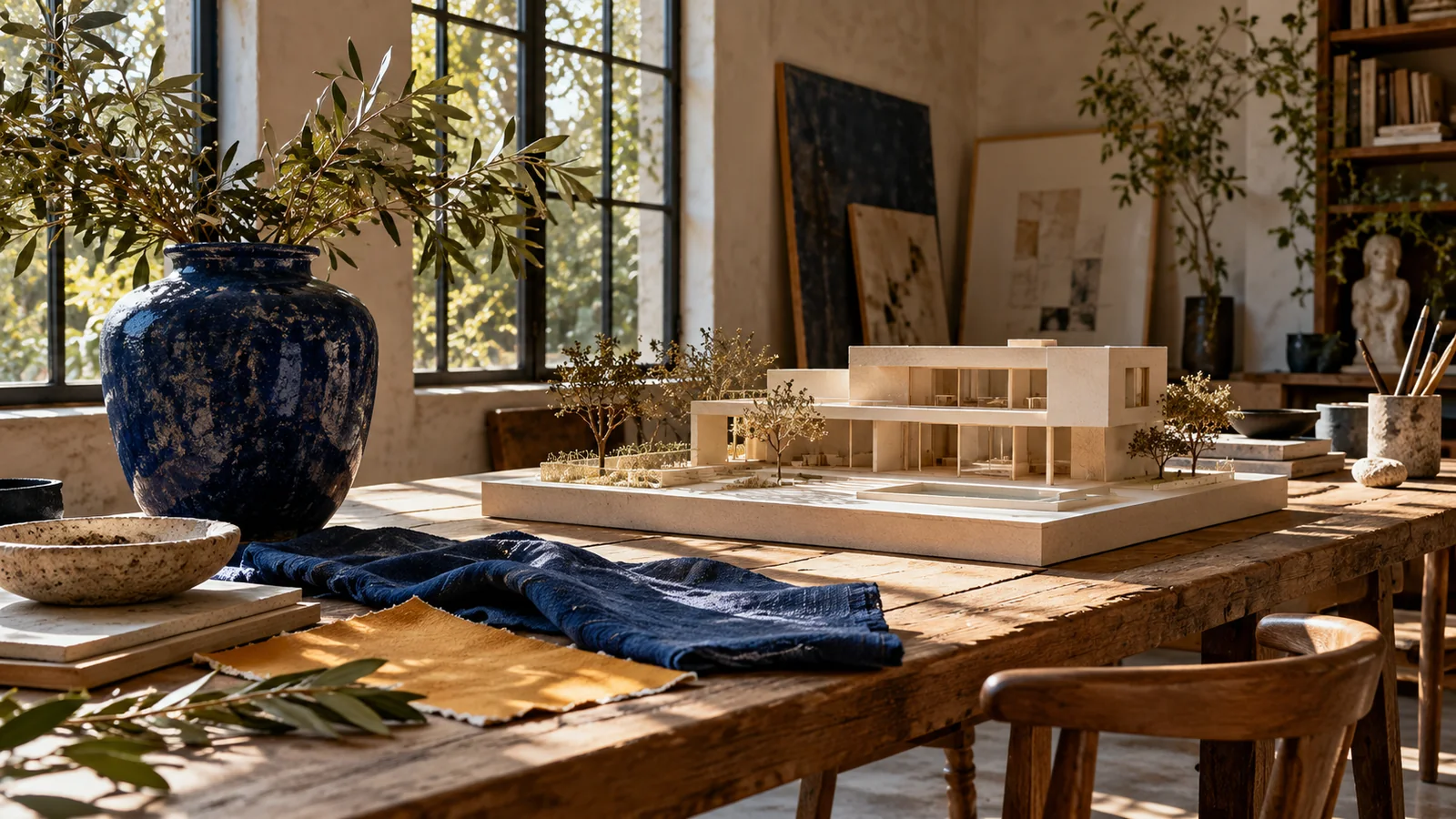
Architectural model, blue ceramic vessel, fabric, and botanical materials on a sunlit design studio table
Text + image inputs

Describe a new visual or provide a reference

Focused editing

Change one element while preserving the brief

Flare / Sunburst

Two models with different creative priorities

Core capabilities

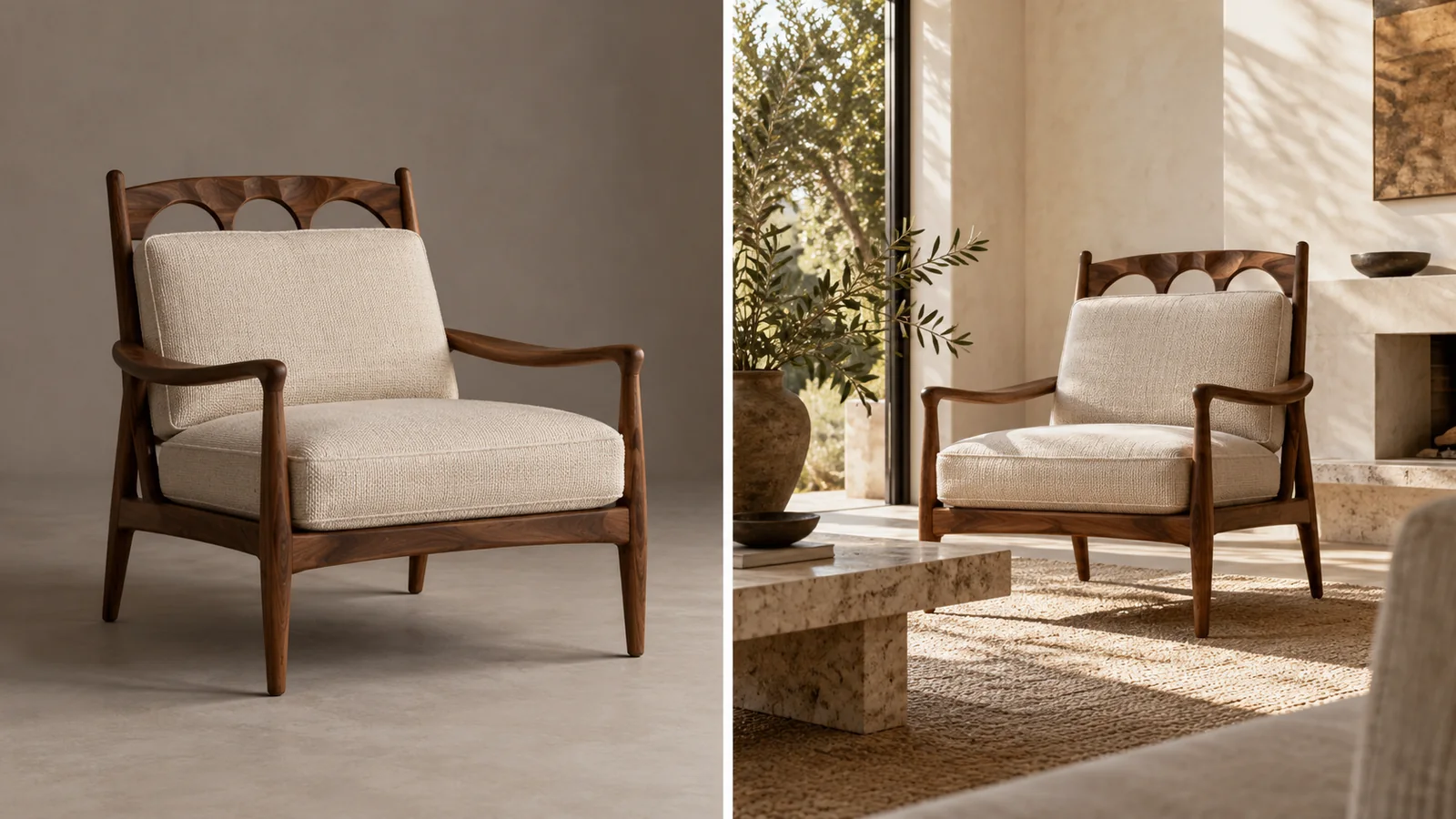
The same carved walnut armchair in a photo studio and a sunlit living room
Keep / change

Keep the chair’s carved back, walnut arms, cream woven fabric, and proportions. Place it in a sunlit room with limewashed walls and natural contact shadows.

01 / Reference-led generation

Carry the subject into a new setting

Name the details that make it recognizable.

Images 2.5 improves subject preservation when working from reference photos. An armchair brief can name the carved walnut back, woven upholstery, and cushion seams before asking for a new room. Separate the subject from the setting: the chair supplies the identity; the room supplies the atmosphere. For a product video, a well-defined still can help establish the intended product view.

List the details you want to retain before describing a new location, pose, or visual treatment.
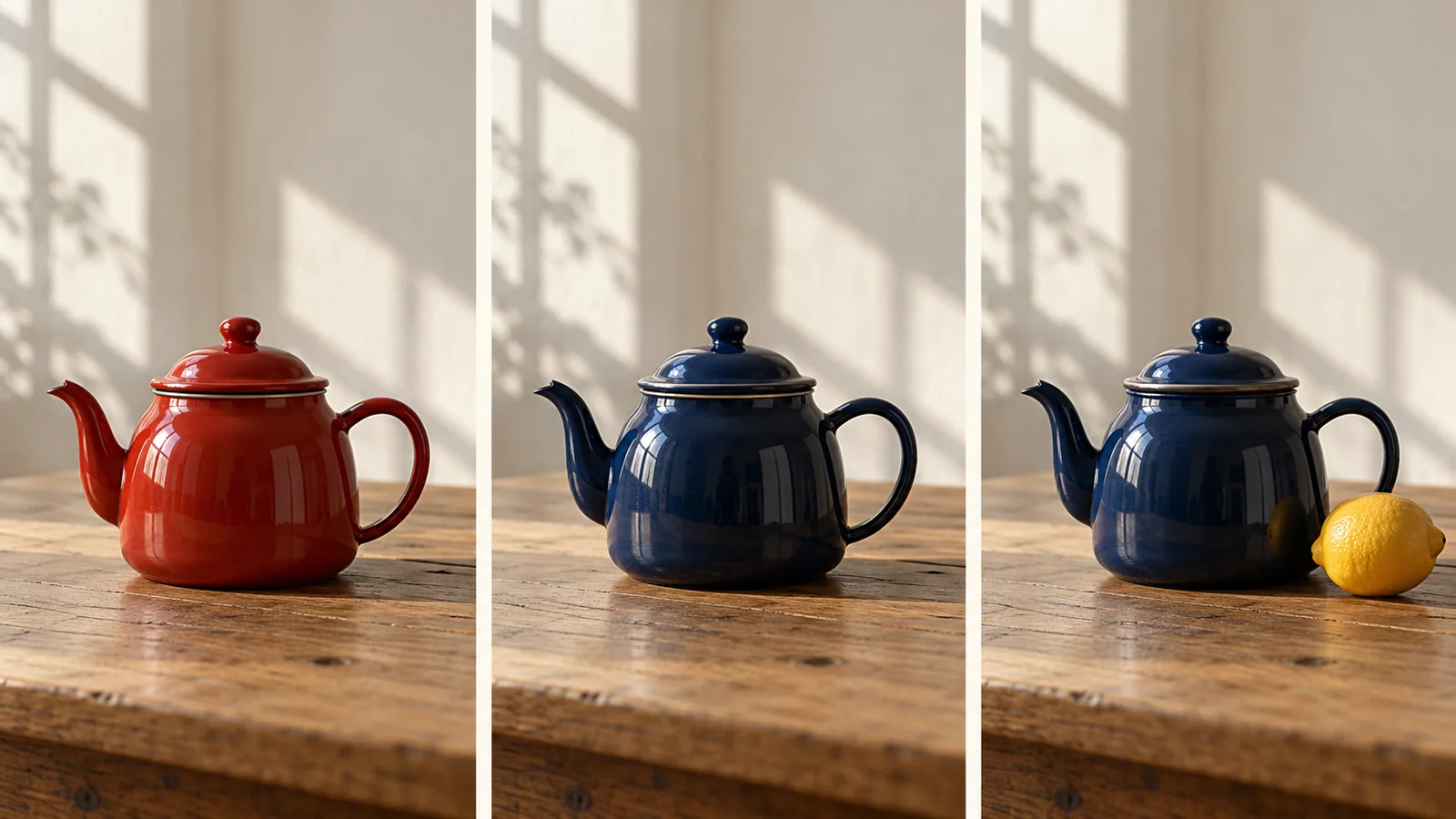
Three teapot images showing red enamel, navy enamel, then navy enamel with an added lemon
A sequence of local edits

First: change only the red enamel to deep navy. Next: add one lemon to the right. Keep the teapot shape, table, framing, and window light unchanged.

02 / Multi-turn editing

Change one thing, then build on the result

Make each revision easy to compare.

Focused editing and consistency across multiple turns are central to Images 2.5. The teapot sequence uses two small instructions: change the enamel from red to navy, then add a lemon. Keep the camera, lighting, handle, and table in the brief as fixed details. This makes it easier to judge the requested change without losing sight of the original composition.

Review each version before adding another instruction. A short, specific follow-up gives the next edit a clear target.

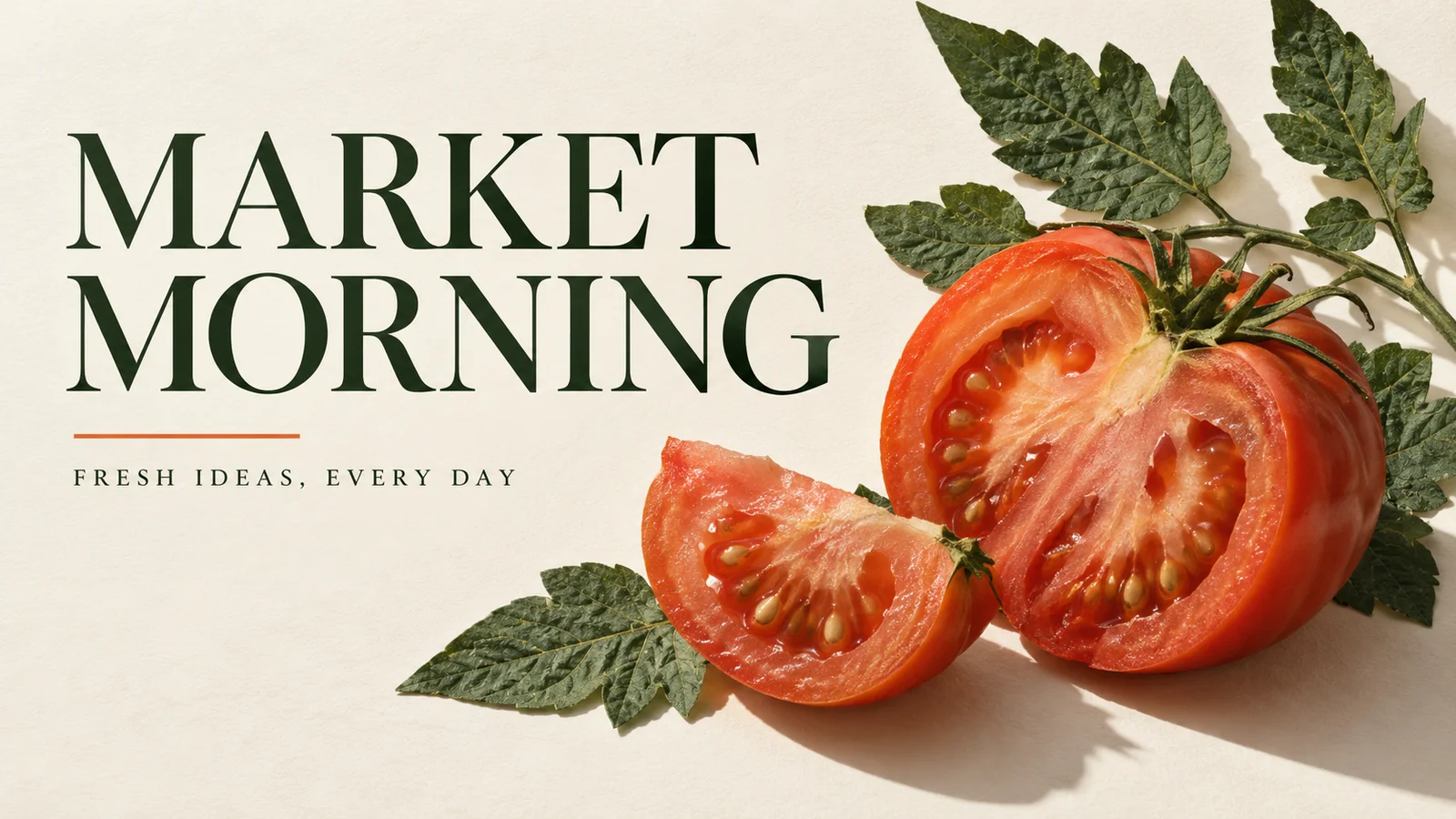
Market Morning poster with a tomato illustration, dark green typography, and ivory background
Poster brief

Headline: “MARKET MORNING”. Supporting line: “FRESH IDEAS, EVERY DAY”. Use a tomato, dark-green typography, an ivory background, and generous margins.

03 / Composition and text

Give the layout a clear visual hierarchy

Specify the words as carefully as the image.

Images 2.5 handles complex visual instructions, styles, and layouts. For a poster, define the main subject, exact headline, secondary line, and the space around them. The market design places a tomato below a restrained heading and leaves an ivory margin. That same hierarchy can guide a key visual for YouTube Shorts or another social campaign.

Keep essential copy short and inspect the final spelling, spacing, and hierarchy at the size where the image will be used.

Choose the inputs and the editing approach

ChatGPT Images 2.5 is the product release; Flare and Sunburst are the two named API models in the GPT-Image-2.5 family.

Inputs

Text and images

Start with a written brief, reference material, or an image to revise.

Output

Images

The API models generate and edit images; audio and video are separate modalities.

Quality controls

Auto + five levels

API settings include low, medium, high, xhigh, max, and auto.

Asset treatment

Transparent backgrounds

Use a transparent-background brief when you need an isolated asset.

Flare vs Sunburst

Choose around the task: fast exploration or a visual workflow that needs more detailed control.

PriorityGPT-Image-2.5 FlareGPT-Image-2.5 Sunburst
PositioningFast, high-quality everyday generationThe most capable model in the 2.5 family
Creative emphasisQuick concepts and regular productionDemanding quality and editing precision
InputsText and imagesText and images
OutputGenerated or edited imagesGenerated or edited images
Practical choiceExplore alternatives while shaping the briefRefine an image with more demanding visual requirements

Use cases

Create images for a campaign or concept, then explore related Create workflows when the project needs a finished video.

Write the change and the details to preserve

A useful edit brief names one change, defines the fixed details, and gives the new image a purpose. For a story video, that image can become a visual reference for the scene.

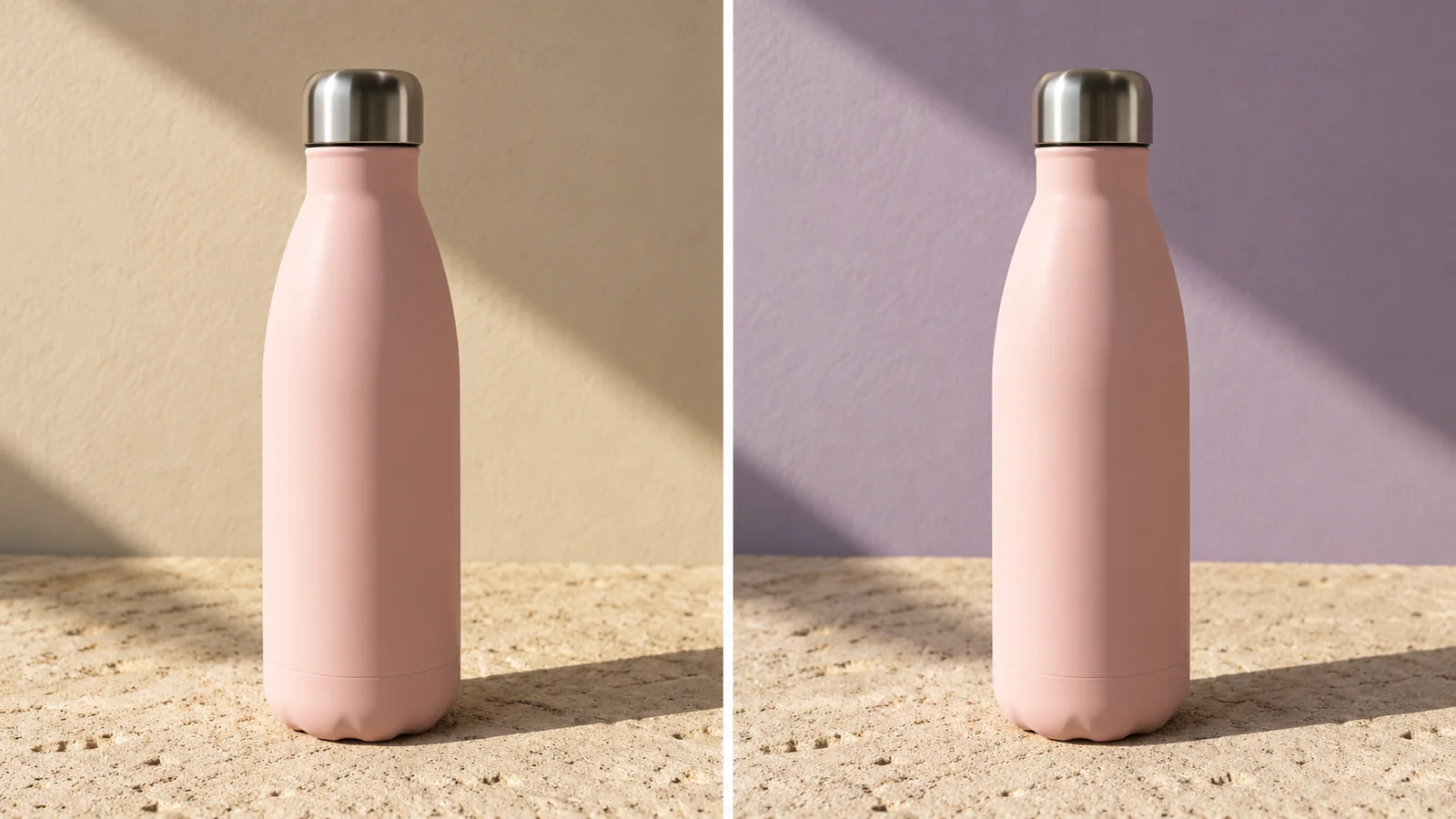
The same pale pink reusable bottle against beige and lavender studio backgrounds

01

Define the subject

A matte pale-pink reusable bottle with a steel cap sits on a sandy studio surface. Keep its silhouette and scale recognizable.

02

Request one change

Replace only the beige backdrop with muted lavender. Preserve the bottle, camera angle, framing, and diagonal sunlight shadow.

03

Compare the result

Look at the cap, bottle outline, surface contact, and lighting before asking for another revision.

FAQ

What is ChatGPT Images 2.5?

It is OpenAI’s image generation and editing release, focused on improved detail, subject preservation, precise changes, and consistency across multiple edits.

Is ChatGPT Images 2.5 the same as GPT-Image-2.5?

ChatGPT Images 2.5 names the product experience. GPT-Image-2.5 Flare and GPT-Image-2.5 Sunburst are the two models introduced for API workflows.

Can it edit an existing image?

Yes. Provide the image and describe the requested change. State which parts should remain fixed, such as the subject, framing, materials, and lighting.

How should I choose between Flare and Sunburst?

Flare prioritizes fast everyday generation. Sunburst targets demanding quality and editing precision. Compare them on a representative brief when both speed and detail matter.

Does it support transparent backgrounds?

Yes. Transparent-background generation is part of the Images 2.5 release and is useful for isolated visual assets.

What should I include in a prompt?

Describe the subject, composition, visual style, and constraints. For an edit, separate the requested change from the details to retain. Supply essential wording exactly and check it in the finished image.

Describe your idea and start your next creation.

Start creating

Frequently Asked Questions (FAQ)

What is ChatGPT Images 2.5?

It is OpenAI’s image generation and editing release, focused on improved detail, subject preservation, precise changes, and consistency across multiple edits.

Is ChatGPT Images 2.5 the same as GPT-Image-2.5?

ChatGPT Images 2.5 names the product experience. GPT-Image-2.5 Flare and GPT-Image-2.5 Sunburst are the two models introduced for API workflows.

Can it edit an existing image?

Yes. Provide the image and describe the requested change. State which parts should remain fixed, such as the subject, framing, materials, and lighting.

How should I choose between Flare and Sunburst?

Flare prioritizes fast everyday generation. Sunburst targets demanding quality and editing precision. Compare them on a representative brief when both speed and detail matter.

Does it support transparent backgrounds?

Yes. Transparent-background generation is part of the Images 2.5 release and is useful for isolated visual assets.

What should I include in a prompt?

Describe the subject, composition, visual style, and constraints. For an edit, separate the requested change from the details to retain. Supply essential wording exactly and check it in the finished image.