Pexo
Sora 2

Sora 2
Build a scene around a believable moment

Sora 2 is OpenAI’s video and audio generation model, introduced in September 2025. It advanced physical action, control across multiple shots, and synchronized speech and effects, with both realistic and stylized visual treatments.

OpenAI ended the Sora product in April 2026 and retired Sora 2 API access on September 24, 2026.

A border collie stepping through shallow river water with a splash among autumn trees
Action + response

Physical motion and interaction

Connected shots

Multi-shot scene direction

Picture + audio

Dialogue and environmental sound

Core capabilities

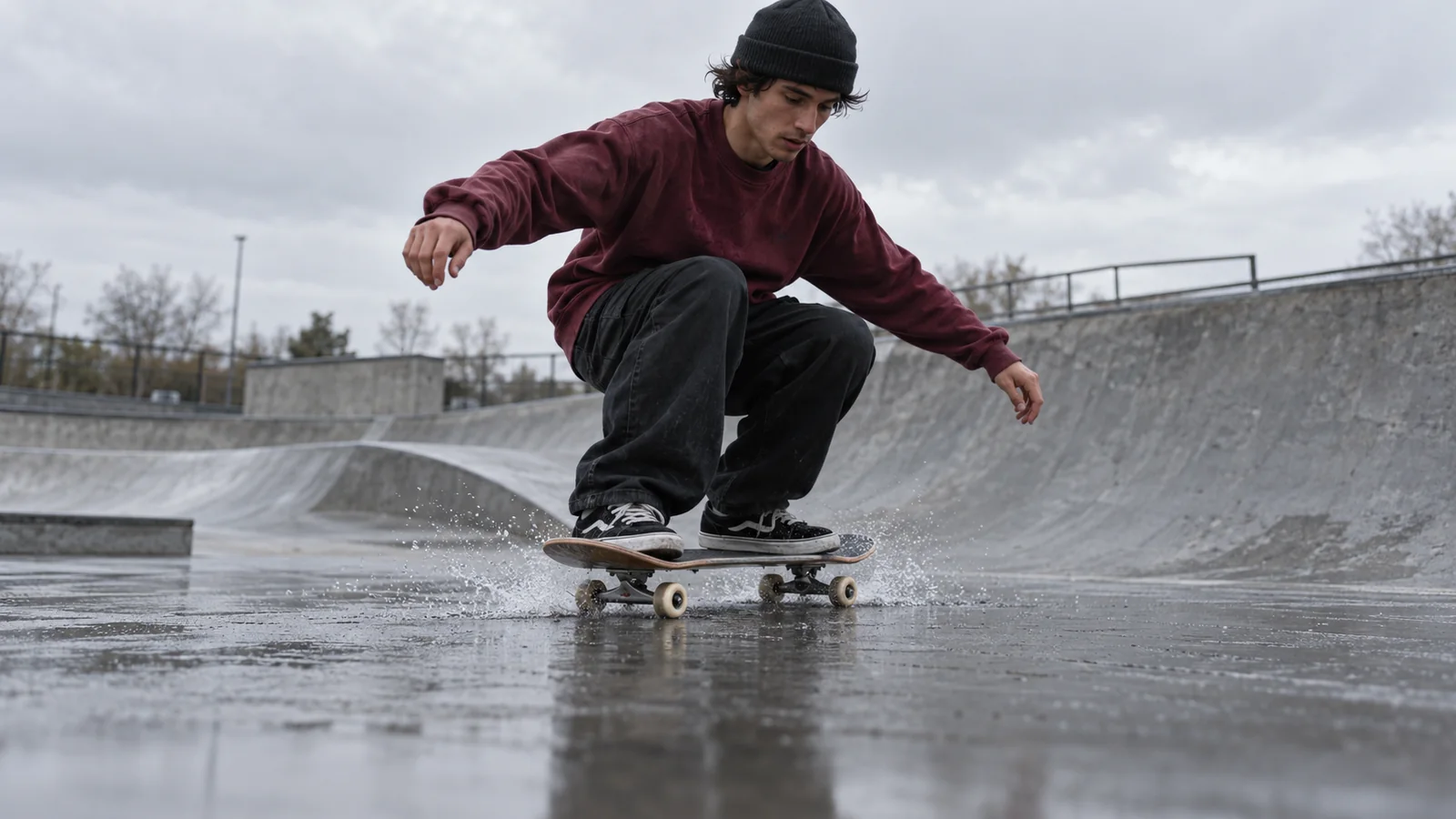
A skateboarder landing on a wet concrete ramp with a small spray of water
Action brief

A skateboarder makes a low jump and lands on damp concrete. A small spray lifts as the wheels touch down. Follow from a low angle and hold on the balanced landing.

01 / Motion and consequence

Physical action and interaction

Make the movement change the scene.

Sora 2 was designed to depict physical interactions more faithfully than the original Sora. A useful action has a consequence: skateboard wheels meet wet concrete, a small spray lifts, and the rider bends their knees to absorb the landing. Describe that cause and response as a short sequence, with one camera move that keeps the subject readable.

Keep the action grounded in contact, weight, and the surrounding environment.
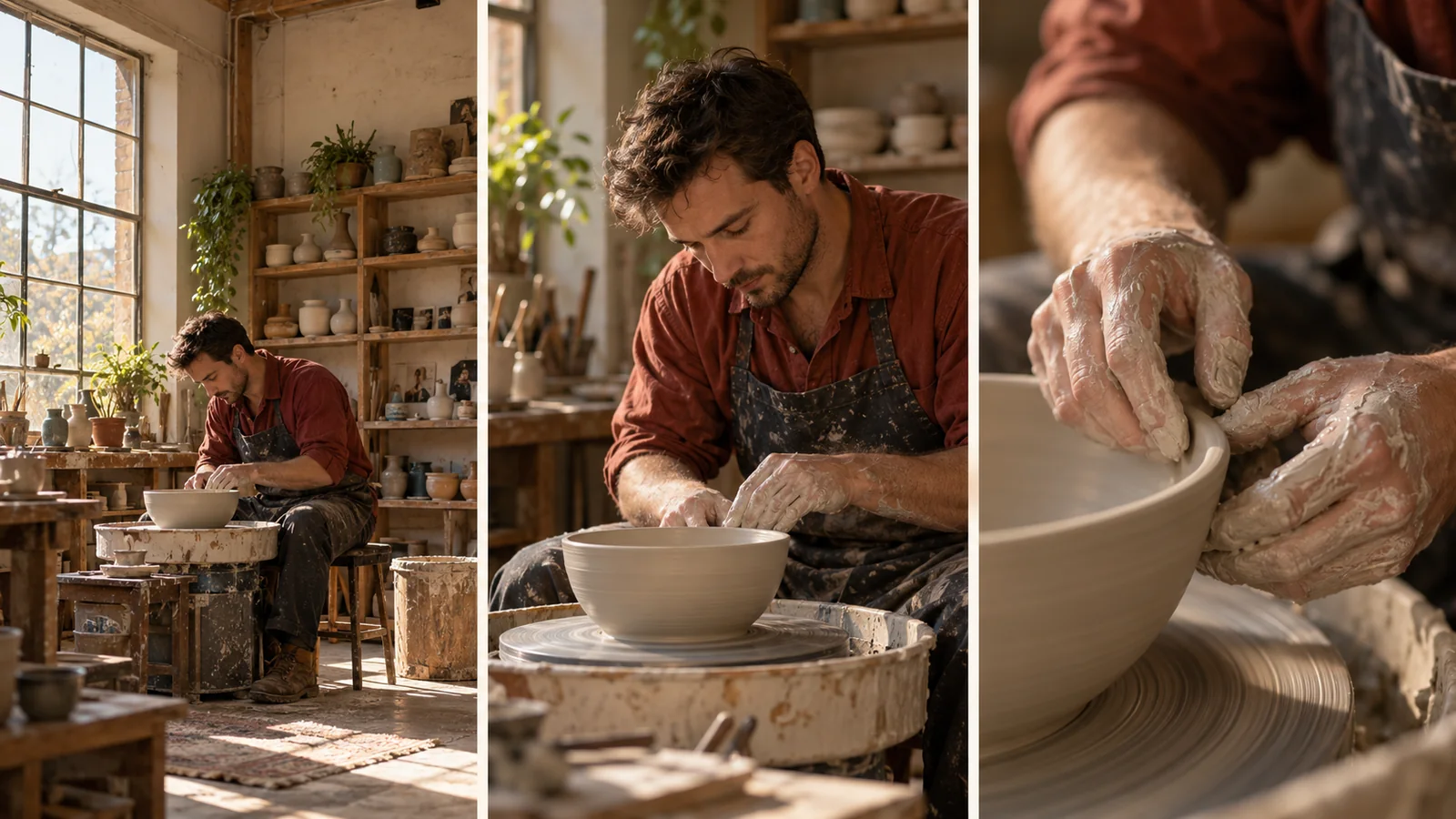
Three camera views of a potter and a clay bowl: workshop, artisan, and hands shaping the rim
Shot plan

Wide: establish the workshop. Medium: hold on the potter at the wheel. Detail: move closer to the hands shaping the rim.

02 / A connected sequence

Multi-shot scene direction

Give each shot one clear job.

Sora 2 supported instructions spanning multiple shots. Plan the setting first, then the subject, then the detail that matters. For a pottery scene, keep the artisan’s rust-colored shirt, the clay bowl, and the side-window light consistent as the framing moves closer.

Repeat the subject, clothing, object, and lighting details across the shot descriptions.

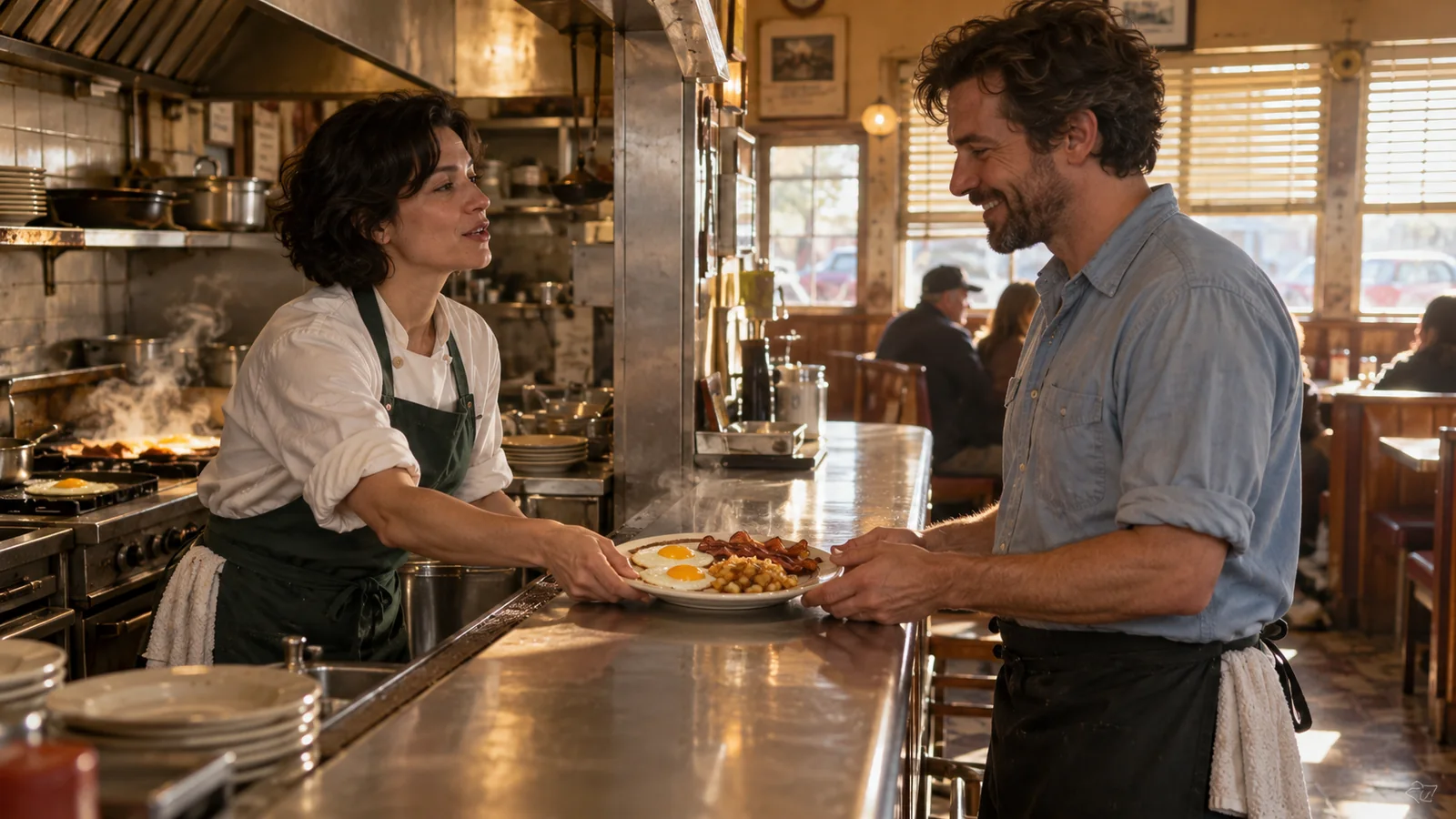
A chef handing a breakfast plate to a waiter across a diner counter
Dialogue + action

Chef: “Table by the window.” She slides the plate across the counter. The waiter smiles and takes it. A light ceramic tap and quiet kitchen ambience.

03 / Voice and performance

Dialogue and environmental sound

Let speech belong to a visible exchange.

Sora 2 combined video with dialogue, effects, and background sound. In a two-person scene, identify the speaker and write a brief, natural line. Let the next person react before adding another turn. Small sounds, such as a plate touching a counter, can give the exchange a clear rhythm.

Keep speaker labels consistent and the exchange short enough for the planned scene.

Documented Sora 2 API formats

Sora 2’s published API documentation described these formats before service retirement.

Duration

Up to 20 seconds

4, 8, 12, 16, or 20 seconds.

Landscape

1280 × 720

The base model’s wide format.

Portrait

720 × 1280

The base model’s vertical format.

Audio

Video + sound

Speech, effects, and ambience.

Sora 2 vs Sora 2 Pro

The API offered a base model for exploration and a Pro variant for higher-quality rendering. Both are now retired.

DimensionSora 2Sora 2 Pro
Workflow emphasisConcept exploration and iterationHigher-quality rendering
Landscape format1280 × 7201280 × 720; 1792 × 1024; 1920 × 1080
Portrait format720 × 1280720 × 1280; 1024 × 1792; 1080 × 1920
Documented durationUp to 20 secondsUp to 20 seconds
Input directionText; image referenceText; image reference
Current OpenAI API statusRetired September 24, 2026Retired September 24, 2026

Use cases

Explore Pexo workflows for short stories, cinematic sequences, and focused character moments.

Describe the moment in three beats

Give the scene an opening state, one developing action, and a closing response.

A red-haired woman setting a basket of green apples on a kitchen island while her partner looks on

01

Set the situation

A quiet apartment kitchen in morning light. A woman holds a wicker basket of green apples; her partner stands across the oak island.

02

Describe the action

She sets the basket down and says, “I found your favorites.” The camera holds the two-shot as he reaches for an apple.

03

Finish on a response

He smiles and picks up one apple. Include a soft basket thump, the rustle of fruit, and quiet kitchen ambience.

FAQ

What is Sora 2?

Sora 2 is OpenAI’s video and audio generation model introduced in September 2025. It improved physical interactions and multi-shot instruction following, and generated synchronized dialogue and sound effects.

Is Sora 2 still available?

No. OpenAI ended the Sora product in April 2026. Sora 2, Sora 2 Pro, their listed snapshots, and the Videos API were retired on September 24, 2026.

How long could Sora 2 generate?

The updated API documentation listed 4, 8, 12, 16, and 20 seconds for Sora 2 and Sora 2 Pro. These were generation settings; writing a longer duration in the scene description did not change them.

Did Sora 2 support image-to-video?

Yes. The API accepted an image reference to guide the opening frame. The scene description then specified the action, camera direction, and sound that followed.

How did Sora 2 differ from Sora 2 Pro?

The base model was positioned for exploration and iteration. Pro emphasized higher-quality rendering and supported larger output sizes, including 1920 × 1080 and 1080 × 1920. Both supported video with audio.

How do you plan a multi-shot scene?

Write each shot as a separate unit with one framing choice and one action. Keep recurring subject details and lighting consistent. Establish the setting, move to the important action, and finish on the detail or reaction that carries the story.

Describe your idea and start your next creation.

Start creating

Frequently Asked Questions (FAQ)

What is Sora 2?

Sora 2 is OpenAI’s video and audio generation model introduced in September 2025. It improved physical interactions and multi-shot instruction following, and generated synchronized dialogue and sound effects.

Is Sora 2 still available?

No. OpenAI ended the Sora product in April 2026. Sora 2, Sora 2 Pro, their listed snapshots, and the Videos API were retired on September 24, 2026.

How long could Sora 2 generate?

The updated API documentation listed 4, 8, 12, 16, and 20 seconds for Sora 2 and Sora 2 Pro. These were generation settings; writing a longer duration in the scene description did not change them.

Did Sora 2 support image-to-video?

Yes. The API accepted an image reference to guide the opening frame. The scene description then specified the action, camera direction, and sound that followed.

How did Sora 2 differ from Sora 2 Pro?

The base model was positioned for exploration and iteration. Pro emphasized higher-quality rendering and supported larger output sizes, including 1920 × 1080 and 1080 × 1920. Both supported video with audio.

How do you plan a multi-shot scene?

Write each shot as a separate unit with one framing choice and one action. Keep recurring subject details and lighting consistent. Establish the setting, move to the important action, and finish on the detail or reaction that carries the story.