Pexo

THE PEXO PROMPT LIBRARY / LISTING

Background Change Prompts: Swap Scenes Without Touching the Subject

Background changes need matched light, perspective and contact shadows. Check the full image at its intended viewing size, then zoom in on hair, transparent edges and the product outline. The copy-ready briefs below are original starting points. Adapt them to your own subject and assets; no example is presented as a tested product output.

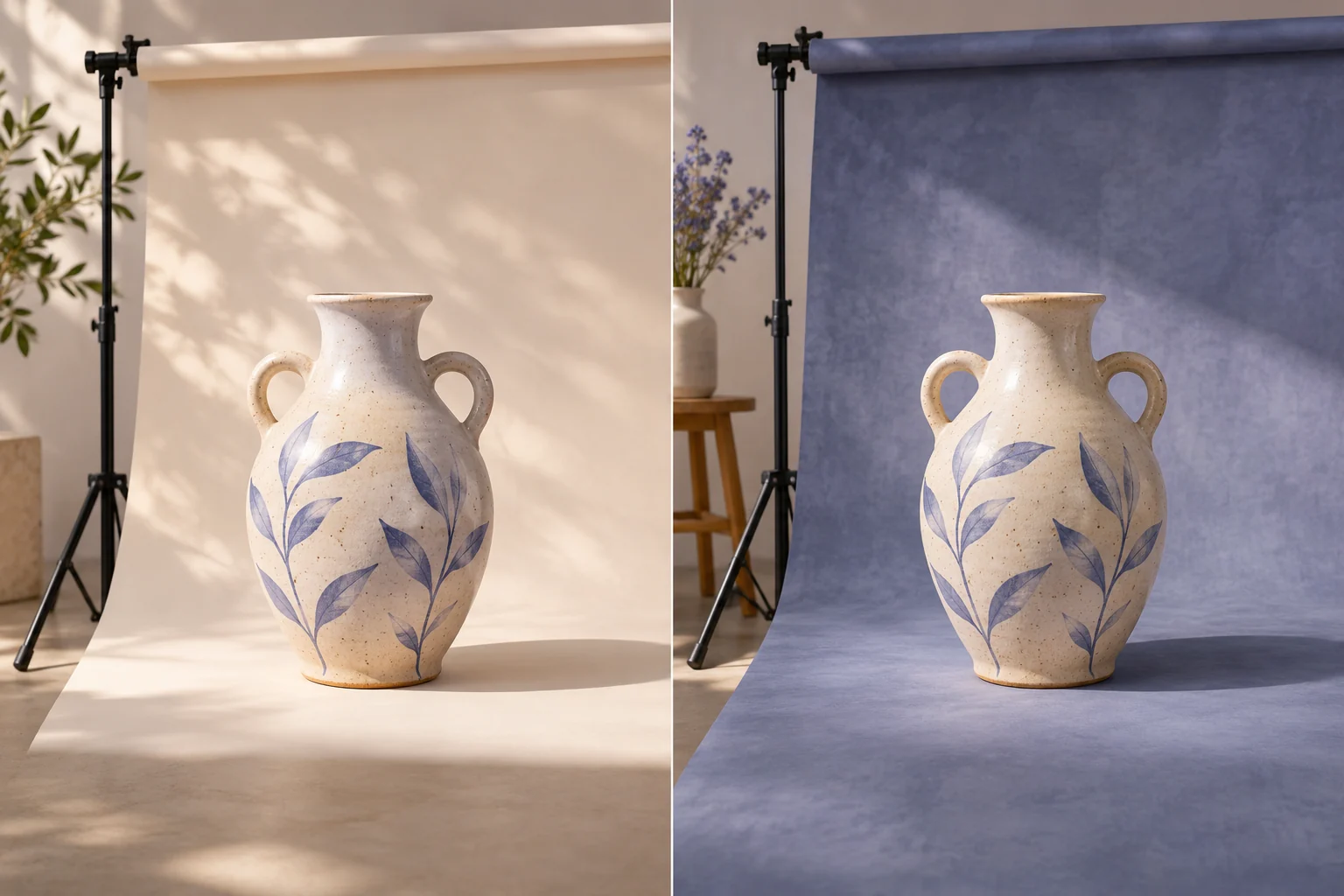
The same distinctive unbranded ceramic vase photographed on two different believable studio backdrops, with visible backdrop roll and lighting stand
Illustrative concept image made for this page · not a tested product output.

Scene Swap Prompts

Specify the replacement setting and the real subject details that must survive the swap.

Copyable starter brief

Prompt text
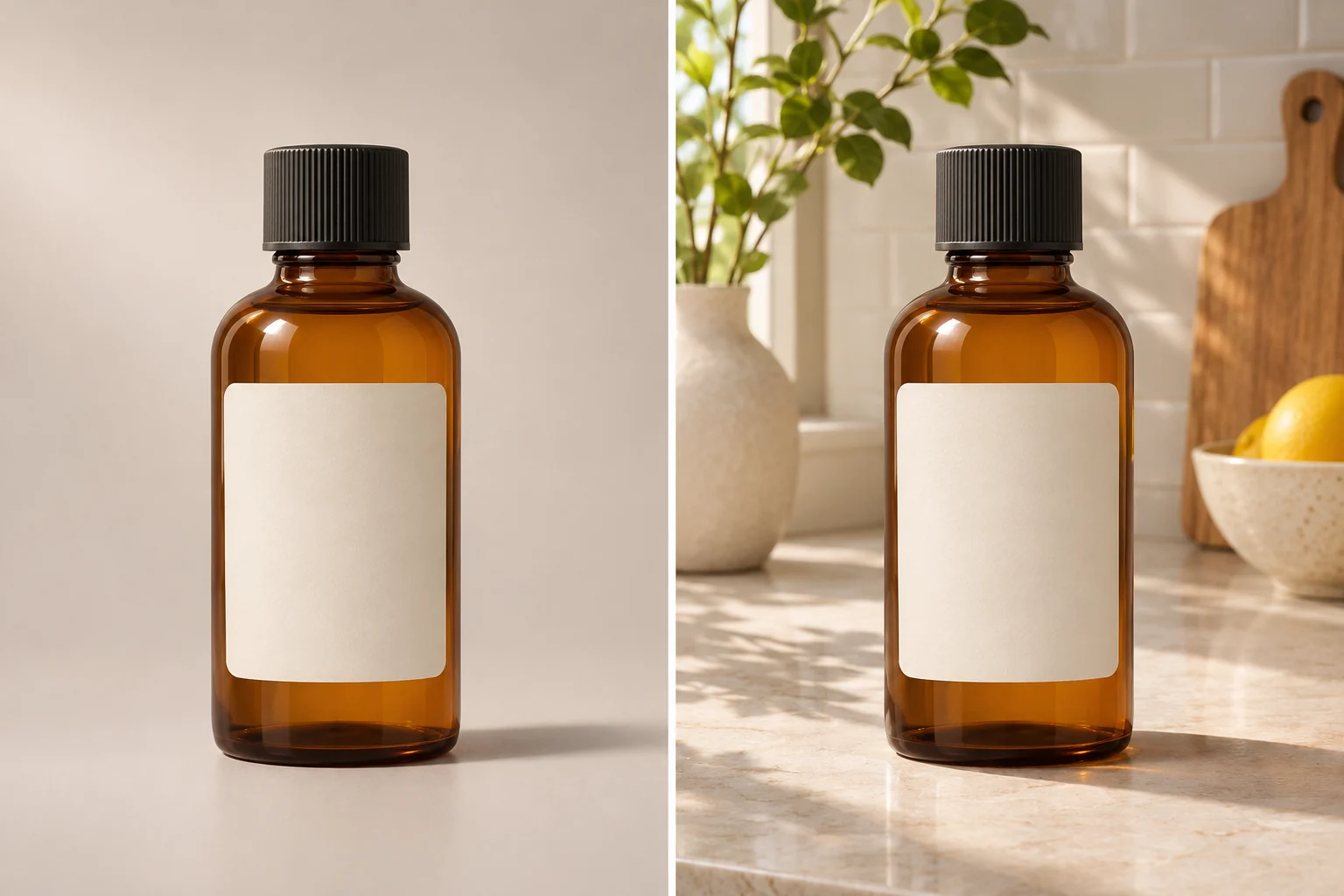
Replace the background of my approved product image with a bright kitchen counter. Preserve the bottle shape, label and cap. Match the original light direction and add a plausible contact shadow.
The same unbranded amber bottle on a neutral backdrop and on a bright kitchen counter.
Illustrative scene-swap comparison using a fictional unbranded product; not a tested preservation result or supplied asset.

Which brief fits your source?

Brief 1: Bottle-to-kitchen setting. Brief 2: Portrait-to-garden setting.

Selection rule: Use the bottle route for product geometry and contact shadow; use the portrait route when hair edges and facial identity are the main risks.

Source-to-instruction relationship: Foreground source and background replacement have separate roles; new light should agree with the subject without changing it.

If the draft misses the brief

Visible signal: The bottle floats without a contact shadow or the garden swap blurs the subject's hair into foliage.

Next revision: Correct the contact plane or mask edge first, then match color temperature; keep the protected subject untouched.

Keep the source and review together

Source to retain: the original bottle or portrait image and the requested replacement setting. After an actual run: save the exact prompt version, resulting file and a review note stating whether the foreground edge, label or face is preserved and the new contact shadow or depth is plausible. Until that run exists, leave the result and review fields unfilled. The Gallery cases below are separate published projects and cannot complete this record.

Lighting Match Tips

Match light direction, depth of field and contact shadow so the new background does not make the subject float.

Copyable starter brief

Prompt text
Move the consenting portrait subject to a simple outdoor garden background. Preserve hair edges and facial identity; match depth of field and color temperature.

How to Write Your Own Background Change Prompts

Name the new background, original subject and light direction. Ask to preserve edges and identity. Compare contact shadow, color temperature and depth of field before accepting the composite.

If the subject looks pasted into the new scene: Check three separate causes: a halo at the hair or product edge, light coming from the wrong side, and a missing contact shadow. Revise the one that is visibly wrong—“Soften the halo around the hair while keeping the face and garden unchanged,” for example—then inspect at the intended display size and zoom in on the edge.

Check transparent edges separately

At the intended viewing size, inspect the whole composite for light direction and contact shadow. Then zoom in on a clear glass or plastic edge: the new background should remain visible through the transparent area, and the rim should not acquire a solid halo. If either fails, return to the source and narrow the edit around that edge rather than changing the protected product. This is a review method, not a before-and-after result.

Animate a Reviewed Still in Pexo

Bring an approved still or source image to Pexo image-to-video, describe the motion and details to preserve, then review the preview. A requested look is not a guaranteed output; check identity, text and usage rights.

Check the subject's contact with the new scene

Use this brief when: Use a replacement setting that can plausibly share the source image's viewpoint and light direction.

Acceptance check: Compare the original subject with the composite at full size: hair or product edges, contact shadow, perspective and label should remain credible.

If it fails: If the subject floats or color temperature conflicts, revise the background and shadow before adding animation.

For an approved product photo, Pexo AI Product Background Generator is a relevant workflow; compare the label, transparent edges and light with the source.

Check the new scene at the contact edge

In the bottle-on-kitchen-counter brief, the bottle shape, cap and printed label come from the approved product image. The kitchen is the editable area. Compare the bottle outline and every readable label character with the source before inspecting color. Choose a kitchen background whose light direction is compatible with the source bottle, then check that the contact shadow meets the counter at the bottle base. For the portrait-to-garden brief, inspect hair edges and facial proportions before matching background blur. If the subject changes, revert to the untouched source and narrow the edit to the background. These are visual acceptance rules, not a demonstrated composite.

Inspect the seam before accepting the scene

Use the approved bottle or portrait as the fixed source. At full resolution, inspect the hair or product outline, then the contact point, cast shadow and light direction. In the bottle-on-counter brief, a correct kitchen setting still fails if the label lettering changes or the base appears to float. Record one failed edge and request a narrower background revision instead of replacing the subject.

Adobe's background-replacement guide treats lighting, shadows and perspective as the blend criteria. That supports this visual checklist; it does not demonstrate how Pexo handled this page's source photo. The Gallery day-to-night storefront is only a lighting reference, not a documented before/after background swap.

Background Change Prompts FAQ

Why can a new background look pasted on?

Mismatched light direction, perspective, edge treatment or contact shadow can break the composite.

What should I preserve in a product swap?

Keep the product silhouette, label, color and hardware unless the brief explicitly authorizes a change.