Aesthetic Photo Prompts: Looks and Palettes to Copy
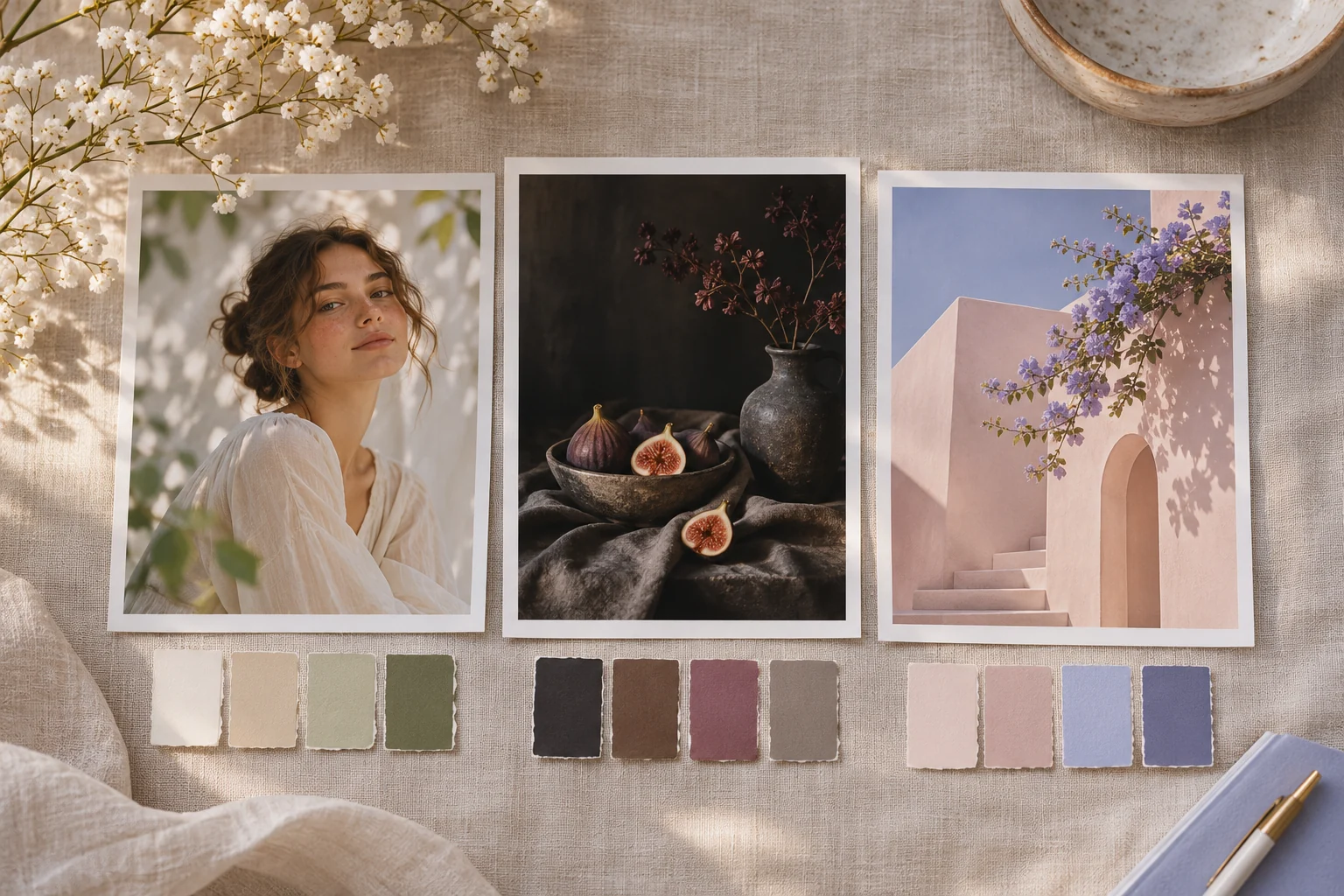
Aesthetic labels are starting points. Define palette, light, subject and texture so the look can be judged rather than relying on a trend word. The copy-ready briefs below are original starting points. Adapt them to your own subject and assets; no example is presented as a tested product output.
Illustrative concept image made for this page · not a tested product output.
Aesthetic Looks and Keywords
Name the scene, palette and texture instead of relying only on an aesthetic label. The first brief uses restrained sage and ivory.
How do you turn an aesthetic label into a testable brief?
For the sage-and-ivory portrait, specify the adult subject, two palette colors, overcast light and natural skin texture. Inspect those four elements in the resulting still. If the colors match but the face becomes stylized or unreadable, preserve the subject and adjust palette strength rather than adding more aesthetic keywords.
Copyable starter brief
Prompt text
A close editorial portrait of an adult in a cream coat beside a pale stone wall, soft overcast light, muted sage and ivory palette, natural skin texture, no text.
Which brief fits your source?
Brief 1: Sage-and-ivory adult portrait. Brief 2: Brown-and-charcoal still life.
Selection rule: Choose the portrait when skin and expression need protection; choose the still life when material and palette are the main variables.
Source-to-instruction relationship: The subject defines the image; palette and film grain are treatment, not substitutes for readable face or object contours.
If the draft misses the brief
Visible signal: Muted colors erase the face or the ceramic cup merges into the linen.
Next revision: Reduce color grading and increase local contrast around the protected subject rather than adding more style labels.
Keep the source and review together
Source to retain: the approved adult portrait reference if identity matters, or the still-life object list. After an actual run: save the exact prompt version, resulting file and a review note stating whether sage and ivory leave facial details readable or the dark cup separates from the linen. Until that run exists, leave the result and review fields unfilled. The Gallery cases below are separate published projects and cannot complete this record.
Official Pexo Gallery · selected references
See these ideas in motion
Compare 2 separately published Pexo Gallery examples that illustrate the visual choices discussed in this page.
Official Gallery examples with Prompts published on their source pages. These videos are separate from this page's starter briefs, supplied assets and any named model. Review your own result before publishing.
Official Pexo Gallery example · separate published project
Skincare Portfolio Showcase
A cream portfolio holds one warm-backlit portrait beside still-life frames of yarn, handwriting and neutral fabric. The cream layout, warm portrait backlight and neutral still-life frames show a restrained scene, palette and texture without relying on an aesthetic label.
Official Pexo Gallery example · separate published project
Woman in a Yellow Coat Walks into a Neon Market
A woman in a yellow coat walks into a neon-lit market; the camera moves from a rainy wide exterior to close views inside. The yellow coat stays legible against cyan and magenta market lights, showing how subject, setting and a limited palette work together.
Prompt published with this Gallery video
Subject: young woman in yellow raincoat; Style: anime 3D cinematic; Environment: neon-lit convenience store, rain-wet street; Action: approaches, en…
View full prompt ▾Show less ▴
Subject: young woman in yellow raincoat; Style: anime 3D cinematic; Environment: neon-lit convenience store, rain-wet street; Action: approaches, enters, looks at shelves; Camera: conservative composition; Lighting: neon reflections; Mood: quiet, curious, atmospheric.
A color palette should serve the subject. In the second example, deep browns and side light make the still-life objects distinct.
Copyable starter brief
Prompt text
A still-life of a dark ceramic cup, linen napkin and dried branch, deep brown and charcoal palette, side window light, restrained film grain, no brand marks.
A brighter palette to compare
The two briefs above use restrained portrait and dark still-life looks. This third text example explores whether a lighter palette still leaves the subject distinct.
Prompt text
Create an original still-life photograph of a clear water glass and one orange beside a pale blue curtain. Use cool daylight from the right, a chalk-white tabletop and only one saturated orange accent. Keep the glass rim visible against the curtain; no text, logo or extra fruit.
If the glass disappears into the background, darken only its edge shadow before adding another color.
How to Write Your Own Aesthetic Photo Prompt
Start with one subject, one contrast decision and one crop. In the glass-and-orange brief above, keep the orange as the only saturated accent and set the viewpoint so the pale curtain, glass rim and fruit occupy separate visible shapes. That gives you a composition check before changing light or color.
Animate a Reviewed Still in Pexo
Bring your brief and approved assets to Pexo. Review the proposed direction and preview, request specific changes in conversation, and check the final video for factual, visual and rights accuracy. Account credits and eligible free use depend on the current plan.
YOUR NEXT STEP IN PEXO
Bring a reviewed brief into Pexo.
Use authorized assets, inspect the draft, and revise what does not match the brief.
Use this brief when: Use a restrained palette when the subject and material still need to be recognized.
Acceptance check: Compare the finished image with the brief: the cream coat, stone wall or ceramic cup should stay distinct from its background and retain natural texture.
If it fails: If mood words wash out the subject, specify contrast and material cues rather than adding more style adjectives.
For an original still before any motion step, use Pexo Text to Image with the subject, crop and palette you defined; inspect the result against those details.
Change one visual variable on the same still life
The glass-and-orange brief can test whether an aesthetic direction preserves a readable subject. Hold the same glass, single orange, pale blue curtain, table position, right-side light direction and camera crop fixed in two written variants. Change only the light temperature:
Variant
Change only
Keep and inspect
Cool daylight
Cool right-side daylight
The glass rim stays distinct from the pale blue curtain; the orange is the only saturated accent.
Warm daylight
Warmer right-side daylight
The glass rim, orange count, crop and shadow direction remain legible.
If the warm version also changes the curtain, fruit, camera distance or glass shape, the comparison no longer isolates light temperature. Revise the brief one variable at a time. These are planned variations of an original prompt, not a tested pair of generated photographs.
Try a room study when portraits and props are not the goal
The portrait and cup briefs focus on a subject against a restrained palette. A third direction can make the space itself the subject:
Prompt text
Create an original quiet interior photograph of a small reading corner: one oak chair beside a tall window, a folded linen throw, and an empty pale wall. Use cool morning light, soft natural shadows and a wide eye-level crop. Keep the chair's full silhouette visible and leave the wall free of lettering, art prints or people.
Judge whether the chair, window and negative space remain distinct at thumbnail size. This adds an architectural use case; it is a written prompt, not a tested room photograph.
Aesthetic Photo Prompt FAQ
What makes an aesthetic prompt useful?
Add a concrete subject, palette, light direction and texture; a style label alone is too vague to review.
How many style cues should I include?
Use a few compatible cues. If the result feels muddled, remove the least relevant one before adding more.
Related Prompt Collections
Compare Portrait Prompts when likeness must remain stable, or Art Prompts when the medium matters more than photographic realism. For currently published examples, browse the Pexo prompt library.