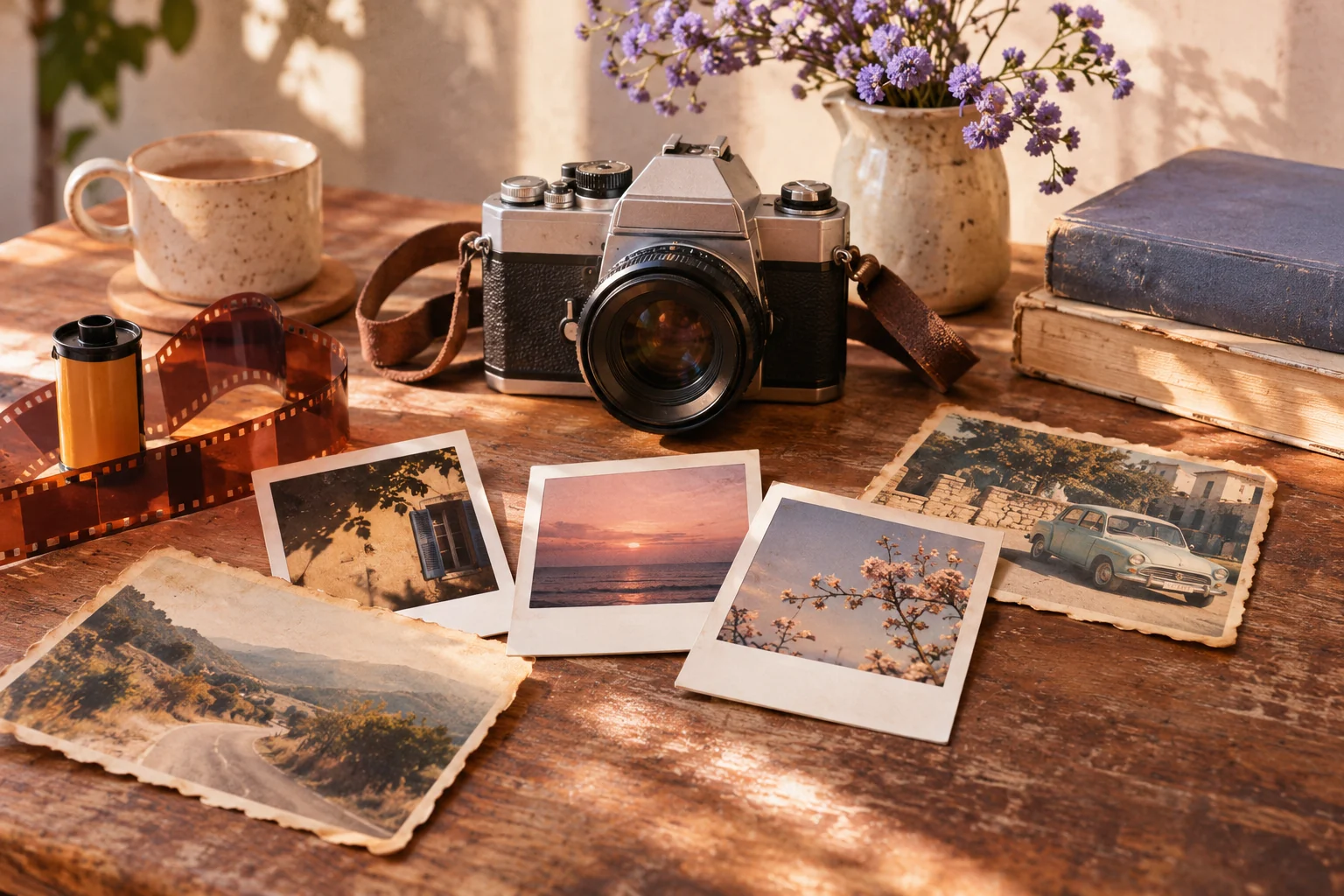
Retro and Vintage Image Prompts: Film and Instant-Photo Looks
Describe an era through color, grain, lighting and props. Avoid logos or copying a particular photograph. The copy-ready briefs below are original starting points. Adapt them to your own subject and assets; no example is presented as a tested product output.
Illustrative concept image made for this page · not a tested product output.
Film Stock and Era Keywords
Use era cues such as palette, grain and props without asking to reproduce a particular poster or photograph.
How do you signal an era without copying an old image?
Describe the coastal bus stop with a limited teal-and-orange palette, soft grain and slight print wear. Those are visible design choices, not proof that the scene is an authentic 1970s document. Reject a recognizable poster layout or real film-brand mark, and remove accidental historical claims from captions.
Copyable starter brief
Prompt text
Create an original 1970s-inspired travel still of a coastal bus stop, faded teal and warm orange, soft grain and slight print wear. No real film-brand logo or copied poster.
Which brief fits your source?
Brief 1: Seventies-inspired coastal bus stop. Brief 2: Instant-film family kitchen.
Selection rule: Use the bus stop for era-like color and print wear; use the family kitchen only with permission for every depicted person.
Source-to-instruction relationship: Era cues are art direction, not historical provenance; a family reference fixes people but not an invented archival date.
If the draft misses the brief
Visible signal: A real film brand appears or the output is captioned as a genuine period photograph.
Next revision: Remove copied marks and label the look as inspired styling; keep a separate provenance note for any real family source.
Keep the source and review together
Source to retain: the style brief and consented family references if the kitchen version depicts people. After an actual run: save the exact prompt version, resulting file and a review note stating whether no film brand or copied poster is added and no styled image is mislabelled archival. Until that run exists, leave the result and review fields unfilled. The Gallery cases below are separate published projects and cannot complete this record.
Polaroid and Disposable Camera Looks
An instant-film look can use border, flash falloff and warm color shift; the scene and people still need authorized references.
Copyable starter brief
Prompt text
Make a Polaroid-like family-kitchen scene with a wide white border, gentle flash falloff and warm color shift. Use only people and images I have permission to depict.
Separate period cues from copied artifacts
In the coastal bus-stop example, faded teal, warm orange, grain and period props describe an original scene. A scratched border or instant-photo frame can be a separate treatment, but it does not make the people or setting historically accurate. Compare the generated still with the brief: if a real film brand, poster layout or unreadable fake caption appears, remove it and retain only the intended palette and material cues.
Official Pexo Gallery · selected references
See these ideas in motion
Compare 2 separately published Pexo Gallery examples that illustrate the visual choices discussed in this page.
Official Gallery examples with Prompts published on their source pages. These videos are separate from this page's starter briefs, supplied assets and any named model. Review your own result before publishing.
Official Pexo Gallery example · separate published project
Snowy Mountain Polaroid Camera
A person photographs a snowy mountain and an old car with an instant camera; white-bordered prints emerge and are arranged on paper. The camera, emerging print and broad white border illustrate the instant-photo look discussed here.
Prompt published with this Gallery video
Subject: Person, snow-capped mountain, rusty car; Style: Paper-collage animation; Environment: Textured blue cardstock background; Action: Person ph…
Official Pexo Gallery example · separate published project
Retro Summer Photo Wall
A summer photo wall layers analog camera imagery, vintage portraits, faded paper and pool snapshots into a moving collage. The worn print surfaces and period palette illustrate the page's era and print-look cues; this is not a still image generated from the starter brief.
Prompt published with this Gallery video
Subject: Summer scenes, including people, ice cream, swimming pools, and beach items. Style: Nostalgic cut-paper collage animation with rough edges…
View full prompt ▾Show less ▴
Subject: Summer scenes, including people, ice cream, swimming pools, and beach items. Style: Nostalgic cut-paper collage animation with rough edges and visible paper texture. Environment: A textured, off-white paper wall with visible grain, creases, and faint water stains. Action: Square photos dynamically flip, fly in, and change, forming a shifting photo wall of summer moments. Camera: Static, 16:9 horizontal composition with occasional slight push-in. Lighting: Flat, even lighting with hard-edged, offset shadows from layered paper elements. Mood: Bright, relaxed, and reminiscent of a summer scrapbook.
Describe the period through colors, lighting, grain and props. Add scene-specific subjects so the result is original. Avoid real logos or copied photographs, and check that modern objects do not break the intended era.
Animate a Reviewed Still in Pexo
Bring an approved still or source image to Pexo image-to-video, describe the motion and details to preserve, then review the preview. A requested look is not a guaranteed output; check identity, text and usage rights.
YOUR NEXT STEP IN PEXO
Bring a reviewed brief into Pexo.
Use authorized assets, inspect the draft, and revise what does not match the brief.
Use this brief when: Use a dated palette, crop and print treatment to suggest an era; do not present an invented image as a recovered historical photograph.
Acceptance check: Inspect whether grain, border and color shift serve the scene while faces and important objects remain legible.
If it fails: If wear hides the subject, reduce the effect; if the image depicts real family members, use authorized references.
Choose the period cue by the intended output
The coastal travel still uses faded color and print wear, but a product catalog may need a cleaner archival-inspired treatment. A distinct brief keeps the object legible:
Prompt text
Create an original 1980s-inspired editorial still of an unbranded portable radio on a plain table. Use a slightly warm flash, modest film grain and an off-center crop. Keep the dial markings abstract and unreadable; do not reproduce a real advertisement, station logo or product model.
Check whether the radio remains recognizable at thumbnail size before adding more grain. The decade cue is a creative treatment, not a claim that the image is an authentic archive.
Separate the image from the print surface
Layer
Define or protect
Review separately
Image content
People, clothing, props and the room or street
Compare faces and object positions with any authorized source.
Photographic treatment
Flash direction, color shift and grain
Check that the treatment does not hide the subject.
Print surface
Border, paper texture and edge wear
Check that invented marks are not mistaken for a real archive label.
To change only the print surface of an existing authorized photo, use a narrower edit brief:
Prompt text
Using the authorized family-kitchen photograph I provide, keep every person's face, pose, clothing and the kitchen layout unchanged. Add only a thin warm print border, mild paper grain and slight edge fading. Do not add a camera logo, handwritten date or new person.
This is a written edit brief for a future test. No restored or edited result is shown here.
Retro Image Prompt FAQ
How do I evoke an era without copying a photo?
Describe period palette, grain, props and lighting around an original scene, not a specific photograph or poster.
What should I check in the output?
Look for modern objects, invented logos and details that clash with the chosen period.
Related Prompt Collections
Compare Cinematic Prompt for film-like depth and light, or Aesthetic Photo Prompt for a quieter palette-led image. For currently published examples, browse the Pexo prompt library.