Pexo

THE PEXO PROMPT LIBRARY / LISTING

ASMR Video Prompts: Satisfying Close-Ups and Sound

ASMR depends on a clear sound source. Choose one material interaction, specify camera distance and review audio against the image. The copy-ready briefs below are original starting points. Adapt them to your own subject and assets; no example is presented as a tested product output.

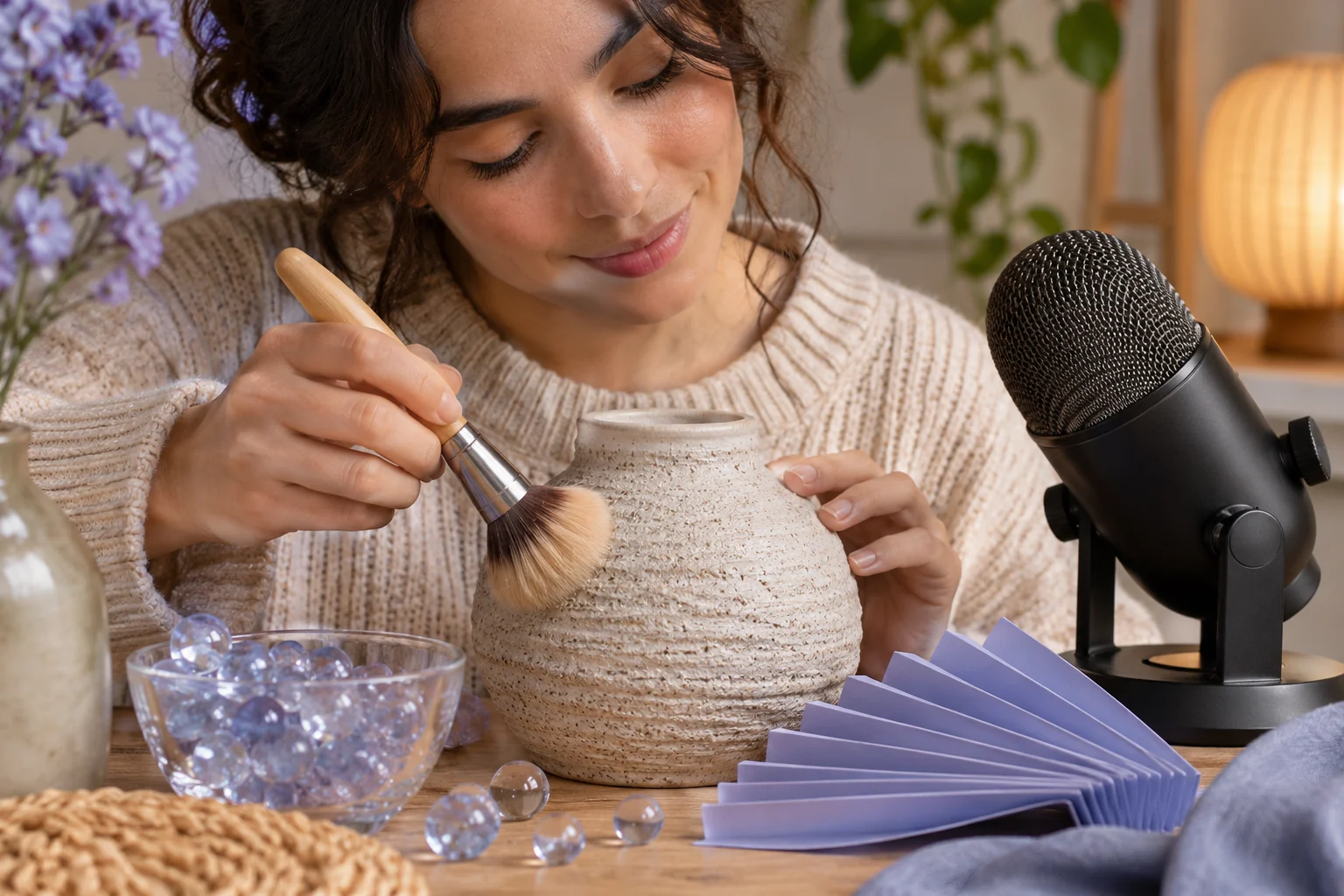
Macro sound-design tabletop: a hand slowly brushes textured ceramic, glass beads and folded paper near an unbranded studio microphone
Illustrative concept image made for this page · not a tested product output.

Macro and Texture Prompts

Pick one material interaction and one close view so the texture remains visible through the loop.

When is a close-up actually useful for ASMR?

The viewer must be able to identify the contact that causes the sound. For the spoon loop, keep the cup and spoon in view, then compare the first stir, a middle contact and the loop join with the rendered audio. If the soundtrack is absent or late, publish it as a silent texture study or revise the cue; a macro image alone does not establish ASMR sound.

Copyable starter brief

Prompt text
Make a close-up loop of a ceramic spoon stirring honey into tea. Show slow surface ripples, a warm tabletop and natural stirring sound. Keep the spoon and cup consistent; keep the liquid level and framing steady, and begin and end with the spoon at the same angle. Inspect the join and trim or revise if it jumps; no voiceover.

Which brief fits your source?

Brief 1: Spoon-and-tea loop. Brief 2: Paper-to-envelope sequence.

Selection rule: Choose the tea loop when a repeatable contact sound is central; choose folding when visible edge changes are the story.

Source-to-instruction relationship: A visible contact must explain the sound heard at that moment; a smooth macro image alone does not establish synchronized ASMR.

If the draft misses the brief

Visible signal: The stir sound starts before contact, or the spoon changes angle across the loop join.

Next revision: Move the sound cue to the visible contact and trim the loop at a matching spoon position; otherwise label the clip silent.

Keep the source and review together

Source to retain: the planned spoon-contact or paper-fold sound cue and its source recording. After an actual run: save the exact prompt version, resulting file and a review note stating whether a visible contact coincides with the sound and the opening and closing loop frames match. Until that run exists, leave the result and review fields unfilled. The Gallery cases below are separate published projects and cannot complete this record.

Sound Cues for ASMR

Name the sound source and what should remain quiet. Compare the generated audio with the visible action before using the clip.

Copyable starter brief

Prompt text
Film a satisfying macro sequence of paper being folded into a neat envelope. Emphasize crisp edges and soft paper sounds, then end on the closed envelope in the same light.

Check sound against the visible contact

For paper folding, mark the exact fold that should make each audible rustle; for stirring, mark when the spoon touches the cup. Watch once without sound to find the contact frames, then listen at normal speed and compare the audible events. If the sound is late, hidden by music or unrelated to the visible material, revise the audio or describe the clip as a silent texture study. The Gallery visuals here do not verify a sound track.

How to Write Your Own ASMR Video Prompts

Name the material, interaction and microphone focus. Keep the camera close enough to show texture, use one sound source per beat and check whether the loop returns cleanly to its opening frame.

Match an expected sound to its visible cause

This is an editorial checking plan; it does not describe audio tested on this page.

  • Paper fold: The visible crease should coincide with a short rustle in your own output. If it is missing or late, move the cue or remove the sound claim.
  • Spoon and cup: The audible contact should coincide with the spoon touching the cup. If it does not, compare the contact frame, then revise or mute the cue.

Use a Reviewed Video Brief in Pexo

Bring your brief and approved assets to Pexo's ASMR video workflow. Review the proposed direction and preview, request specific changes in conversation, and check the final video for factual, visual and rights accuracy. Account credits and eligible free use depend on the current plan.

Judge the sound and material together

Use this brief when: Choose one visible interaction, such as stirring or folding, and keep the sound source inside the frame.

Acceptance check: Listen and watch at normal speed: the audible contact should coincide with the spoon or paper action, while background music and speech stay out of the way.

If it fails: If the sound is synthetic, late or masked, revise the audio or publish the clip as a silent texture study instead of calling it ASMR.

Check the loop as picture and sound

For the spoon-and-tea brief, compare the opening and closing frames at the same crop. The spoon angle, cup position, liquid level and surface ripple should allow the cut to return to the beginning. Then listen across that join at normal volume; a click, truncated stir or sudden room-tone change breaks the loop even when the frames look similar.

If you notice First correction to try
Spoon jumps position at the join Trim to a repeated spoon angle before changing the camera.
The liquid level or cup changes Return to the original source and remove the mismatched segment.
A stir is audible before contact is visible Move or remove the cue; do not describe it as synchronized.

The page has no tested audio file. These are acceptance checks for a future result, and the independent Gallery videos do not establish sound quality for this prompt.

Test playback on the device the audience will use

For a future spoon or paper clip, listen once on headphones and once on a phone speaker at ordinary volume. Note whether the intended material sound remains audible, whether room hum appears only in one cut, and whether a sharp transient becomes unpleasant on headphones. If the phone loses the quiet action, a closer approved recording may help more than boosting every sound. If the headphone version clicks at the loop join, trim the join before raising volume. The page has no original recordings, so this is a two-device listening protocol rather than a sound-quality claim about its Gallery references.

Check a rendered soundtrack, not a silent frame

For the spoon-and-tea example, mark the first contact, middle stir and final contact on a timeline. At each mark, listen with the picture visible at normal speed; then listen once without looking to detect an early sound, a click at the loop join or a masked contact. If the contact cannot be heard clearly on both headphones and a phone speaker, revise the cue or describe the piece as a visual texture study.

ITU-R BS.1770-5 defines ways to measure programme loudness and true-peak level. A compatible meter can flag an extreme level in a future exported track; it cannot prove that a synthetic spoon sounds like metal or that sound and image are synchronized. The Gallery frames and the prompts on this page are not a measured audio test.

ASMR Video Prompts FAQ

What makes an ASMR brief specific?

Name the material, visible interaction and sound source, such as paper folding or a spoon stirring tea.

How do I check a loop?

Review whether the ending can return naturally to the first frame and whether audio matches the action throughout.