
THE PEXO PROMPT LIBRARY / LISTING
Vintage and Retro Video Prompts: VHS, 8mm and 35mm Looks
Choose a specific recording medium rather than the vague word “retro.” VHS, consumer camcorder and 35mm film imply different texture, color and camera behavior.
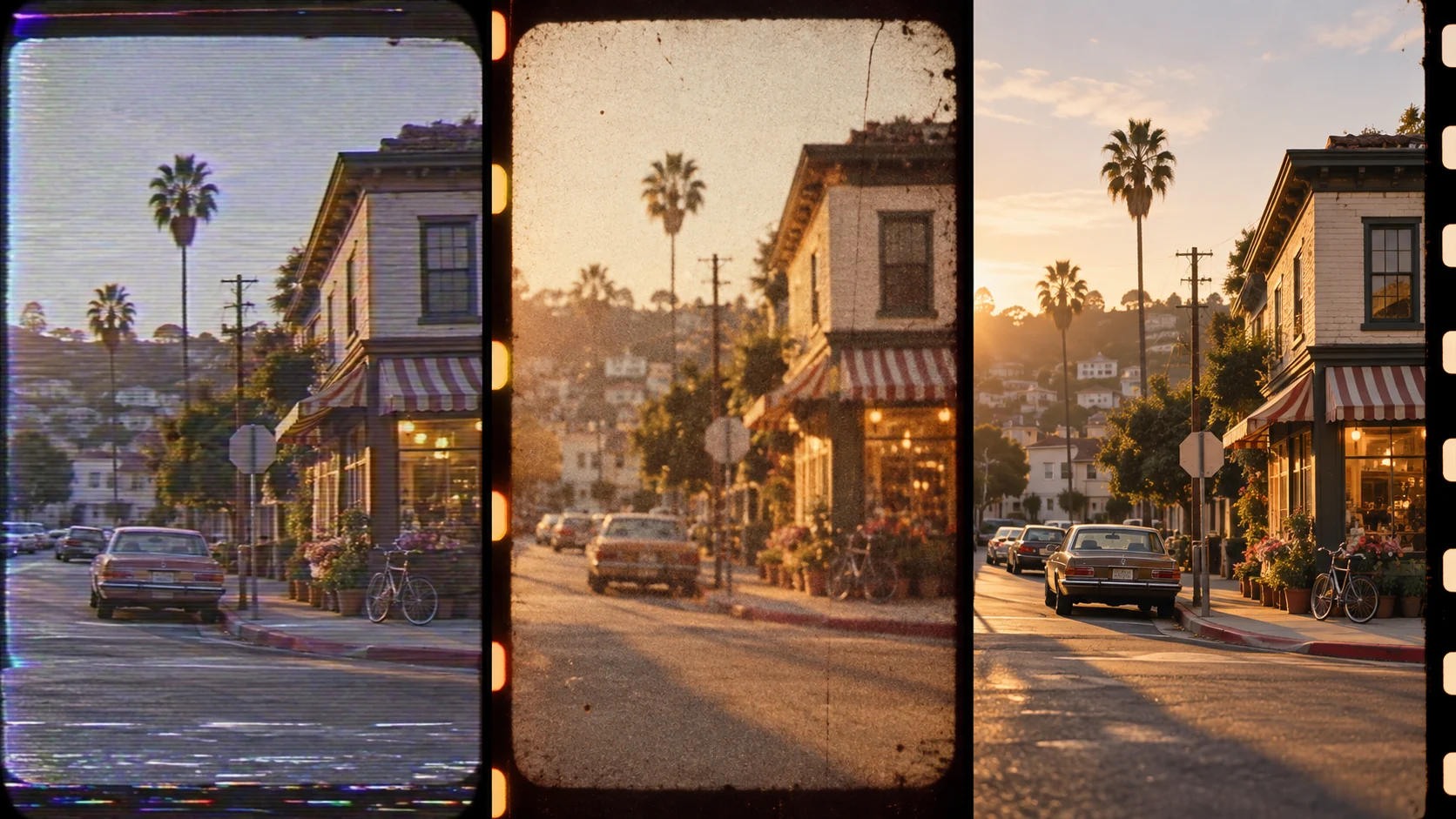
Era Looks: 80s VHS, 90s Camcorder, 35mm
Choose one recording medium before adding mood. VHS suggests soft tape texture and imperfect zoom; 8mm suggests visible grain and short home-movie beats; 35mm suggests finer grain and steadier exposure. For a 1990s camcorder look, request casual handheld framing, an abrupt optical zoom and flat on-camera light. Treat these as stylistic choices, not features of every camcorder.
VHS family-trip brief.
A family packs a car for a summer trip, late-1980s home-video feel: handheld VHS framing, soft edges, mild tape noise, warm skin tones and an imperfect zoom. Keep people natural and add date stamps only to footage with verified dates.
8mm home-movie brief.
A child carries a paper kite across a grassy field, short 8mm home-movie beats, visible fine grain, warm daylight and slight handheld drift. Use no date stamp unless the date is verified; end on the kite held against the sky.
Adding Authentic Grain and Glitch
Add one restrained texture cue: slight VHS tracking at a cut, modest camcorder sensor noise, or fine film grain. Heavy glitch can conceal the subject; present the result as a stylized reconstruction.
35mm station brief.
A quiet train station at dusk, 35mm color-film look: measured tripod pan, fine grain, gentle highlight roll-off and restrained contrast. Keep the 35mm look free of VHS tracking effects.
How to Write Your Own Vintage Retro Video Prompts
Separate the era cue from the story. Add only one or two texture signals; too much glitch can make the subject hard to read. For the retro footage, compare the opening and final frames: the film grain may vary, but the same product silhouette and approved label must stay readable.
Make a Finished Video From Any Prompt in Pexo
Use the vintage prompt with one recording-medium cue and a consistent subject. Bring the brief and any source assets you own to Pexo. Review the preview and request one concrete revision. If you want to turn the brief into video, Pexo’s Seedance 2.5 page lists a free first video after account registration; check the current offer and credit conditions before rendering.
YOUR NEXT STEP IN PEXO
Choose one era cue and keep the story clear.
Use a specific recording-medium look, then inspect readability, subject continuity and any historical framing.
Vintage Retro Video Prompts FAQ
Is grain enough to make footage period-correct?
No. Framing, movement, color and props also shape the look. Label the result as a stylized scene.
Can I mix VHS and 35mm cues in one shot?
You can, but the look may become incoherent. Pick the medium that serves the story, then add one secondary texture when the preview needs it.