
Decide What Changes
Write the starting situation and the ending you want. If nothing changes, the result may feel like a moving illustration rather than a story.
Turn a short script or story idea into animated scenes with a beginning, an action and an ending. The Pexo AI video agent plans the shots, generates the animation and arranges narration around the story you want to tell.
Include the main character, what changes in the story, the animation look and any reference artwork.
One character. One small story.
A short animation can turn a simple discovery into a complete little arc.
 01 · Discovery
Storyboard concept · The little gardener
A tiny greenhouse robot finds a glowing seed. Curiosity gives the opening shot its purpose.
A story with a clear change
The AI Short Animated Video Maker creates a new animated sequence from a brief or script. It is for a compact story, explanation or character moment—not for cutting highlights out of a long existing video.
Start with one change the audience should understand: a character solves a problem, an object transforms, or an idea becomes clear. Pexo uses that direction to plan and assemble the scenes. Keeping the cast and setting simple leaves more room for the action to read.
Write the starting situation and the ending you want. If nothing changes, the result may feel like a moving illustration rather than a story.
Name the qualities you want to see: flat cut-paper shapes, soft clay textures or clean line drawings. Concrete visual direction is more useful than asking for a beautiful animation.
Attach character artwork when its appearance matters, and describe the features that should remain recognizable. Check those details across the generated scenes.
Animation decisions
A short animation feels complete when each scene has a job. Give the Agent the story priorities before asking for more visual detail.
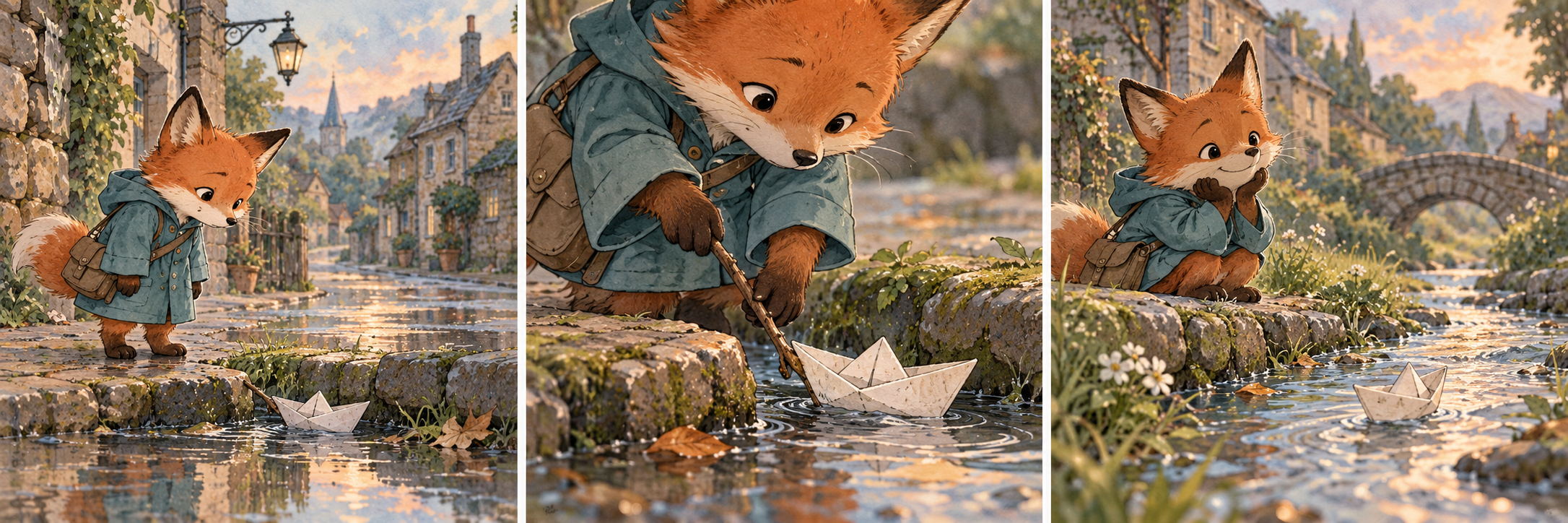
Build around one problem, discovery or emotional turn. A crowded plot with many locations can leave too little time for viewers to understand what matters.
Establish where the character is, show the important action and give the ending enough room. Each shot should add information rather than repeat the same moment.
Specify a few recognizable features and provide artwork if available. Review appearance between shots instead of assuming that every detail will stay identical.
Use narration to add information the images cannot show. If the script explains every visible movement, shorten the words so the animation has room to communicate.
How it works
Set the story's change, establish the visual direction, and review the connections between scenes.
Provide a short script or explain the initial situation, main action and ending. Say who the animation is for and whether it should tell a story or explain one idea.
Describe the character, setting and visual materials. Add artwork if you have it, and tell the Agent whether the story needs narration, dialogue or action without speech.
Watch whether actions follow a clear order and the character remains recognizable. Point to a confusing transition, changed detail or rushed moment when asking for a revision.
Questions answered
Yes. Describe the character, the starting problem and how the story should end. The Agent can organize that direction into scenes; a specific change gives it a stronger starting point than a broad theme.
Use visible qualities such as paper textures, clay figures, simple outlines or flat colors. Add a reference you have the right to use when the look is hard to describe. Avoid treating a style name as a guarantee of an exact match.
Yes. Provide the artwork and identify the features that matter, such as the silhouette, colors or a particular accessory. Review the generated shots for unwanted changes in appearance.
Keep the character's goal, location and action order clear. When a scene changes location or time, explain why. If an object or costume changes unexpectedly, identify the affected shot in your revision request.
This page describes making an animated video, not delivering an animation rig or layered source project. If you need editable production files, confirm that requirement separately before treating the generated video as that deliverable.
Brief to animated short
Bring one character, one meaningful change and a visual direction. Let the Agent organize the shots around the story.