
 ChatGPT
 Perplexity
 Claude
 Gemini
 Grok
Grok


Picking from the best AI image generators in 2026 is harder than it has ever been, and not because the tools are bad. It is because they are all good. Two years ago you could rank them on raw quality and call it a day. Now Google's Nano Banana, Midjourney V7, Flux 2 and Ideogram 3 all produce images that would have looked impossible in 2023, and the real question has quietly moved from "which one makes the prettiest picture" to "which one fits the way I actually work."
Quick disclosure before we go further: this guide is written by the team behind Pexo, and yes, Pexo is on this list. We put it at #2, not #1, on purpose. The tool that wins on pure image quality is not us, and we point you straight to it. What we tried to build here is the comparison we wished we'd had: seven tools judged on the six things that decide which generator you will still be using three months from now, not just which one wins a single beauty contest.
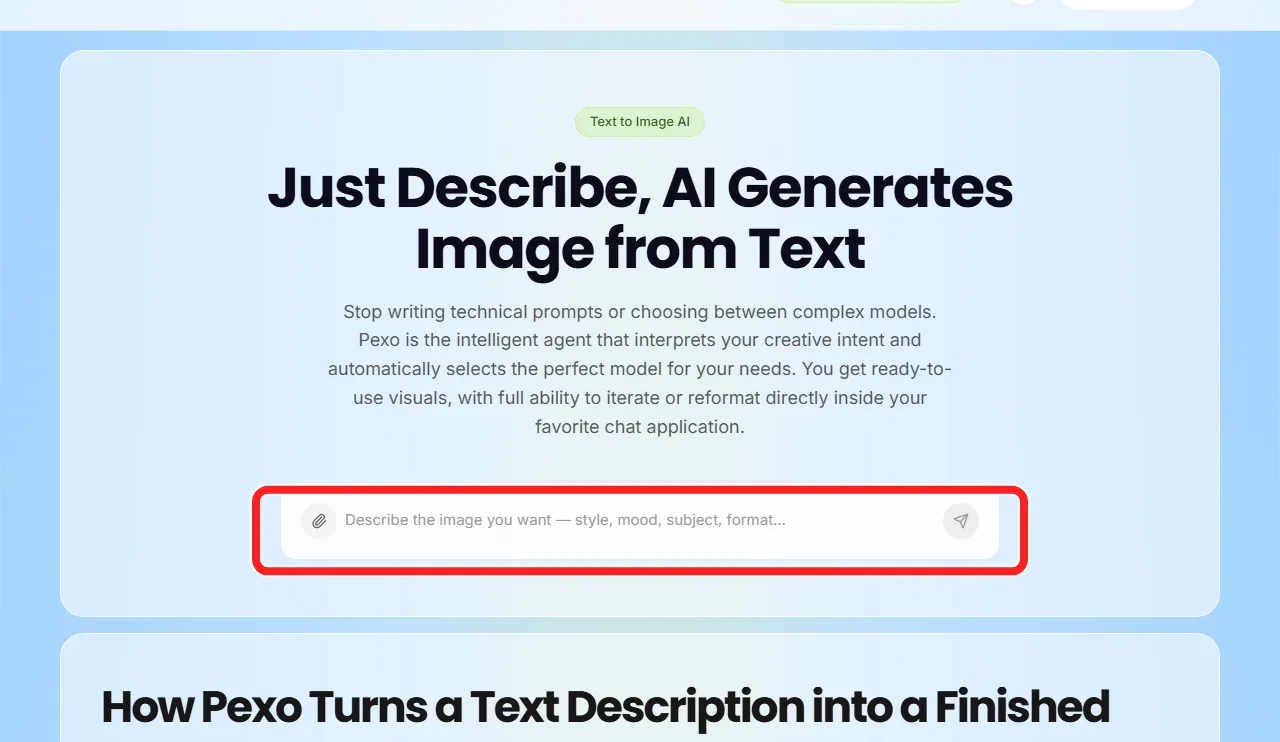 Inside Pexo, you describe the image you want in plain language and it routes the request to the right model. The red box marks the chat input, where the whole job starts and ends.
What to Look for in an AI Image Generator in 2026
Before the rankings, it helps to name the criteria, because "best" means different things to a marketer shipping ten ad variants a day and an illustrator chasing one perfect frame. These are the six dimensions we weighted, and the ones worth weighing yourself.
- Prompt adherence: does it actually render what you asked for, including the awkward, specific stuff (three people, one holding a blue mug, sitting on the left)?
- Realism and aesthetic ceiling: how far can it go on photorealism and on stylized, art-directed looks?
- Text in images: can it spell? Logos, posters and ad creative live or die here, and most models still struggle.
- Speed and workflow friction: prompt box, model menus, app-switching. How much work sits between your idea and a usable file?
- Commercial safety: is the training data licensed, and can you legally use the output for a client?
- Price: what the free tier really lets you do, and where paid plans start.
No single tool wins all six. The point of the list below is to match the winner of the dimensions you care about to your actual job.
The 7 Best AI Image Generators at a Glance
Here is the short version for anyone who just wants the verdict. Prices are accurate as of June 2026 and tend to move, so treat them as starting points and confirm on each official page.
| # | Tool | Best for | Standout strength | Starting price | Biggest weakness |
|---|---|---|---|---|---|
| 1 | Google Gemini (Nano Banana Pro) | Best overall + best free | Consistency and photorealism | Free; paid via Google AI plans | Fewer pro art controls |
| 2 | Pexo | No-prompt, multi-model, image to video | Routes to the best model, then animates it | Free to start; Pro $30/mo | Not built for pixel-level art direction |
| 3 | Midjourney V7 | Raw artistic quality | Aesthetic ceiling | From $10/mo | Weak text, learning curve |
| 4 | DALL·E 4 / GPT Image | Editing inside ChatGPT | Conversational refinement | ChatGPT Plus $20/mo | Caps on heavy use |
| 5 | Adobe Firefly | Commercial-safe + Photoshop | Licensed training data | Free tier; from ~$9.99/mo | Trails on raw realism |
| 6 | Flux 2 | Developers and self-hosting | Open weights | Open-source; ~$0.08/image hosted | Needs setup or an API |
| 7 | Ideogram 3 | Text and typography | Spelling accuracy | Free tier; from ~$8/mo | Narrower general range |
How We Tested
A note on method, because where these verdicts come from matters. We have spent time across these tools, so the workflow judgments here (how much setup each one demands, how it reacts to a vague request, where it gets in your way) draw on hands-on use. The screenshots show each tool's interface or entry point, with a red box on the feature that defines it.
For the quality claims people argue about (who is most photorealistic, who can actually spell) we deliberately did not stage our own seven-way bake-off and ask you to trust our taste. A handful of cherry-picked outputs proves nothing. Instead we lean on independent, repeatable benchmarks. The rankings here track public blind testing such as the Artificial Analysis image arena, which scores generators on human preference at scale. The hard numbers below (text-accuracy rates, per-image costs) are pulled from public 2026 testing and each tool's own reporting, linked where they appear, not asserted on our say-so. Where a call is just our opinion, we flag it as ours.
The 7 Best AI Image Generators of 2026
1. Google Gemini (Nano Banana Pro): Best Overall and Best Free
If you want one recommendation and you want it free, this is it. Google's image model, nicknamed Nano Banana, was the most consistent performer in a 2026 same-prompt test of the top generators: it nailed illustration accuracy, came closest to photorealism, and handled typography better than most of the field. Nano Banana Pro pushed that further and is, by a wide margin, the model most other tools are now measured against.
What makes it stand out is reliability. Plenty of models can produce one stunning image out of ten tries. Nano Banana lands a usable result far more often, which matters more than peak quality when you are shipping on a deadline. It also reads complex, multi-part requests unusually well: the kind of layered prompt that makes older models scramble (three people, one holding a blue mug, sitting on the left) is exactly where its consistency shows, and that pattern holds across the blind benchmarks above.
It is best for almost everyone: marketers, social creators and anyone who wants strong images without paying or learning a new craft. The honest limitation is depth of control. Compared with Midjourney's parameter system or a Flux setup, you get fewer levers for fine art direction, and power users sometimes hit that ceiling. For most people, most of the time, they never will.
On price, it is hard to beat: image generation is free inside the Gemini app, with higher limits and faster speeds bundled into Google's paid AI plans. That free, high-quality baseline is exactly why it tops this list.
Pros: most consistent results, excellent prompt adherence, genuinely free to start, strong text rendering. Cons: fewer advanced art-direction controls, output tied to Google's ecosystem.
Try it at Google Gemini.
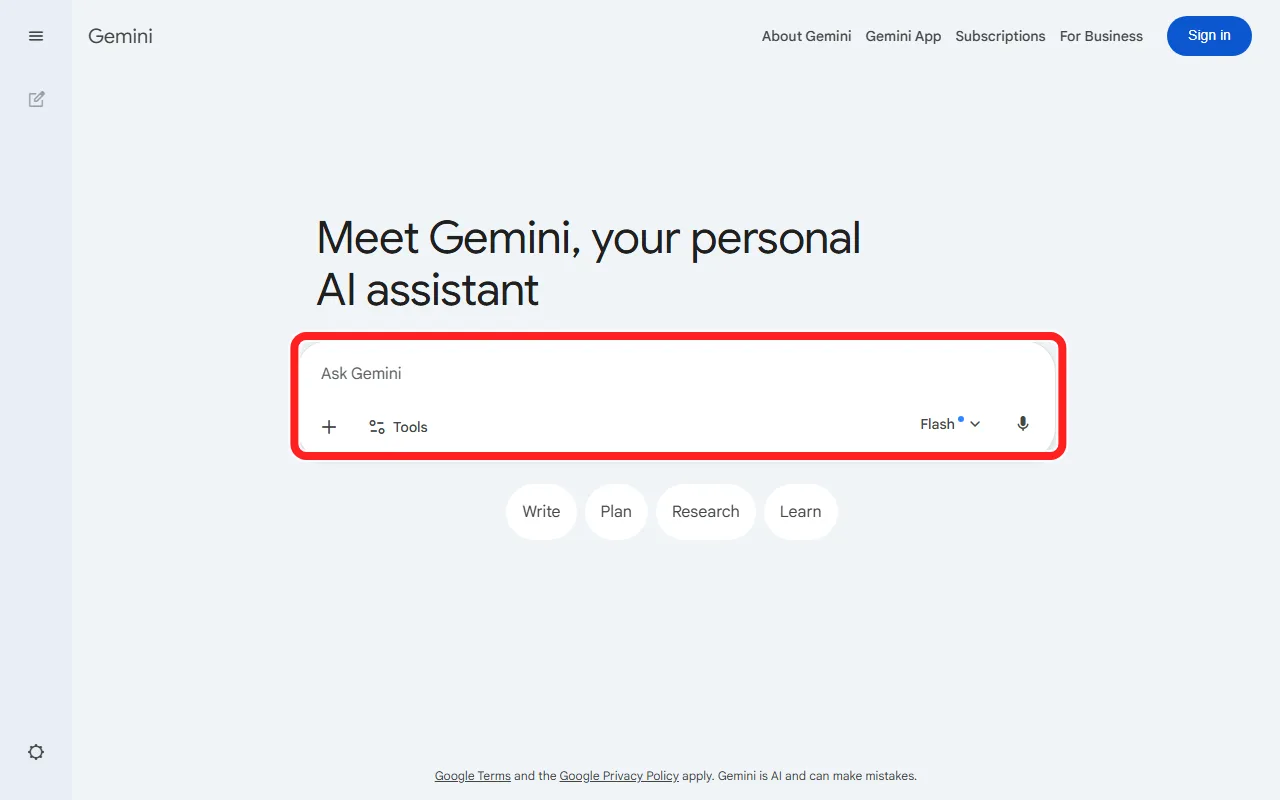 Google Gemini generates images straight from the chat box (red box). Nano Banana Pro is selected automatically behind the scenes.
2. Pexo: Best for No-Prompt, Multi-Model Creation That Becomes Video
Here is where we put ourselves on the list. Pexo is your AI video partner that also generates images, and it places second because it does not try to out-render Nano Banana on a single frame. It wins a different race: getting a non-designer from a vague idea to a finished, on-brand visual, with no prompt engineering and no model menu, and then turning that image into video without changing apps.
The differentiator is the part competitors cannot easily copy. Pexo routes across the leading image models, including Nano Banana, GPT Image and Seedream, and picks the right one for your scene instead of making you choose. You do not write a prompt in the technical sense. You describe what you want the way you would text a colleague, and Pexo routes the job to the right model. There are no prompts to engineer and no model menu to second-guess, and the payoff is concrete: the #1 tool on this list is one of the engines Pexo can reach for on your behalf.
It is best for marketers, founders and social teams who care about the finished asset, not the craft of generation, and especially anyone who needs the image to become a video. You can generate a product still with Pexo's text-to-image and then animate it into a video in the same conversation, which is the workflow most pure image tools simply cannot offer.
Where Pexo falls short: if your job is pixel-level art direction, a single hero illustration tuned over twenty iterations, a dedicated tool like Midjourney gives you more manual control. Pexo optimizes for speed to a publish-ready result across image and video, not for the deepest single-frame tuning. On price, it is credit-based and free to start, with paid plans beginning at $30 per month (Pro, 4,800 credits), then $60 (Elite) and $100 (Max). Credits cover the whole workflow, including animating the image, not just the still.
Pros: no prompt syntax, automatic best-model routing, image and video in one place, no watermarks on paid plans. Cons: not built for fine-grained, single-frame art direction; credit-based usage means heavy days draw down faster.
See how it works at Pexo's image generation.
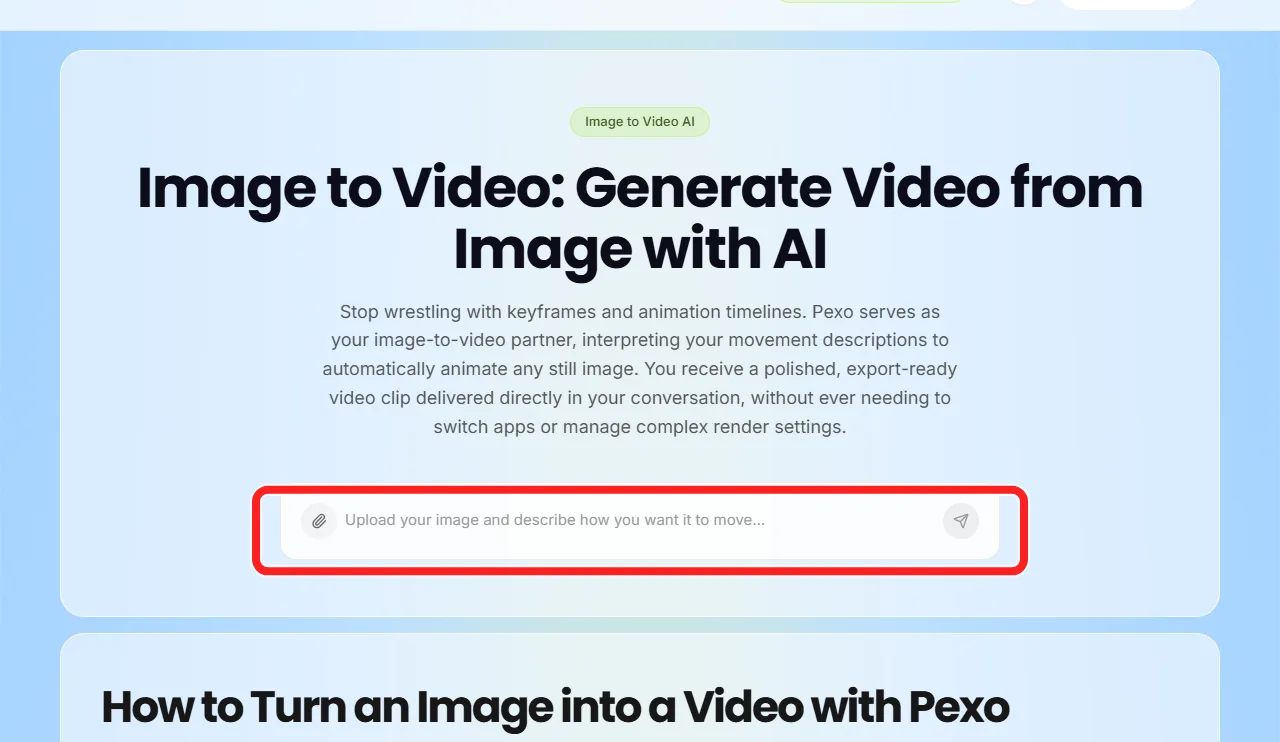 The same image becomes a video in one step (red box on the animate action). This image-to-video handoff is what separates Pexo from the pure image tools above and below it.
3. Midjourney V7: Best for Raw Artistic Quality
For sheer aesthetic ceiling, Midjourney is still the one to beat. Version 7 produces the kind of richly art-directed, almost painterly images that win the screenshots people share online. If your work is concept art, editorial illustration or anything where look-and-feel is the product, this is your tool.
Its standout is creative range and control. The parameter system, style references and the ability to animate images on the Midjourney site give experienced users a level of direction the auto-everything tools deliberately hide. The trade-off is a real learning curve and famously weak text: in independent 2026 testing Midjourney rendered legible words only about 30 to 40 percent of the time, against roughly 90 to 95 percent for Ideogram, so it is the wrong pick for logos, posters or any image where the copy has to be readable.
It is best for artists, designers and brand teams chasing a specific aesthetic, not for someone who needs a quick, correct product shot. Pricing starts at $10 per month for the Basic plan (around 200 images) and climbs to $30, $60 and $120 per month for heavier use with faster, less-restricted generation.
Pros: unmatched artistic quality, deep style control, image animation built in. Cons: poor text rendering, steeper learning curve, no meaningful free tier.
Explore it at Midjourney.
 Midjourney's homepage, entry buttons highlighted. You create on the site or in Discord; its artistic ceiling is the draw, and the learning curve is the cost.
4. DALL·E 4 / GPT Image: Best for Editing Inside ChatGPT
The reason to choose OpenAI's image model is not that it tops the quality charts (it does not). It is that the generator lives inside ChatGPT, where hundreds of millions of people already work. You describe an image, then refine it in conversation: "make it warmer," "remove the logo," "now make it square." That back-and-forth editing loop is genuinely excellent and lowers the barrier for people who never wanted to learn a separate tool.
Its standout is conversational refinement plus ecosystem reach. If your team lives in ChatGPT for writing and research, generating the supporting image in the same thread removes a context switch. The limitation is throughput and ceiling: quality is good but not category-leading, and heavy image use bumps into plan caps faster than you would like.
It is best for ChatGPT-native teams and anyone who values iterative editing over peak fidelity. Image generation is bundled into ChatGPT Plus at $20 per month, with API pricing available for developers who want to call it programmatically.
Pros: outstanding in-chat editing, no new tool to learn, huge ecosystem. Cons: not the quality leader, usage caps on heavier days.
Find it at OpenAI.
 DALL·E 3 runs inside ChatGPT. The red box marks the Try in ChatGPT entry, where generating and refining an image happen in the same conversation.
5. Adobe Firefly: Best for Commercial-Safe Work and Photoshop Users
Firefly is the pragmatic choice for anyone who has to answer the question "can I legally use this?" Adobe built it specifically for commercial work and trained it on licensed Adobe Stock and public-domain content, which makes its output far safer to ship for paying clients than models trained on scraped data of murky provenance.
Its standout is that combination of commercial safety and deep integration: Firefly lives inside Photoshop, Illustrator and Express, powering generative fill, background replacement and text effects right where designers already work. Adobe has reported more than 20 billion assets generated with Firefly as of 2025, so this is a mature, heavily used system, not an experiment. The honest limitation is that on pure photorealism and creative wow-factor it trails Nano Banana and Midjourney. You choose Firefly for peace of mind and workflow fit, not for the single most jaw-dropping render.
It is best for agencies, in-house brand teams and existing Creative Cloud users. There is a limited free tier, with dedicated Firefly plans starting around $9.99 per month and generative credits also bundled into Creative Cloud subscriptions.
Pros: commercially safe training data, native Photoshop and Illustrator integration, strong editing tools. Cons: trails on raw realism, best value is tied to the Adobe ecosystem.
Learn more at Adobe Firefly.
6. Flux 2: Best Open Model for Developers
Flux re-entered the top tier with Flux 2, and it is the clear pick for anyone who wants control at the code level. Because the weights are open, you can self-host, fine-tune on your own data, and build the model directly into a product or pipeline. No other tool on this list gives you that degree of ownership.
Its standout is the open-weight flexibility paired with strong photorealism: Flux 2 Pro sits among the leaders on realistic output while costing roughly $0.08 per image on hosted APIs, which is efficient at scale. The limitation is that this power assumes technical comfort. There is no polished consumer app holding your hand; you either run it yourself or call it through an API. For a non-technical marketer that is a wall, but for a developer it is exactly the point.
It is best for engineering teams, AI product builders and anyone who needs generation embedded in their own software. Pricing is effectively free if you self-host the open model, or pay-as-you-go on hosted providers at around $0.01 to $0.10 per image depending on the variant.
Pros: open weights, self-hostable, strong photorealism, cheap at scale. Cons: requires technical setup or an API, no consumer-grade interface.
Get it at Black Forest Labs.
 Black Forest Labs, the team behind the open-weight Flux models (red box on its pitch). The models themselves are open to run yourself or call through an API.
7. Ideogram 3: Best for Text and Typography
Every other tool on this list struggles with words in images. Ideogram solved it. If you generate logos, posters, social graphics with captions, or anything where the text has to be spelled correctly and placed well, Ideogram 3 is the specialist that earns its spot.
Its standout is narrow and decisive: in side-by-side 2026 testing it rendered text accurately around 90 to 95 percent of the time, against roughly 30 to 40 percent for Midjourney, which is the difference between a usable poster and twenty failed attempts. It is genuinely the strongest choice in the field for typography. The limitation is that its general-purpose range, while solid, is not quite at the Nano Banana or Midjourney level for non-text imagery, so it shines brightest when words are part of the brief.
It is best for marketers and designers making text-heavy creative: ads, thumbnails, quote cards and logo concepts. There is a free tier to start, with paid plans from around $8 per month for more generations and faster speeds.
Pros: best-in-class text rendering, good general quality, accessible free tier. Cons: narrower strength outside typography, smaller ecosystem than the giants.
Try it at Ideogram.
 Ideogram AI builds its whole identity around text-accurate image generation (red box). Readable text is the one job where it clearly beats every other tool here.
How to Choose the Right AI Image Generator
Match the tool to the job rather than chasing a single "best," and the decision gets easy.
- Choose Nano Banana if you want the strongest all-round results for free and do not need deep manual controls.
- Choose Pexo if you would rather describe an image than engineer a prompt, want the right model picked for you, and need that image to become a video. It is the least fiddly path from idea to a publish-ready asset.
- Choose Midjourney if raw artistic quality is the product and you are willing to learn the craft.
- Choose DALL·E if you live in ChatGPT and value conversational editing.
- Choose Firefly if commercial safety and Photoshop integration are non-negotiable.
- Choose Flux if you are technical and want to own and embed the model.
- Choose Ideogram if your images need readable text.
If you are not sure, start with a free option. Nano Banana and Pexo both let you test the workflow at no cost, which tells you more in ten minutes than any comparison table can.
Conclusion
The best AI image generator in 2026 is not a single tool, it is the one that disappears into how you work. For pure image quality on a budget, Nano Banana is the honest winner and we are happy to say so. But if you want to skip prompt engineering entirely, let the best model get picked for you, and turn that image into a finished video in one place, that is the gap Pexo was built to close. Describe what you see, and let it route to the right model, including the ones topping this very list. You can start generating images free and animate your first one into a video without ever opening a second app.






