

 ChatGPT
 Perplexity
 Claude
 Gemini
 Grok
Grok


Typing "best free AI image maker" into a search bar feels simple, but the answer rarely is. Almost every tool calls itself free, then quietly attaches a catch: a watermark stamped across your download, a daily cap of three images, a forced account sign-up, or fine print that says you cannot use the result for work. By mid-2026, the gap between tools that are genuinely free and tools that are free-until-you-need-them has only widened, with some former favorites (Adobe Firefly among them) moving their image generation behind a paid wall entirely.
So this is not a list of every tool that has a free button. We tested the current options and ranked the four that actually hold up once you read the limits: where the output quality is good enough to use, where the free tier is generous enough to matter, and where you can download a clean, watermark-free image. Below you will find a quick-compare table, a short note on how we judged each tool, and then the four picks with honest pros and cons for each.
What "Free" Really Means in an AI Image Maker
Before the rankings, it helps to know what separates a real free tool from a demo in disguise. Four things decide whether "free" is actually usable.
The first is the daily or monthly cap. Some tools give you a hundred images a day; others give you three. A low cap is fine for a one-off graphic and frustrating for anyone producing content regularly.
The second is watermarks. A visible logo across the corner makes an image useless for most real purposes. Worth noting: several tools that skip the visible watermark still embed invisible provenance metadata (Google's SynthID, the C2PA standard) to mark the image as AI-generated. That metadata does not show on the picture, so it does not affect how the image looks or downloads.
The third is the sign-up wall. A few tools let you generate instantly with no account at all. Most ask you to register, and a handful tie the free tier to a broader subscription you already pay for.
The fourth, and the one most people miss, is commercial-use rights. A free image you can post on a personal blog is not the same as a free image you can put in a paid ad. Several free tiers explicitly forbid commercial use or make every generation public. If you are creating for a business, read this column first.
The Best Free AI Image Makers at a Glance
Here is how the four tools compare on the factors that decide most choices. Daily limits and prices reflect the free tiers as of June 2026 and can change.
| Tool | Best for | Free-tier limit | Watermark | Sign-up | Paid from |
|---|---|---|---|---|---|
| Google Gemini | Overall image quality | ~100 images/day (Gemini app) | None visible (SynthID metadata) | Google account | $19.99/mo (AI Pro) |
| Ideogram | Text inside images | 10 credits/day (~40 images) | None | Account required | $8/mo (Basic) |
| Canva | Non-designers | ~50 Magic Media generations | None | Account required | $12.99/mo (Pro) |
| Perchance | Unlimited, no sign-up | Unlimited | None | None | Free only |
A quick read of the table: if you want the best raw quality, look at Gemini. If you never want to sign in, Perchance is the only true no-account option. If you need legible text in your image, Ideogram is built for it. The rest of the article explains why.
How We Compared
We ran each tool through the same workflow rather than trusting marketing pages. For every option we generated a common test prompt ("a cozy coffee shop storefront on a rainy evening, warm lighting, photorealistic"), plus a second prompt containing on-image text ("a poster that reads GRAND OPENING"), in June 2026.
We judged each tool on five axes: output quality and prompt accuracy, the real free-tier cap, watermark presence (visible and invisible), sign-up friction, and commercial-use rights as stated in each tool's current terms. We also captured the live interface of each tool so you know what you are walking into. Where a tool's terms were genuinely ambiguous, we say so rather than guessing, because commercial rights are the one area where a wrong assumption can cost you.
To sanity-check our own impressions against a larger sample, we also cross-referenced crowd ratings on G2's AI image generators category, which aggregates more than 2,800 verified user reviews and sits at an average of 4.59 out of 5 across the category as of 2026.
One note on fairness: "best" depends on the job. A tool that wins for a marketer making social graphics is not automatically the right pick for someone generating concept art at volume. The "Best for" label on each entry is doing real work, so match it to your own use case.
The 4 Best Free AI Image Makers
1. Google Gemini: Best Overall Image Quality
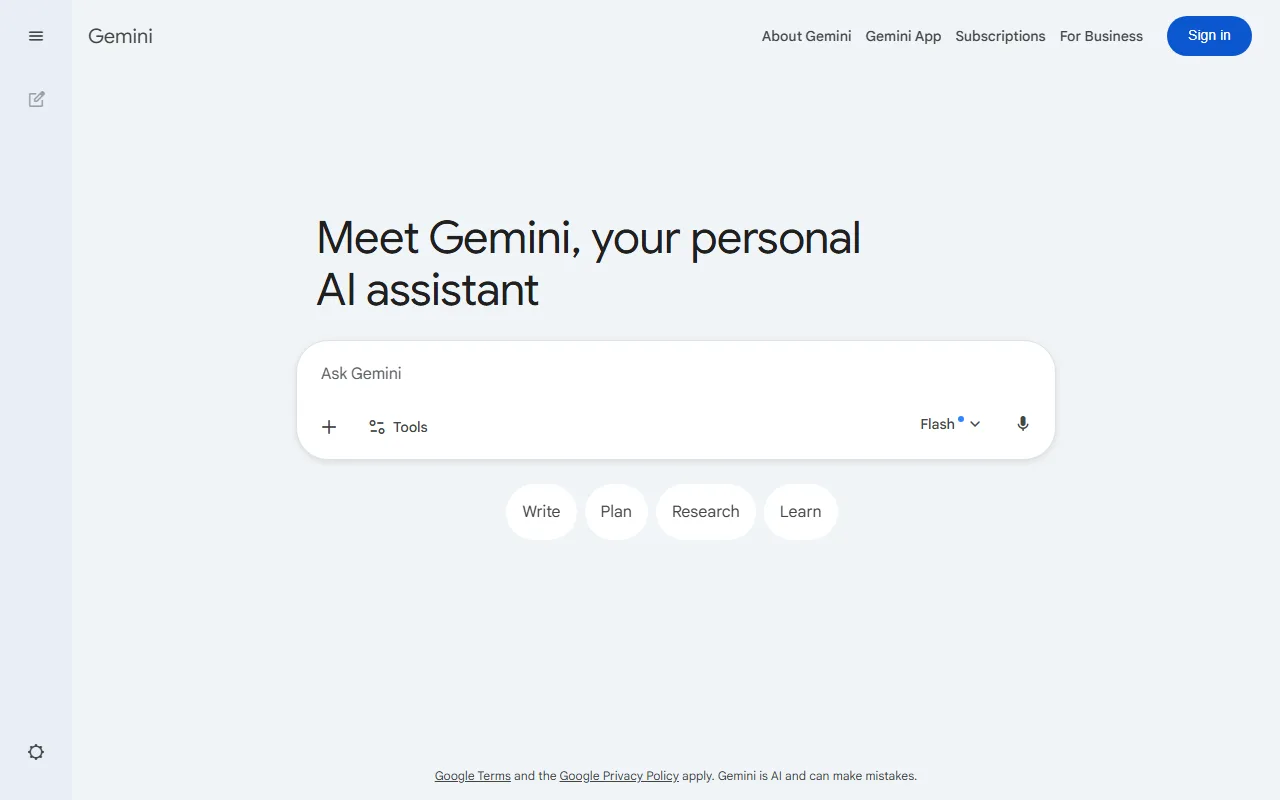 Gemini generates images directly in the chat window using Google's Nano Banana model.
Google folded its image generation into the Gemini app, and as of 2026 it is the one to beat on pure output. The current Nano Banana model produces native 4K images and handled our coffee-shop prompt with the most consistent lighting and the fewest anatomy errors of any tool we tested. It reads natural-language prompts well, so you do not need to learn prompt syntax to get a clean result.
The free tier is unusually generous. Through the Gemini app you can generate roughly 100 images a day at no cost, far above the single-digit caps some rivals impose. Downloads carry no visible watermark, though Google embeds its invisible SynthID marker to flag the image as AI-made.
Who it is for: anyone who wants the highest quality with the least fuss and is comfortable signing in with a Google account. It is the strongest default pick for most people, and it ranks among the top three image tools by G2 user score.
The main limitation is control. Gemini favors simplicity over the fine-grained settings (negative prompts, model switching, seed control) that power users on tools like Leonardo expect. It is also tied to the Google ecosystem, which not everyone wants.
Pros: top-tier 4K output; very high free daily cap; no visible watermark; reads plain-language prompts. Cons: limited advanced controls; requires a Google account; ecosystem lock-in.
Pricing: Free in the Gemini app; higher limits and the newest models come with Google AI Pro at $19.99/month.
Try it at Google Gemini.
2. Ideogram: Best for Text Inside Images
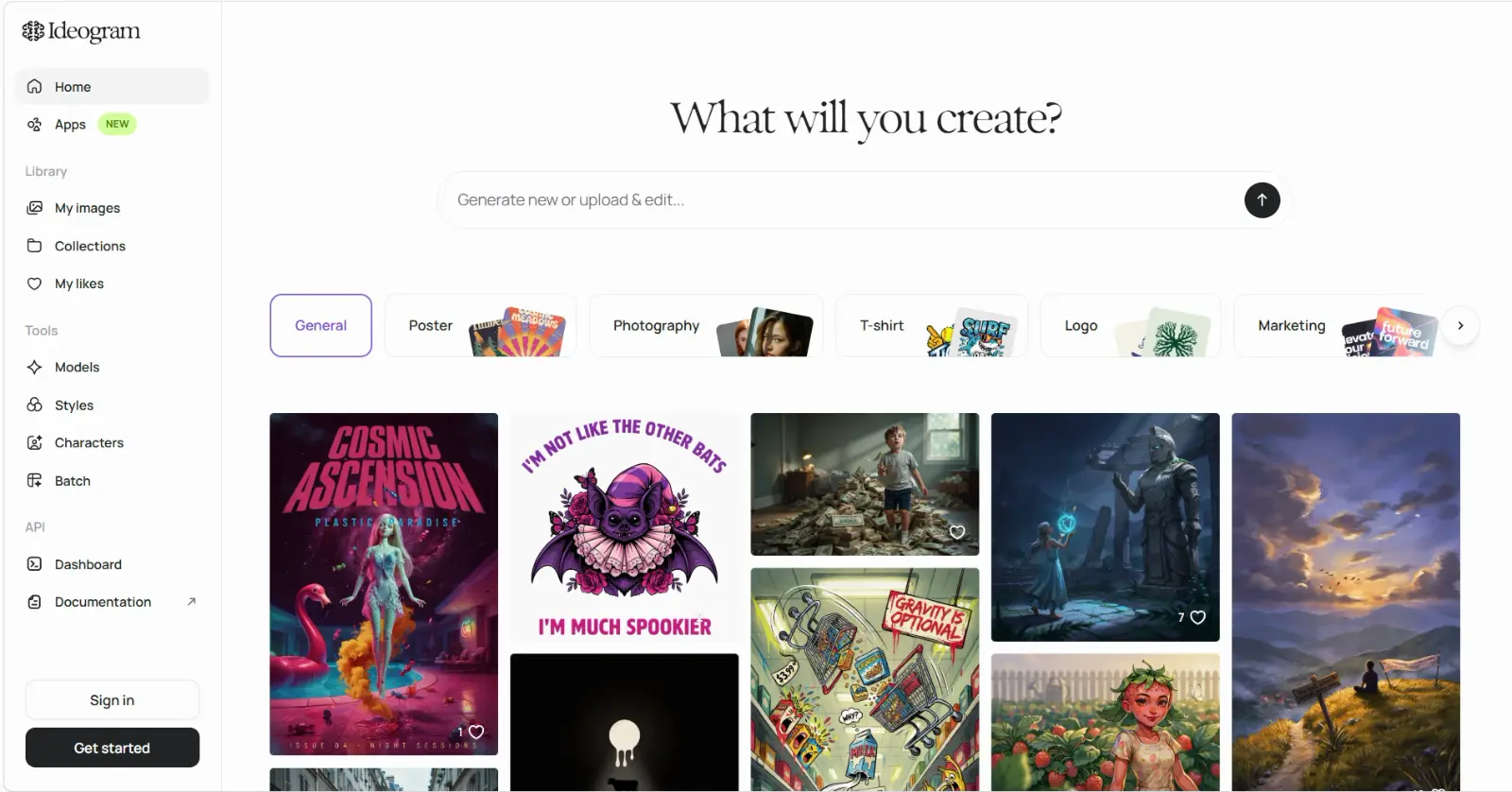 Ideogram specializes in rendering legible text inside images, useful for posters and logos.
Most AI image tools mangle text. Ask for a sign that reads "GRAND OPENING" and you usually get garbled letters. Ideogram is the clear exception, and that single strength makes it the go-to free tool for posters, mockups, social quotes, and rough logo concepts. On our text prompt it produced clean, correctly spelled lettering on the first try while several rivals failed.
The free tier gives you 10 slow credits a day, which works out to roughly 40 images, and downloads come with no watermark. That is enough to experiment seriously without paying.
Who it is for: marketers and creators who need words to actually read correctly inside the image, not just decorative shapes.
The catch is significant and easy to miss. On the free plan, everything you generate is posted to Ideogram's public gallery, and the free tier does not grant a commercial license. To keep generations private or to use images commercially, you need at least the Basic plan. So Ideogram is brilliant for free experimentation and text mockups, but for paid client work you will likely need to upgrade.
Pros: best-in-class text rendering; no watermark; solid 10-credits-a-day free allowance. Cons: free generations are public; no commercial license on the free tier; slower free queue.
Pricing: Free for 10 credits/day; the Basic plan (commercial license plus private generations) starts at $8/month.
Try it at Ideogram.
3. Canva: Best for Non-Designers
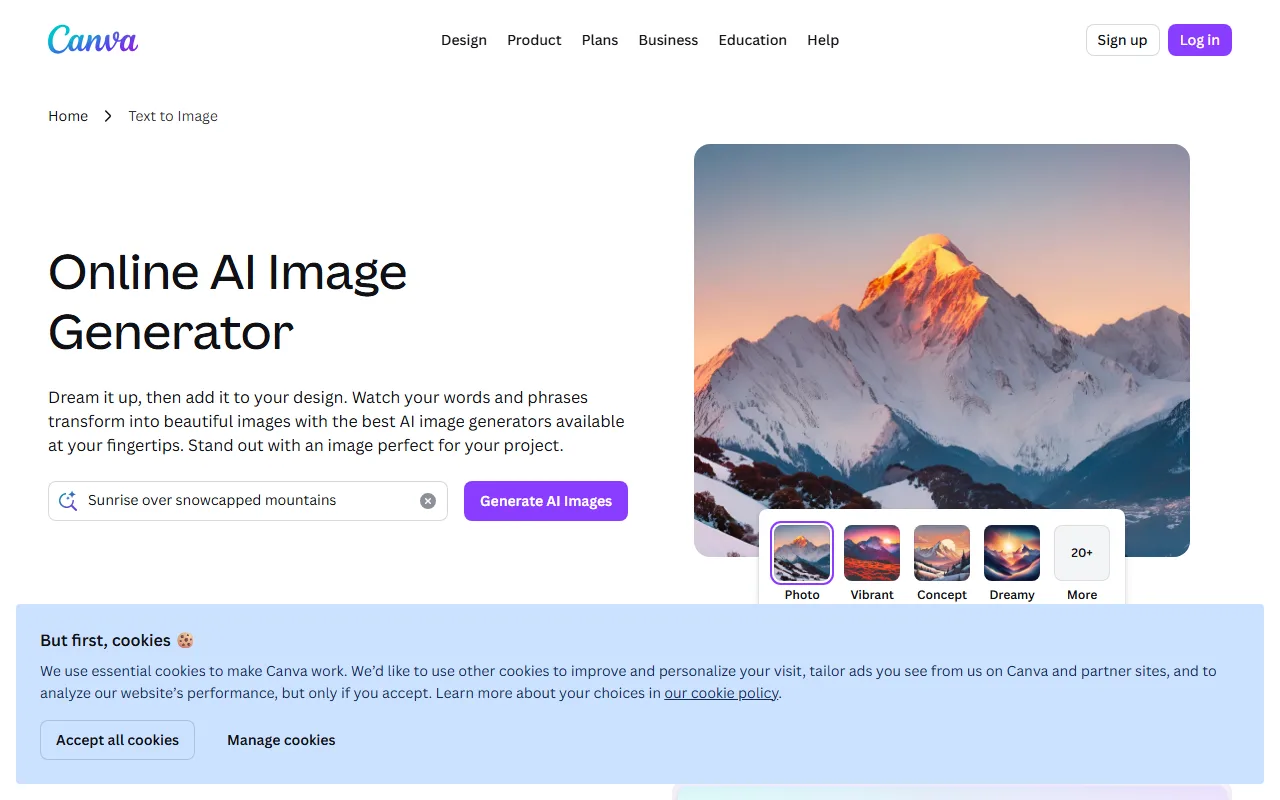 Canva's Magic Media generates images directly inside its drag-and-drop design editor.
For people who do not want to leave a familiar design tool, Canva's Magic Media generator is the most practical option. The advantage is not raw model power; it is context. The image you generate lands straight inside Canva's editor, where you can drop it into a presentation, a social post, or a flyer template and finish the whole job in one place. With more than 200 million people already using Canva, for many the learning curve is zero. It is also the most-reviewed tool in G2's AI image generators category, which reflects how many people reach for it first.
The free plan includes a limited pool of Magic Media generations (around 50), with no watermark on the images themselves. Once you hit the cap, you wait for it to reset or upgrade; there is no way to buy a small top-up.
Who it is for: small-business owners, social media managers, students, and anyone who values a finished design over a perfect standalone image.
The limitations are the small free allowance and some nuance around commercial rights, which differ between the free and paid tiers and depend on Canva's content license. Canva's own AI terms are the place to confirm your specific use. Output quality is good but generally a notch below a dedicated generator like Gemini.
Pros: images flow straight into a full design editor; genuinely beginner-friendly; no watermark. Cons: small free generation cap; quality trails dedicated tools; commercial-rights nuance between tiers.
Pricing: Free with a limited Magic Media allowance; Canva Pro (500 generations a month) starts at $12.99/month.
Try it at Canva.
4. Perchance: Best for Unlimited, No-Sign-Up Use
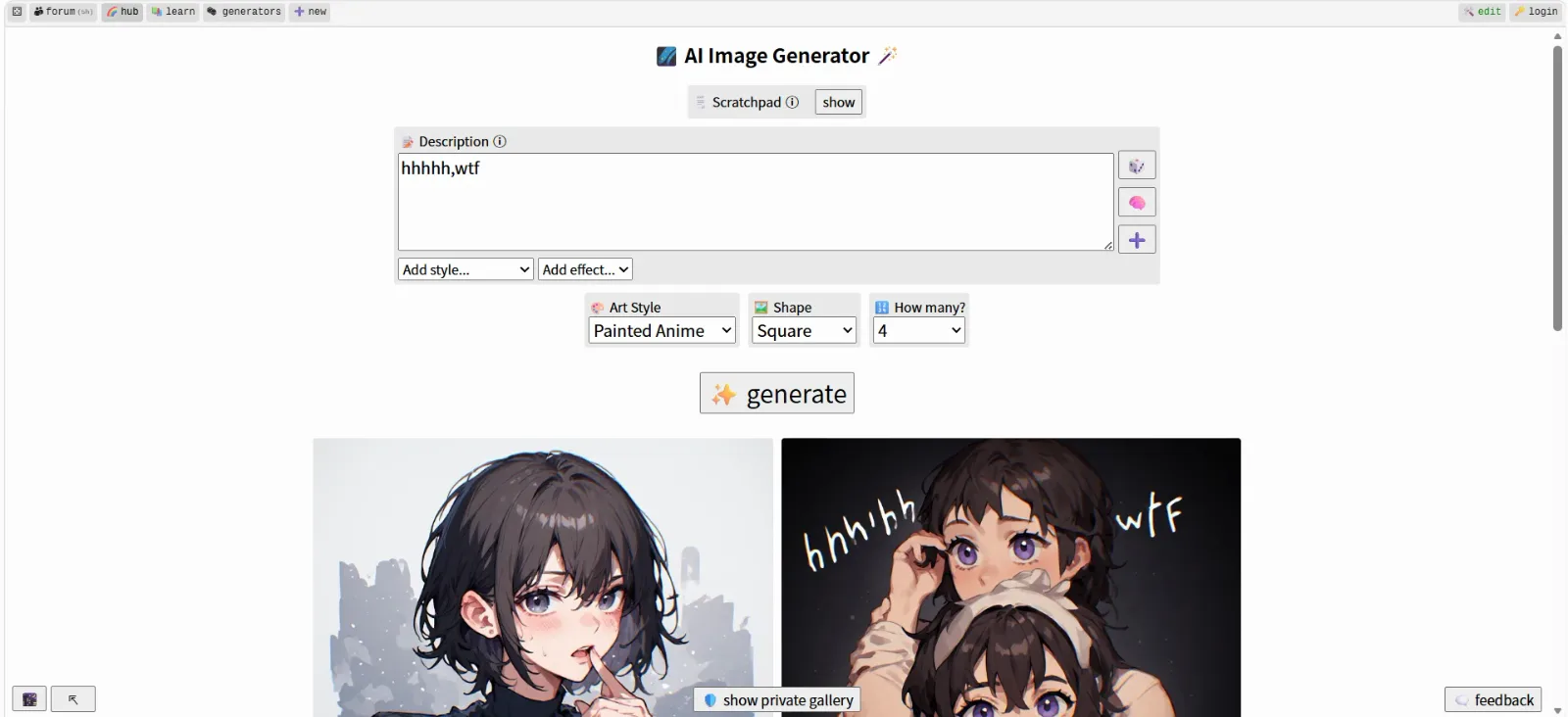 Perchance runs image models in the browser with no account, no limits, and no watermark.
Perchance is the answer to one specific search: a free AI image generator with no sign up and no limits. It runs Stable Diffusion style models in your browser, so there is no account, no daily cap, no watermark, and no paid tier at all. You open the page and start generating, with images appearing in five to ten seconds.
That genuinely-unlimited, zero-friction model is rare, and it makes Perchance the best choice for rapid, high-volume experimentation when you do not want to think about credits or logins. Its terms permit personal and commercial use, though as with any open tool you should confirm the current policy before putting output into paid work.
Who it is for: tinkerers, hobbyists, and anyone who wants to generate a lot of images fast without handing over an email address.
The trade-offs are real. Output quality and prompt accuracy sit below the polished cloud tools higher on this list, the interface is bare-bones, and at busy times in-browser generation can slow down. The open, unmoderated nature of the platform also means the surrounding galleries are not always work-safe.
Pros: truly unlimited and free; no account or sign-up; no watermark; instant access. Cons: lower output quality; minimal interface; performance varies; unmoderated environment.
Pricing: Completely free, with no paid tier.
Try it at Perchance.
How to Choose the Right Free AI Image Maker
The best free AI image generator for you comes down to the one constraint you care about most.
If you want the best possible quality with minimal effort, start with Google Gemini. If your image needs readable text, only Ideogram does it reliably. If you would rather stay inside a design tool and finish a whole graphic, Canva is the natural home. And if you refuse to create an account or you need unlimited volume, Perchance is the only pick here that delivers both.
One more filter overrides all of the above: commercial use. If the image is for a paying client or a business product, treat the free tier as a testing ground and confirm the license before you ship. Ideogram's free tier and parts of Canva's free plan are not cleared for commercial work, so read their terms carefully. For personal projects, every tool on this list is fair game.
Conclusion
There has never been a better time to make images for free, but "free" still rewards reading the fine print. For most people in 2026, Google Gemini is the best all-around free AI image maker on quality and daily limits. Ideogram owns text-in-image, Canva wins for non-designers who want a finished design, and Perchance is unmatched if you want unlimited images with no account at all.
Pick the one whose strength matches your job, watch the daily cap and the commercial-use terms, and you can produce professional-looking visuals without paying a cent.






