

 ChatGPT
 Perplexity
 Claude
 Gemini
 Grok
Grok



Last updated June 2026.
Pexo, a credit-based AI video agent, delivered the best results in my June 2026 image to video test, holding character consistency across the whole clip with no warping faces or melting hands, but it sits outside the free-tier lineup this ranking is about. Turning a still photo into a moving clip used to mean keyframing in After Effects or paying an editor. In 2026 a handful of free AI image to video tools do it for you: you upload one image, describe the motion, and a short video comes back, sometimes in seconds, sometimes after a couple of minutes.
The catch is that "free" means five different things. One tool refreshes your credits every morning, another hands you a one-time allowance that runs dry in 25 seconds, and a third stamps a watermark on everything you export. Over a few days in June 2026 I opened the free tier of the five most-recommended tools, walked through each image-to-video flow, and logged what the free plan actually delivers: daily credits, clip length, output resolution, the watermark, and whether you are even allowed to use the result commercially. Here is the full ranking.
What Free AI Image to Video Actually Does
AI image to video takes a single still, a product photo, a character render, a landscape, and predicts how it should move, then generates a short clip from it. You are not editing existing footage. You are giving the model one frame and a sentence of direction ("slow push-in, gentle wind, warm light") and letting it animate the rest. Most tools cap a free clip at five or six seconds and 720p, because longer and sharper output is exactly what they want you to pay for.
Before you pick one, four things separate a genuinely usable free tier from a demo:
- Credit cadence. Do credits refresh daily, monthly, or just once? A daily allowance is the difference between real practice and a single trial.
- Watermark. A logo burned into the corner is fine for testing, useless for anything you publish.
- Commercial rights. Several free tiers forbid commercial use outright, which matters the moment a clip touches an ad or a client.
- Clip length and resolution. Five seconds at 720p is the common free ceiling. Plan to stitch or upgrade if you need more.
The 5 Best Free AI Image to Video Tools at a Glance
Here is the short version before the detail. The table sums up each free tier: what you get for $0, where the watermark lands, whether you can use it commercially, and what the cheapest paid upgrade costs.
| Tool | Best for | Free tier | Free clip | Watermark (free) | Commercial on free | Paid from |
|---|---|---|---|---|---|---|
| Kling AI | Best overall free | 66 credits/day (~3 to 6 clips) | 5s, 720p | Yes | Limited | $6.99/mo |
| Hailuo (MiniMax) | Free commercial use | 200 signup credits + daily refresh | 6s, 768p | Reduced | Yes | $9.99/mo |
| Luma Dream Machine | Cinematic camera motion | ~30 generations/month | 5s, 720p | Yes | No | $30/mo |
| Runway (Gen-4) | Top raw quality | 125 credits, one time (~25s) | ~5s, watermarked | Yes | No | $12/mo |
| PixVerse | Watermark-free, stylized | Daily free credits | 5s, 360p | No | Limited | $10/mo |
Prices and free-tier terms verified on each tool's live pricing or create page on 2 June 2026.
How I Judged Each Free Tier
This is a free-tier comparison, not a render-off. I opened each tool in June 2026, signed in where it was required, and inspected the actual image-to-video interface and the published free-plan terms: how many credits you get and how often, the maximum free clip length and resolution, the watermark, and the commercial-use license. Quality observations lean on each model's documented behavior and on independent 2026 tests, cited inline, rather than on a single cherry-picked clip. The render-time figures in each section come from independent 2026 generation-speed tests, not my own stopwatch, since I did not push an identical clip through every paid queue. Every screenshot below is my own capture of the live interface, with the key detail boxed in red. Where sources disagreed (free tiers change often), I deferred to what the live page said on the day.
The 5 Tools, Ranked
I ranked these by how usable the free tier actually is for animating a still, balancing daily volume, output quality, watermark, and commercial rights. Quality alone would reorder them, but this list is about what $0 really buys.
1. Kling AI: Best Overall Free AI Image to Video
Kling is the one I would hand a beginner who wants results today. Its free tier gives you 66 credits every day, enough for roughly three to six standard clips, and it is the strongest of the five at keeping a source image intact: a face stays recognizable, a product keeps its shape, and the added motion looks natural rather than warped. That identity preservation is why it tops most 2026 rankings. It is not a niche tool either. Kling crossed 60 million users and powered more than 600 million videos by early 2026, which is a lot of real-world testing baked into the model.
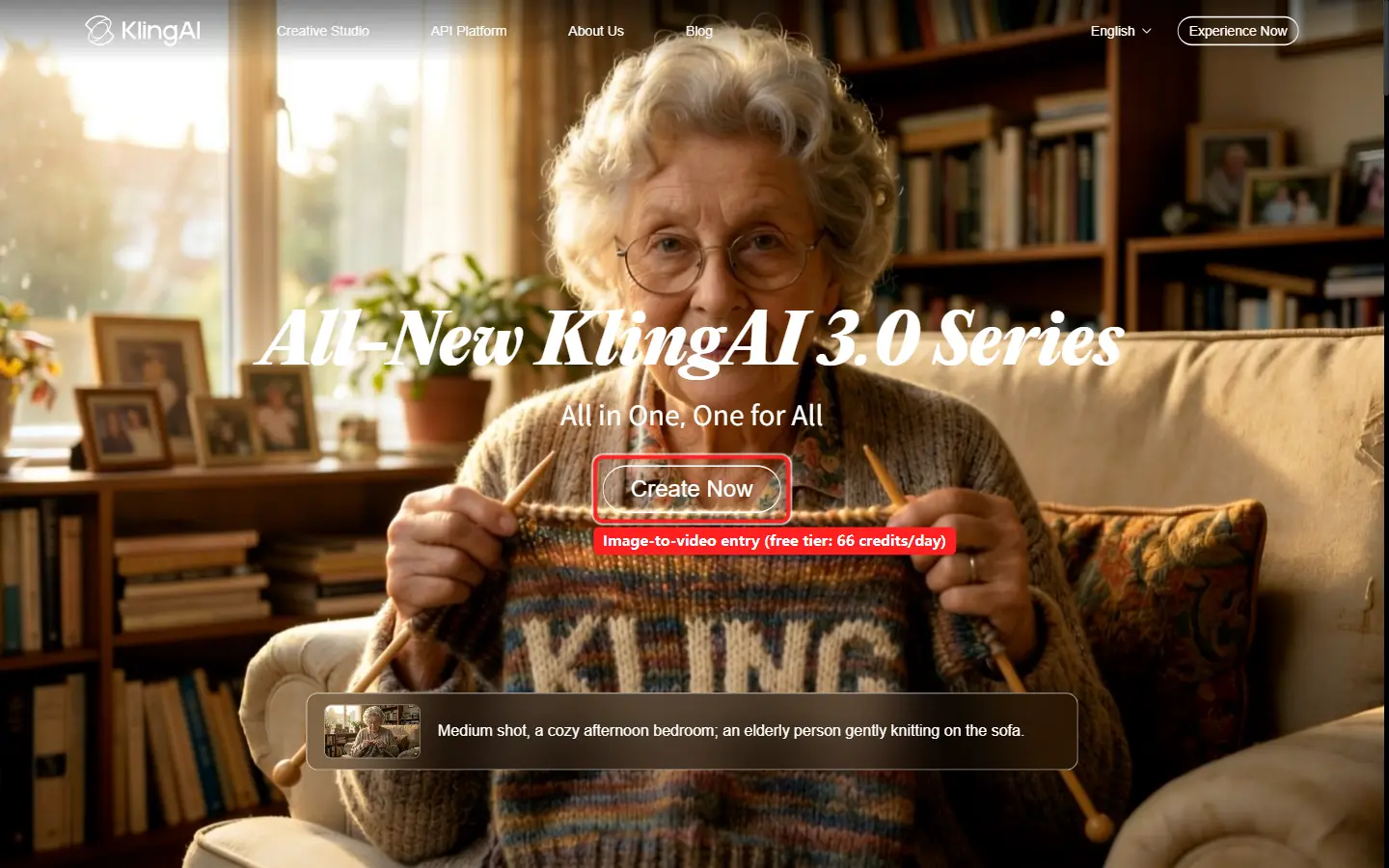 Kling's homepage opens straight into a create entry. The free tier resets to 66 credits each day.
- Free tier: 66 credits per day (they do not roll over), 5-second clips, 720p, with a visible Kling watermark.
- Paid from: $6.99/mo on the first-month Standard plan, which removes the watermark and unlocks higher-resolution pro mode.
- Speed: Turbo mode renders a clip in roughly 30 to 60 seconds; standard and pro modes take 1 to 2 minutes.
- Best for: daily practice and product or character shots where the still must stay recognizable.
- Pros: most generous everyday free allowance here; best-in-class identity preservation; large, well-tested model.
- Cons: credits expire nightly; the free watermark rules it out for anything you publish without paying.
- Try it: klingai.com
2. Hailuo (MiniMax): Most Commercial-Friendly Free Tier
Hailuo's real edge is licensing, not speed. Its create panel defaults to a 768p, 6-second clip, new accounts get 200 credits on signup plus a daily top-up, and, unusually for this list, Hailuo's terms allow commercial use even on the free plan, so a clip can legitimately end up in a social ad. The model comes from MiniMax, a Chinese AI lab whose video systems are regular fixtures in 2026 head-to-head tests, and its strength is physically plausible motion from a single frame, even if you wait a little longer for it.
 Hailuo's create panel takes a first frame (your still image) and outputs a 6-second 768p clip on the free tier.
- Free tier: 200 credits on signup plus a daily refresh, 6-second clips at 768p, with a reduced watermark.
- Paid from: $9.99/mo (Standard), which adds 1,000 monthly credits, faster queueing, and watermark removal.
- Speed: the slowest of the five, roughly 2 to 3 minutes per clip in 2026 tests, and the free queue can add to that.
- Best for: creators who need free output they can actually use commercially.
- Pros: commercial use allowed even on the free tier (rare); 200 signup credits plus a daily refresh; strong, physically plausible motion.
- Cons: the slowest generation of the five; a 6-second clip ceiling; free-tier terms and watermark policy shift often, so check before you ship.
- Try it: hailuoai.video
3. Luma Dream Machine: Best Cinematic Camera Motion
Luma is the one that makes a still look directed. It adds motion the way a cinematographer would, a deliberate push, a slow orbit, a composed tilt, and it handles landscapes and architectural shots especially well. Independent 2026 testing repeatedly rates it the strongest option for animating stills. The catch is the free plan. When I checked Luma's live pricing on 2 June 2026, it no longer advertised a free card at all, and its cheapest paid tier, Plus, sits at $30 a month, the priciest entry point on this list. A limited free allowance (historically around 30 generations a month) still exists in the app, but Luma clearly steers serious users toward paying.
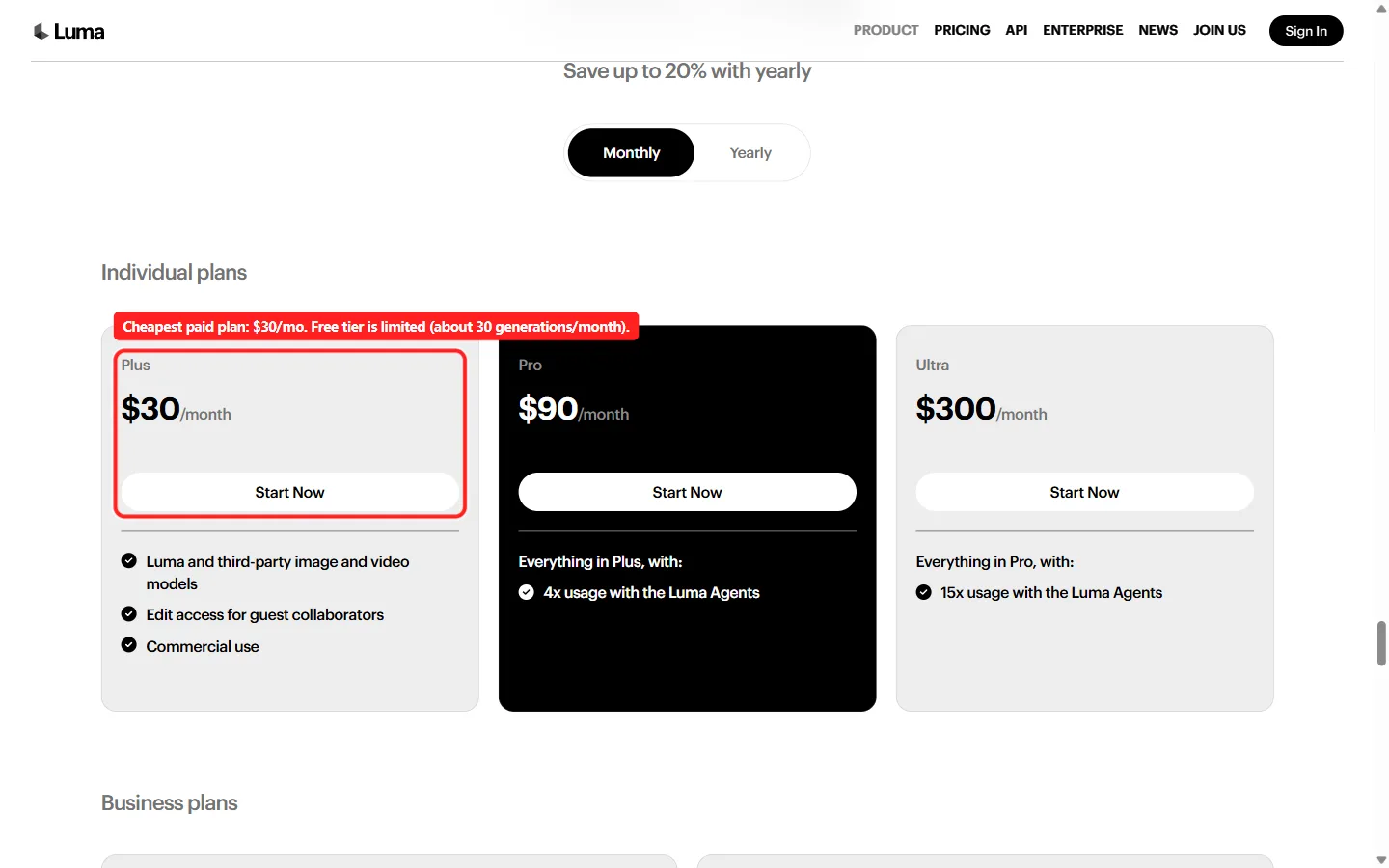 Luma's live pricing leads with Plus at $30/mo. Its free allowance is limited and no longer headlined.
- Free tier: limited, around 30 generations a month, 5-second 720p clips, watermarked and non-commercial.
- Paid from: $30/mo (Plus), which adds commercial use, removes the watermark, and unlocks the third-party models Luma routes to.
- Speed: roughly 1 to 2 minutes per clip.
- Best for: moody, cinematic image-to-video where camera movement carries the shot.
- Pros: best-looking camera motion of the five; excellent on scenery and product hero shots.
- Cons: stingiest free tier and most expensive paid entry; free output cannot be used commercially.
- Try it: lumalabs.ai/dream-machine
4. Runway (Gen-4): Best Raw Quality, Stingiest Free Tier
Runway makes the most polished output here, with pro controls, higher resolutions, and the Gen-4 family that the studio crowd leans on. It is a serious company: Runway raised $315 million at a $5.3 billion valuation in February 2026. But its free tier is the least "free" on this list. The plan spells it out plainly: 125 credits, one time, which is roughly 25 seconds of Gen-4 Turbo image-to-video total, and then nothing refreshes. It is a generous demo, not a free workflow. For occasional, high-quality one-offs it is excellent. For daily work you will be on the $12 a month Standard plan fast.
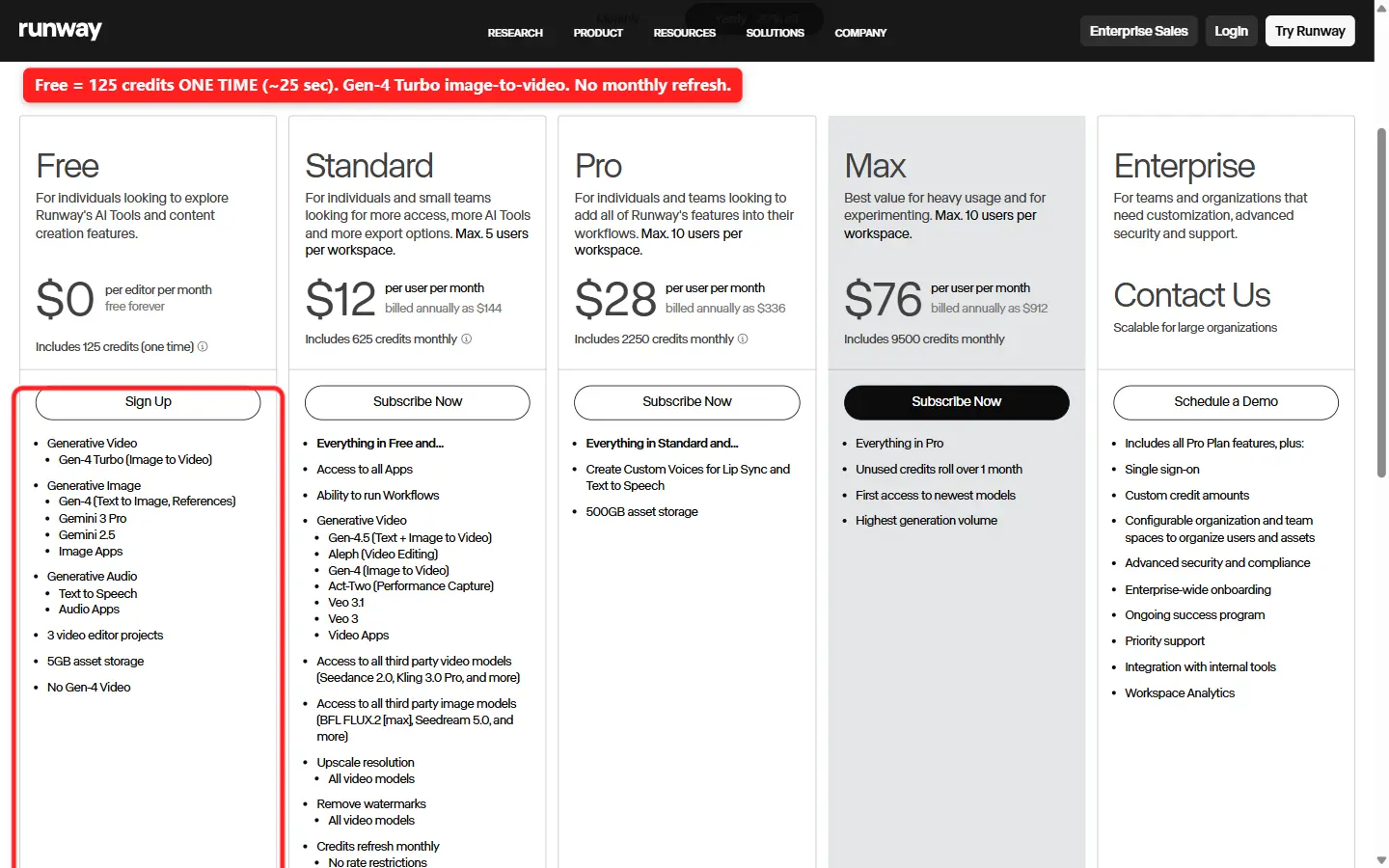 Runway's Free plan states it outright: 125 credits, one time, about 25 seconds of Gen-4 Turbo, with no monthly refresh.
- Free tier: 125 credits one time (about 25 seconds), Gen-4 Turbo image-to-video, watermarked, no monthly reset.
- Paid from: $12/mo (Standard, billed annually), 625 monthly credits, watermark removal, and access to Veo, Kling, and Seedance models.
- Speed: Gen-4 Turbo is among the fastest here, about 30 seconds for a 10-second clip.
- Best for: a polished one-off when quality matters more than volume.
- Pros: highest output quality and the most pro controls; access to many third-party models on paid.
- Cons: the free credits never refresh, so the free tier dies in under half a minute of video; commercial use needs a paid plan.
- Try it: runwayml.com
5. PixVerse: Best Watermark-Free Free Tier for Social
PixVerse is the most social-first of the group, and the one with the friendliest free export: its free clips come without a watermark, which almost nobody else offers. It leans into stylized, anime, and effect-driven looks with a deep template library, and it let me open the entire create app and the image-to-video panel without even signing in. It is also huge. PixVerse has passed 100 million users and raised a $300 million round at a unicorn valuation in 2026. Free output tops out at 360p, so it is built for fast, fun, vertical social clips rather than crisp photorealism.
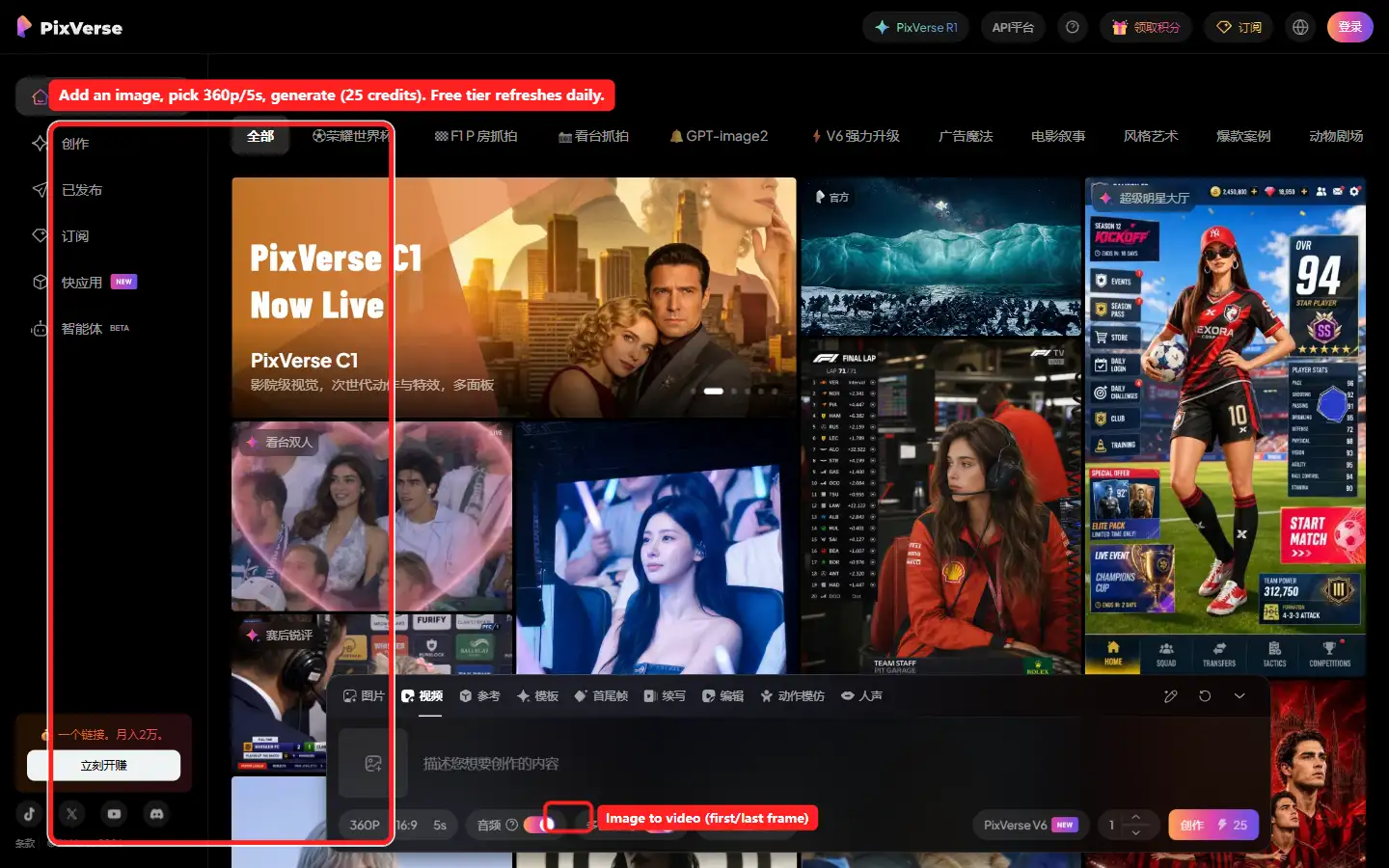 PixVerse opens its full create app without a login. Free clips run 5 seconds at 360p, and exports are watermark-free.
- Free tier: daily free credits, 5-second clips at 360p, watermark-free exports.
- Paid from: $10/mo (Standard), 1,200 monthly credits and HD resolution.
- Speed: the fastest of the five; Fast and Turbo modes return a clip in roughly 5 to 8 seconds.
- Best for: stylized, template-driven social and meme clips you can post as-is.
- Pros: fastest generation here; no watermark on free output; strong on anime and effects; full app usable before signup.
- Cons: free resolution is only 360p; full commercial licensing and HD need a paid plan; weaker on photorealism.
- Try it: pixverse.ai
How to Choose the Right Free Tool
Match the tool to the job rather than the spec sheet. Here is the quick routing:
- Most usable free allowance every day: Kling AI.
- Free output you can use commercially: Hailuo.
- Fastest generation: PixVerse (Fast or Turbo) or Runway Gen-4 Turbo.
- Most cinematic camera motion: Luma Dream Machine (but expect to pay).
- The single best-looking one-off: Runway's free 125 credits.
- Stylized social clips with no watermark: PixVerse.
- A strict $0 budget for ongoing work: Kling or Hailuo, whose free tiers refresh.
The honest move is to try two or three on the same photo. Kling and Hailuo refresh daily, so they cost you nothing to compare, and the right answer depends as much on the look you want as on the spec sheet.
Conclusion
There is no universal winner, only the right free tier for the job. Kling AI is the best all-round free AI image to video tool thanks to its daily credits and faithful animation. Hailuo is the most generous on commercial rights, even though it is the slowest to render. Luma owns cinematic camera motion but barely qualifies as free anymore. Runway makes the best-looking clip but burns its free credits in 25 seconds, and PixVerse is the watermark-free pick for stylized social video. Pick two that refresh daily, run the same photo through both, and keep the one whose motion you would actually publish.






