 ChatGPT
 Perplexity
 Claude
 Gemini
 Grok
Grok


A good lip sync AI takes a voice track and a face, then matches the mouth movements so closely that it looks like the person actually said the words. The catch is that most of the "free" options either stamp a watermark across your export, cap you at a few seconds, or only re-sync footage you already filmed. Some of the best free lip sync AI tools do far more than move a mouth: they generate the whole talking video for you.
We compared 6 tools that are genuinely free to start, weighing each on lip-sync quality, free-tier limits, input types, and price. This guide is written by the Pexo team. Pexo is one of the 6 tools below, and we cover it at the same depth as the rest, with the same pricing detail and the same honest limitations.
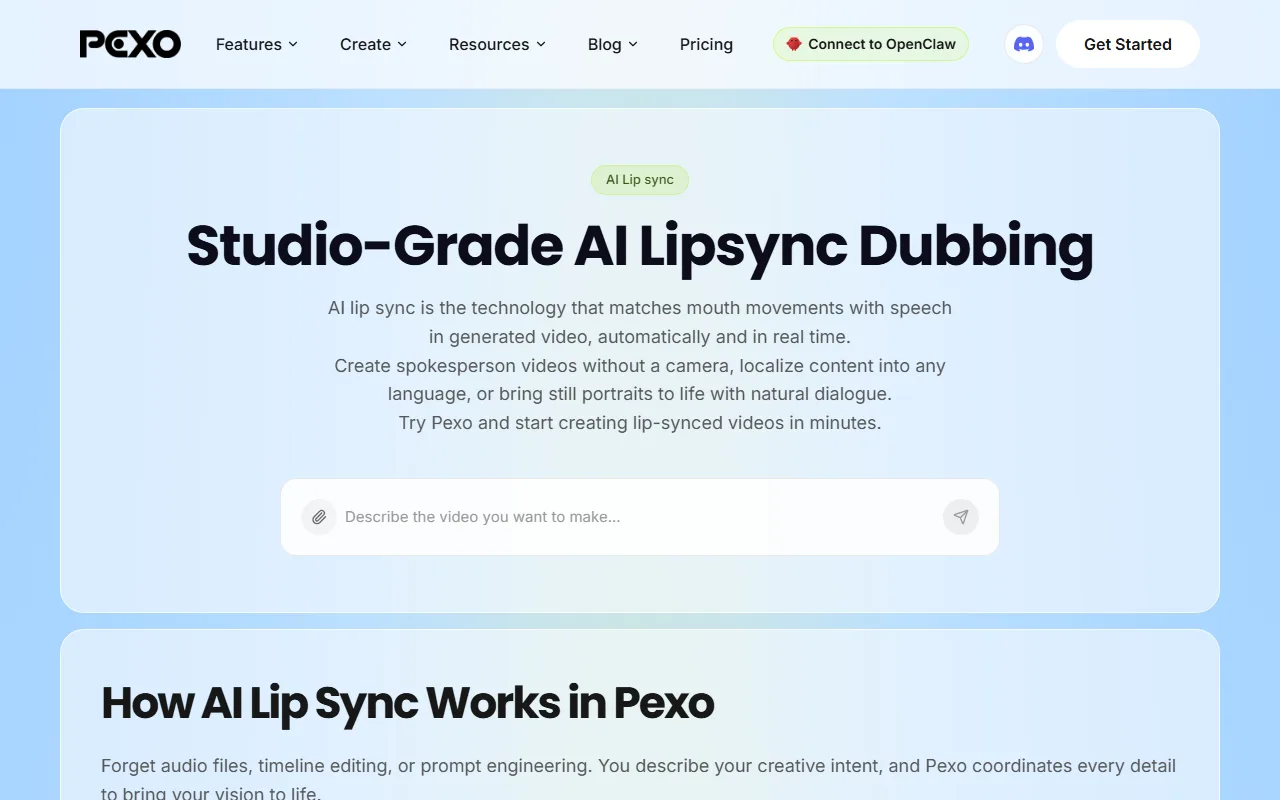 Pexo's lip sync feature matches mouth movements to speech in a generated video, so you can make a talking clip by describing it in plain language.
What Is Lip Sync AI?
Lip sync AI is the technology that matches a character's mouth movements to a spoken audio track, so a face appears to say the words on its own. It powers three common jobs:
- Talking avatars and spokespeople: type a script, pick a face, and the avatar speaks it with synced lips.
- Talking photos: bring a single still portrait to life so it speaks.
- Dubbing and re-sync: swap the audio on an existing video (often a translation) and re-align the lips to match.
The reason people search for a free lip sync AI is that the category is aggressively paywalled. The typical free tier hands you a watermark, a 3-to-5-second or 1-to-3-minute cap, and 720p output, while the genuinely useful settings sit behind a paid plan. The trick is knowing which free plan actually does what you need before you spend a credit.
The Best Free Lip Sync AI Tools: Quick Comparison
Here is the fast version. Every tool below has a real free entry point. Prices and limits are listed as of June 2026 and should be confirmed on each vendor's site before you buy.
| Tool | Free tier | Lip-sync quality | Best for | Starting paid price |
|---|---|---|---|---|
| HeyGen | ~3 videos/mo, watermark, up to 3 min, 720p | Excellent (avatar) | Studio-quality avatar spokesperson videos | ~$29/mo |
| Hedra | Limited monthly credits | Excellent (expressive) | Expressive talking and singing characters | ~$10/mo |
| Pexo | Free credits to start (watermark-free output on paid Pro) | Strong (generated) | A finished talking video, not just a clip | $30/mo |
| D-ID | Trial credits, watermark | Very good (photo) | Talking photos from one still image | ~$5.9/mo (annual) |
| Sync.so | Free starter credits | Excellent (re-sync) | Re-syncing or dubbing existing footage | Usage-based |
| Captions | Free, watermark, limited exports | Very good (mobile) | Mobile creators and AI dubbing | ~$10/mo |
How We Compared
This is a researched buyer's guide, not a lab benchmark, so treat the quality labels as directional, not as scored test results. We focused on what actually matters when the budget is zero, not on the longest feature list. Each tool below was weighed on five selection criteria:
- Lip-sync approach: does it track a mouth to audio, animate a full face, or re-sync existing footage, and how natural does the result tend to look.
- Free-tier limits: length cap, watermark, resolution, and how many free runs you get per month.
- Input flexibility: does it accept text, an image, audio, or existing video?
- Output type: resolution, head and face motion, and whether you get a clip or a finished video.
- Pricing: the free allowance plus the first paid step, and whether the value holds up.
These 6 made the cut from a longer shortlist of free options. They are ordered by how strong their lip sync is for the job they do best, not by price.
The 6 Best Free Lip Sync AI Tools
HeyGen: Best for Studio-Quality Avatar Lip Sync
- What it is: HeyGen turns a typed script into a polished avatar spokesperson video. You pick a face, paste your text, and the avatar speaks it with tightly synced lips.
- Why it stands out: it ships 500+ stock avatars and supports 175+ languages and accents, and its Video Translate feature re-syncs the lips when it dubs into another language. On clean studio scripts the mouth tracking is among the most natural in this list.
- Best for: marketing and L&D teams producing localized spokesperson explainers at scale.
- Key limitation: the free plan caps you at roughly 3 videos per month with a watermark and a 3-minute ceiling, and lifelike custom avatars require a paid plan.
- Pricing: Free (about 3 videos/mo, watermarked, up to 3 min, 720p). Creator runs about $29/mo (cheaper billed annually).
- Note: HeyGen holds a roughly 4.7/5 rating across 1,000+ reviews on G2 as of mid-2026, one of the highest in the category.
Pros: huge avatar and language library; excellent text-to-avatar sync; strong translation. Cons: free watermark and tight video count; avatar-centric, so it is weak for non-avatar scenes.
Try it at HeyGen.
Hedra: Best for Expressive Character and Talking Video
- What it is: Hedra animates a photo or a generated character so it speaks or sings, with expressive head motion and emotion rather than just a moving mouth.
- Why it stands out: its Character models drive full-face expression and handle longer audio clips, which is why creators reach for it on singing videos and character-driven shorts where a static talking head would feel flat.
- Best for: creators making expressive talking characters, music clips, and stylized shorts.
- Key limitation: free monthly credits are limited, and longer or higher-resolution exports push you onto a paid plan; very long audio can occasionally drift.
- Pricing: Free tier with a limited monthly credit allowance. Creator plans start around $10/mo.
- Note: Hedra raised a16z-led funding in 2025 and became one of the most-used AI character video tools through 2026, with a fast-growing creator base.
Pros: expressive full-face motion; handles singing and long audio; fun for character work. Cons: limited free credits; HD and length gated behind paid; occasional drift on long inputs.
Try it at Hedra.
Pexo: Best for Conversational Lip Sync Plus the Whole Video Around It
- What it is: Pexo is the one tool here that does not stop at the mouth. You describe the video you want in a normal conversation, and Pexo syncs a voice to a face or avatar, then builds the rest around it: the intro, the pacing, the music, the cut. Its lip sync feature matches mouth movements to speech in a generated video, and it can bring a still portrait to life or localize a clip into another language.
- Why it stands out: most tools here move a mouth and stop. Pexo treats lip sync as one step inside a finished video. It also works with multiple leading models, including Seedance, Sora, Kling, and more, and picks the right one for the shot, so you describe the result you want instead of choosing an engine or writing prompt syntax to drive a single lip-sync model.
- Best for: marketers, creators, and small teams who want a ready-to-post talking video, not a raw clip they still have to edit.
- Key limitation: Pexo is credit-based rather than a flat free-forever plan, and because lip sync lives inside a broader video agent, a one-off mouth re-sync on footage you already filmed is more direct in a dedicated tool like Sync.so.
- Pricing: Free credits to start. The Pro plan is $30/mo and includes 4,800 monthly credits (roughly 2 to 5 minutes of finished video), no watermarks, and access to premium models.
- Note: Pexo accepts text, an image, a URL, or audio as the starting point, not just a typed script, and runs on multiple leading video models (Seedance, Sora, Kling, and more) rather than a single lip-sync engine, with dedicated lip sync and AI avatar routes.
Pros: delivers a finished video, not just a synced clip; conversational, with no prompt engineering or editing skills needed; routes across multiple video models automatically. Cons: credit-based, so heavy use needs a paid plan; overkill if you only need to re-sync existing footage.
Want to make a talking video without choosing a model or touching a timeline? You can try Pexo's lip sync feature free to start.
D-ID: Best for Talking Photos From a Single Image
- What it is: D-ID's Creative Reality studio turns a single still photo into a talking presenter. Upload a portrait, add audio or text, and the face speaks.
- Why it stands out: it is one of the most reliable tools for the single-image talking-photo job, with broad language support and a developer API for building the effect into other products.
- Best for: turning one portrait or headshot into a quick talking presenter, and developers who need a talking-head API.
- Key limitation: the free trial is credit-limited and watermarked, and the motion is mostly head and mouth, so it feels less alive than a full character animation.
- Pricing: Free trial with limited credits and a watermark. Paid plans start around $5.9/mo billed annually (higher month to month).
- Note: D-ID carries a roughly 4.5/5 rating on G2 and powers talking-avatar features inside many third-party apps.
Pros: excellent single-image talking photos; strong language coverage; solid API. Cons: short watermarked trial; head-and-mouth motion only; less expressive than character tools.
Try it at D-ID.
Sync.so: Best for Lip Sync on Existing Footage (Developers and API)
- What it is: Sync.so (from Sync Labs) is a dedicated lip-sync engine that re-aligns the mouth in an existing video to any audio track, including a translated one. It is API-first.
- Why it stands out: for the specific job of re-syncing footage you already have, its lipsync model is among the most accurate available, which is why dubbing and localization teams build on it.
- Best for: developers and teams dubbing or re-syncing existing videos at scale.
- Key limitation: it does not generate video from scratch, so you must bring your own footage, and the usage-based, API-centric pricing is built for technical users rather than one-off creators.
- Pricing: Free starter credits, then usage-based credit pricing that scales with minutes processed.
- Note: Sync Labs is a Y Combinator company, and its lipsync model is widely benchmarked for re-sync accuracy.
Pros: top-tier re-sync accuracy; clean API; great for multilingual dubbing. Cons: needs existing video; no from-scratch generation; pricing skews developer-first.
Try it at Sync.so.
Captions: Best for Mobile Creators and AI Dubbing
- What it is: Captions is a mobile-first AI creator app that combines AI dubbing, lip sync, AI avatars, and auto-captions in one place.
- Why it stands out: its dubbing re-syncs your lips to translated audio right on your phone, and its AI avatar tools let you generate talking UGC-style clips without filming, which fits short social workflows.
- Best for: mobile creators making social clips, dubbed content, and talking-avatar ads.
- Key limitation: the free tier watermarks exports and limits how many you can make, and some features land on iOS first.
- Pricing: Free with a watermark and limited exports. Pro plans start around $10/mo.
- Note: Captions has been downloaded millions of times and regularly ranks among the top creativity apps on the App Store.
Pros: all-in-one mobile workflow; strong dubbing lip sync; social-ready output. Cons: watermark on free; mobile-centric; some features iOS-first.
Try it at Captions.
How to Choose the Right Free Lip Sync AI
Match the tool to the job, not to the longest feature list:
- You want a polished spokesperson video from a script: HeyGen has the avatar and language depth.
- You want an expressive character that talks or sings: Hedra leads on full-face motion.
- You want a finished talking video, not a raw clip, by just describing it: Pexo builds the whole video around the lip sync and picks the model for you. You can turn audio into video without editing.
- You want to animate one portrait: D-ID is the cleanest single-image talking-photo tool.
- You already have footage to dub or re-sync: Sync.so is the most accurate re-sync engine.
- You work mostly on your phone: Captions keeps the whole flow mobile.
A quick rule: if you are starting from a script or an idea, pick a generator like Pexo, HeyGen, or Hedra. If you are starting from existing video, pick a re-sync tool like Sync.so or Captions.
Conclusion
The best free lip sync AI is the one whose free tier covers your actual job. For studio avatars, start with HeyGen. For expressive characters, Hedra. For re-syncing footage you already have, Sync.so. And for an end-to-end talking video from a single description, Pexo routes the work across multiple AI video models like Kling and Seedance so you never have to pick one. Try a couple of free tiers on the same script, and let the output decide.