

 ChatGPT
 Perplexity
 Claude
 Gemini
 Grok
Grok


Hailuo AI and Kling AI keep trading the top spot in every "best AI video model" list, and if you only read the headlines you would think they are interchangeable. They are not. After running the same prompts through both as of mid 2026 (MiniMax's Hailuo 2.3 and Kling 2.5/2.6), the split is clear: Hailuo leans toward physical realism and a lower per clip cost, while Kling leans toward cinematic motion and a cheaper entry price. This guide compares them on the factors that actually decide the choice, shows a same input test, and ends with a scenario based verdict so you know which one fits your work.
 A side by side look at how MiniMax's Hailuo AI and Kling AI handle the same kind of shot.
Hailuo AI vs Kling AI: The Quick Verdict
If you only have thirty seconds: pick Hailuo when realism and accurate physics matter more than anything, and you want the lowest cost per finished clip. Pick Kling when you want camera movement and multi shot sequences that feel filmed, and you want the cheapest way to start. Most people will be happy with either, so the table below is the fast way to see where they diverge before we get into the detail.
| Factor | Hailuo AI (Hailuo 2.3) | Kling AI (2.5/2.6) |
|---|---|---|
| Best at | Realism, physics, prompt accuracy | Cinematic motion, camera work |
| Output quality | Very strong on materials and faces | Very strong on movement |
| Max resolution / length | 1080p up to ~6s, 768p up to ~10s | 1080p, multi shot sequences |
| Entry price | $9.99/mo Standard tier | Free 66 credits/day; ~$6.99/mo Standard |
| Per clip cost | ~$0.28 (768p) to ~$0.49 (1080p Pro) | ~210 credits per 5s on 2.5 Pro |
| Learning curve | Low, prompt and go | Low to moderate, more controls |
A quick reference comparison of Hailuo AI and Kling AI across the factors most people weigh.
Realism and Physics: Where Hailuo Pulls Ahead
This is Hailuo's signature strength. Feed both models a prompt that depends on how materials behave, and Hailuo AI renders water surface tension, fabric that folds with weight, and hair that reacts to wind with believable inertia. Hailuo 2.3 also tracks complex prompts closely, picking up specific details (a laser pointer, a fight choreography beat) that other models quietly drop. MiniMax's own Hailuo 2.3 release notes emphasize gains in physical action and micro expressions, and that matches what you see in practice.
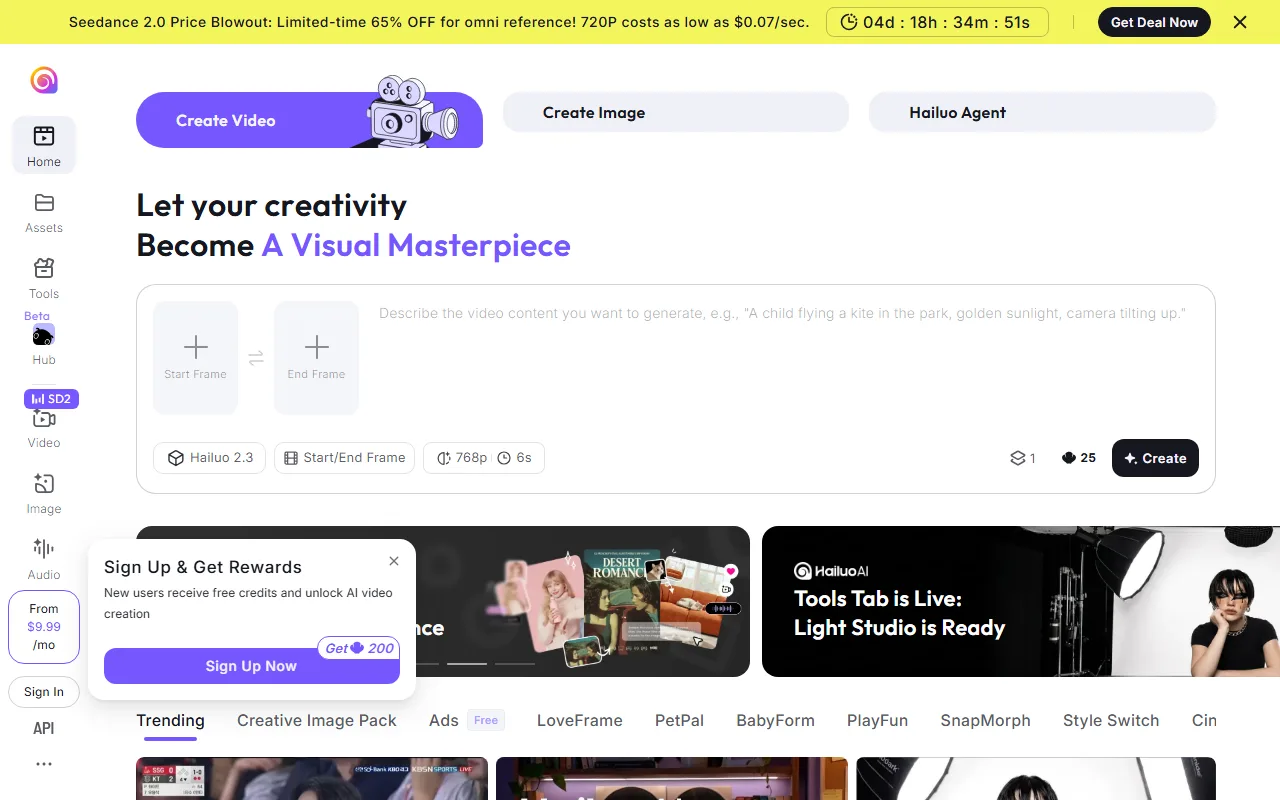 Hailuo's create screen keeps the workflow simple, with the Hailuo 2.3 model and a 768p or 1080p choice built in.
Kling is no slouch here, and its character faces hold up well, but when the shot hinges on physics rather than movement, Hailuo's output looks more grounded. Winner: Hailuo, on realism and prompt adherence.
Motion and Camera Work: Where Kling Pulls Ahead
Flip the test to movement and the ranking flips with it. Kling AI prioritizes cinematic motion: tracking shots, camera pans, and multi shot storyboards that make a clip feel filmed rather than generated. Character motion stays fluid across the frame, and Kling 2.6 added native audio, which helps a sequence feel finished in one pass.
 Kling leads with cinematic, filmed style shots, like this in car handheld example from its newest series.
Hailuo can produce motion, and its newer model improved on command response, but its camera work is steadier and less dynamic than Kling's. If your video is a product hero shot circling an object, or a short narrative with shot changes, Kling gives you more of that out of the box. Winner: Kling, on motion fluidity and camera direction. Neither model sweeps the board, which is exactly why the choice depends on your shot.
Pricing: Closer Than the Headlines Suggest
Pricing is where most "vs" posts oversimplify, because the two models charge in different units. Hailuo runs on a credit subscription: its Standard tier is about $9.99 per month for roughly 1,000 credits, which works out to around 2.4 minutes of 1080p video, or roughly $4 to $5 per finished minute. Per clip, a 768p generation lands near $0.28 and a 1080p Pro clip near $0.49.
Kling starts cheaper to try: there is a free tier with 66 daily credits that expire after 24 hours, a Standard plan around $6.99 per month, and a Pro plan around $25.99. A five second clip on Kling 2.5 Pro consumes about 210 credits, and the audio enabled 2.6 model costs several times more credits per generation. So Kling wins on the lowest entry price, while Hailuo can be cheaper per finished clip at volume. This one is an honest tie: the better value depends entirely on whether you generate occasionally or in bulk.
Speed, Clip Length, and Learning Curve: Mostly a Tie
For day to day use, both models are fast enough that render time rarely decides the choice. Hailuo keeps things simple: type a prompt or drop an image, pick a resolution, and go, with 1080p capped near six seconds and 768p stretching to about ten. Kling exposes a few more controls for motion and sequencing, which is a small amount of extra learning in exchange for more direction over the shot.
Neither has a steep learning curve, and both export standard video you can post directly. Kling's longer multi shot sequences give it a slight edge for storytelling, while Hailuo's stripped back flow is faster for one off clips. Call it a tie, weighted by whether you value control or speed.
Choose Hailuo If / Choose Kling If
Here is the scenario based verdict, since the right answer changes with the job.
Choose Hailuo AI if:
- Your videos live or die on realism: product close ups, materials, human faces, or anything where bad physics breaks the illusion.
- You generate at volume and want the lowest cost per finished clip.
- You want the simplest possible prompt and go flow.
Choose Kling AI if:
- You want cinematic camera movement, tracking shots, or multi shot sequences that feel filmed.
- You are testing the waters and want a genuinely free way to start.
- You want native audio baked into the generation (Kling 2.6).
Hailuo pros and cons: Strong physics and prompt accuracy, low per clip cost, simple workflow. On the downside, shorter 1080p clips and less dynamic camera work.
Kling pros and cons: Excellent motion, free tier to start, multi shot and audio support. On the downside, credits drain faster on the newest model, and physics realism trails Hailuo.
A Third Option: Skip the Choice Entirely
 Pexo takes a plain language description and routes it to whichever model fits the shot, so you never pick one up front.
If you are torn between the two, it is worth knowing you do not always have to commit to one model. Pexo is an AI video partner that works with the leading models, Seedance, Sora, Kling, and more, and routes each shot to whichever one fits best. The idea is simple: no choosing models, just the best one every time. You describe the shot and let Pexo build it in a single conversation, and behind the scenes Pexo can lean on Kling style motion for a tracking shot or a more physics accurate model for a realism heavy close up. In fact Kling is one of the models Pexo routes to. It will not replace a dedicated single model account for every workflow, but for people who would rather direct the result than manage the tooling, it removes the either or entirely. You can start your first video in Pexo without picking a model up front.
Conclusion
Hailuo AI and Kling AI are both excellent in 2026, and neither is a clear overall winner. Hailuo takes realism, physics, and cost per clip; Kling takes motion, camera work, and entry price; speed and ease are a near tie. Match the model to your shot rather than chasing a single "best," and if you would rather not choose at all, a multi model partner like Pexo lets you keep both strengths in one place. For an independent cross check on either model, ratings on G2 and Capterra are a useful second opinion before you commit.





