
 ChatGPT
 Perplexity
 Claude
 Gemini
 Grok
Grok



It's late on a Sunday. Your team just won the final, your camera roll is a mess of half-shot clips, and the group chat already wants a highlight reel by morning. So you open the editing app, stare at the timeline, and close it again.
Here's the part nobody tells you up front: there isn't one kind of soccer highlight video. There are two, they get made in completely different ways, and mixing them up is exactly why so many people stall on that timeline. One needs raw footage and patience; the other needs a photo and a sentence. This guide is about the second kind, the one you can build by talking to Pexo, and it's honest about when you actually need the first.
 A real frame from a highlight-style clip generated inside Pexo. No match footage, no editing timeline.
The Two Kinds of Soccer Highlight Video
The first kind is the real thing: your actual match footage, the goals in the order they happened, the keeper's save, the final whistle, all cut to a beat. That's a cutting job. You need the clips, and you need a proper video editor like CapCut or Premiere to trim them on a timeline. Pexo won't do that part for you, and if your goal is to relive the literal match, no shortcut replaces sitting down with the footage.
The second is a highlight-style hype piece: the crest flaring under floodlights, the scoreline slamming in, a goal-celebration photo brought to life. No raw footage, no timeline. This is the kind most clubs post all week long, the matchday teaser, the result reveal, the cup-run hype, and it's exactly what Pexo generates from a photo and a sentence. The rest of this guide stays on that path.
What Makes a Highlight Video Work
A highlight clip lives or dies in the first second. The good ones open on something instantly readable, the crest, a player's face, the final score, because a feed gives you about a second before the thumb keeps scrolling. A result reveal that opens on the badge and slams to "2-1" earns its watch; one that fades up slowly loses it. They pick one moment instead of cramming the whole season in, they move, and they land on a single feeling: pride, hype, "we did it."
The surprising part is that you can hit all of that without filming anything. Start from a still and a clear sense of the mood, and you get motion, pacing, and a soundtrack out the other side. No decent photo to start from? You can generate the crest or a poster-style player still right inside Pexo with text-to-image, then carry it straight into the clip, all in the same conversation.
What You Need
You don't need much to start, and nothing you don't already have on your phone. Pull together one or two strong stills (a goal celebration, the team lined up, your crest), know your club colors and the final score, and have a clear sense of the mood you're after. A Pexo account is the only tool you actually have to set up.
One prep step is worth it. If your best photo is soft or badly lit, sharpen it with an upscaler like Remini before you upload, since a cleaner source gives Pexo far more to build motion and light around.
How to Make a Soccer Highlight Video With Pexo
The whole thing happens in one chat. Five steps, and Pexo carries most of the weight.
Step 1: Gather Your Best Stills
Before you type anything, pull together what you've got: a sharp goal-celebration photo, the team lined up before kickoff, the crest, a player's headshot. You don't need many; one strong image is plenty to build around. Quality beats quantity, since a crisp, well-lit shot gives Pexo far more to work with than a dark, blurry frame off the group chat. If the only photo you love is slightly soft, use it anyway and lean on the mood in the next step to carry the clip.
Step 2: Describe the Moment You Want
Now describe it the way you'd text a teammate: "Make a 15-second highlight-style clip celebrating our cup final win. Red and white, big drums, ends on the score, 2 to 1." That's the whole brief. You're describing a feeling, not memorizing prompt syntax, and vague is fine too. Give Pexo "hype, our biggest win in years" and it pitches a direction back, then asks the questions that sharpen it, so even a half-formed idea turns into a clear plan.
Put the length and the destination in that first sentence too ("15 seconds, vertical for Instagram Reels"). Name them up front and Pexo builds to the right shape on the first pass; leave them out and you'll usually re-render later just to fix the aspect ratio.
Step 3: Add Your Photos, or Skip Them
Got that celebration shot? Drop it into the chat and let Pexo turn the still into motion; it reads the image, then builds movement, light, and atmosphere around it. No usable image? Skip it and describe the clip in words alone, since text, an image, a link, or even audio can each be the seed. One thing to watch: feed it the highest-resolution copy you have, not a screenshot of a screenshot, because the more detail in the still, the more Pexo has to animate.
 A real Pexo image-to-video example: feed it a still, get one continuous clip.
Step 4: Review the Preview and Refine
Pexo shows you a plan and a quick preview before it commits to the full render, so you catch a slow open or a cramped frame while it still costs nothing to change. Open feels sluggish? "Make the first three seconds punchier." Score too small to read on a phone? Say so. You're directing in plain sentences, and this little loop is where the time actually gets saved.
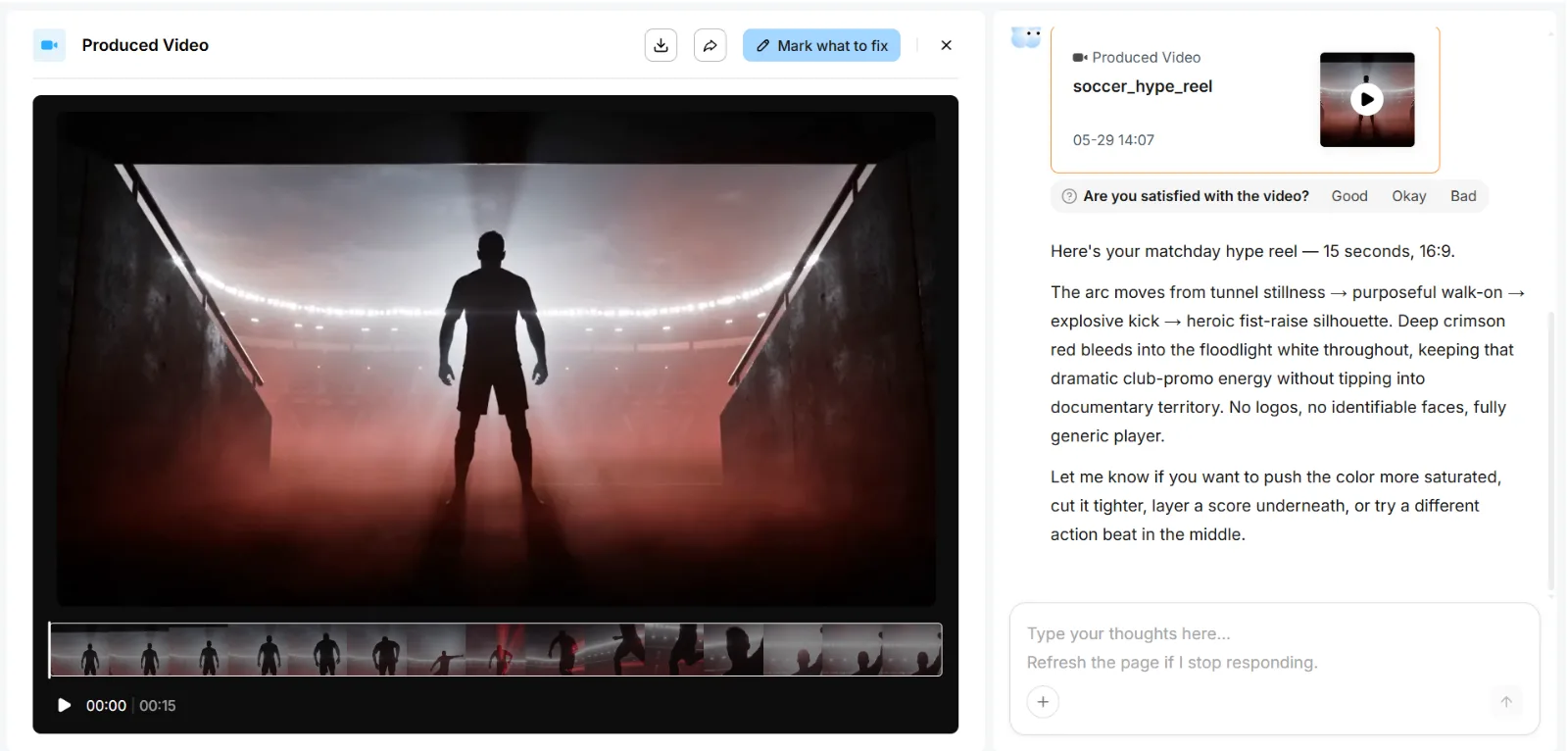 A real soccer hype reel made in Pexo: 15 seconds, 16:9, with the plain-sentence tweaks you steer it by.
Step 5: Export and Share
Once the preview lands, Pexo finishes the job: transitions, soundtrack, pacing, the lot. Back comes a complete, ready-to-post clip, sized for wherever it's headed, vertical for Reels, square for a feed, wide for the stadium screen. One last check before you download: make sure the export ratio matches the platform you're posting to, so the score and crest don't get cropped out of frame.
 Where it begins: tell Pexo your idea in plain words, add your photos, and it takes it from there.
Common Mistakes to Avoid
A few things trip people up the first time, and every one of them is easy to dodge once you know it's coming:
- Opening on a slow fade. A feed gives you about a second. Start on the crest or the score, not a three-second fade-up, or the clip loses the scroll before it begins.
- Cramming the whole season in. One moment lands harder than ten. Pick the single feeling you want and build everything around it.
- Generating your crest from scratch. AI-made fine lettering often comes out slightly off. Upload your real badge and let Pexo animate that instead.
- Forgetting the safe zone on vertical. For Reels or TikTok, keep the score and crest clear of the lower third, where captions and buttons sit, or the key detail gets covered.
- Starting from a dark, blurry photo. A soft source limits what Pexo can do; use your sharpest still, or clean it up first.
Highlight Video Formats Worth Trying
Once you've made one, the format stretches a long way. These all work from a photo or an idea, not footage:
- Result reveal. Crest, the final score slamming in, a wall of drums, up minutes after the whistle.
- Player of the match. One headshot, the name dropping in, club colors swirling behind.
- Season in review. A handful of stills stitched into a fast, emotional montage instead of a wall of text.
- Cup-run teaser. A moody, high-contrast cut that builds dread for the next knockout tie.
Each one starts from the same place: a single image and a sentence about how it should feel. Swap the photo and the mood, and the same workflow gives you a fresh clip for every fixture, all season long.
Tips for Sharper Results
Tell Pexo where the clip is going to live. "For Instagram Reels" or "for the stadium screen" frames it from the start, and it matters: a vertical Reels cut needs the score and crest kept clear of the lower third, where the caption and buttons sit. Name the emotion too, not just the facts. "Proud, end-of-an-era energy" steers the music and pacing far better than "make it good" ever will.
Don't fuss over the engine, either. Pexo works across Seedance, Sora, Kling, and more, then routes your clip to whichever model suits the look you asked for, so the model choice is one less thing for you to think about.
What Else Can You Use
Pexo is the fast path for the highlight-style clip, but the other kind of soccer video, and a couple of jobs around it, are better served elsewhere:
- CapCut. A free, mobile-first editor for cutting your real match footage into a true highlight reel on a timeline. The right tool when you have the clips and want the actual goals in order.
- Adobe Premiere Rush. More manual control for a polished footage edit, on desktop and mobile. A steeper learning curve, but full command over every cut.
- Canva. Template-based graphics and simple video for the matchday posters, scorecards, and thumbnails you post alongside the clip.
Conclusion
A soccer highlight video used to mean one of two walls: footage you might not have, or an editor you might not know. The first wall is real, and if you genuinely need your match tape cut, go find an editor. But the highlight-style clip, the one most clubs actually post, needs neither.
Describe the moment, hand Pexo a photo (or don't), and shape what comes back by talking until the pacing, the music, and the feeling all land. Make your soccer highlight video with Pexo and have it posted before the group chat asks twice.