 ChatGPT
 Perplexity
 Claude
 Gemini
 Grok
Grok


Here's the strange thing about video in 2026: the idea is never the bottleneck. You can already picture the fifteen-second ad, or the launch teaser that finally makes the product click. The bottleneck is the distance between that picture in your head and a file you can actually post — the gear you don't own, the software you never learned, the hours you can't spare. Pexo shrinks that distance to a single conversation. It's an AI video partner that turns a plain-language description into a finished clip, and unlike the first text-to-video tools, you never have to wrestle a prompt box to get there.
This guide walks through the whole flow in four steps, from the first line you type to the file you download. The walkthrough uses Pexo because it asks the least of you: describe the idea, and it handles the production. At the end you'll find a short, neutral rundown of other tools worth knowing, since no single tool is right for every job, and knowing where each one actually shines saves you from forcing the wrong one onto a project it was never built for.
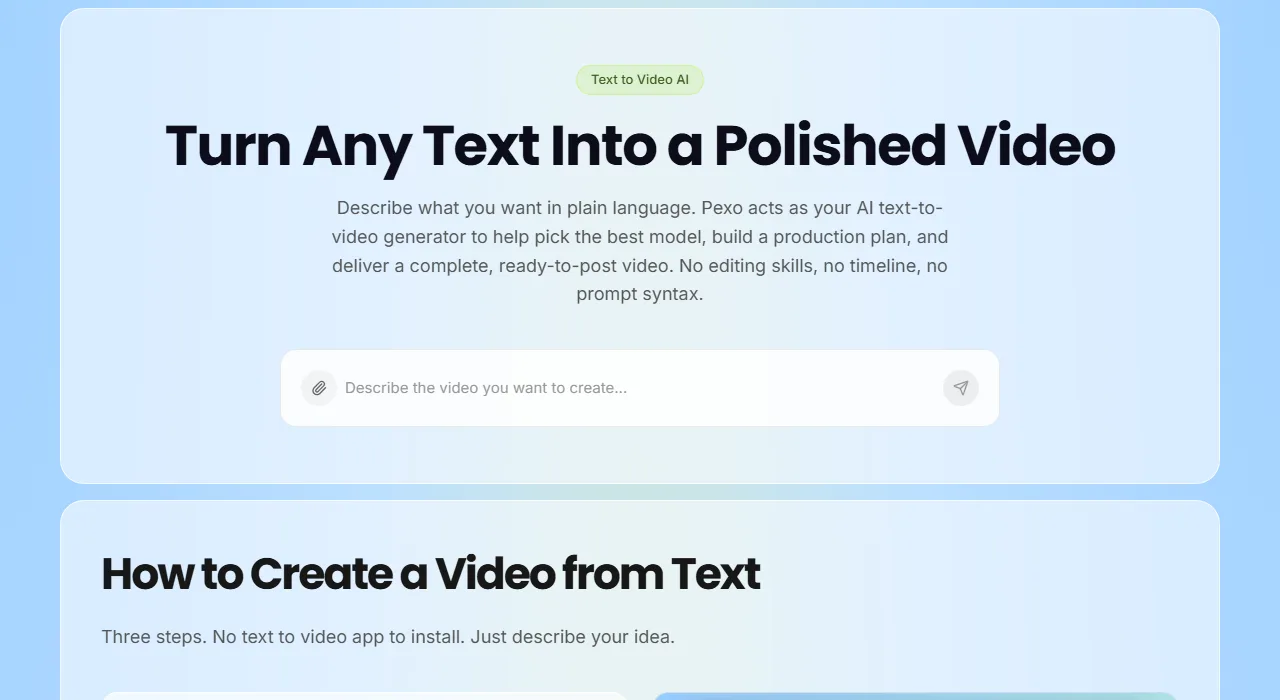 With Pexo, making an AI video starts with a sentence, not a timeline.
What You'll Need Before You Start
You don't need a camera, a studio, or a single hour of editing experience. What helps is getting a few things straight in your head before you open a tab.
The biggest one is a clear picture of the outcome. Even one sentence moves you forward: "a 15-second TikTok ad for my candle brand, cozy and warm, slow pacing." The sharper the vibe you can name, the closer the first result tends to land.
After that, gather whatever source material you have, if any. A product photo, a blog URL, a rough script, a thirty-second voice memo. Pexo takes text, an image, a link, or audio as its starting point, so anything on that list earns its keep. Know your target platform too, because that's where aspect ratio gets decided: TikTok and Reels want vertical 9:16, YouTube wants wide 16:9, and sorting it out now saves you a re-render later. And if you plan to animate a photo, clean it up first; a quick pass through something like Remini or Lightroom to sharpen and de-clutter pays off, because a crisp input always beats a blurry one downstream.
Got those sorted? Let's make the video.
How to Make an AI Video with Pexo, Step by Step
Pexo is an AI video partner: instead of handing you a blank prompt box and a timeline, it works through the video with you in plain conversation. No prompts. Just talk. You say what's in your head, half-formed thoughts included, and it handles the parts you'd otherwise have to learn. That's why this flow takes four steps instead of forty. Here's how it goes.
Step 1: Open Pexo and describe your idea
Open Pexo and tell it what you want, in plain language. You can type it out, paste a product URL, drop in a photo, or leave a voice note; text, image, link, and audio all work as a starting point. Your first message can be loose: "Make a 20-second Instagram Reel introducing my new cold brew, aesthetic, soft morning light, lo-fi music." That's the whole setup. Nothing to configure first, no settings panel to decode.
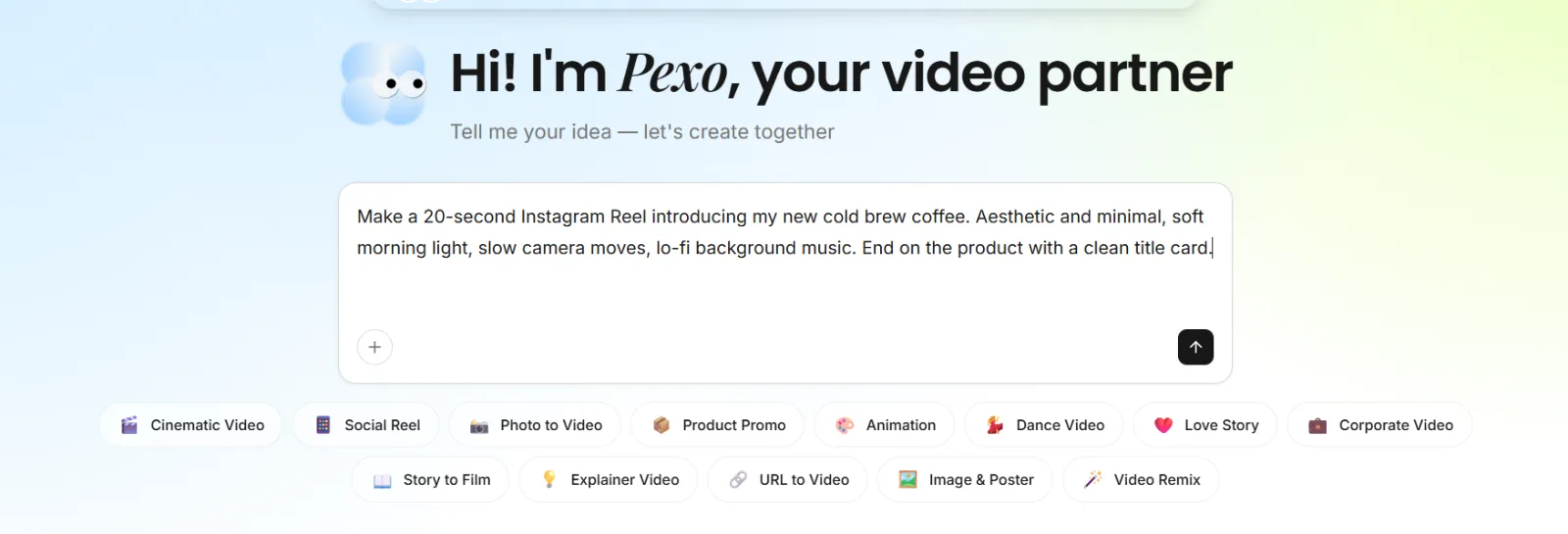 Open Pexo and describe the video in plain words. No menus, no prompt syntax to learn first.
Step 2: Review the plan and the preview
Before it commits to building the whole thing, Pexo shows you its plan and a quick preview. You see the direction it's heading instead of waiting in the dark and hoping it guessed right. Read it properly. If the pacing feels rushed, or the mood reads colder than the cozy morning thing you pictured, or the hook sits three beats too deep, this is the cheapest possible moment to say so, well before a single frame renders.
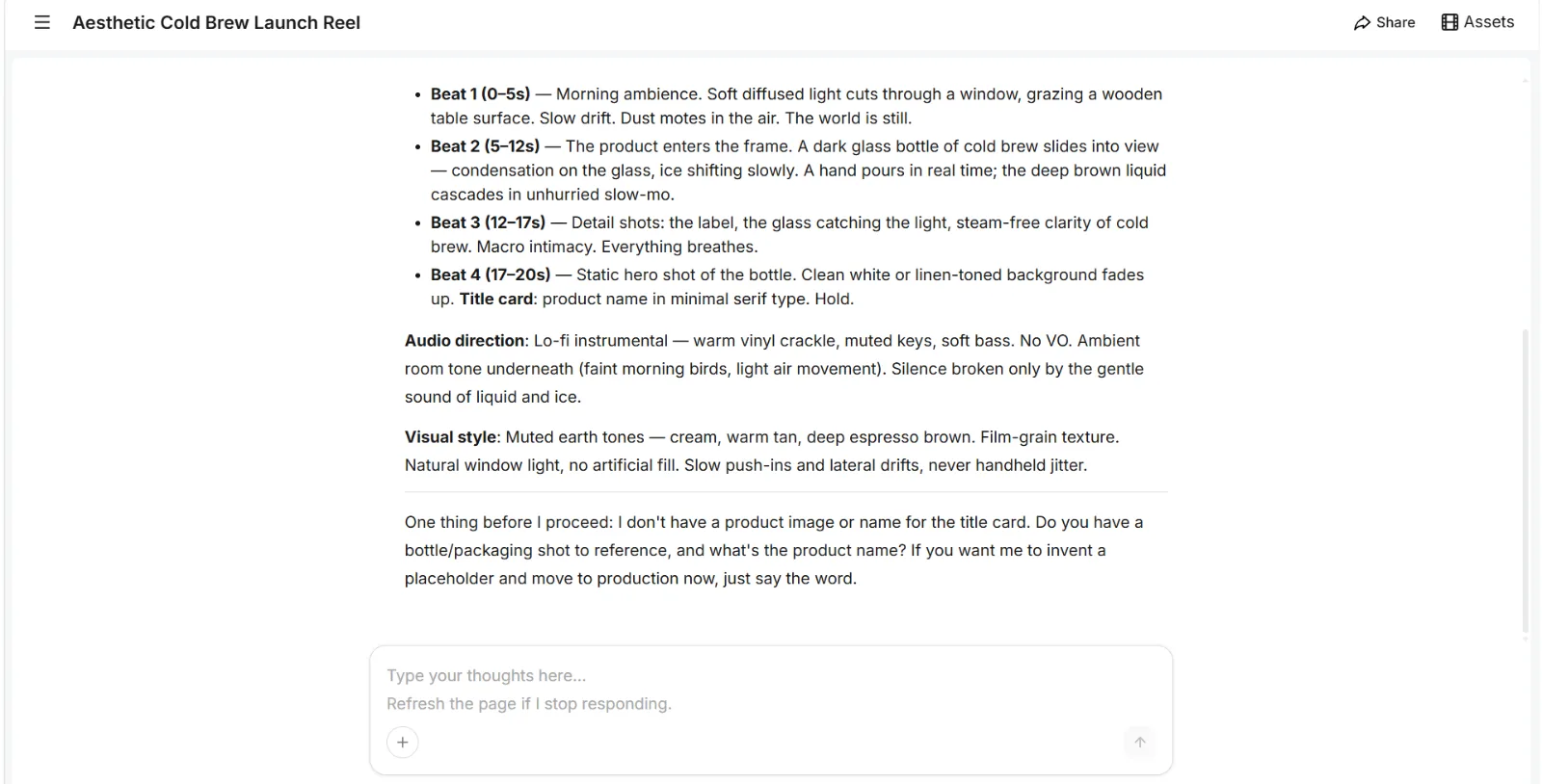 Pexo lays out the beats, audio direction, and visual style up front, so you can course correct before anything renders.
Step 3: Point at what to change, and just say it
Want the music slower? The cuts tighter? The opening shot to linger half a second longer? Say it in the chat, in normal words. Which model does the heavy lifting is Pexo's problem, not yours: it works with Seedance, Kling, and others, and picks whichever one fits the scene you're describing, so you never end up running your own model bake-off. Adjust, look again, adjust again. That loop is the real work here, and all of it is conversation.
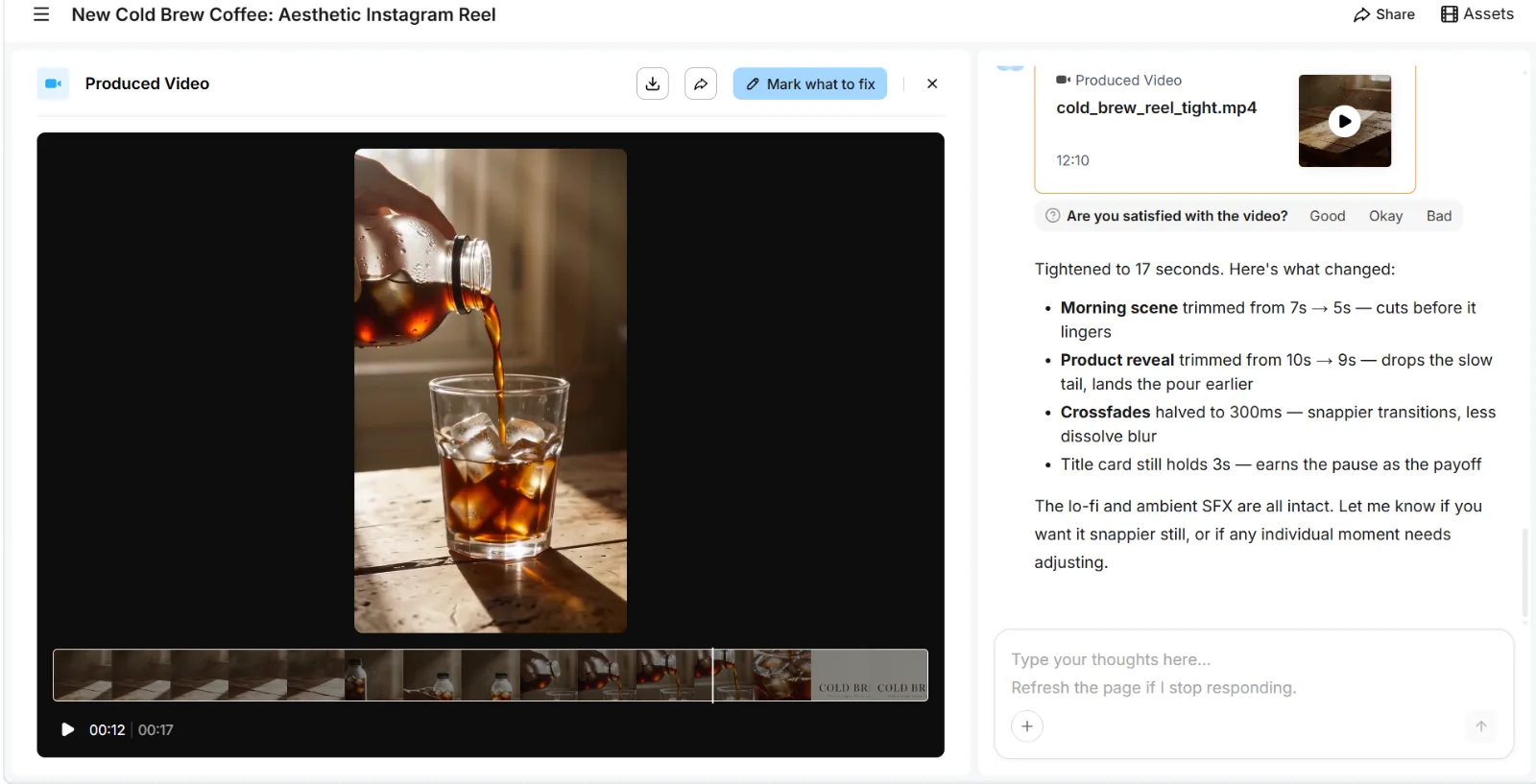 Ask for a change in plain language. Pexo adjusts and tells you exactly what it changed.
Step 4: Download and ship the finished video
What lands is a complete clip, with transitions, a soundtrack, and pacing already handled, not a raw five-second fragment you still have to stitch together yourself. Watch it through once, sound on. Then download it and drop it straight into whatever scheduler posts your social stuff. That's the job done.
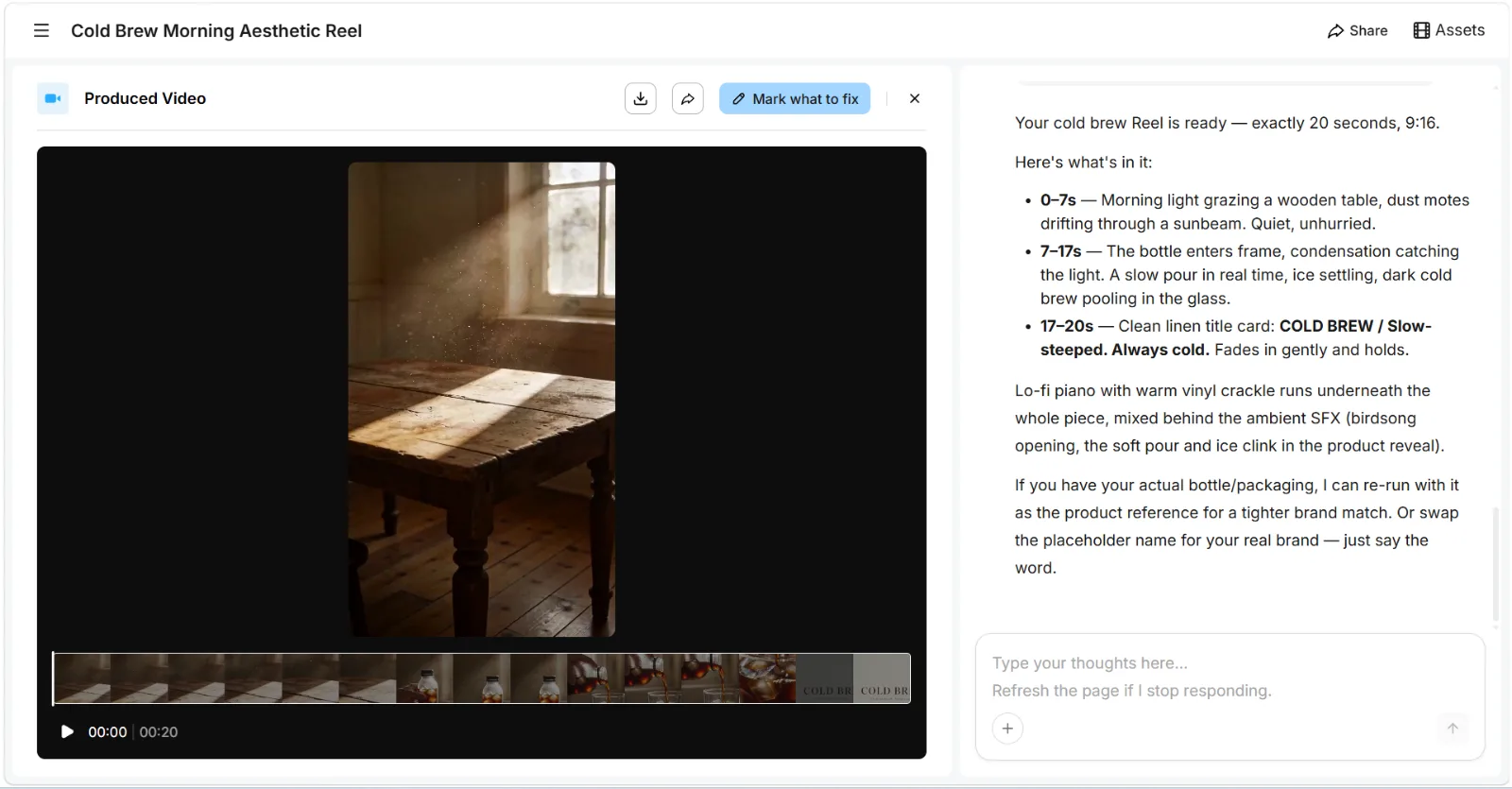 The finished reel arrives with transitions, music, and pacing already handled. One click to download and post.
Common Mistakes to Avoid
Most first AI videos flop for the same short list of reasons. Here's what trips people up most often.
- Being vague, then blaming the tool. "Make a cool video" gives any AI almost nothing to work with. Name the audience, the length, the mood, the platform. A conversational tool lets you add those as you go, sure, but you still have to actually say them.
- Skipping the preview is the next one. If a tool offers a plan or a rough cut before the full render, look at it. Catching a wrong turn there costs you nothing; catching it after the final render costs you the whole render.
- Animating a bad still will sink you faster than almost anything else on this list. Image-to-video amplifies whatever you hand it, so a blurry, cluttered, badly lit photo comes back as a blurry, cluttered video. Fix the source first.
- Aspect ratio, left for last. You render wide, realize halfway through that TikTok wanted vertical, and redo the whole thing. Pick the format before the first generation, not after.
- And the quiet one: over-directing. Once a result is most of the way there, picking at every tiny detail tends to make it worse, not better. Say the single change that matters, then stop.
Pro Tips for Better AI Videos
A few habits separate a clip people scroll past from one they actually finish.
- Describe the feeling, not just the facts. "A 15-second ad for my candle" is fine. "A cozy 15-second ad, warm amber light, slow and calm, like a Sunday morning" is better. Tools that read natural language reward emotional texture, not only specs.
- Win the first second. Viewers decide whether to keep watching almost the instant a clip starts, so your strongest visual, or your hook, belongs right at the open, never parked behind a slow logo intro.
- One subject per shot. Models stay coherent when a shot has a single clear focus. Cram three competing actions into one frame, a dog running while a car passes while a banner unfurls behind both, and the motion smears into the kind of mush no amount of re-prompting fully cleans up.
- Captions aren't optional anymore. Most social video autoplays on mute, so burned-in captions or clear on-screen text are what keep silent scrollers watching; they're also about the cheapest upgrade a clip can get.
- Last one, for anyone running an A/B test: spin up two or three versions with different hooks or music, then let the numbers pick the winner instead of guessing which opener lands. A TikTok-ready vertical clip is cheap enough to make in multiples.
What Else Can You Use?
Pexo is the fastest path from "idea in my head" to "video I can post," but it isn't the only tool worth knowing. If your job starts from a different place, these three each do something specific well.
- Runway — best known for image-to-video. If you already have one great still and just want it to move with precise, controllable motion, its Gen-4 model is a clean fit.
- InVideo AI — built around scripts. Hand it a full script and it assembles stock footage, an AI voiceover, and subtitles into a faceless explainer, which suits narration-led YouTube content.
- Luma Dream Machine — tuned for raw cinematic quality. Reach for it when you want one imaginative, high-fidelity shot and don't mind iterating on the wording to dial in the look.
Conclusion
Making an AI video in 2026 really does come down to four steps: describe what you want, check the plan, refine it in plain words, and download the finished clip. The hard parts, the timeline and the prompt syntax and the editing, have been folded into a conversation. That's why the whole thing now fits inside a coffee break instead of an afternoon.
If you've been putting this off because the old workflow looked like too much, this is the easiest possible place to start. Make your first AI video with Pexo and see how far a single sentence actually gets you.