
Pexo

THE PEXO PROMPT LIBRARY / LISTING

Cinematic Lighting Prompts That Change the Whole Mood

Describe where the light comes from and what it should reveal. A useful lighting prompt names the subject, light source, direction, contrast and surfaces that must stay accurate.

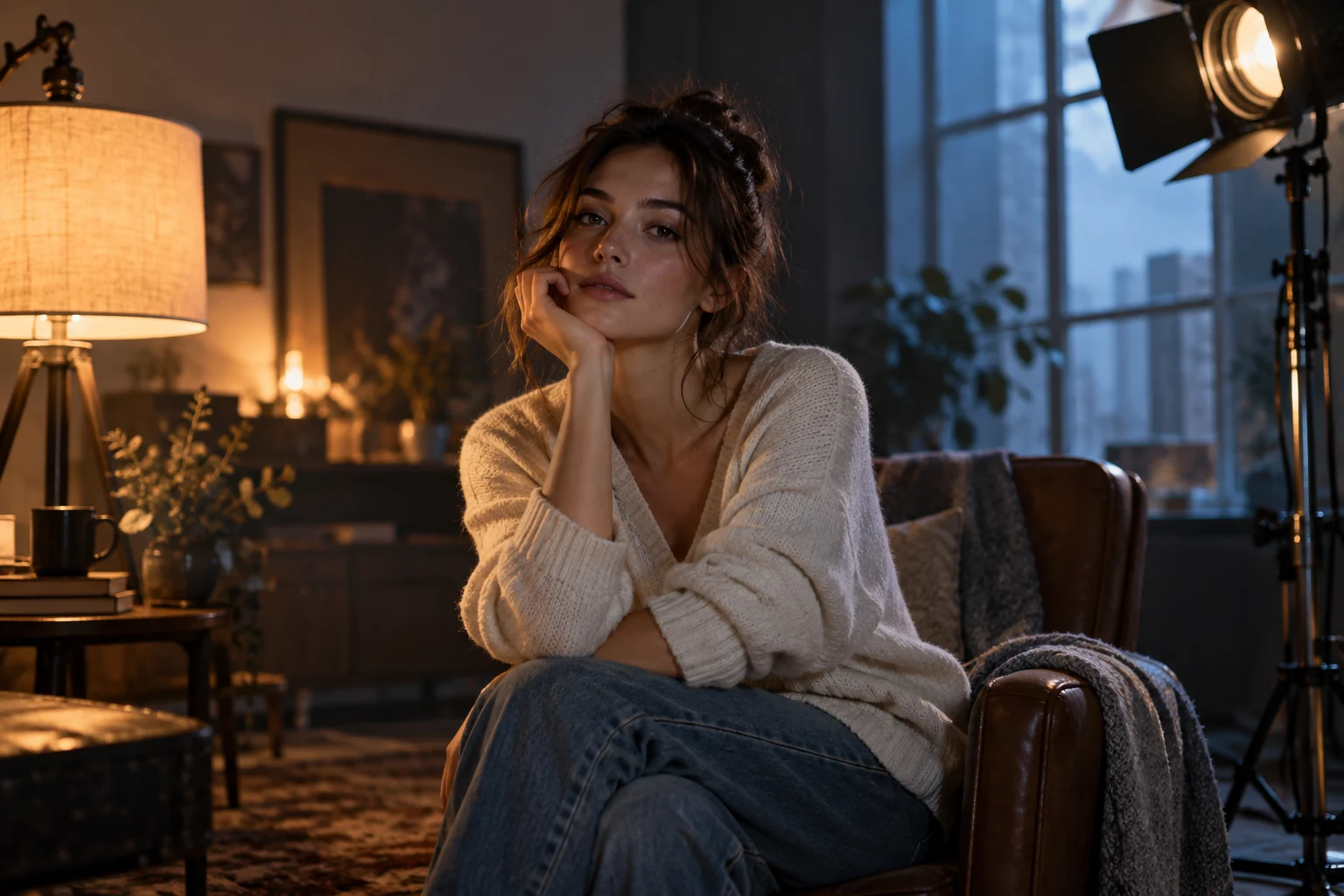
Actor in an interior shaped by warm and cool studio lighting
Illustrative concept image made for this page · not a tested product output.

Lighting Setups and Their Prompt Words

SetupVisual purposePrompt phrase
Window side lightShows material texture"Soft morning window light from camera left; gentle shadow on the far side."
BacklightSeparates a silhouette"Warm rim light behind the subject, with enough front fill to read the actual label."
Overcast daylightKeeps color even"Open-shade daylight with soft shadows and neutral product color."
Practical lampGives a believable interior source"The desk lamp is the visible key light; keep the background visibly darker than the product while preserving its details."
Neon accentMarks a nighttime setting"Blue storefront light on the background; neutral fill on the real product."
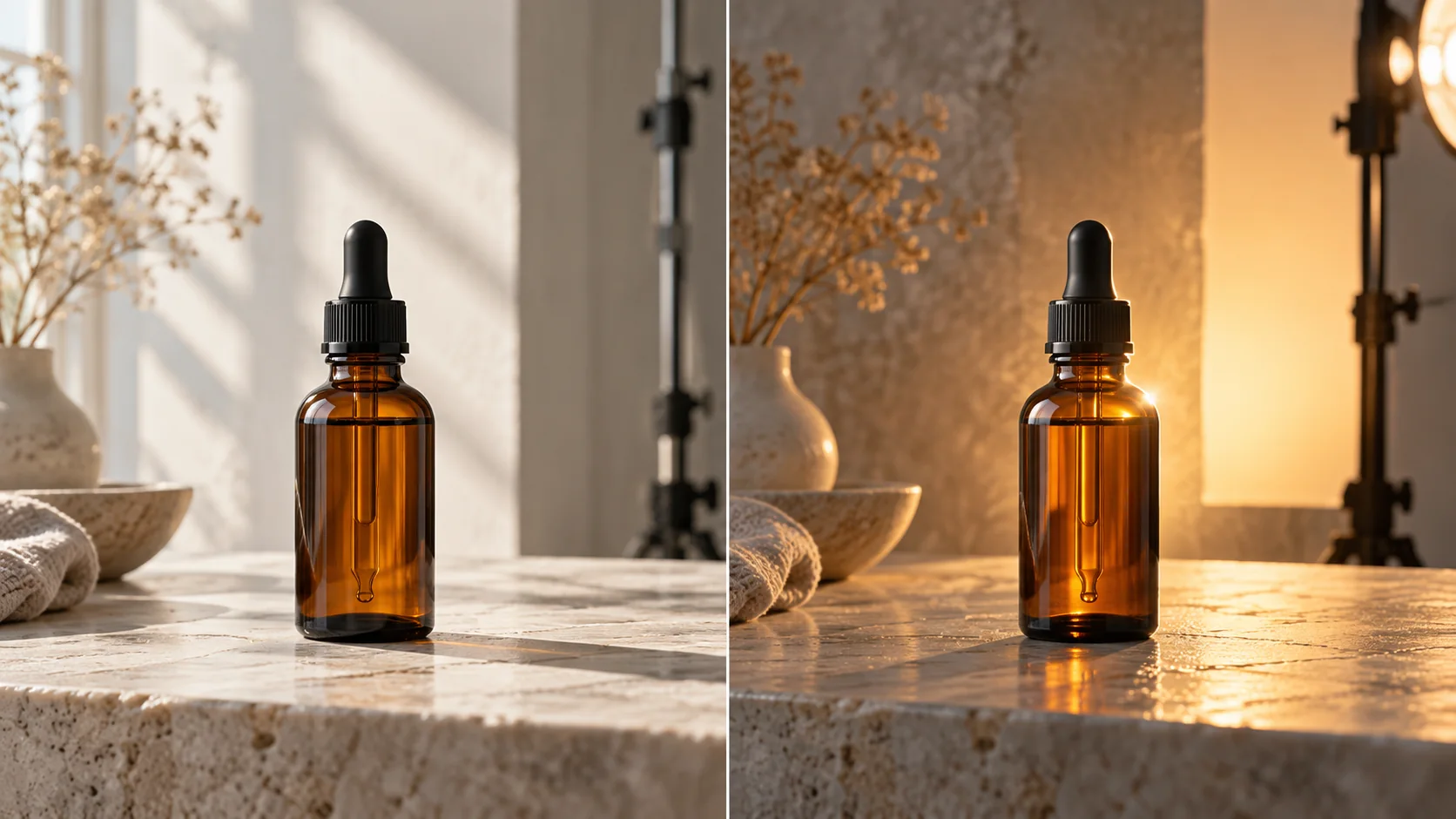
The same amber bottle under soft window side light and warm backlight with front fill
The same object under two lighting directions. Preserve the product silhouette and true color while changing the mood. Editorial concept, not a tested Pexo output.

For catalog-adjacent footage, prioritize faithful product color over mood. A dramatic color cast can work for a story beat, but it should not make a green item look black.

Prompt text
Use the supplied ceramic mug photos. Show the mug on a small breakfast table. Soft window light enters from the left and reveals the glaze texture; a white wall returns gentle fill. Start with a medium frame, then cut close to the real handle. Keep the logo and glaze color accurate.

Time-of-Day Lighting Prompts

Give the scene a plausible source instead of relying on a time-of-day label alone.

Early morning:

Prompt text
Make a short video for the supplied skincare bottle. Place it beside a bathroom window at first light. Low, soft sunlight crosses the counter; the white package stays neutral and legible. Show the real cap opening, then finish on the approved label.

Late afternoon:

Prompt text
Show the supplied running shoe outdoors near the end of the day. Warm side light catches the sole texture while a neutral fill preserves its actual color. Follow one step, cut to the tread, and end with the shoe stationary in its real product profile.

Night interior:

Prompt text
Create a quiet cafe scene around the supplied portable speaker. A visible table lamp lights the controls; cool street light stays in the distant background. Keep the speaker shape and branding consistent. Finish on a clean frame suitable for approved copy.

How to Write Your Own Cinematic Lighting Prompts

  1. Start with the product and setting. Identify the real asset and a place that makes sense for it.
  2. Choose the key light. State its source, direction and softness.
  3. Control the shadows. Ask for enough fill to retain details that matter.
  4. Protect brand accuracy. Name colors, labels and reflective surfaces that must match the reference.
  5. Review and revise. Compare the preview with the product photos, then change one lighting instruction at a time.

A text-only before-and-after edit shows how specificity changes the brief:

First promptMore directed prompt
"Cinematic lighting on a watch.""Soft side light from a window reveals the supplied watch face and metal edge; neutral fill keeps the approved dial color accurate."

The table compares wording, not generated images or measured output quality.

Make a Finished Video From Any Prompt in Pexo

Bring the product image, intended audience and lighting direction into Pexo's Product Video workflow. Review the direction and preview, then ask Pexo to keep the accurate parts while changing a light source or contrast. The video agent overview describes this conversational revision flow. Check product color, on-screen text and rights before release.

Cinematic Lighting Prompts FAQ

How specific should a lighting prompt be?

One key source, its direction and the required product detail are a practical start. Add a fill instruction when deep shadow would hide a feature or label.

Can lighting change a product's real color?

Strong colored light can make review harder. Include a neutral reference frame or ask for neutral fill, then compare the preview with the supplied product image. Pexo's Product Video page is the relevant workflow entry.