
The Cleanest Available Copy
Repeated compression or a heavily cropped source limits what an enlarged output can show.
The Video Upscaler prepares an existing clip at a larger output resolution. Give the Pexo AI video agent your best source and intended viewing size, then review whether faces, textures, edges, and motion remain convincing at that size.
Video input
Describe the output size you need and where the clip will be viewed.
More output pixels do not prove that missing source detail has been recovered.
What it is
A video upscaler increases the pixel dimensions of an existing clip. The useful question is not only how large the file becomes, but whether the picture holds up when viewed at the intended delivery size.
This page focuses on enlargement. Noise, compression, and blur may need separate attention, while aspect-ratio changes require a composition decision. Start with the cleanest source and keep the original available throughout the review.
Repeated compression or a heavily cropped source limits what an enlarged output can show.
Explain the required dimensions or playback context rather than asking for an unspecified quality boost.
Inspect the output at its intended size and during motion, not only as a small still preview.
Agent decisions
The output dimensions and the apparent detail are related, but they are not the same measurement.
01 / Source Assessment
Identify existing blur, blockiness, or soft detail that could become more noticeable when enlarged.
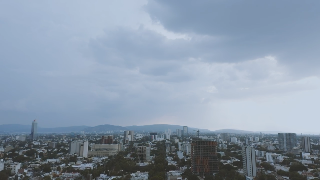
Buildings and repeating windows make softness easier to notice. The source sample here is deliberately reduced to 320 × 180 so its limitations remain visible.
02 / Target-Size Planning
Define the output dimensions in relation to where the clip will be watched or delivered.
This illustration enlarges that sample to 1280 × 720: four times the width and height. Larger pixel dimensions alone do not prove that genuine scene detail has been recovered.
 320 × 180
 1280 × 720
03 / Texture and Edge Review
Check whether skin, hair, fabric, small text, and outlines still look credible at the new size.
Both images are derived from the same source moment. Look at rooflines and repeated edges; extra pixels and credible detail are different things to assess.
04 / Motion Consistency
Watch moving detail over time so a sharp-looking still does not hide unstable textures or flicker.
The sample is a continuous aerial shot. Watch repeating building detail over time as well as checking a still; a single frame cannot show temporal instability.
Local pixel-enlargement illustration, made from a downsampled clip. Shows size and review criteria; it is not an AI restoration or Pexo upscaling test.
How it works
Set the target, consider source limitations, and compare the result before final compression.
Upload the highest-quality version you have and explain the viewing context. Separate the request for larger dimensions from an aspect-ratio or crop change handled by Video Resizer.
The Agent considers the source and the requested size. When noise or compression is the main issue, AI Video Enhancer addresses that problem separately from the number of output pixels.
Inspect faces, text, repeating textures, and fast movement. Watch for halos, invented-looking detail, or shimmer. Use Video Compressor only after the enlarged result has passed your visual check.
Common questions
No. A larger output can refine or estimate detail, but it cannot verify information that was never captured. Keep the source for comparison when faces, lettering, or factual visual detail matters.
State the dimensions or delivery requirement in the conversation. The feasible result depends on the source and available processing; do not assume every requested size is supported or equally useful.
No. Upscaling increases pixel dimensions. A different aspect ratio changes the shape of the frame and may require cropping, padding, or a new composition decision.
Fine textures can look acceptable in one frame but shimmer or change during movement. Review normal playback and the same close-up areas in the source and output.
Prefer the best available source. Additional compression can remove detail before enlargement; make the final file-size trade-off after reviewing the enlarged result.
Plan the viewing size
Provide the cleanest source and a clear size requirement, then judge the result with the original beside it.