ChatGPT
 Perplexity
 Claude
 Gemini
 Grok
Grok


The extra half-minute can be easy to waste. Add another benefit, audience, and logo ending, and the viewer sees more but understands no more. For 60-second explainer videos, let each scene earn its place in one answer.
The sample timings below are provisional. Your spoken read and final placement may call for a different length.
When does a one-minute explainer fit the task?
A one-minute explainer fits when a viewer needs one short sequence before a next step. It can show a service action and visual proof. Several buyer types or a full interface tour need another format.
Name the placement and viewer question. A service-page visitor may need to see how a request starts; a sales contact may need the handoff. These call for different cuts. If an image and sentence answer the question, skip the video.
Imagine MendDesk, a fictional repair-booking service. A customer submits an item photo, describes the fault, and chooses an available intake slot. These are invented details. The viewer asks, “How do I start a repair request?” The service page links to an area-availability check.
Decide the one thing viewers should remember
The viewer should remember: show the item and choose an intake slot. Pricing, turnaround, and tracking need separate evidence and do not belong here just because the service might offer them.
Write that memory line first. Mark each scene supports, qualifies, or distracts. The photo upload supports it; a category menu may distract. Use approved wording for any service-area condition.
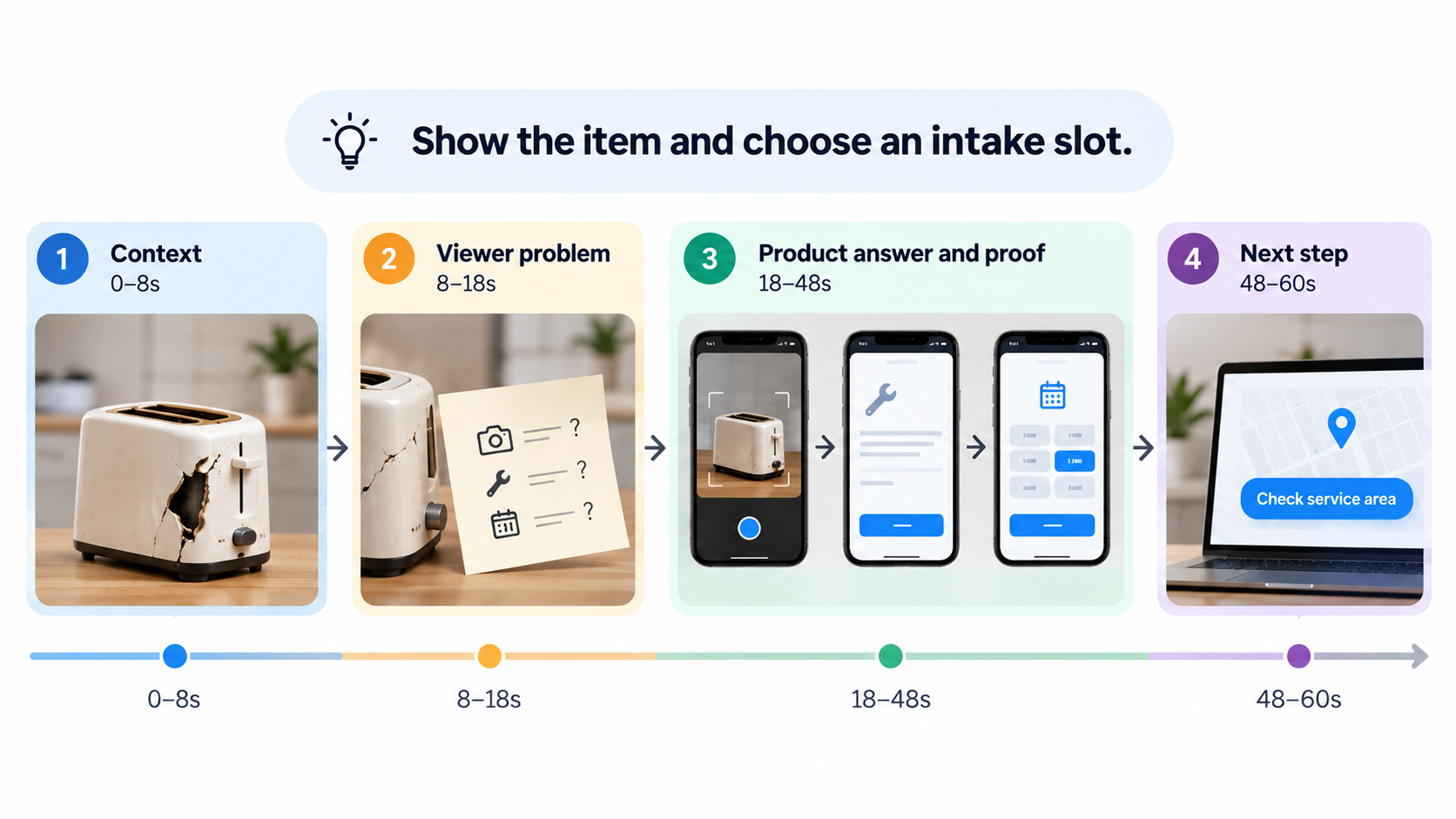
Map the minute into four story beats
These four beats are a drafting aid. The times add to 60 seconds; a real read may move their boundaries.
| Beat | Example time | Fictional MendDesk storyboard frame | Why it stays |
|---|---|---|---|
| Context | 0–8s | Faulty item; service page opens | Names the task |
| Viewer problem | 8–18s | Incomplete note beside item | Shows missing details without disparaging phone calls |
| Product answer and proof | 18–48s | Mock screens: photo, fault, available slot | Shows the memory line |
| Next step | 48–60s | “Check service area” on the page | Gives an honest action |
Context and viewer problem
Show the item early, then the missing details the repair team needs. A montage of inconveniences would delay the service answer.
The note is an illustrative device, not evidence that phone booking fails. Change it if the real intake path differs.
Product answer and proof
Give the photo, description, and slot each a readable moment. Their connection to the request is stronger proof than a generic happy-customer shot.
Replace mock screens with approved, current assets. Check labels and slot wording. If there is no verified interface, use a conceptual visual without implying the screen exists.
Next step and closing frame
The final beat carries one action: “Check service area.” Leave enough time to read it. Keep the logo secondary.
If availability comes before booking, “Book now” would send the viewer too far.
Match each beat to a visual and spoken line
This fictional sample script pairs each shot with speech. Pauses, interface reading, and required disclosure also need room.
| Beat / shot | What viewers see | Sample voiceover | Review question |
|---|---|---|---|
| Context / item | Item close-up | “Need a repair for something at home?” | Is the item clear? |
| Problem / note | Missing details | “The service needs to know what’s wrong before it can start.” | Does this match intake? |
| Answer / photo and description | Mock photo and fault fields | “Add a photo and describe the fault.” | Are fields legible? |
| Proof / slot | Selected slot joins request summary | “Choose an available intake slot and review the request.” | Is the connection visible? |
| Next step / page | Service-area link | “Check your service area to get started.” | Does the page offer this step? |
Read against a rough cut. If the slot vanishes before its line ends, extend the shot or shorten the line. Do not narrate a new claim while viewers read a field.
Pexo’s getting-started guide describes website or asset inputs and a script-and-storyboard step. Its revision guide describes conversational changes, captions, and frame comments. Bring approved facts, request the four beats, and compare the preview with the table. Before uploading real customer images or screens, confirm permission and remove unnecessary personal details. The guides describe a workflow, not a guaranteed result.
Review pacing in the intended placement
Review in the intended placement. On a service page, can visitors understand the sequence beside booking details? On a muted feed, does the opening identify the task? Check the actual crop and text.
Play once with sound and once without. Note when each idea becomes clear. W3C’s caption guidance covers synchronized text for speech and important sounds. Check captions against approved words and placement.
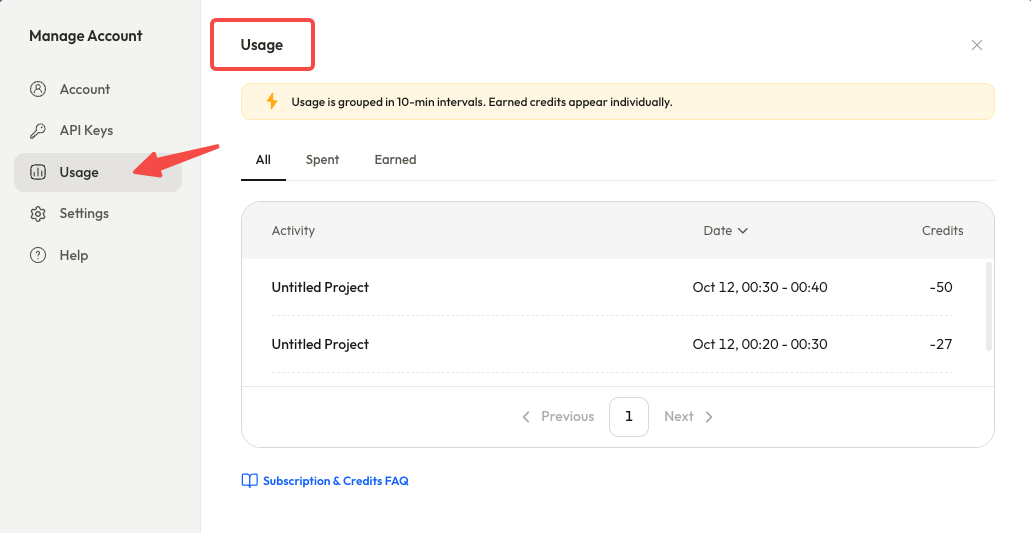
Pexo’s Motion guide describes captions and text direction. Its URL-to-video guide accepts duration, platform, aspect ratio, and accuracy rules. Confirm your ratio, captions, and export in the current account. Pexo’s credit rules describe usage history, but no universal per-revision charge. Check the live charge before another cut.
What should move to a longer video?
Move material needing its own evidence or decision into a longer asset. MendDesk pricing, eligibility, turnaround, and updates belong on the service page or in a separate walkthrough.
Do not squeeze required disclosure to protect the minute. Confirm its text, display time, and placement against current official platform policies and applicable rules with legal counsel. This is an editorial reminder, not legal advice. If it cannot be understood, lengthen the cut or change format.
Remove beats that do not support the memory line. If removal hides a material condition, the minute is too short.
Have approved source material and a viewer question? Start with Pexo to shape a script and storyboard, then review the full cut against your own shot-and-line table.