ChatGPT
 Perplexity
 Claude
 Gemini
 Grok
Grok


Two explainer quotes can promise the same finished video while assigning very different work to your team. One includes a script you can approve before production. Another expects you to supply approved words, product images, and consolidated feedback. The useful comparison begins at those handoffs, not at the package name.
Use one brief to compare explainer video packages now and at the next product update.
What should an explainer video package deliver?
An explainer video package should deliver a usable video and a defined path to approve it. Ask what arrives at each stage, who supplies sources, which changes are included, and which files you receive. “Script, animation, revisions” leaves open who checks claims and whether a changed claim needs a new voice recording.
Start with the buyer question. A fictional home-goods brand wants shoppers to understand how adjustable clips change a shelf’s height. It has approved photos, a hands-on clip, and exact wording. The video belongs on a product page; the next step is to inspect dimensions. Every provider gets the same assignment, but must still verify the claim.
Specify the end point: a product-page video, agreed framing and captions, and an approval record. Name any shorter cut, alternate ratio, caption file, clean audio, or editable project files you expect.
Compare the scope before comparing quotes
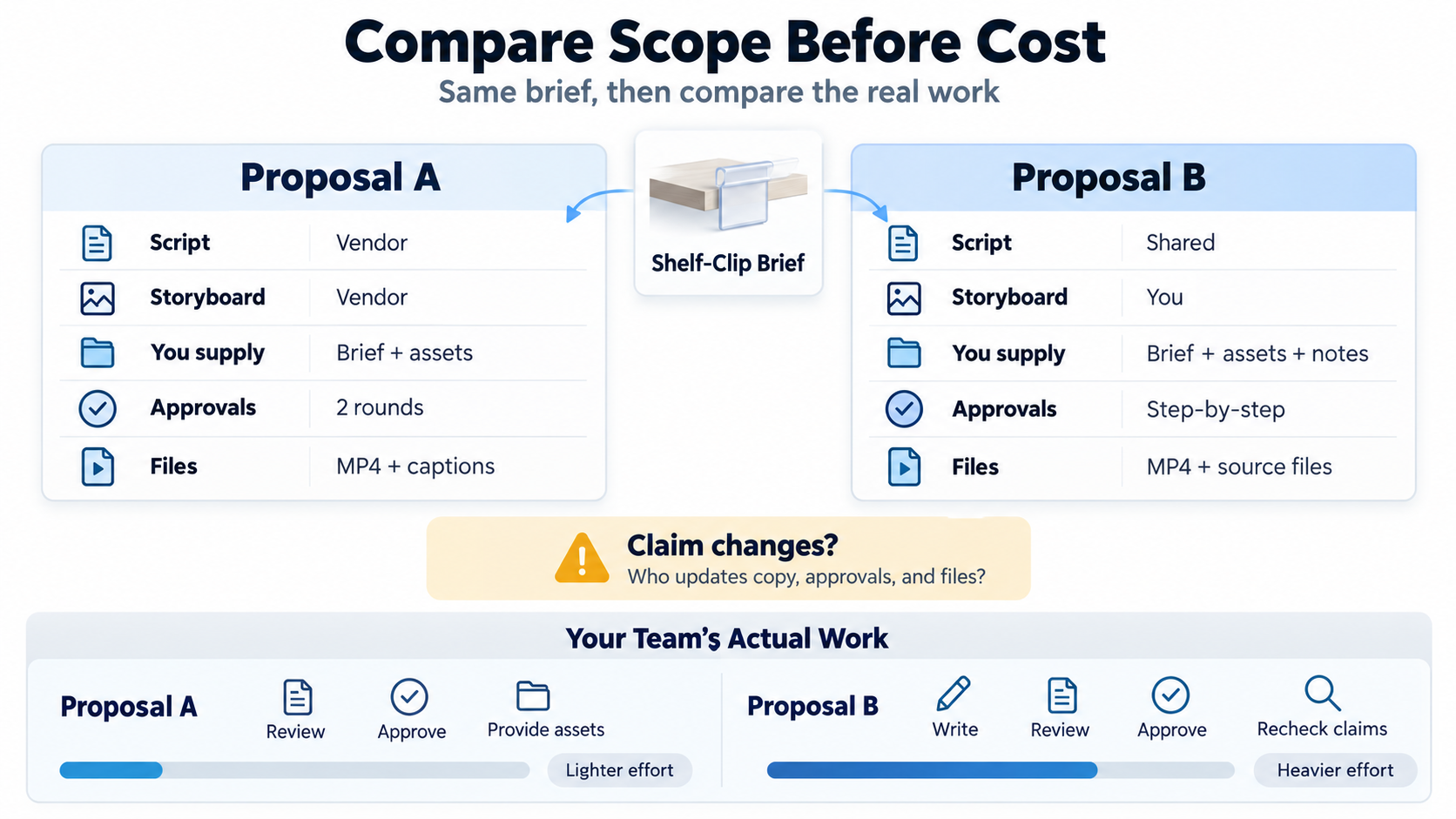
Compare written scope before weighing a fee against credits or staff time. Place both proposals beside the same shelf-clip brief. For each, identify who owns the script and storyboard, what you must supply, how approvals work, and which files arrive. Ask what happens when a claim changes. Then compare the work your team will actually do.
Brief, script, storyboard, and source materials
Ask who writes the story and signs off claims. A studio might supply a script and storyboard; a freelancer may need your approved script. Record each handoff as a deliverable or a task your team owns.
For the shelf-clip example: Buyer question: “How can I change shelf height?” Evidence: approved photos and clip. Claim: product-page wording. Exclude: an unsubstantiated load-bearing claim. Approval: product marketing, with a specialist checking the mechanism. Each storyboard scene can now be tested against a question and evidence.
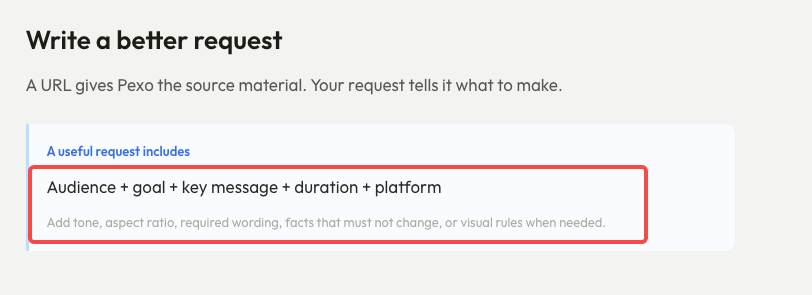
If a provider starts from a URL, confirm what it extracts and what you must correct. Pexo’s URL-to-video guide says users supply the audience, message, destination, and accuracy rules.
Voice, music, animation, and final formats
Name the components: voice selection and recording, music, effects, illustration, stock material, and motion built from your assets. “Animated” does not define the inputs or handover.
Specify aspect ratio, resolution, captions in the video or as a separate file, and any silent version. Ask for a handover example. For future edits, check whether editable files are included and whether your team can open them.
Give rights their own line: asset provider, channels, geography, duration, and reuse limits. “Commercial use” alone does not settle permissions for footage, voice, or music. Check actual licenses and current platform terms; ask counsel about material gaps. This is an editorial buying check, not legal advice.
Review rounds and change requests
Define an explainer video revision by stage and size of change. A script correction before storyboard approval is different from replacing a claim after the animation and voice are complete. Ask whether one “round” means one consolidated list of comments, one returned cut, or any number of messages during a window. Name the person who gathers feedback so conflicting requests do not consume the schedule.
At each milestone, record the review artifact, comment method, approval cutoff, and what reopens the stage. Ask how the provider handles factual errors, new concepts, changed source material, and late approvals—even if the quote says “unlimited revisions.”
Which production route fits a recurring video task?
The right route depends on what repeats: style, story, exact control, or small updates. Count team work beside invoices or credits.
Studio or freelancer package
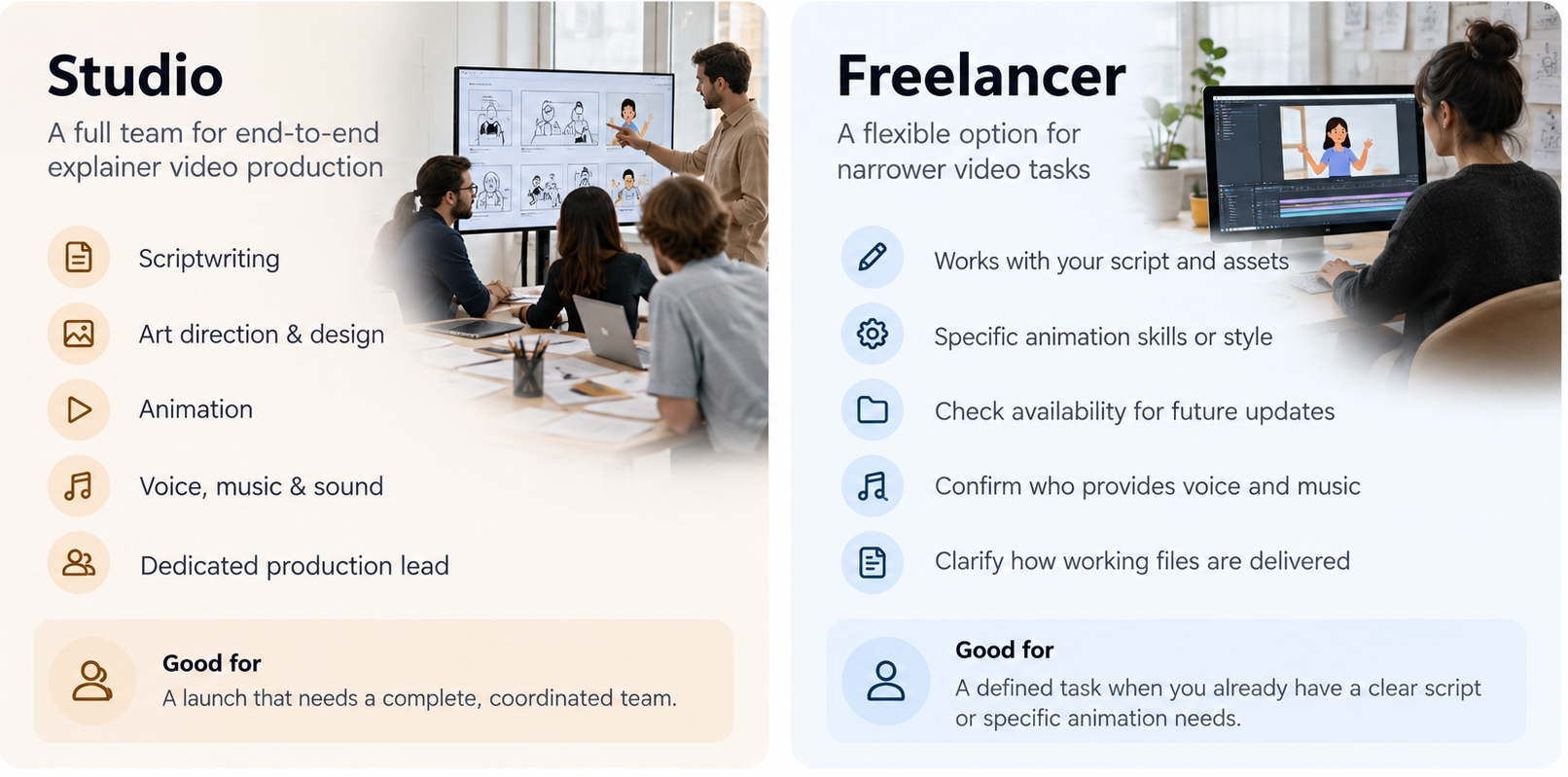
A studio can fit a launch that needs coordinated writing, art direction, animation, sound, and a single accountable production lead. Ask to see who actually owns those tasks in the proposal. A strong portfolio does not answer whether the quoted team will produce your video, or whether the script and storyboard can be approved separately.
A freelancer can fit a narrower assignment when your team already has a clear script and usable assets, or wants a specific animation skill. Check availability for later updates, the method for handing over working files, and who covers voice, music, and project management. If the freelancer must source those elements, include that coordination in the same comparison.
For recurring releases, ask how each provider handles a changed label or scene after delivery. Check both availability and cost.
In-house or conversational production
In-house production fits a team with editing skills, approved assets, and a predictable stream of updates. It gives close control over each frame, while assigning scripting, editing, audio, quality checks, and file management to your staff. Count those hours and the cost of waiting for an internal specialist.
Conversational production fits a team that can direct a first cut from existing materials, inspect it, and describe corrections clearly. Pexo publishes this article and is one option in that route. Its getting-started guide describes starting from a URL or assets, then reviewing a script and storyboard for detail-heavy work. Its revision guide describes conversational changes and frame-specific “Mark to fix” comments. Those are workflow descriptions, not a promise that every visual, claim, or revision will be correct on the first attempt.
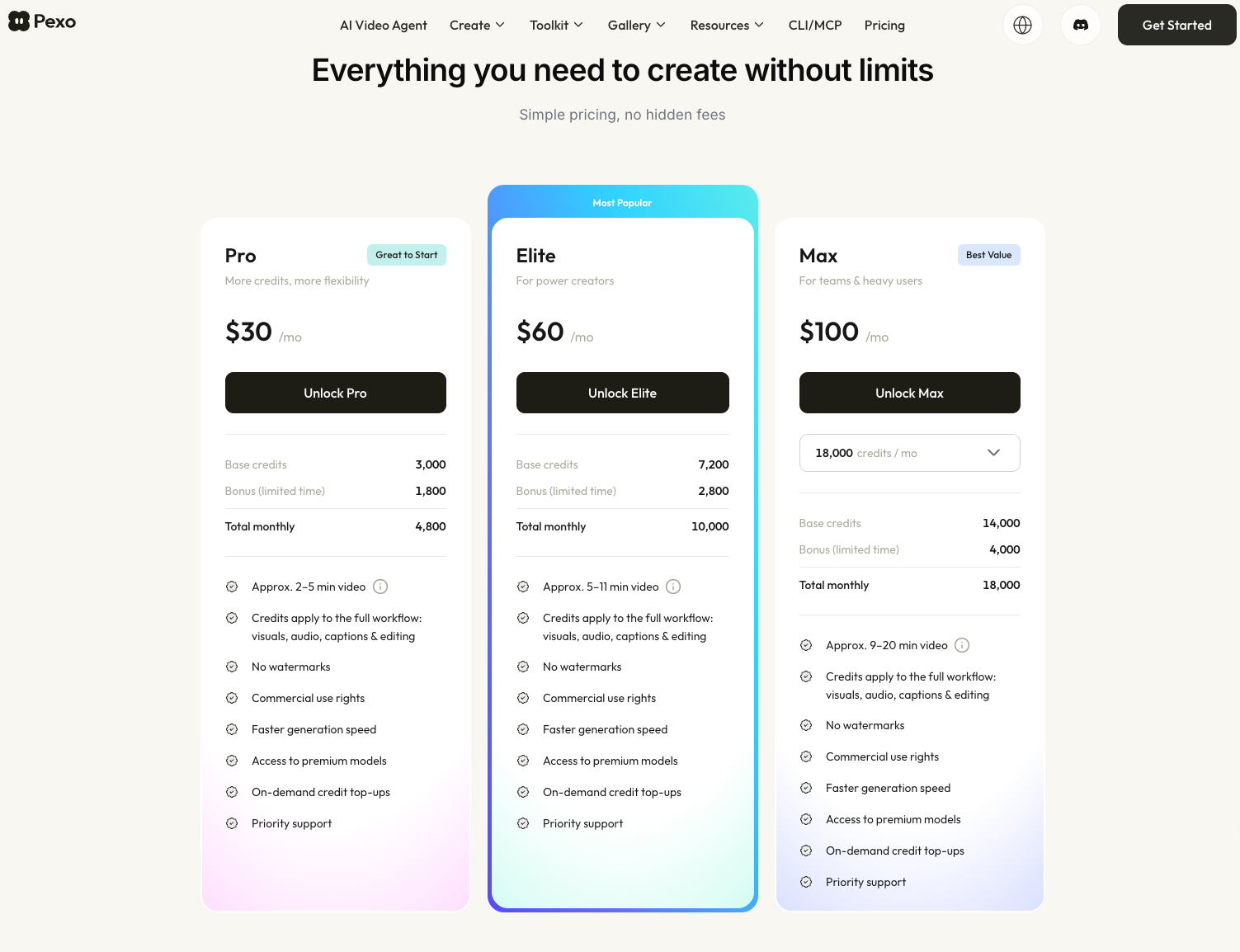
For a Pexo comparison, check the live account before budgeting. Pexo’s credit rules describe deductions, usage history, and different validity for subscription, bonus, and add-on credits. The public rules do not state a fixed credit charge for each possible revision. Confirm the charge shown for your planned actions, the plan’s export conditions, and the files available for your intended handover. The public pricing page did not expose plan amounts in the accessible page text during this review, so no fixed price is used here.
Use one brief to compare two offers
Use the fictional shelf-clip brief above to request two written responses. The entries below are illustrative proposal language, not real vendor or Pexo terms. Replace them with the exact wording of the offers you receive; leave a blank where a provider has not committed to an item.
| Same-brief check | Illustrative studio offer A | Illustrative conversational offer B | Buyer’s follow-up |
|---|---|---|---|
| Story work | Script and storyboard submitted for separate approval | Team supplies approved claim and assets; reviews a proposed plan | Who rewrites an unclear buyer answer? |
| Inputs | Brand supplies photos, clip, claim evidence, and dimensions link | Same sources plus a request naming audience, page, and visual rules | Who checks that the shown clip matches the claim? |
| First cut | One reviewable cut after storyboard approval | One generated cut reviewed by the team | What must be true before either cut is accepted? |
| Feedback | One consolidated set at each named milestone | Team sends conversational or frame-specific comments | What is included, charged, or treated as a new direction? |
| Handover | Named master, caption file, and any optional source files | Confirm export settings and available files in the current plan | Can the product page use the exact output? |
| Total task input | Quote + asset prep + approval time + possible change fees | Plan/credits + asset prep + review and correction time | Which route fits the next product update too? |
Read across each row. If A excludes your caption file, request it. If B needs several factual corrections, count staff review and credits. The opening commitment matters less if the team cannot approve or maintain the cut.
What trade-offs remain after the first cut?
After the first cut, the decisive trade-off is how cheaply and reliably the team can reach an approved version. Check the claim, sequence, visual evidence, on-screen wording, voice, captions, and next step against the brief. Separate a correction of agreed scope from a new request. That distinction keeps the conversation fair whichever route you chose.
Keep the approved plan, cut version, unresolved comments, formats, licenses, and sign-off owner. A later label change then has a clear starting point.
If recurring videos are your real task, compare one change scenario before purchase: “The shelf mechanism stays the same, but the product name and final CTA change.” Ask each provider what files, time, fees, credits, and approvals that update would require. The answer is more useful than a package adjective.
Have the brief and assets ready? You can start a Pexo project and use the first plan as one of the routes in your comparison. Keep the same claim check and handover questions for every offer.