
 ChatGPT
 Perplexity
 Claude
 Gemini
 Grok
Grok

Sora taught a lot of people what cinematic AI video could look like, and then OpenAI shut it down. The good news, whether you move to Pexo or any other capable model, is that the clips everyone admired were never really about Sora. They came from a few describing habits, and those port anywhere. This guide covers what you need, what happened to Sora, and the eight tips its best users leaned on, each written as a plain description you could hand to any model.
 In Pexo you describe the shot in plain language instead of formatting a prompt. No editing skills, no timeline, no prompt syntax.
What You Need Before You Start
You do not need a camera, footage, or editing experience. You need four things:
- An idea or a short script. One or two sentences per shot is enough to begin.
- An optional reference image. A product photo or a character still keeps the look consistent. You can generate one inside Pexo with text to image if you do not have it.
- A target aspect ratio. 9:16 for Reels and TikTok, 1:1 for feed posts, 16:9 for YouTube.
- Pexo open. Everything below happens by describing the shot, not by operating a tool.
What Happened to Sora?
Sora was OpenAI's text to video model. According to OpenAI's own notice, the Sora web and app experiences were discontinued on April 26, 2026, and the Sora API is set to shut down on September 24, 2026. As of June 2026 the consumer app is already gone and the API is winding down. If you built a workflow on Sora, you are now shopping for a new home.
Here is the part that matters. The output everyone admired was never the product of one magic model. It came from how precisely people described their shots, and that skill moves with you to whatever tool you pick next. Sora's shutdown is also a plain argument against betting everything on one model: when it goes dark, your pipeline goes with it. That is the practical reason a lot of stranded users are landing on Pexo. It does not ask you to choose a model at all. It routes across current ones like Seedance and Kling and uses the best fit for the shot, so a single model going away does not take your workflow with it.
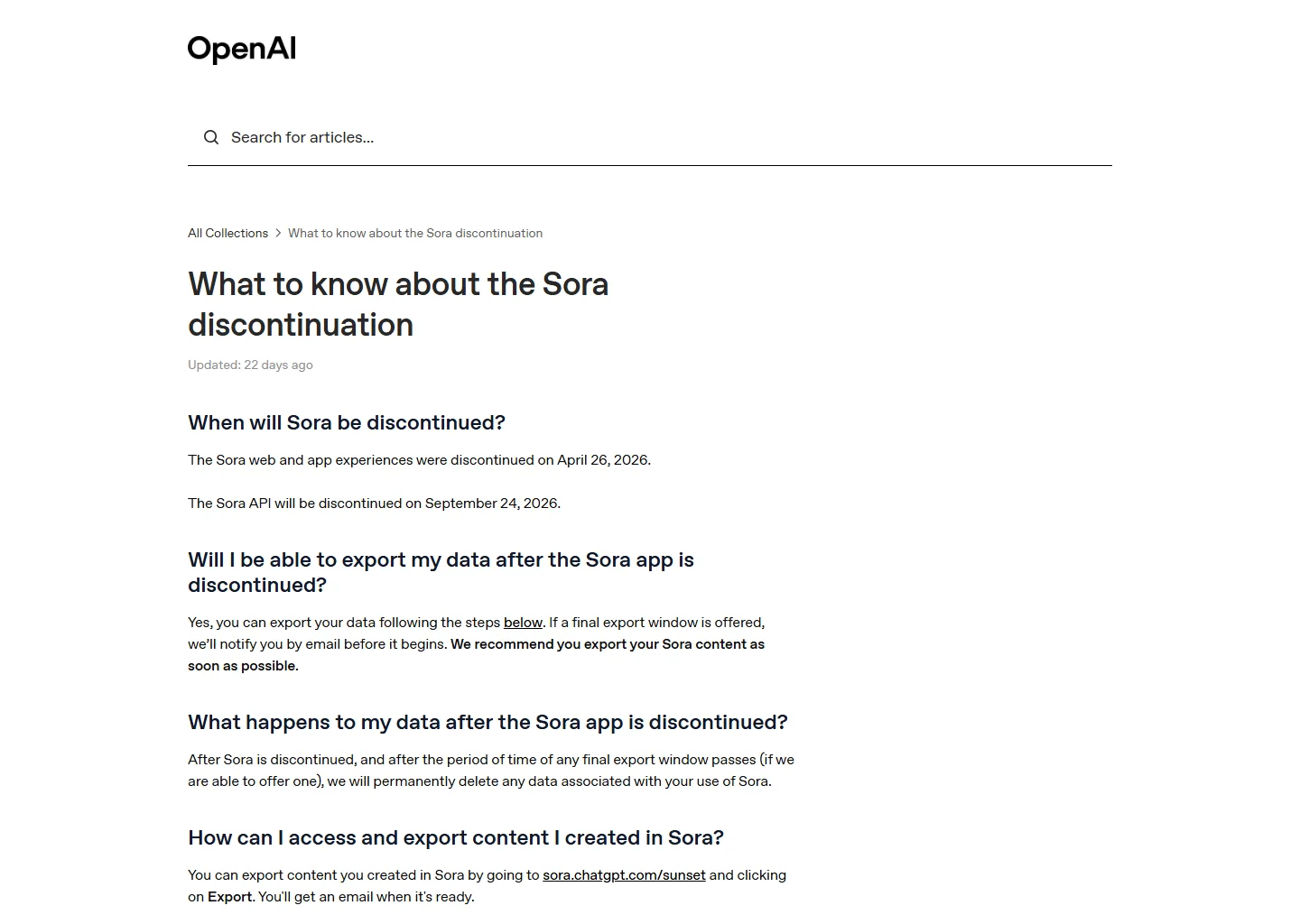 OpenAI's discontinuation notice: the Sora app ended April 26, 2026, with the API following on September 24, 2026.
Sora Tips That Still Work: 8 Ways to Get Cinematic AI Video
Every tip below was a habit Sora's strongest users relied on, and none of them depend on Sora. Each is written as a plain description you could hand to any capable model. Where Pexo changes how you run a step, the tip says so.
How Do You Describe a Shot So It Comes Out Right?
Specificity is the whole game. Vague in, vague out. Build every description in three layers:
- What happens: the subject and one action ("a courier rides a neon hoverbike down a rain-slick alley").
- How it looks: framing, lens, light, color ("low-angle tracking shot, 35mm, teal and magenta neon, shallow depth of field").
- What you hear: ambience, music, dialogue ("distant traffic, a synthwave bass line, tires hissing on wet asphalt").
These are plain sentences, not a worked-up prompt. Fed to a capable model, that exact courier description returns a frame like this one:
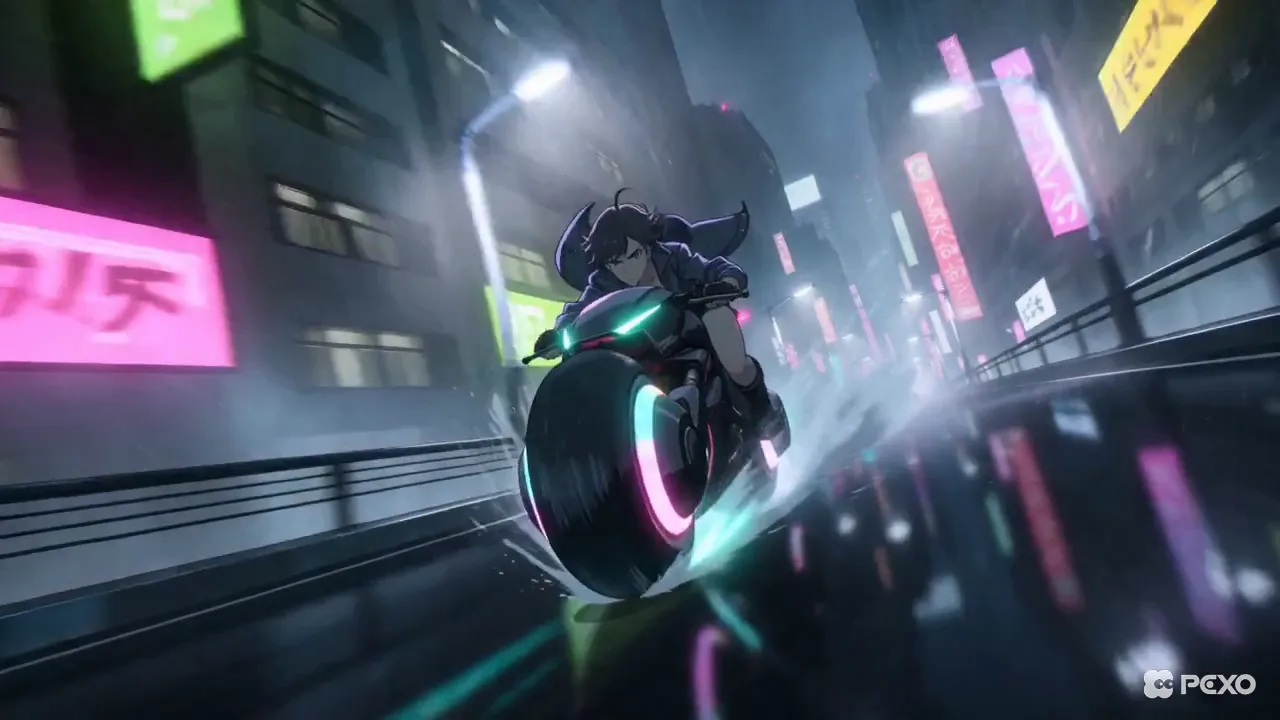 The frame the courier description produced, generated with Pexo. Every layer carried through: low angle, 35mm, teal and magenta neon.
Say the same three layers to Pexo with text to video and you skip the prompt syntax. In a prompt-box tool you would type the same intent with more formatting.
What Makes a Strong Shot Structure?
Order your words so the model reads intent the same way a director would:
- Lead with subject, then motion, then mood, then camera, then lighting.
- Keep one clear action per shot. Three things at once muddies all three.
- Use concrete nouns over adjectives. "A cracked leather armchair" lands better than "a nice old chair."
How Long Should Each Clip Be?
Shorter clips follow direction more reliably, which is why experienced users stopped asking for one long take:
- Aim for 4 to 6 seconds per shot.
- Stitch two 4-second shots rather than forcing a single 8-second take.
- Give each clip one beat: a single action, a single camera move.
Describe each beat as its own shot, then stitch the sequence together in the order you want it read.
How Do You Keep Characters and Style Consistent?
Consistency breaks when the description drifts between shots. Lock it down:
- Reuse the exact same wording for recurring subjects ("the same red-haired courier, same worn jacket").
- Start from a reference still when a face or product must stay identical, and reuse that same still across every shot.
- Name the style every time ("Ghibli-style", "1990s film stock", "Pixar-style warm light").
How Do You Control Camera Movement and Framing?
Camera language is where flat clips become cinematic:
- Use real cinematography terms: dolly in, crane up, whip pan, locked-off wide.
- Name the lens and angle ("24mm low angle", "85mm close-up").
- Pick one move per shot. A dolly that also pans that also zooms reads as chaos.
How Do You Get the Audio Right?
Sound carries half the cinematic feeling, so describe it as carefully as the picture:
- Separate three layers: ambient sound, music, and any dialogue.
- Give music a genre and tempo ("slow lo-fi, around 70 bpm").
- Match sound to action ("a door creaks, then slams on the beat drop").
Write the sound into the same description as the picture. A model that generates audio natively still only nails it if you direct the sound as deliberately as the visuals.
How Do You Fix a Shot Without Starting Over?
Iteration beats regeneration. The best results come from small, deliberate passes:
- Change one variable at a time ("same shot, warmer light").
- Keep what worked, redirect only what missed.
- Refine in short loops instead of rewriting the whole idea.
This is the one place a conversational partner clearly beats a prompt box. In Pexo you point at what is off and say the change, and it adjusts that shot instead of re-rolling the whole thing from scratch.
How Do You Ship a Finished, Post-Ready Cut?
A great shot is not a finished video. Close the gap before you export:
- Decide the aspect ratio first (9:16, 1:1, or 16:9) so nothing gets cropped later.
- Keep social cuts tight, usually 15 to 30 seconds.
- Add transitions, soundtrack, and pacing before you call it done. Pexo returns those inside the clip; if your tool stops at raw shots, budget time to assemble them yourself.
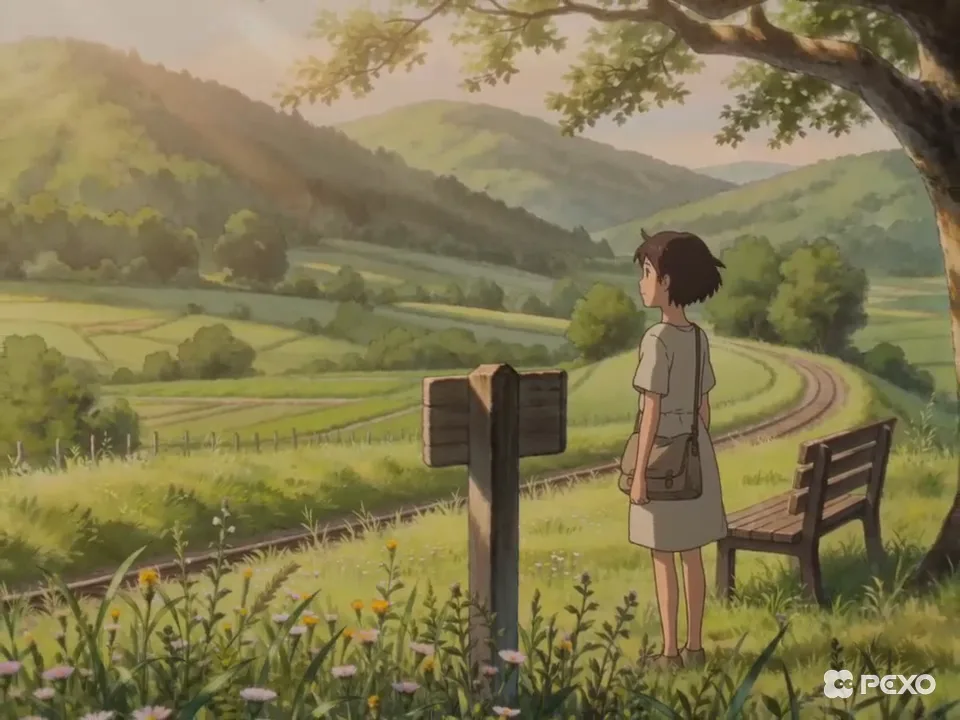 Same method, different style. This frame came from one plain description: "a girl in a summer dress stands by a roadside mailbox beside train tracks, green rolling hills behind, Ghibli-style, soft afternoon light, static wide shot." Generated with Pexo, no Sora required.
Common Mistakes That Ruin a Render
Most weak results trace back to the same handful of habits:
- Vague descriptions. "A beautiful city" gives the model nothing to aim at.
- Overstuffing one shot with three actions, two subjects, and a mood swing.
- Forcing one long take instead of short, controllable beats.
- Ignoring audio and wondering why the clip feels lifeless.
- Abandoning a near-miss instead of nudging it with one small change.
Pro Tips for Cinematic Results
Once the basics are solid, these push a clip from good to cinematic:
- Borrow from real cinematography. Reference a director, a film stock, or a lighting style by name.
- Lock the style in the first shot and carry that exact wording through the sequence.
- Write a shot list before you generate. Planning five beats up front beats improvising one clip at a time.
- Keep a swipe file of descriptions that worked, so your next video starts ahead.
What Else Can You Use
Sora is no longer an option, so if you want to compare a few current tools before settling in:
- Runway: a control-heavy generator with fine-grained motion and camera settings. Good if you want to tune parameters by hand.
- Pika: fast, stylized short clips with a low barrier to entry. Good for quick social experiments.
- Google Veo: Google's text to video model with strong native audio. Good if you are already in the Google ecosystem.
Conclusion
Sora is gone, but the craft that made it look cinematic moved on without it. Describe your shots in three clear layers, keep clips short, direct the camera and the sound, and iterate in small passes. Those habits work in any capable model. The easiest way to put them to work today is to describe what you want and let Pexo route across the best current models and finish the cut. Start your first cinematic video and see how far a good description gets you.