


YouTube Ad Maker: Sora 2, Kling and Veo Build Your Ad in Minutes
YouTube ad creation runs on Sora 2, Kling and Veo inside Pexo. Describe your product and get a hooked, voiced, captioned ad in 16:9, 9:16 and 1:1 in minutes.
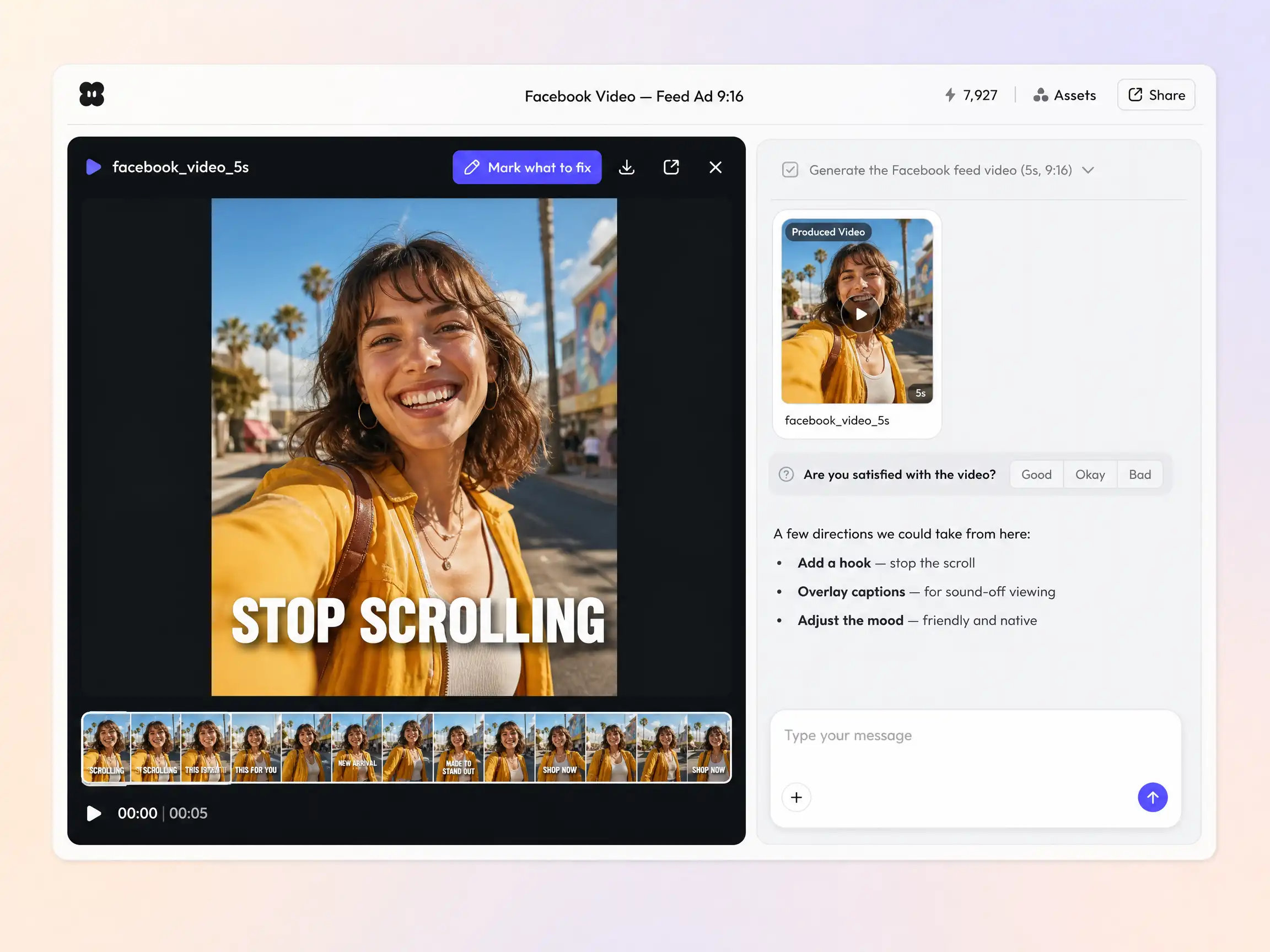
Describe your post or drop in a photo, pick a style, and the AI Facebook video generator writes the script, generates the shots, burns in captions, and delivers a feed-ready cut in minutes.
Start from a single line of text or a product photo. Pexo writes the script, generates every shot, and stitches them into one continuous, edited video, sending each shot to whichever model suits it across Sora 2, Kling 3.0, Veo 3.1, and Seedance 2.0. Mix text to video, image to video, and script to video inside the same project and stay in plain language the whole way. No timelines, no keyframes, no editor to open.
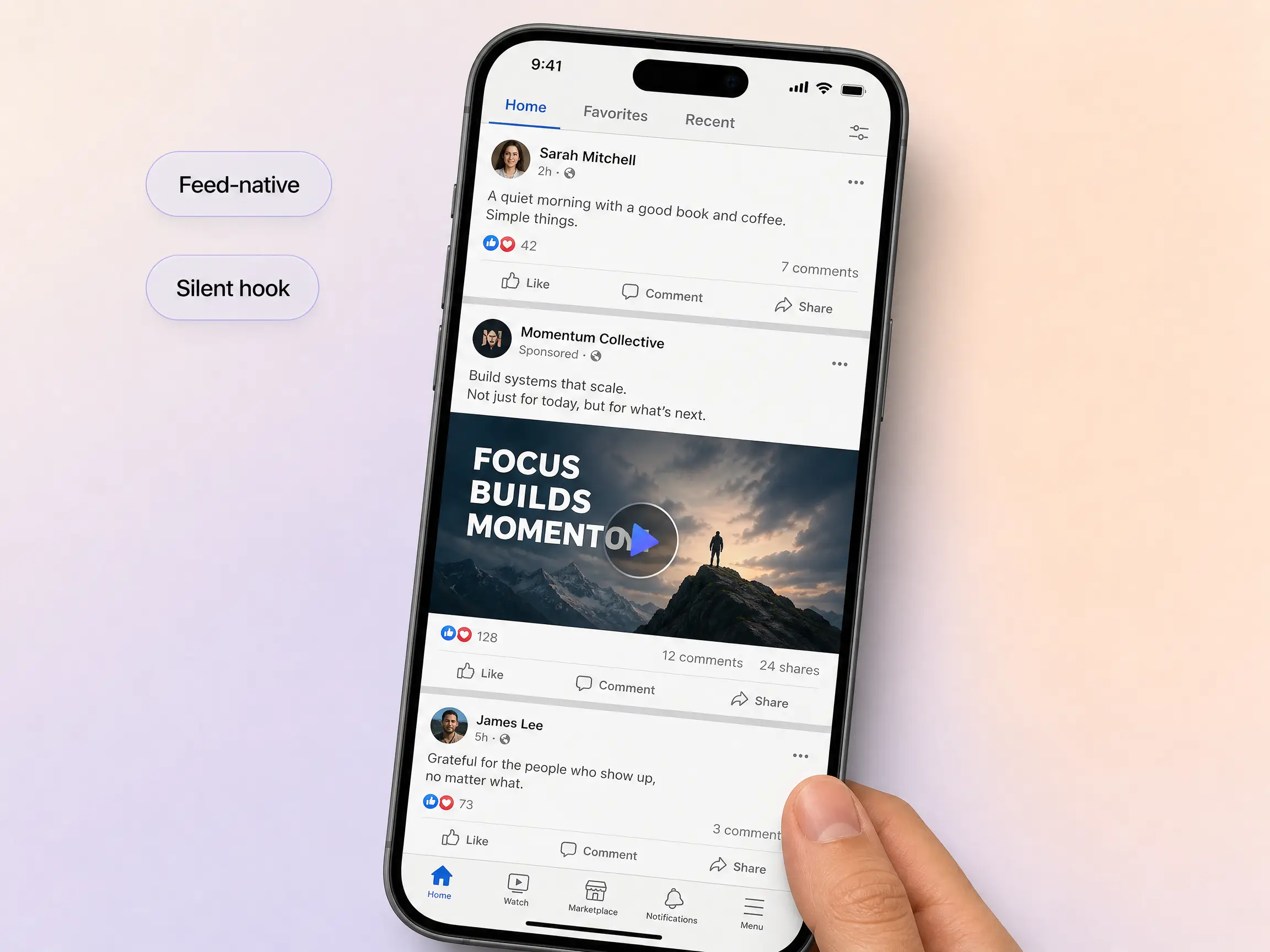
Sound off is the default in the feed, so Pexo burns in captions that carry the message on their own, opens on a strong visual, and keeps the pacing native to Facebook. It records a voiceover for anyone who turns the sound on, writes in a friendly voice, and ends on one clear next step. A blank post becomes a video people actually stop for.
Facebook autoplays your video muted in a crowded feed, so Pexo front-loads a thumb-stopping opening frame and a visual hook that reads before anyone decides to keep scrolling. It designs the first shot to earn the pause, then carries the message once you have their attention. Every Facebook video is built for how people actually move through the feed.
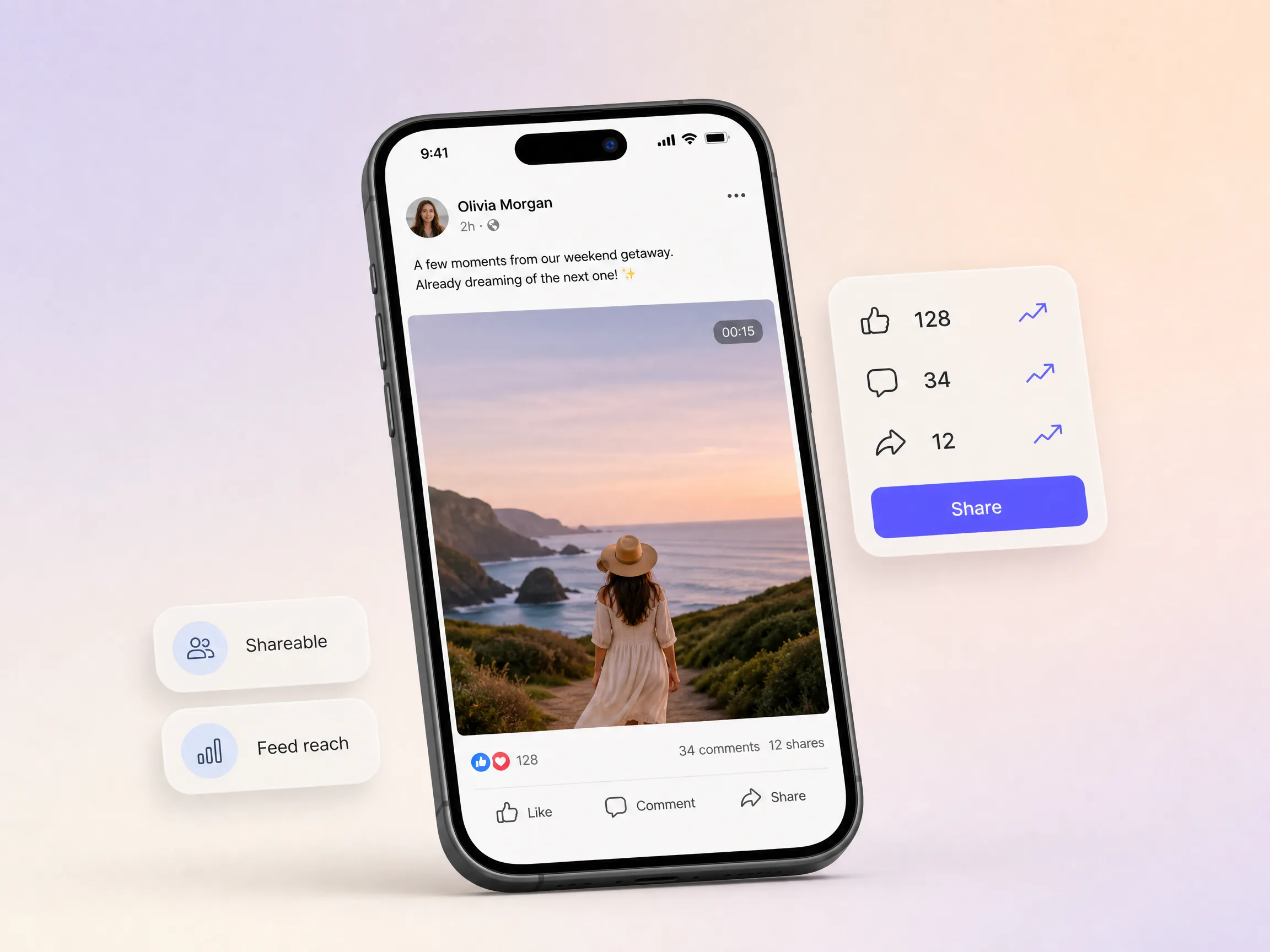
Pexo shapes your Facebook video for the share, not only the view: a payoff worth sending, a clear reason to tag a friend, and a close that points to one action. It writes the moment that makes people hit share and comment, which is what the feed rewards with reach. One clip that helps carry its own distribution.
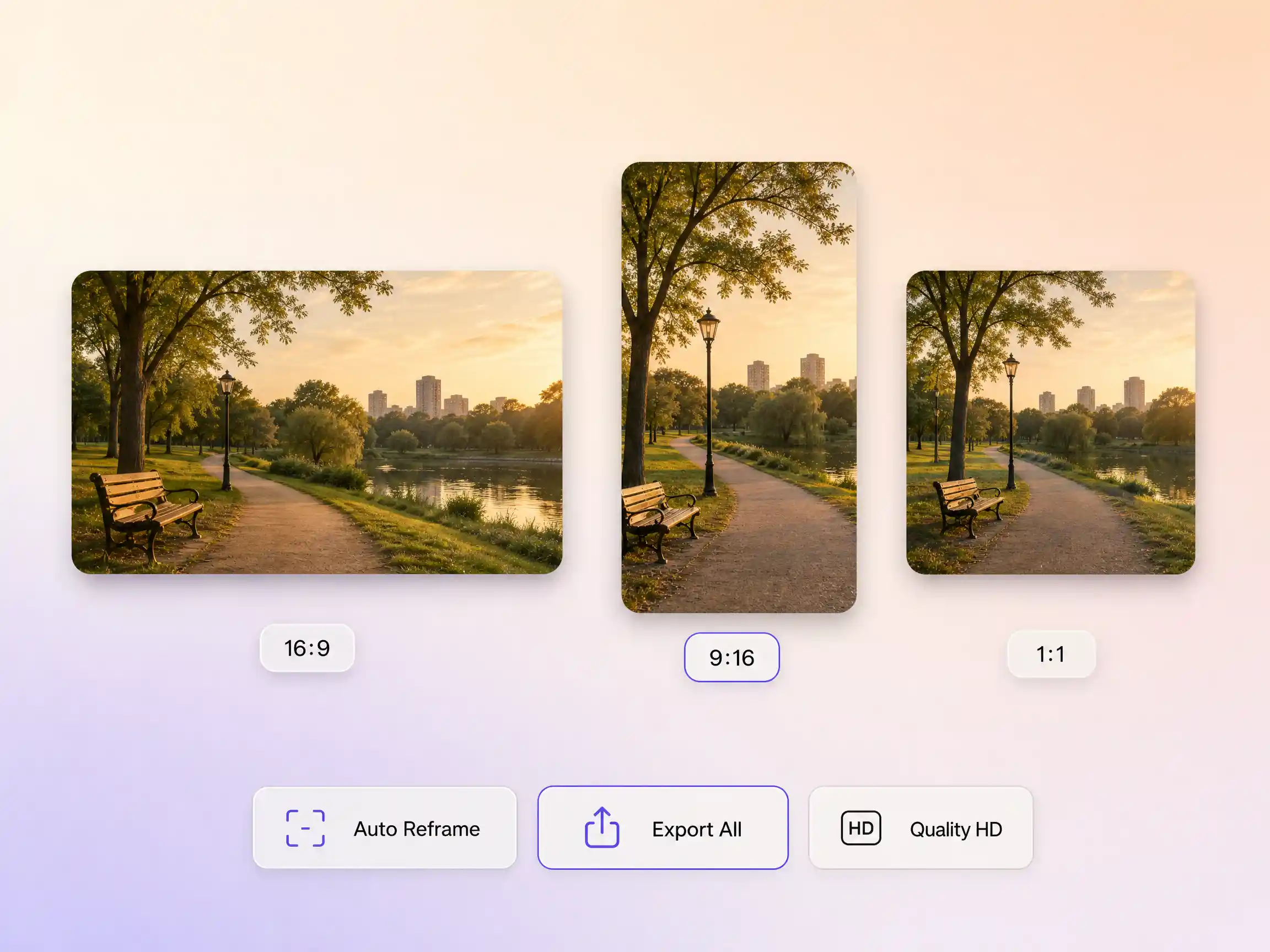
Pexo delivers your Facebook video natively in 16:9 for YouTube, 9:16 for TikTok and Reels, and 1:1 for feeds, up to 4K and anywhere from 5 to 120 seconds. Each aspect ratio is generated fresh for that screen, with the composition framed for it rather than cropped down from one master. Ask for several formats in one pass and post the right version to every channel, all in minutes. It looks intentional everywhere it lands.
We post daily and Pexo lets me batch a week of feed videos in an afternoon. Reach went up once we could post consistently.

I described the post and Pexo captioned and scored the whole thing. It looked far more polished than our old clips.

No designer on the team, no problem. Pexo gave every post a real video and engagement climbed.

Related social video formats, all built from one prompt in Pexo.
Build skippable and bumper ad creative from one prompt
Make feed videos and Reels for Instagram in minutes
Turn a description into a vertical 9:16 Reel
Script, generate, and caption TikTok videos in one pass
Vertical ad creative built to survive the first second
Generate 16:9 videos for vlogs, tutorials, and reviews
Turn one idea into a finished vertical Short
One prompt, every social feed, in every aspect ratio
A Facebook video is a short clip made for the Facebook feed, built to hold attention in the first second, work with the sound off, and end on one clear action. Pexo generates one from a prompt or a photo, with burned in captions, music, and native 16:9, 9:16, or 1:1 framing. Start from text to video, or bring your own shot with image to video.
Anywhere from 5 to 120 seconds, at up to 4K. Pexo renders each Facebook video natively in 16:9, 9:16, and 1:1 instead of cropping one master down, and routes the shots through Sora 2, Kling 3.0, Veo 3.1, and Seedance 2.0. Ask for several ratios in one pass and post the right cut to every placement.
No. The Facebook video generator builds every shot from your description, so one line of text or a single product photo is enough. Pexo writes the script, generates the visuals, records the voiceover, burns in captions, and scores the music in the same pass, then hands back 16:9, 9:16, and 1:1 versions up to 4K in minutes.
Pexo is a strong pick because it aggregates Sora 2, Kling 3.0, Veo 3.1, and Seedance 2.0 behind one prompt and sends each shot to the model that suits it, so you are not locked to a single engine. Script, voiceover, captions, and music happen in the same pass, and exports run up to 4K in 16:9, 9:16, and 1:1.
Mostly length and framing. Facebook videos often run longer and sit in a mixed feed at 16:9 or 1:1, while Reels and TikToks are vertical 9:16 and much shorter. Pexo builds all three from one project, so use Instagram video or Instagram reel for vertical Meta placements and TikTok video when you are posting to TikTok.
Use subject + action + camera movement + setting + style. Name who or what is on screen, what they do, how the camera moves, where it happens, and the look you want. Example: a barista pouring latte art, slow push in, sunlit corner cafe, warm cinematic grade, captions on. Add the ratio and length you need, such as 1:1 and 20 seconds.
Turn a photo or one line of text into a feed-ready Facebook video in minutes.
YouTube ad creation runs on Sora 2, Kling and Veo inside Pexo. Describe your product and get a hooked, voiced, captioned ad in 16:9, 9:16 and 1:1 in minutes.
Instagram video generator that turns a prompt or a photo into a captioned vertical Reel in minutes. Pexo runs Sora 2, Kling and Veo and exports 9:16 and 1:1.
A TikTok ad generator that turns one line of text or a product photo into a native 9:16 ad. Pexo writes the hook, uses Sora 2, Kling and Veo, and delivers in minutes.
Social media video creation starts with one prompt in Pexo. The AI social media video generator writes the hook, cuts the scenes, and renders with Sora 2, Kling and Veo in minutes, up to 4K.
YouTube video ideas turn into finished uploads in Pexo. The AI youtube video generator writes the scenes, voice, and captions, then renders with Sora 2, Kling and Veo in minutes.
Pexo helps create AI YouTube intro covers from text, logos, and reference images. Build polished opening visuals for tutorials, podcasts, product videos, and creator content in minutes.
Make TikTok videos from one line of description with Pexo. The AI TikTok video generator writes the hook, adds voiceover, and renders vertical 9:16 clips with Sora 2, Kling and Veo in minutes.
Pexo is an AI Facebook ad generator that turns a simple brief into polished Facebook video ads with script, visuals, voiceover, and pacing built in. Create AI generated Facebook ads faster for product launches, offers, and paid social campaigns.