

 ChatGPT
 Perplexity
 Claude
 Gemini
 Grok
Grok

Have you ever tried turning a single photo into an AI video and noticed it did not feel quite natural? You are not alone. AI technology is incredibly powerful and can bring still images to life, but creating a video that looks natural and engaging requires careful planning.
By understanding the key factors that influence realism and following a structured approach, you can produce AI videos that feel authentic, smooth, and captivating. Whether you are creating content for social media, advertisements, tutorials, or product demonstrations, these techniques will help your AI videos look lifelike and keep your audience engaged.
How to Approach Creating Natural AI Videos
Turning a photo into a lifelike AI video involves more than uploading an image and clicking generate. Every decision, such as selecting the right photo or AI avatar, crafting conversational scripts, and controlling subtle facial movements, affects the outcome.
A structured approach helps avoid common pitfalls that make AI videos look strange. Focusing on source quality, natural motion, accurate lip-sync, and cohesive audio ensures your videos feel grounded, professional, and convincing. This preparation lays the foundation for smooth, realistic AI animations that connect with viewers.
Before diving into the step-by-step process, it is important to understand that realism in AI videos comes from combining multiple factors. The photo, avatar, motion, script, AI technology, and audio all work together to create a final result that feels natural. Ignoring any one of these elements can make the video appear off or unnatural. By keeping this in mind, you are better prepared to make every choice strategically, setting yourself up for a convincing and engaging AI video.
Step-by-Step Guide to Natural AI Videos
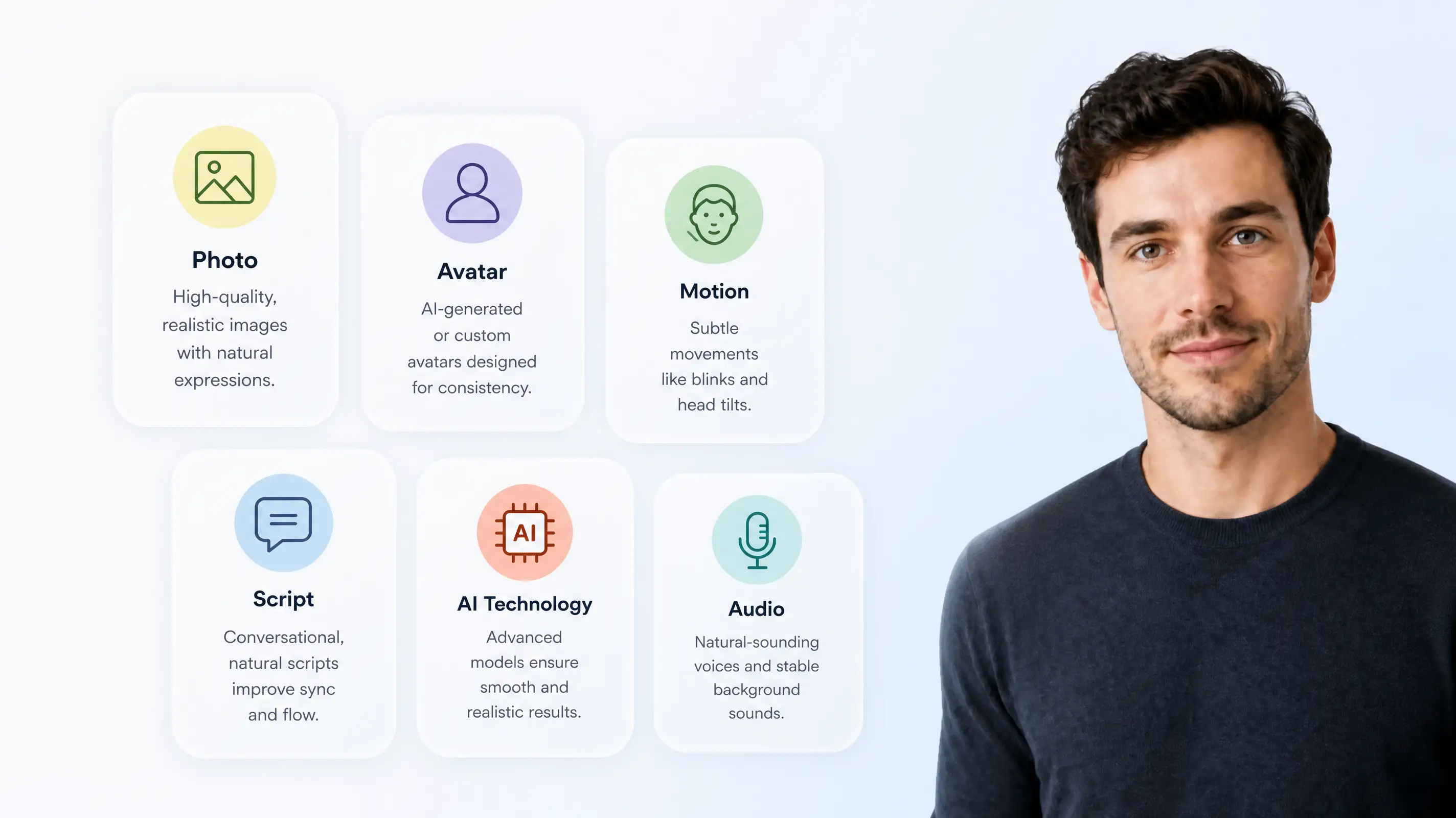
AI videos can look realistic and engaging when you apply the right techniques. Below are the essential steps to ensure your videos retain natural human expressions, smooth movements, and authentic lip-sync, whether you’re creating content for social media, ads, tutorials, or product demos using image-to-video.
Step 1: Choose the Right Photo
The foundation of a natural-looking AI video starts with your source image. High-resolution, well-lit photos with neutral expressions produce the smoothest results. Avoid selfies with heavy filters, dramatic facial expressions, or extreme angles. The eyes should face the camera, the lips slightly relaxed, and the face evenly lit from the front. Ideally, your image should be at least 512x512 pixels.
Pro Tip: Photos where the subject maintains a calm, centered expression — similar to a casual video call — give the AI the best chance of generating smooth, realistic movement.
Step 2: Use an AI-Generated Avatar

Surprisingly, AI-generated avatars often outperform real photos in video animation. Because avatars are designed with perfect lighting, consistent resolution, and neutral expressions, the AI can animate them naturally without distortion. Pexo’s text-to-video allows creators to design avatars tailored to their content and audience, specifying age, style, ethnicity, and other details.
Pro Tip: When in doubt, start with an AI avatar rather than a real photo — you’ll save time on editing and reduce unnatural motion.
Step 3: Keep Movements Subtle
Smooth, subtle movements give your AI video a more natural and authentic appearance.Natural human movements are subtle: slight head tilts, micro-expressions, and gentle eye blinks. Overly dramatic gestures, extreme head turns, or robotic pacing immediately break realism. For the smoothest results, imagine the subject casually talking on a video call rather than performing on stage.
Pro Tip: Adjust motion intensity in your AI video settings if possible. Less is often more.
Step 4: Write Conversational Scripts
AI-generated lip-sync will mirror the naturalness of your spoken script. Conversational and relaxed scripts help the AI lip-sync naturally, making the subject feel more relatable and expressive.Write as if you are talking to a friend: use contractions, casual phrasing, and natural pauses. Reading your script aloud before generating can help you catch phrases that feel stiff or unnatural.
Pro Tip: Add ellipses or commas to create natural pauses, which improve animation flow and lip-sync accuracy.
Step 5: Use Modern AI Video Technology
Not all AI video tools are created equal. Modern AI video platforms like Pexo leverage advanced AI models to generate smooth facial animations, realistic eye contact, and naturally synchronized speech, creating lifelike results that feel professional and engaging.
Pro Tip: Always test the AI demo videos first. If they look even slightly unnatural, your own video will likely have the same issues.
Step 6: Match Audio to Visuals
Even the most realistic visuals fail if the audio sounds robotic or out of place. Use high-quality AI voices that suit your avatar’s age, gender, and tone. Pexo automatically handles speech synthesis with natural prosody, pauses, and emphasis, creating a cohesive experience where the voice feels like it belongs to the animated subject. Subtle background sounds can also enhance realism.
Pro Tip: Avoid completely silent backgrounds — subtle ambient noise makes videos feel more grounded.
Get Started with Natural AI Videos
Creating AI videos that look natural and engaging is easier than you might think. By following the steps outlined in this guide—choosing the right photo, using an AI avatar, keeping movements subtle, writing conversational scripts, leveraging modern AI technology, and syncing audio—you can produce videos that feel authentic and captivating.
Choosing the right platform is just as important as following the steps. Here’s a quick comparison of popular AI video tools:
| Platform | Strengths | Best Use Case | Suitable For |
|---|---|---|---|
| Pexo | Smooth facial animations, realistic lip-sync, easy for beginners | Short videos, ads, tutorials | Beginners, creators who want high-quality output quickly |
| Synthesia | Custom avatars, multi-language support | Corporate training, explainer videos | Businesses, educators |
| DeepBrain | Advanced facial expressions, natural gestures | Product demos, long-form content | Professionals needing realistic AI actors |
| D-ID | Photo-to-video focus, creative effects | Social media clips, storytelling | Personal projects, content creators |
For beginners or short-form content, Pexo is often the fastest way to get professional results, while Synthesia or DeepBrain may be better suited for corporate or long-form projects.
Selecting the right tool ensures your creative vision comes to life efficiently and professionally. Start experimenting today and turn your photos into lifelike AI videos that capture attention and connect with your audience.




