 ChatGPT
 Perplexity
 Claude
 Gemini
 Grok
Grok


Before you commit $79 a month to a mysimpleshow subscription, one question decides it: will a fixed, scribble-style template actually carry the videos you need to make? mysimpleshow (listed as simpleshow video maker) is a web-based explainer video platform that turns a written script into a narrated, animated video through a guided four-step workflow. For training clips and classroom explainers it is genuinely fast and forgiving. A limited illustration library and steep paid tiers are what push people to look elsewhere.
This review covers what mysimpleshow does, how the workflow feels, its 2026 pricing, honest pros and cons, who it fits, and the strongest alternatives. Pricing was checked on the official site as of July 2026.
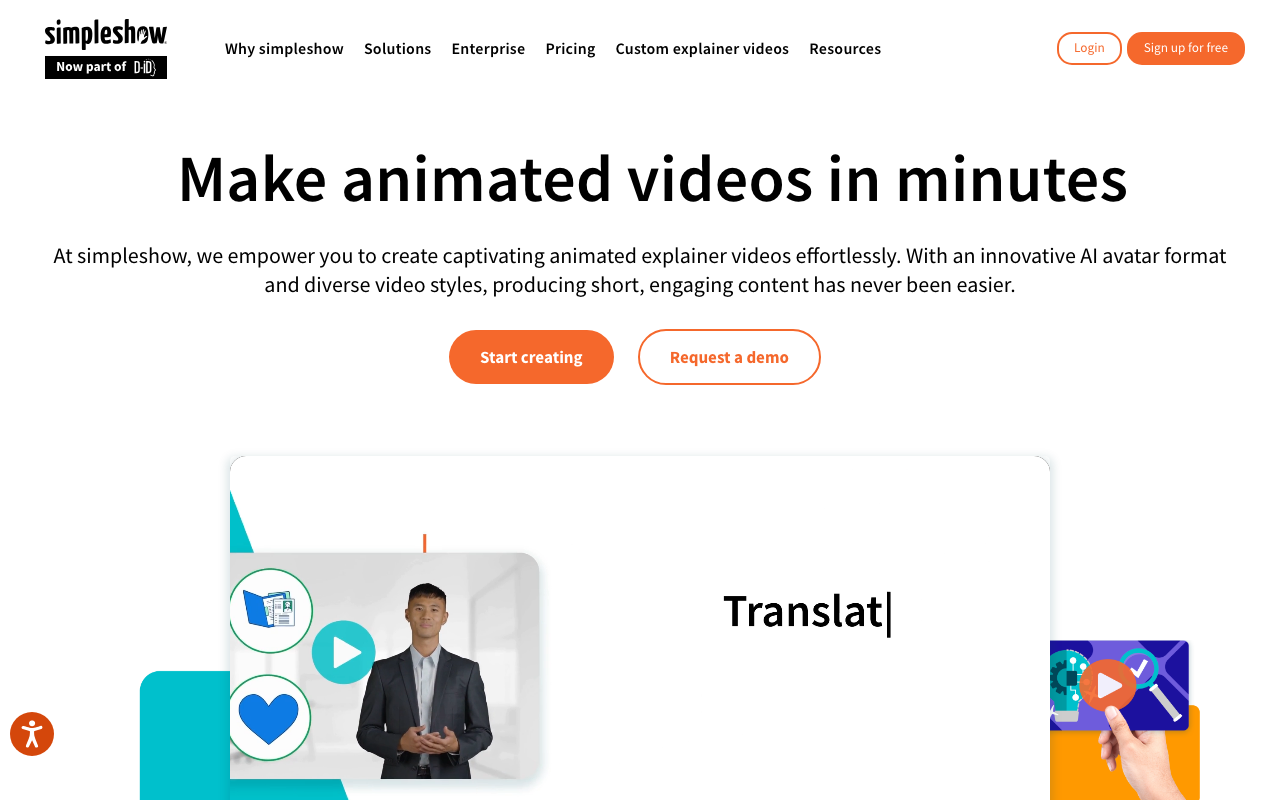 The mysimpleshow editor walks you through drafting, writing, visualizing, and finalizing an explainer video.
Quick Verdict at a Glance
Before the deep dive, here is the one-screen summary for scanners.
| Attribute | Details |
|---|---|
| What it is | Web-based explainer video maker (text-to-animation) |
| Best for | Educators, trainers, and SMB teams making simple explainers |
| Signature style | Whiteboard scribble animation with auto-generated visuals |
| Starting price | Permanent free tier (watermarked); paid plans from $79/month (Business) |
| Languages | 20+ for narration and subtitles |
| Biggest strength | Guided four-step workflow, near-zero learning curve |
| Biggest limitation | Limited template and illustration variety; steep paid tiers |
| Overall fit | Great for quick explainers, weak for creative or highly branded video |
What Is mysimpleshow?
mysimpleshow is the self-serve, browser-based product from simpleshow, a company that built its name on the "simpleshow" explainer video format: a clean, hand-drawn scribble style where illustrations are "drawn" onscreen as a voiceover narrates the story. The self-serve tool packages that house style into a template you can drive yourself, without hiring the agency side of the business. It carries a steady base of positive user reviews on independent software directories like Capterra, where reviewers repeatedly single out ease of use.
One detail the aggregators skip, visible on the current public site: simpleshow is now part of the D-ID family, and the interface has grown beyond the classic scribble look to surface an AI avatar format, with enterprise security compliance (ISO 27001, SOC 2) flagged for corporate buyers. The self-serve maker still centers on the scribble explainer, so the acquisition matters more for where the product is heading than for the free workflow today.
The core promise is accessibility. You do not need design skills, animation experience, or a video editor. You write or paste a script, and the platform proposes matching illustrations, assembles the animation, and adds narration. It targets people who need to explain something clearly, teachers building lessons, HR teams onboarding staff, marketers producing concept videos, rather than creators chasing cinematic or highly stylized output.
mysimpleshow Key Features
The product is narrow by design. It does one job, explainer videos, and builds every feature around that. Here are the capabilities that matter when you evaluate it.
The guided four-step workflow is the heart of the tool: you draft (pick a storyline template or start blank), write (enter your script), visualize (the platform auto-suggests illustrations for each line), and finalize (add voice, music, and subtitles). This structure is what makes it approachable for first-timers.
- Auto-visualization. Branded "auto-magical" by simpleshow, this is really keyword matching: the system reads your script and pulls stocked illustrations line by line. The label oversells it, but the effect is real, it removes the blank-canvas problem for non-designers.
- AI script assistance. Storyline templates and writing prompts help you shape a script if you are staring at an empty page.
- Illustration library. Thousands of preset scribble-style images, plus the option to upload your own images.
- Voiceover options. Record your own narration, or use automated computer voices in 20+ languages, with background music tracks to choose from.
- Subtitles and localization. Add subtitles and produce videos in more than 20 languages, useful for global training content.
- Housekeeping features. Version history, custom closing frames, video privacy controls, and watermark removal on paid tiers.
- Commercial rights. Paid plans include commercial and third-party transfer rights, so businesses can use the output for clients.
The trade-off behind all of this is uniformity: every mysimpleshow video reads as a mysimpleshow video.
mysimpleshow Pricing in 2026
Pricing is where evaluations tend to split. mysimpleshow keeps a free tier that is genuinely usable for testing, then jumps to business-grade pricing. The figures below are taken from the official pricing page on 31 July 2026.
| Plan | Price | What you get |
|---|---|---|
| Free | $0 | Unlimited video creation, storyline templates, auto-visualization, watermark on exports |
| Business | $79/month, billed $948/year | Commercial use, watermark removal, HD downloads, privacy settings |
| Pro | $399/month, billed $4,788/year | Unlimited renderings plus creative and agency features |
| Enterprise | Custom | Team collaboration, custom branding, AI and privacy control, SSO on request |
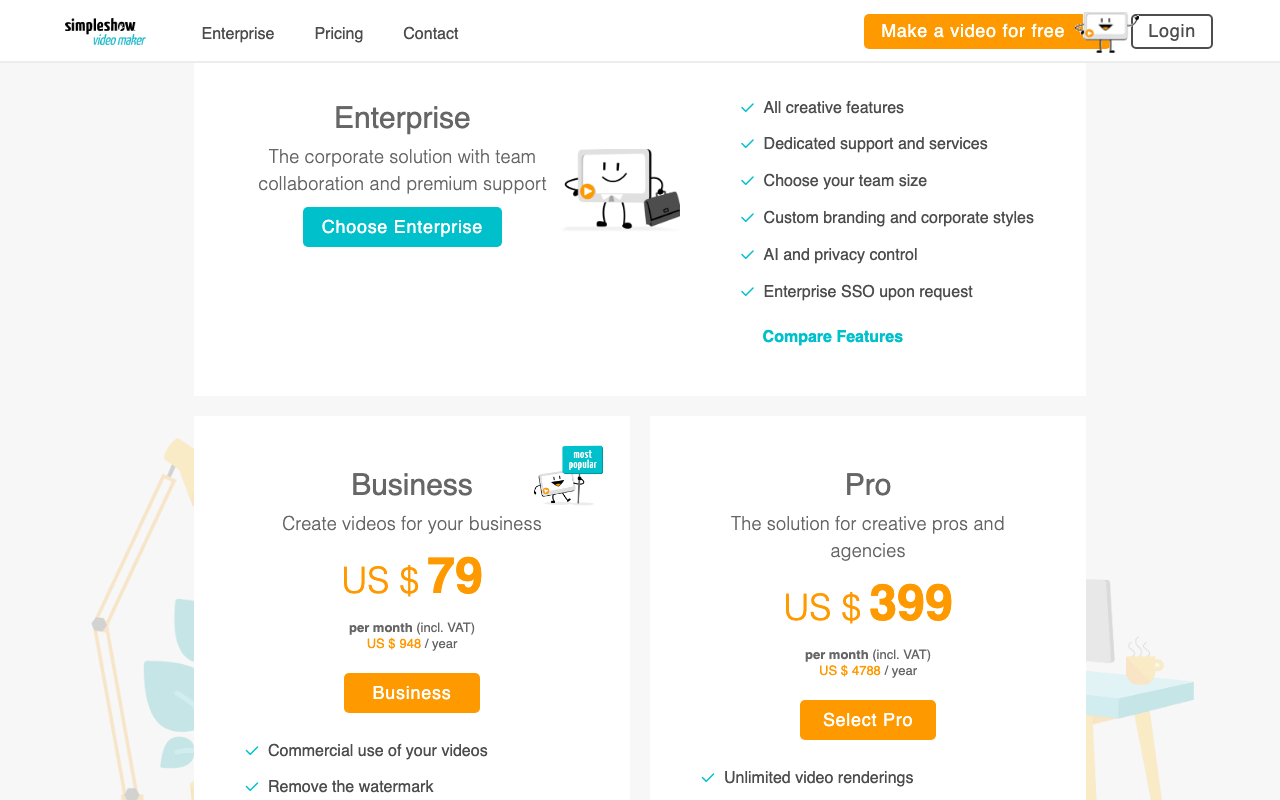 The 2026 pricing page lists Business at $79 per month and Pro at $399 per month, plus a free option and custom Enterprise pricing.
Here is the decision the aggregator listings do not spell out. The free tier watermarks exports and locks HD download and privacy controls behind Business, and there is no personal tier between $0 and $79 per month. So the real question is not "is $79 fair" but "do I publish enough business explainers to justify $948 a year." Ship one or two a quarter and the free tier is usually the rational choice; Business only pays off once branded, watermark-free output is a regular deliverable. Pro at $399 per month is an agency line item, not an individual purchase.
What Working in mysimpleshow Is Like
This assessment draws on the product's live pages plus aggregated user reviews, not a private test account, so treat the notes as the consensus picture rather than a single lab run. That consensus is consistent: the workflow is fast and forgiving, and a first-time user can go from a blank project to a finished, narrated explainer in one sitting through the four guided steps. By most accounts it delivers on turning a non-designer into someone who can ship a clear explainer.
The friction is structural and predictable. The visualization step matches your text to illustrations keyword by keyword, so an abstract or brand-specific line often returns a near-miss, and the common fix reported by users is to reword the sentence until a stocked image fits. Capterra reviewers repeatedly praise the ease of use while flagging the same ceiling: the library is "pretty limited," and you sometimes have to "think a different way" because the exact illustration you pictured is not stocked. For a plain concept that is a minor tax. For anything visually specific, it is the wall you hit.
mysimpleshow Pros and Cons
A balanced look, based on aggregated user reviews and the workflow itself.
| Pros | Cons |
|---|---|
| Very low learning curve; guided four-step process | Limited illustration and template variety |
| Auto-visualization removes the design burden | Paid tiers are expensive for individuals |
| Strong for classic explainer and training use cases | Free tier watermarks exports and locks HD |
| 20+ language narration and subtitles | Uniform house style limits creative range |
| Commercial rights on paid plans | Rewording needed when a matching visual is missing |
None of its drawbacks are dealbreakers for its core audience, and none of its strengths make it a fit for creative or highly branded work.
Who Should Use mysimpleshow (and Who Should Skip It)
The tool rewards a specific reader and frustrates another. Matching yourself to the right column saves a wasted trial.
Use mysimpleshow if you:
- Make classic explainer or training videos and value speed over style.
- Are a teacher, trainer, or student who needs clear visuals without design skills.
- Want a consistent house look across a library of internal videos.
- Need multi-language narration and subtitles for global teams.
Skip mysimpleshow if you:
- Want creative freedom, distinct visual styles, or heavy brand customization.
- Are an individual creator sensitive to the jump from free to business pricing.
- Need footage, realistic scenes, product shots, or anything beyond scribble animation.
- Want to describe a video in your own words rather than fit a script into a fixed template.
Best mysimpleshow Alternatives
If mysimpleshow's fixed library or pricing is the sticking point, three alternatives are worth a look. They are listed with the strongest match to those specific limitations first.
| Tool | Best for | Interaction model |
|---|---|---|
| Pexo | Explainers beyond the scribble template | Conversational, describe it and refine |
| Powtoon | Animated marketing and presentation video | Timeline editor with drag-and-drop |
| Vyond | Business animation with character control | Full scene and character editor |
Pexo answers mysimpleshow's two biggest limits, the fixed library and the rigid template, directly. Rather than fitting a script into a four-step builder, you describe the video you want in plain language and refine it in conversation, so you are not locked to a single house style. You can make an explainer video from a description, or turn a script into a video if you already have the copy. It works with models like Seedance 2.0, Kling AI, and more, and uses credit-based pricing instead of a flat monthly tier.
Powtoon keeps you inside a familiar timeline editor with a large animated-asset library, a good fit if you want more hands-on control than mysimpleshow allows but still want templates to start from. Learn more on the Powtoon site.
Vyond targets business animation with deep character and scene control, better suited to teams that need custom characters and richer storytelling than a scribble explainer can carry. See the Vyond site.
Verdict: Is mysimpleshow Worth It in 2026?
For its intended job, yes. mysimpleshow remains one of the fastest ways for a non-designer to produce a clear, narrated explainer video, and the permanent free tier lets you confirm the workflow before paying anything. Rate it around 4 out of 5 for ease of use and 3 out of 5 for creative flexibility, and you have an honest picture: excellent at the simple thing, limited beyond it.
Buy it if you produce classic explainers or training content at volume and value a consistent, no-skills workflow over visual range. Look elsewhere if the fixed library, scribble-only style, or the leap to business pricing does not match how you work. In that case, a conversational option like Pexo, where you turn a URL into a video or describe a scene rather than assemble one, will feel less constrained. Match the tool to the job, and mysimpleshow earns its place for the specific job it does well.