
 ChatGPT
 Perplexity
 Claude
 Gemini
 Grok
Grok
You can make a finished Instagram Reel by describing it in a chat, the same way you would text a friend. That is Vibe Creating, the workflow Pexo coined, and this guide walks through it step by step. I made a 30-second vertical Reel this way for this article, and the whole thing took one conversation: I said what I wanted, Pexo showed me a plan and previews, I redirected twice, and I downloaded a ready-to-post 9:16 video. No timeline, no prompt engineering, no editing skills needed.
Vibe coding changed programming. Vibe creating changes videomaking. Below is exactly how to apply it to Instagram: the steps, the phrases that work, hook and caption ideas, and the mistakes I made so you can skip them.
What You Need
- A Pexo account (Pexo also works inside Claude, Slack, Lark, and WhatsApp, so you can vibe create without opening a new tab)
- A rough idea of the Reel you want. Half-baked is fine, that is the point
- Optional: a photo, a product URL, or an audio clip to start from
- 15 to 30 minutes for your first Reel, less once the loop feels familiar
You do not need footage. Vibe Creating starts from text, an image, a URL, or audio, and Pexo generates the video from there.
What Is Vibe Creating?
Vibe Creating is making finished videos through conversation with an AI partner instead of operating software. The term comes from Pexo, the AI video partner that meets you where you are, and it deliberately mirrors "vibe coding": you describe the outcome, react to what comes back, and shape it in plain language until it is right.
The contrast matters for Instagram specifically. The traditional Reel workflow is film, import, trim, sync to audio, caption, export, and most people quit somewhere in the middle. Generation tools removed the filming but replaced it with a prompt box, and most people stare at that box with no idea what to type. Vibe Creating removes both problems. No prompts, just talk. You say "a cozy 30-second Reel about morning routines, soft colors, lo-fi music" and Pexo picks up on what you actually mean, suggests directions you did not think of, and hands back a complete video with pacing and a soundtrack. Want a change? Point at it and describe the change.
One boundary worth stating honestly: Vibe Creating generates video from ideas and non-video assets. If your workflow is cutting clips out of long footage you already filmed, that is a different job and Pexo is not the fit for it.
How to Vibe Create an Instagram Reel, Step by Step
Step 1: Open Pexo and say the vibe, not a spec
Start a conversation and describe the Reel the way you would pitch it to a friend. I opened with: "I want a 30-second Instagram Reel about resetting your morning routine. Aesthetic, soft warm light, slow cozy pacing, lo-fi music, vertical." That is the whole input. No settings, no template browsing.
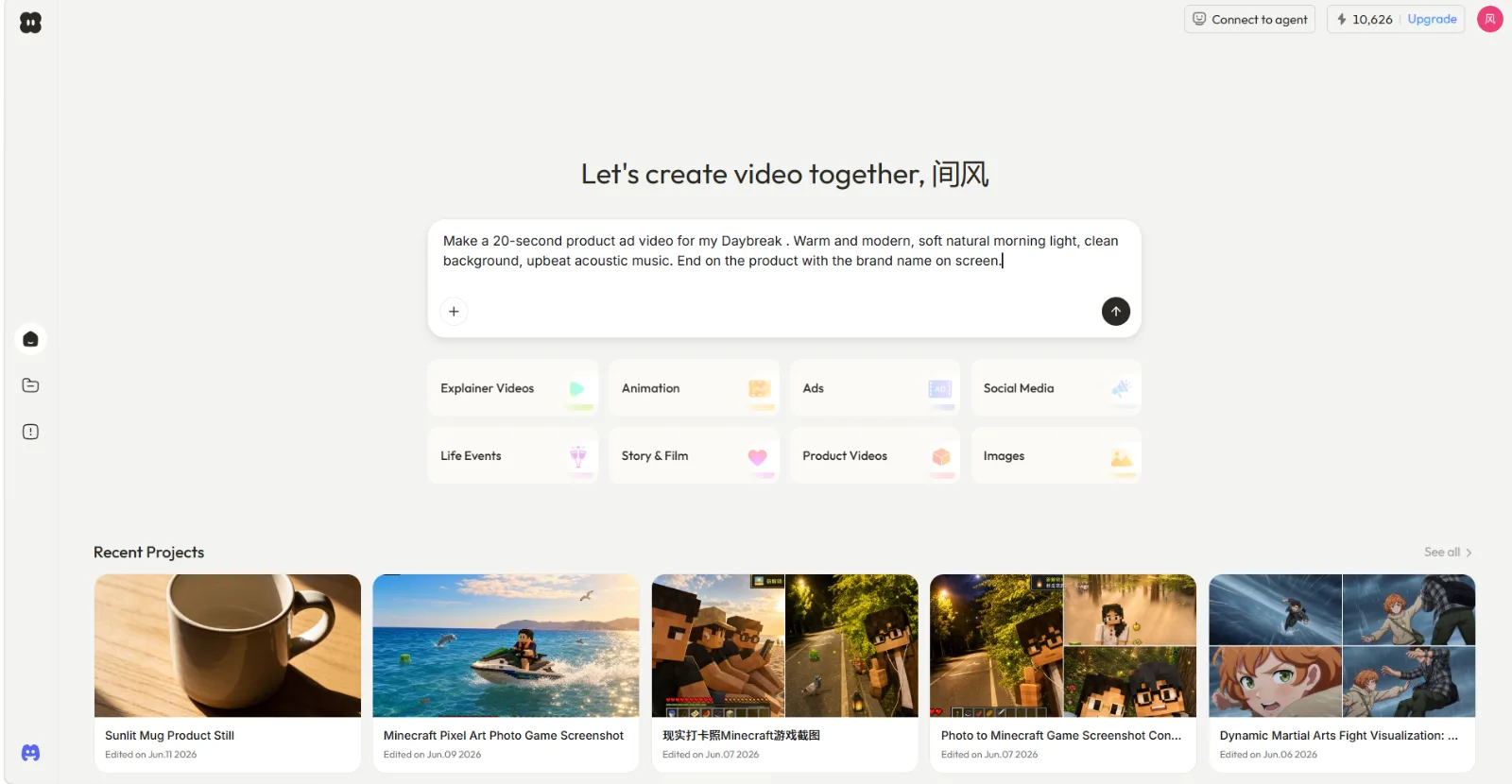
Two details worth including up front for Instagram work:
- Say "Instagram Reel" or "9:16 vertical" explicitly. Reels are full-screen vertical, and naming the platform lets Pexo shape the format and pacing for it.
- Say the length. 15 to 30 seconds is the sweet spot for Reels. Shorter loops better; loops get rewatched.
If you have an ingredient, lead with it. A product photo ("make a 15-second Reel ad from this photo of my candle"), a URL ("turn this product page into a Reel"), or an audio clip all work as starting points.
Step 2: React to the plan before anything renders
Pexo does not disappear into a black box. Before full production it shows its thinking: a plan and quick previews you can redirect. This is where Vibe Creating stops feeling like a slot machine and starts feeling like working with a person.
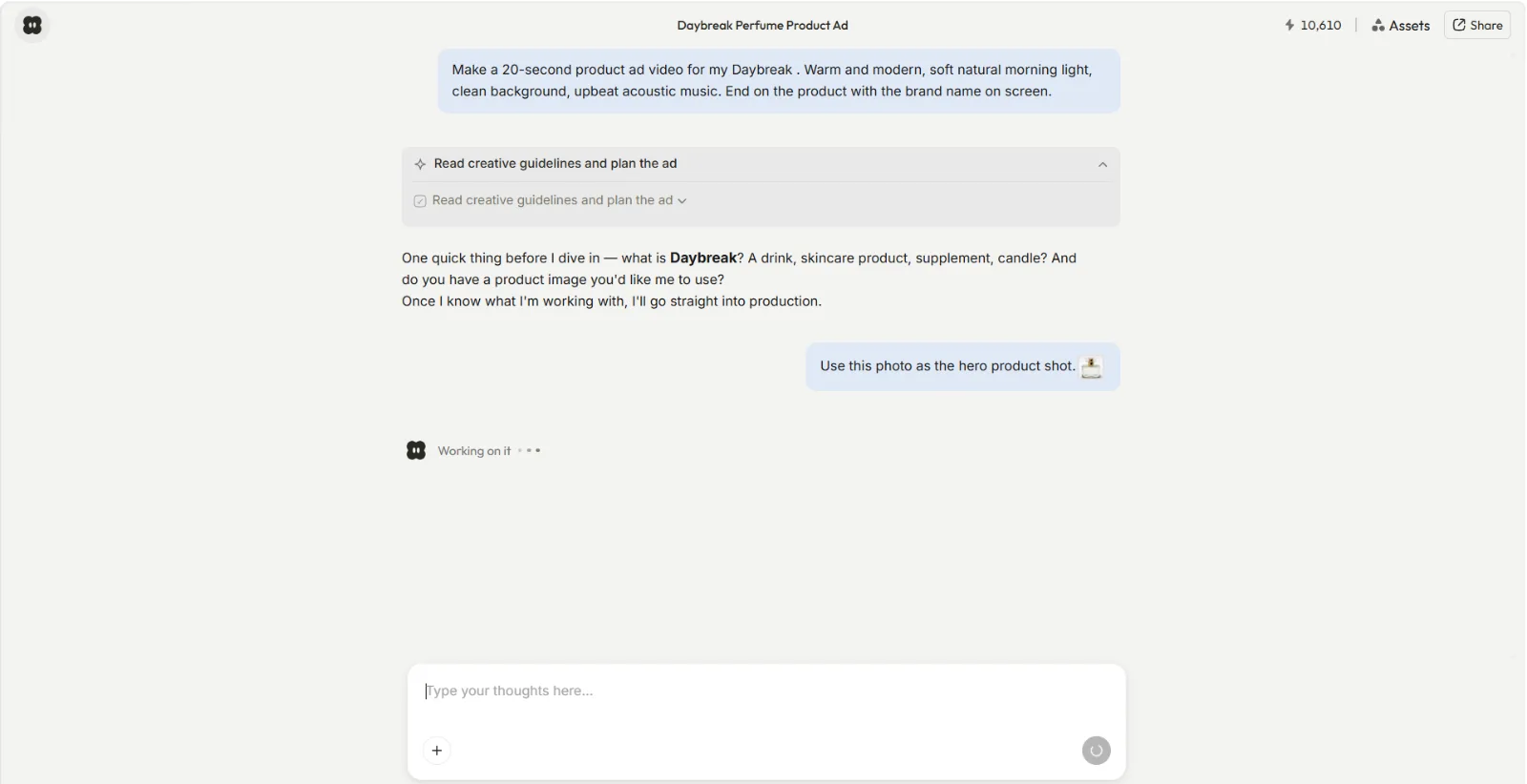
In my run, Pexo came back with a scene-by-scene direction and, unprompted, suggested opening on a close-up rather than a wide shot for a stronger first second. I had not thought about the first second at all, and on Instagram the first second is everything. Say yes to what works, redirect what does not: "warmer light in scene two", "slower", "less text on screen". Plain language is the whole interface.
This step is also where you lock your hook. The first second of a Reel decides whether anyone stays, so tell Pexo what the opening beat should be. Phrases I tested that translate well: "open on a fast close-up", "start mid-action", "first frame should make you ask a question".
Step 3: Review the preview and shape it by pointing at things
When the preview lands, watch it like a viewer, not a producer. Watch it on your phone if you can, since that is where your audience lives.
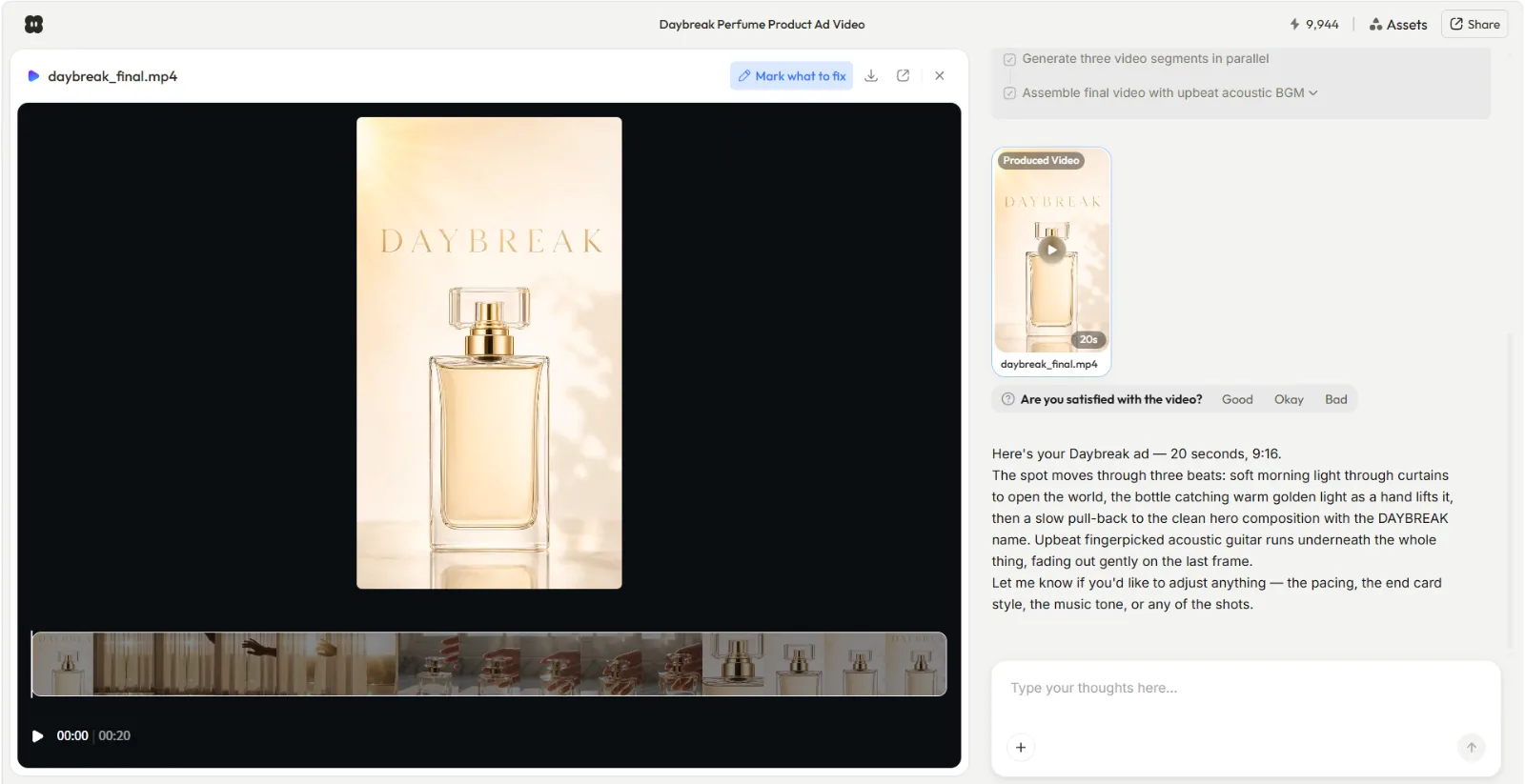
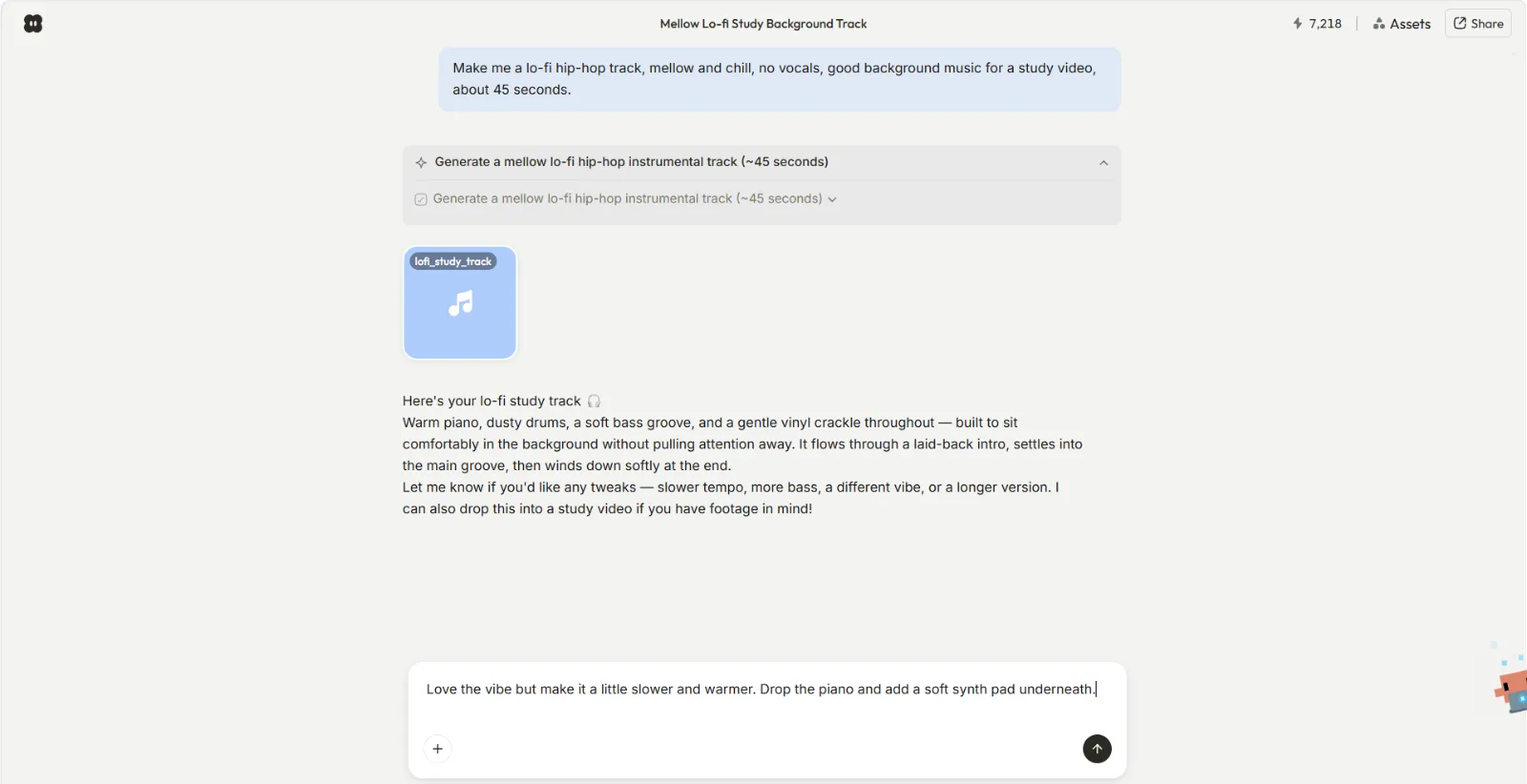
Then give feedback by pointing and describing. My actual notes back to Pexo were: "the second scene drags, tighten it" and "make the ending feel like it loops back to the start". Both changes came back correctly the first time. You do not open an editor, you just say what to change.
The loop is also non-linear, which suits how creative work actually goes. You can reroll one section, jump ahead, or change your mind about the vibe entirely without starting over. On my first Reel I changed the music direction after the visuals were already close to final, and nothing else broke.
Step 4: Ship it, then write the caption while it is fresh
When the Reel feels right, you get a complete, polished video: transitions, soundtrack, pacing, the whole thing, ready to post. Download it and go straight to Instagram while the idea is still warm.
Caption fast rules that pair well with vibe-created Reels:
- First line is a second hook. Instagram truncates captions, so the opening line has to earn the "more" tap. Mirror the video's hook, do not repeat it.
- One idea, one CTA. "Save this for tomorrow morning" outperforms three stacked asks.
- Ask Pexo for caption ideas in the same conversation. It already knows the vibe of the video, so its caption suggestions come out on-tone. I asked for "five caption options, casual, with a save-this CTA" and used the third one nearly verbatim.
- Keep hashtags light and specific. A handful of niche tags beats thirty generic ones.
Common Mistakes I Made (So You Don't)
- Describing camera specs instead of feelings. My first attempt included lens jargon I half-remembered. The output got worse. "Cozy, warm, slightly nostalgic" worked better than any technical vocabulary. Talk vibe, it is in the name.
- Skipping the platform. I once left out "Instagram Reel" and got pacing that felt more like a landscape brand film. Name the platform and the 9:16 format in your first message.
- Accepting the first preview out of politeness. The redirect loop is the product. My second and third rounds of "tighten this, warm that" improved the Reel far more than a longer first description would have.
- Overloading one Reel with three ideas. Reels reward one clear idea. When I crammed in a routine, a product, and a life lesson, Pexo dutifully made something crowded. One idea per Reel, always.
- Writing the caption a day later. The caption came out flat once the vibe had cooled. Do it in the same session, ideally in the same Pexo conversation.
Pro Tips for Instagram-Specific Results
- Batch a week of Reels in one conversation. Pexo remembers context, so "same style, new topic: evening wind-down" gets you a matching series without re-explaining the vibe. Series consistency is underrated for follower growth.
- Design for sound-off first. Lots of Reels get watched muted. Ask for visuals that carry the idea alone, then treat the soundtrack as a bonus layer.
- Ask for a loop. "Make the last frame flow back into the first" is a one-sentence request that quietly boosts rewatches.
- Use what you already have as inputs. A product URL, a photo from your camera roll, or a voice memo of you rambling the idea are all valid starting points. The URL-to-Reel path is especially fast for e-commerce accounts.
- Do not choose models, describe outcomes. Pexo works with leading models like Seedance, Sora, Kling, and more, and routes to the right one for your scene. Spend your words on the vibe, not the machinery.
What Else Can You Use
If you want to compare approaches, two honest alternatives: CapCut is a full manual editor with strong Reels templates, best if you already have footage and want hands-on timeline control. InVideo offers template-driven social video assembly, useful if you prefer picking layouts over describing ideas. Both are operate-the-software workflows rather than conversation-driven ones, which is exactly the difference Vibe Creating exists to remove.
Conclusion
Vibe Creating collapses the Instagram Reel workflow into one conversation: say it, see it, shape it, ship it. You bring the idea and the taste, Pexo brings the production, and the redirect loop in the middle is where the quality comes from. The fastest way to understand it is to make one Reel this way. Start a conversation at pexo.ai or begin with a photo via image to video, describe the Reel in your head, and post what comes back.