Pexo
MiniMax H3-Image

MiniMax H3-Image
Give the brief room to become a world.

MiniMax H3-Image is an open-weight image generation and editing model from the H3 family. Create from a text brief, work with up to 16 reference images, and choose a high-resolution canvas. Standard and Highspeed modes are available through MiniMax’s image API.

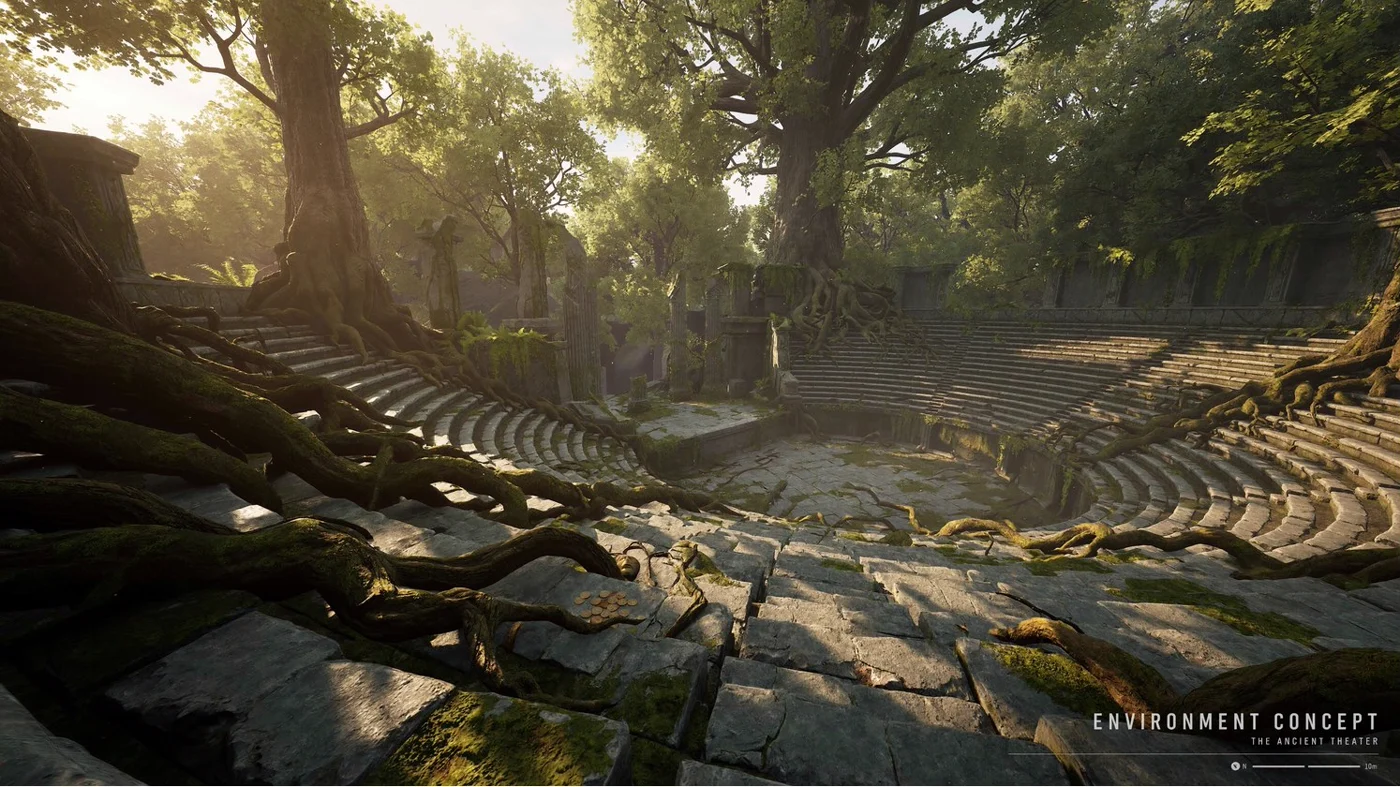
A moss-covered ancient theater in a forest, with sunlight across its stone steps

Core capabilities

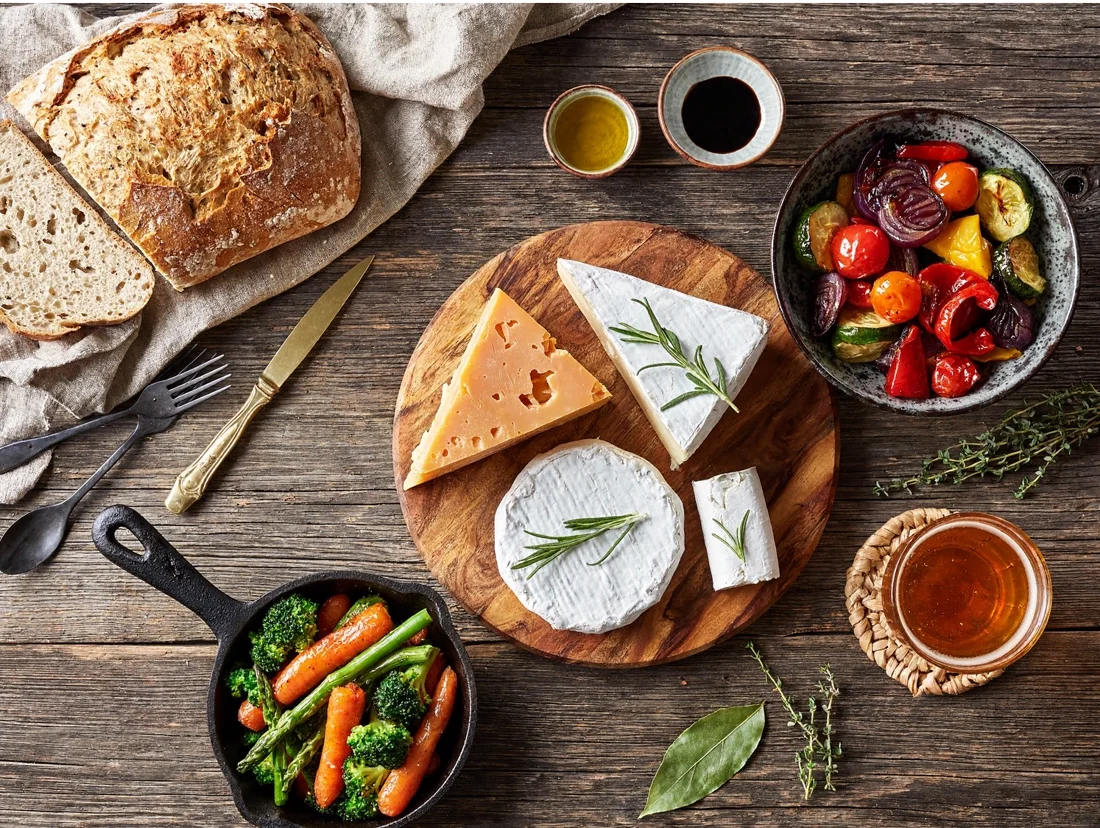
An overhead farm-to-table spread of bread, cheese and vegetables on weathered wood
EXAMPLE PROMPT
An overhead farm-table still life: bread, cheeses and vegetables on weathered wood, with natural texture and soft light.

Turn a visual brief into a still

Start with the subject, viewpoint and materials. The farm-table example brings bread, cheese and vegetables into one overhead composition. Describe how objects relate, where the light comes from and what should remain quiet. Prompt enhancement can expand a short text brief; review the expanded description when a detail matters.
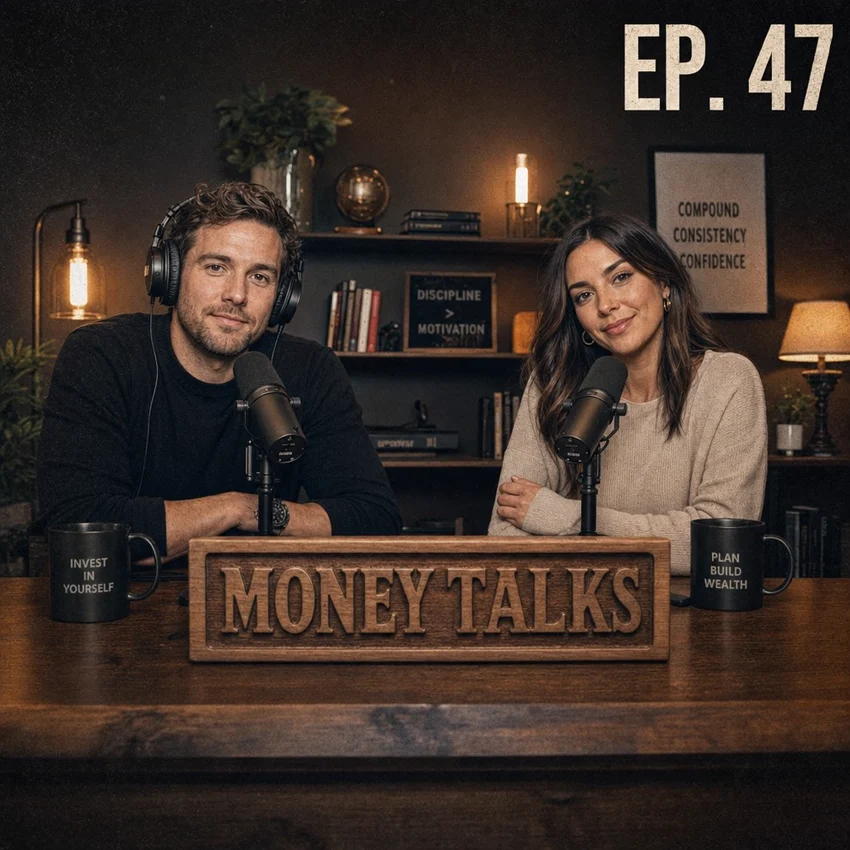
Reference image of two podcast hosts, with the man wearing headphones

Reference input

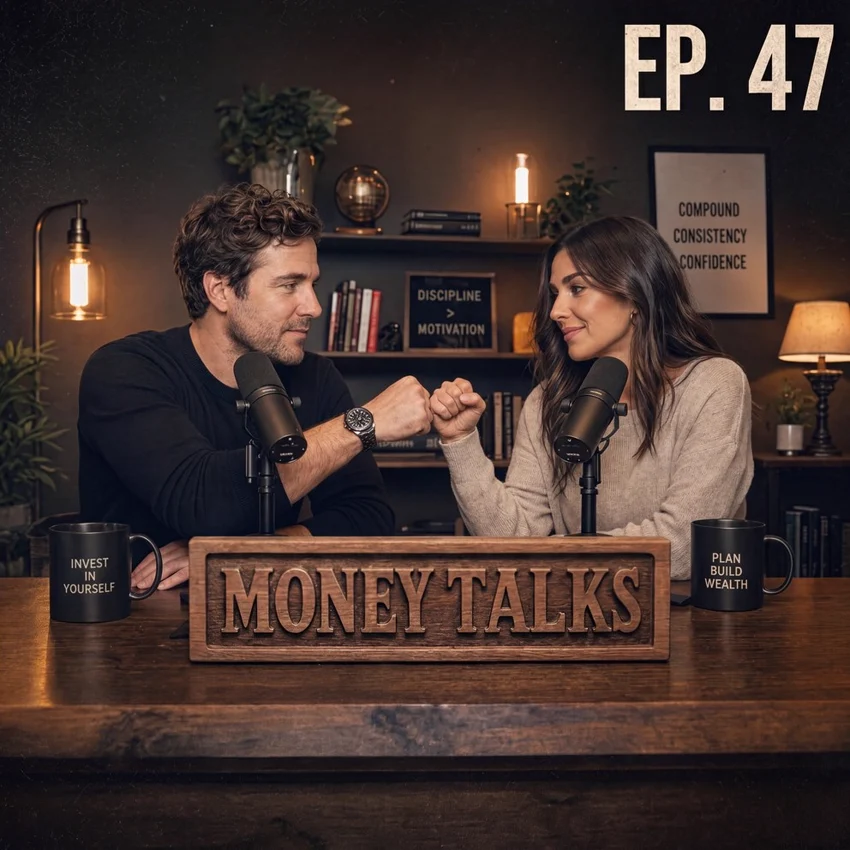
Edited podcast hosts without headphones, bumping fists across a desk

MiniMax API result

Edit: remove the headphones and have the hosts bump fists.

Give an existing scene a new action

The podcast example begins with a real reference supplied in MiniMax’s workflow. The edited result removes the man’s headphones and changes the hosts’ pose into a fist bump. Use a specific instruction, then compare faces, hands and background details. A successful example does not guarantee exact preservation in every edit.

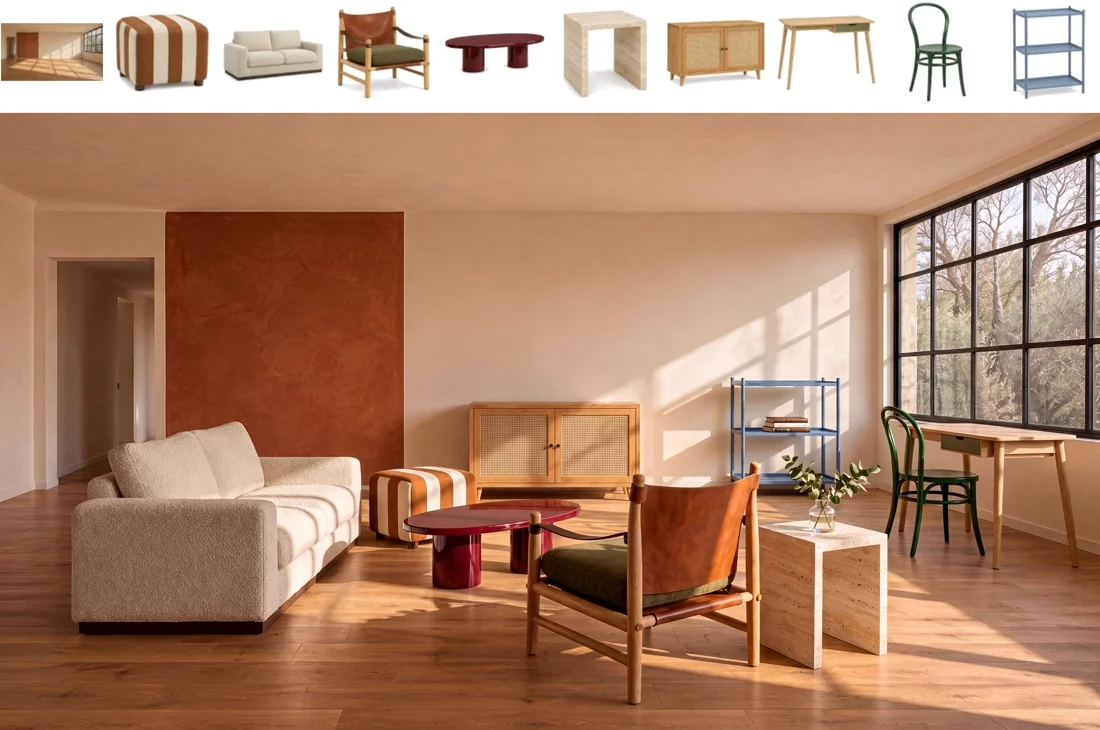
Ten references, including an empty room and nine furniture items, above the furnished room result
10-image example · reference images above, composed result below

Compose from several image references

The service accepts one to sixteen reference images for editing. Here, ten inputs—an empty room and nine pieces of furniture—become one furnished interior. Give each reference a clear role and describe the intended placement. This is a ten-input demonstration, rather than a claim that every sixteen-image request will combine perfectly.

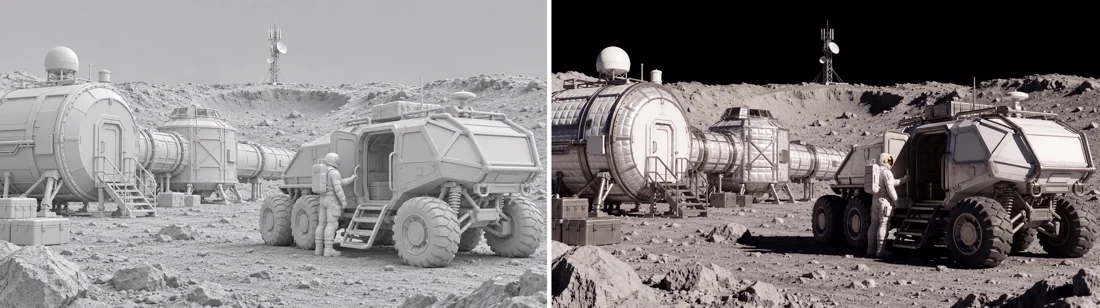
Untextured lunar-base input on the left and photorealistic edited result on the right
Render input → image-editing result

Develop a render into a finished scene

A grey lunar-base render establishes the arrangement of habitats, a rover and an astronaut. The paired result adds surface materials, lighting and a photographic treatment. This is image editing from a rendered reference, not the production of a new 3D asset. Check which shapes and spatial relationships survived the change.

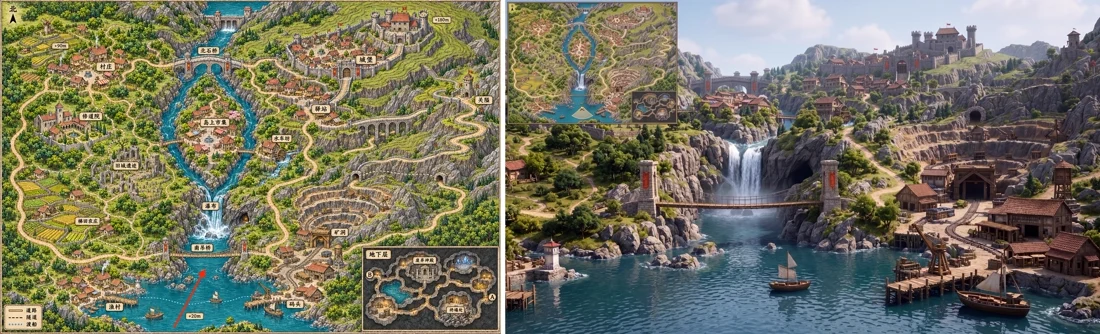
Illustrated map input on the left and first-person view generated from the marked location on the right
Marked map input → first-person scene

Translate a map into a viewpoint

A marked position on an illustrated map supplies a different kind of reference. MiniMax’s example turns that location into a first-person scene, with the source map retained as a small overlay. Make the viewing direction explicit. Inspect landmarks and geometry rather than treating the output as a measured reconstruction.

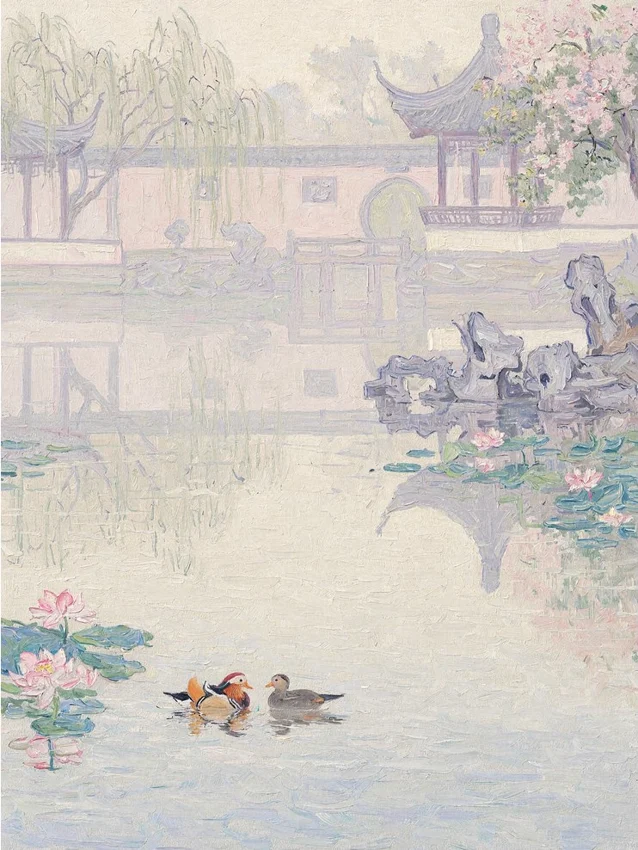
A pale watercolor garden with reflected architecture, willows and ducks on a pond
Watercolor study · pale washes, open space and reflected architecture

Choose the medium as well as the subject

The official examples span photographic scenes, environment concepts and painted illustrations. This pale garden uses washes of color, paper-like space and reflected architecture. Name the medium and the features that define it. For a series, compare framing, palette and texture before committing to a visual direction.

Image showcase

Source: MiniMax official H3-Image examples and input/output panels, cropped for display.

Model comparison

DIMENSIONMiniMax H3-ImageH3-Image Highspeed
TasksText-to-image and image editingSame API tasks and parameter limits
Reference inputs1–16 images for editingSame reference-image limit
Output controlsCustom dimensions or aspect ratio and area level; up to 20 MP in the APISame API size controls and limits
PositioningStandard service modeSpeed-focused service mode; actual latency depends on the request
Open weightsMiniMax-H3-Image checkpoint is publishedThe reviewed model card does not list a separate Highspeed checkpoint

The highlighted column identifies this page’s main model. This is a documented service-mode comparison, not a same-input speed or image-quality benchmark performed by Pexo.

Use-case scenarios

Interior and product concepts

Combine room, furniture or product references into a proposed setting. Check proportions, placement and object details before using the image in a presentation.

Environment development

Turn a location brief, map or rough render into a visual concept. Use the result to explore atmosphere and composition, with human review of spatial consistency.

Editorial image direction

Explore a photographic, surreal or illustrated treatment for a story. Compare a small set of directions, then proofread visible text and inspect the final image at full size.

Use cases

Take the wider visual idea into Pexo’s video creation workflows.

Frequently Asked Questions About MiniMax H3-Image

What is MiniMax H3-Image, and when was it announced?

It is MiniMax’s open-weight image generation and editing model, built from the H3 family. The Chinese announcement is dated November 10, 2026; the English announcement is dated November 11. This page covers the image model and its Highspeed service mode, rather than the H3 video models or Pruna’s P-H3-Image release.

Does 4K mean the same dimensions at every aspect ratio?

No. MiniMax uses a 4K area level of about 16 megapixels: 4096 × 4096 for a square, or 5472 × 3072 in its listed landscape example. The API also accepts custom sizes up to 20 megapixels, subject to its aspect-ratio limits. Inspect the actual returned dimensions instead of assuming every image is 3840 × 2160.

Should I use Standard or Highspeed?

Both modes support the same documented API controls and limits. Highspeed is the speed-focused option. Test the kind of brief and reference set you actually use, then compare latency and the result. The provider’s under-ten-second headline is not a guaranteed completion time for every device, service request or output size.

How does prompt enhancement affect a request?

Text-to-image uses enhancement by default; it can be disabled when you want to control the description directly. Image edits always apply enhancement in the documented API. Review the returned revised prompt when diagnosing an unexpected detail. The local open-weight workflow has its own optional prompt-expansion component.

Can I use transparent backgrounds or run the model locally?

The reviewed MiniMax API does not support transparent backgrounds or masked edits. Open weights are available under the MiniMax-H3-Image Community License, with separate text-encoder requirements. Check the license and hardware requirements for your intended use; an open-weight release does not imply an unrestricted license or a lightweight installation.

Official MiniMax guide

Other models

Describe your idea and start your next creation.

Start creating