
Pexo
Qwen-Image-2.1

Qwen-Image-2.1
Create, edit and keep the alpha.

Qwen-Image-2.1 is Alibaba’s image generation and editing model, released on September 20, 2026. Its 7B visual generator brings text-to-image, native transparency and reference-led editing into one model. Use up to ten reference images, guide local changes with annotations or masks, and review the result against the originals. Downloadable weights use the Qwen Research License; commercial use requires a separate license.

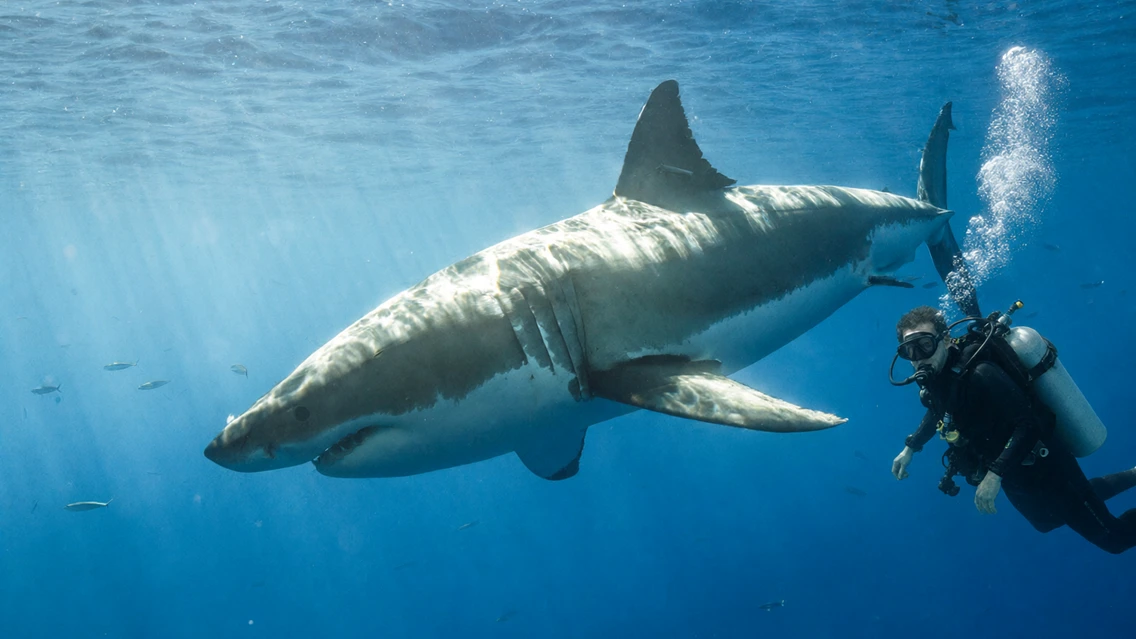
Qwen-Image-2.1 underwater edit with a diver beside a shark

Core capabilities

Qwen-Image-2.1 official example 06
Native transparent-image example · The neutral preview background is not proof of a flattened source.

Generate a transparent design asset

Describe an isolated subject and explicitly ask for an RGBA image with a transparent background. This office-character example belongs to the publisher’s transparent-generation set. The model can generate a subject directly with alpha, rather than relying on a separate background removal step. Inspect hair, fine edges and any semi-transparent details on both light and dark backgrounds.

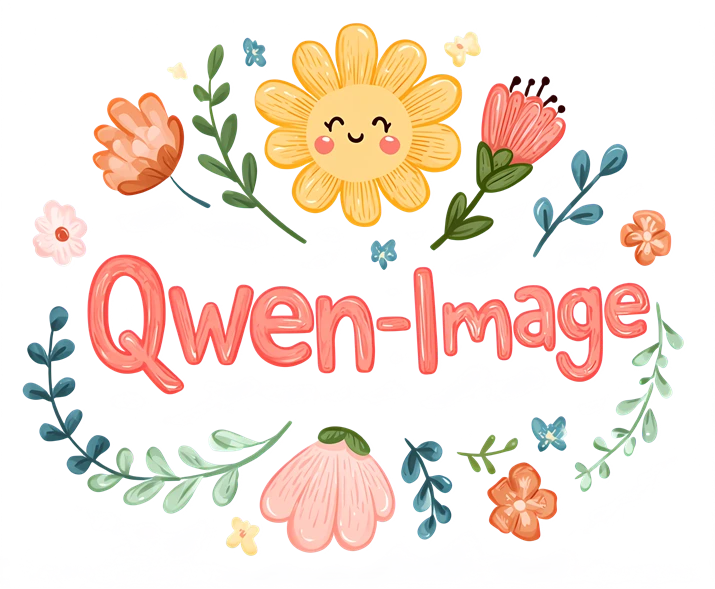
Qwen-Image-2.1 official example 11
Input
Qwen-Image-2.1 official example 12
Edited result
Text edit: “BLOOM” → “Qwen-Image”.

Change the lettering on a transparent layer

Edit an existing transparent design while keeping its surrounding visual idea. In this example, “BLOOM” becomes “Qwen-Image” among the illustrated flowers. State the exact replacement text and which elements should remain. Lettering is generated imagery, so proofread every character and inspect the alpha boundary after editing.

Qwen-Image-2.1 official example 13
Input
Qwen-Image-2.1 official example 14
Edited result
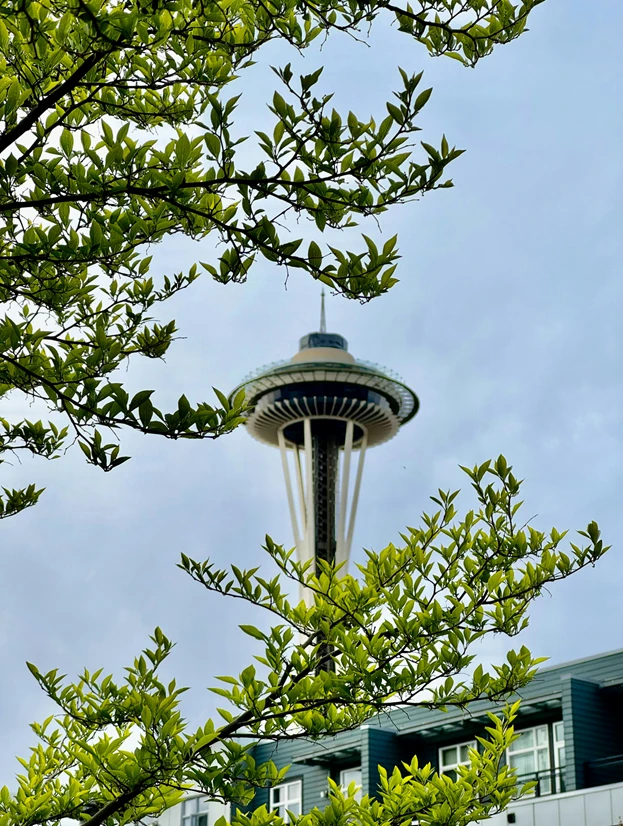
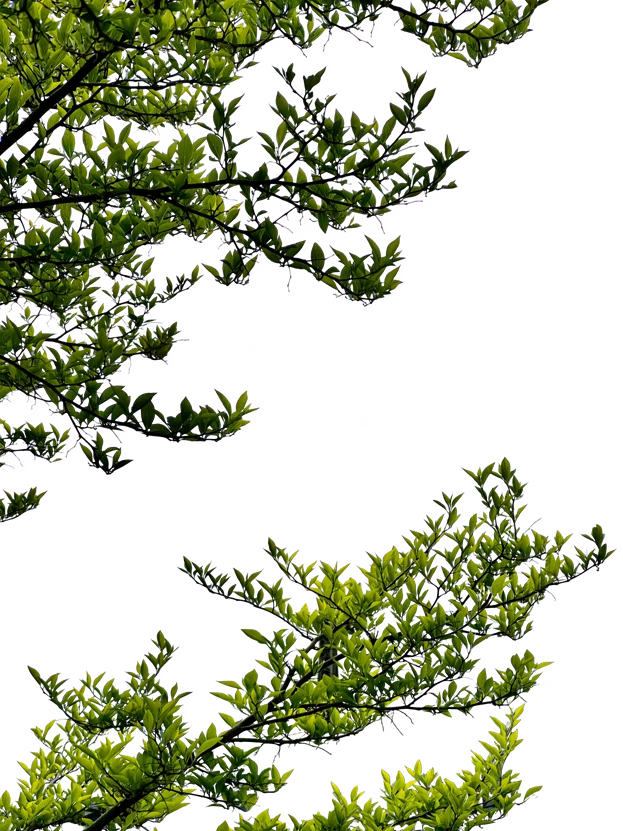
RGB photograph → Extracted RGBA foliage.

Extract a subject from a photograph

Ask for the part of a photograph you need as an RGBA layer. The tree-branch example removes the surrounding sky and architecture while retaining the requested foliage. This is different from generating a new transparent subject from text: the photograph supplies its appearance. Check gaps between leaves and thin branches before compositing.

Qwen-Image-2.1 official example 15
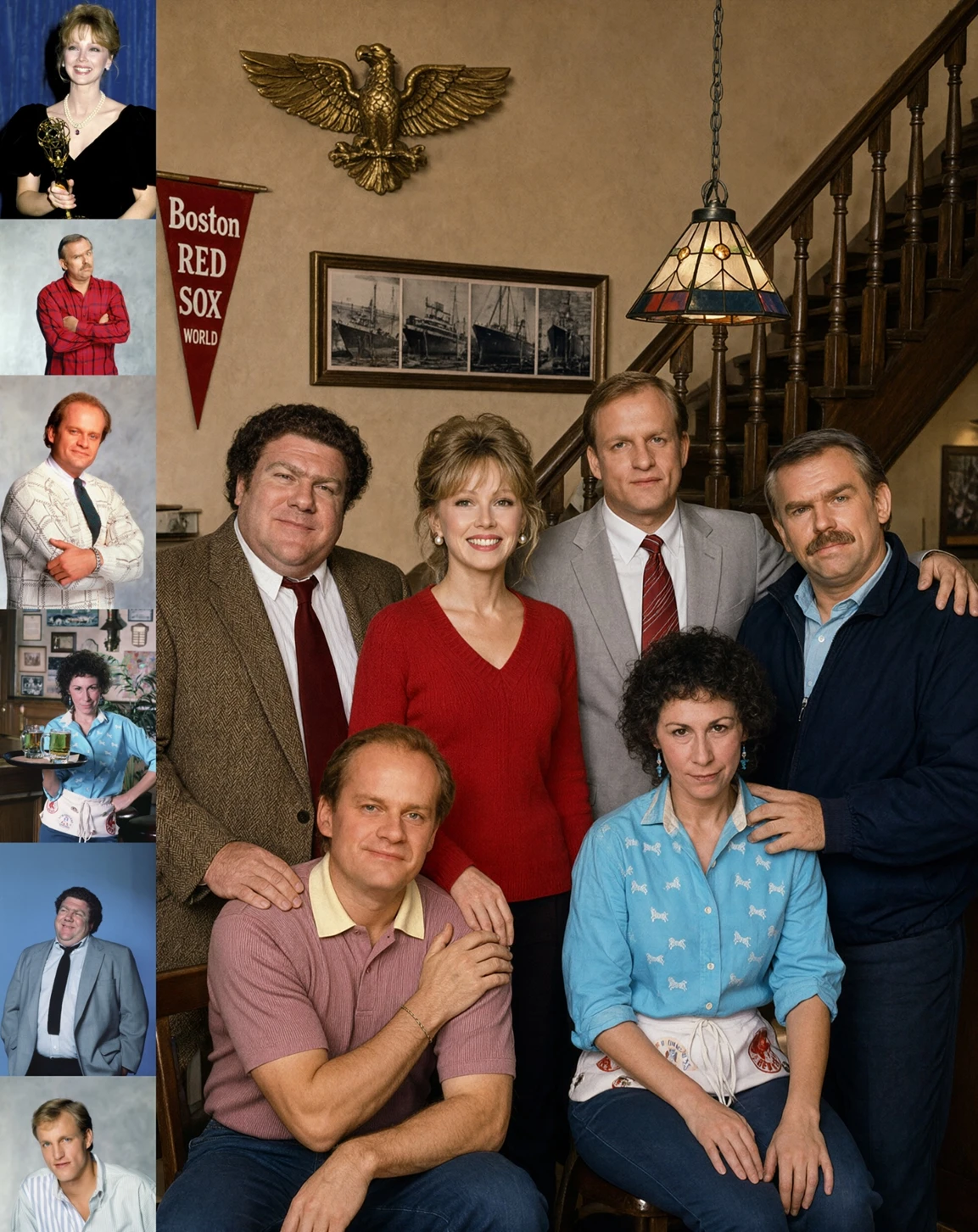
Six portrait references at left → One generated group composition.

Combine several references in one composition

Provide references with clear roles: who appears, which object matters and what setting to build. The official group-photo example combines six portrait references into one scene; the model supports up to ten input images. Compare each person or product with its source, since reference support is not a guarantee of perfect identity or exact details.

Qwen-Image-2.1 annotated portrait edit 18
Input
Qwen-Image-2.1 annotated portrait edit 19
Edited result
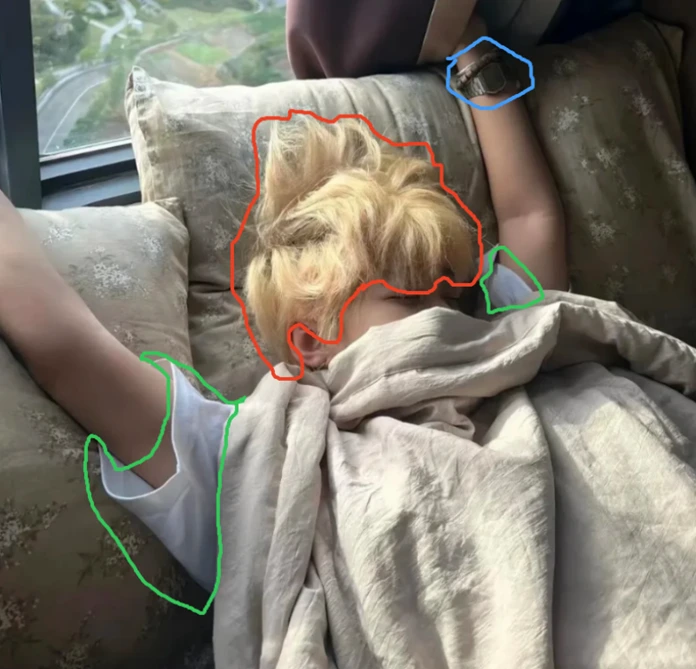
Colored annotations → Watch, hair and clothing edits.

Mark where an edit should happen

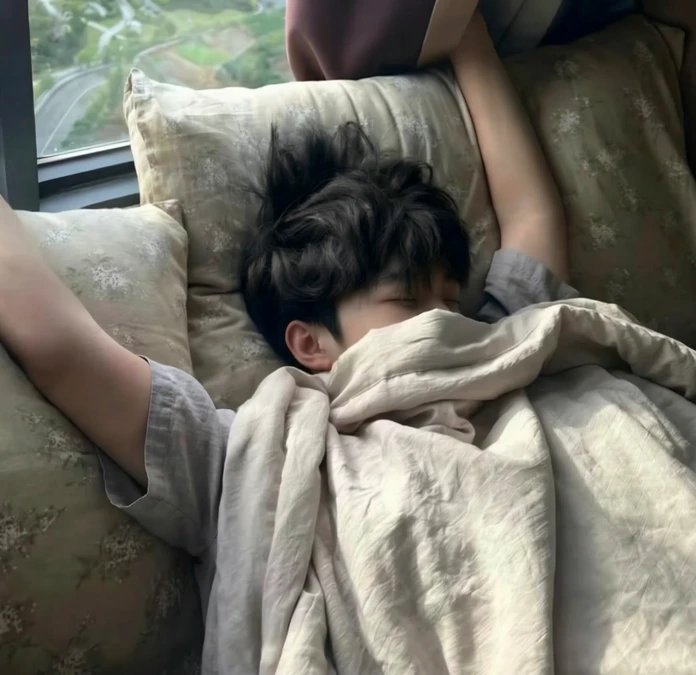
Use circles, painted annotations or a separate mask to specify an area. This annotated example changes the circled watch, hair and clothing in one request, keeping the sleeping pose as a point of comparison. Name each colored region and the intended change. Compare the full result with the original for unintended changes beyond those regions.

Qwen-Image-2.1 official example 35
Input
Qwen-Image-2.1 official example 36
Edited result
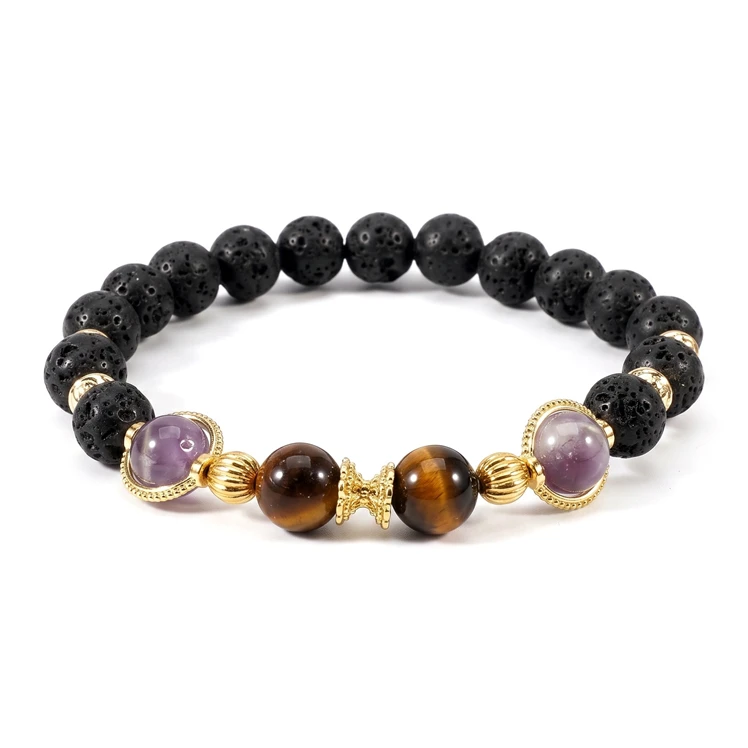
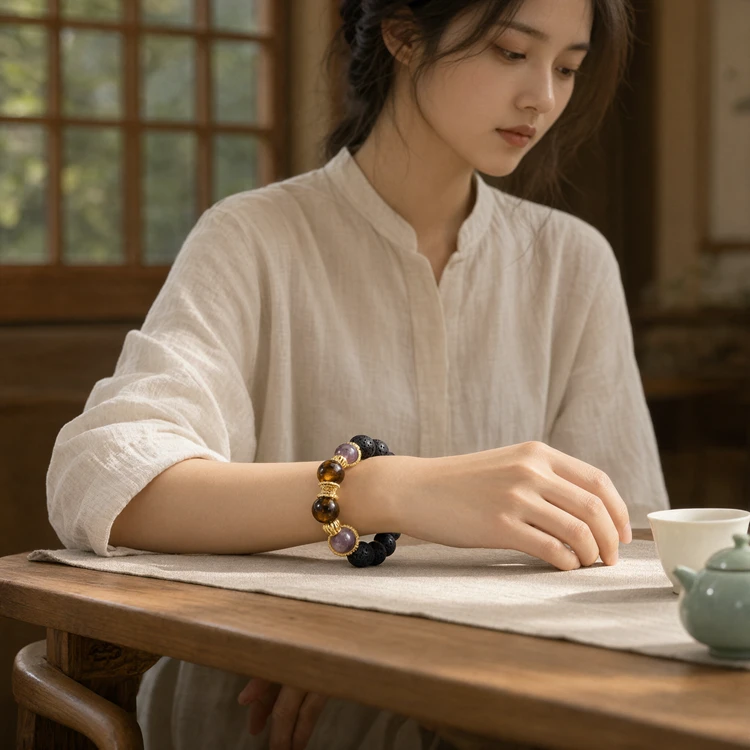
Bracelet reference → Lifestyle composition.

Place a product into a new scene

Use a product reference to carry its material, shape and details into a new composition. Here a bracelet reference appears in a quiet table-side portrait. Explain how the item should be worn or positioned. Review bead order, colors, proportions and fine edges rather than assuming that a plausible lifestyle image is an exact product record.

Image showcase

Source: Qwen’s official Qwen-Image-2.1 generation and editing examples. Pexo navigation previews below are separate product images.

Model comparison

DIMENSIONQwen-Image-2.1Qwen-Image-2.1-Turbo
Primary taskImage generation and editingImage generation and editing
Inference configurationStandard Qwen-Image-2.1 pipelineDistilled 8-step generation and editing
Published releaseSeptember 20, 2026October 9, 2026
Local routeQwenImage21PipelineTurbo example in the official repository
Evaluation focusImage detail, edit fidelity and alpha edgesLatency and output quality on the same brief
Hosted optionsPro API announced October 9Turbo API announced October 9

Provider-documented family options, not a measured quality ranking. The 7B figure describes the visual generator, not the complete pipeline. Pro API, standard weights and Turbo are distinct route names; confirm the selected model and terms before use.

Use-case scenarios

Transparent assets for design

Prepare an isolated character, object or decorative element for a layout. Inspect the alpha channel and edge quality before handing it to a designer.

Reference-led product concepts

Explore a product in a new scene while keeping the source available for comparison. Check labels, materials and geometry before using a concept commercially.

Visual planning for a story

Develop a panorama, cast composition or still-image sequence from references. These are images for planning; motion requires a separate video workflow.

Use cases

Develop approved still-image ideas further with these related Pexo video workflows.

Frequently Asked Questions About Qwen-Image-2.1

What is Qwen-Image-2.1?

It is an image generation and editing model released by the Qwen team on September 20, 2026. The visual generation component has 7B parameters. It supports ordinary RGB images, transparent RGBA assets and reference-led editing; it is not a native video generator.

Can it generate and edit transparent images?

Yes. The official pipeline supports native transparent image generation, editing transparent layers and extracting a subject from a photograph as an RGBA layer. Explicitly request transparency and inspect the exported alpha channel, rather than judging it from a preview background.

How many reference images can it use?

The publisher documents up to ten reference images. Assign clear roles to the inputs and describe how to combine them. The six-person composition on this page is an official example, not a new ten-image test performed by Pexo.

How do local edits work?

The model accepts circle annotations, painted regions or an independent mask as guidance. State the change and compare the whole result with the original. Guidance does not establish pixel-perfect preservation outside the selected region.

Where can I use it, and is it free for commercial use?

The official repository provides downloadable weights, Diffusers examples and ComfyUI workflows. Pro and Turbo APIs were announced on October 9, 2026. The downloadable model uses the Qwen Research License, which allows research and evaluation and requires a separate commercial license for commercial use. Review the terms for the route you choose.

Official Qwen-Image-2.1 guide

Describe your idea and start your next creation.

Start creating