

 ChatGPT
 Perplexity
 Claude
 Gemini
 Grok
Grok



Most "free AI music generator" lists bury the catch: you still have to create an account before you hear a single note. This roundup only includes tools that let you generate, play, and download music without signing up, and it is honest about the real free-tier ceiling on each one.
Every tool below was vetted in June 2026 against one requirement first: can you generate and download a track with no account, no login, and no email, based on its current access flow and terms? The seven that qualified are ranked by what they actually do well, not by marketing claims.
What Is a No-Sign-Up AI Music Generator?
A no-sign-up AI music generator is a browser tool that turns a text prompt into a finished track without an account, login, or payment. You type a description, pick a style, and download the result.
Two things separate the genuine ones from the rest:
- No account gate. You can generate and play the track before being asked to register. Many "free" tools only let you start before forcing a sign-up to hear or download.
- A real download. The output saves as an MP3 or WAV you can actually use, not a locked preview.
The catch most lists hide:
- Free tiers are capped. Expect daily generation limits, shorter track lengths, or fewer style controls than the paid plans.
- Watermarks vary. Some tools add an audio tag or a video watermark on the free tier. We flag this per tool below.
- Licensing is not automatic. "Royalty-free" and "free for commercial use" are not the same thing. Check each tool's terms before using a track in a monetized project.
- Caps are enforced by your browser, not a login. When a no-account tool says "3 tracks" or "15 uses," it usually counts them by cookie, device, or IP address rather than by an account. So the cap is real within a session, but it is often soft: clearing cookies or switching browsers can reset it. "No sign up" here means no email and no password, not necessarily no tracking at all.
The Best Free No-Sign-Up AI Music Generators at a Glance
Here is the quick comparison. Every tool in this table generates music with no account required.
| Tool | Best for | Music type | Free limit | Watermark | Account needed |
|---|---|---|---|---|---|
| SongGenerator.io | Full songs with vocals | Songs + lyrics + AI vocals | Daily generation cap | None on audio | No |
| MusicHero.ai | Style control, no account | Full songs + instrumentals | 3 tracks total | None | No |
| AIMusicGen.ai | Royalty-free instrumentals | Instrumentals (Meta MusicGen) | Multiple per day | None | No |
| Remusic.ai | Longer tracks up to 4 min | Songs + covers + remix | Free, capped per session | None on audio | No |
| NoteGPT | Quick browser clips | Lyrics or instrumental | 15 uses | None | No |
| Vidnoz AI Music | Text-to-music for video | Instrumental from text | ~3 clips, commercial OK | None on audio; video may | No |
| AIMusic.so | A no-frills free generator | Songs + instrumentals | Free, two songs per run | None | No |
How We Picked These Tools
We started with more than 20 tools that advertise "free, no sign up" and removed every one that failed a core requirement. The four screens each tool had to pass:
- No-account access. The tool must let you generate, play, and download a track without creating an account or entering an email. Tools that gate generation or playback behind a sign-up were cut.
- Free-tier ceiling. We noted the free-tier limit each tool documents: daily caps, total-track limits, length caps, and feature locks. Where a tool does not state its ceiling clearly, we say so.
- Watermark check. We checked whether the free download carries an audio tag or a video watermark.
- Output type. We noted whether the tool makes full songs with vocals, instrumentals only, or both, so you can match the tool to the job.
Generation speeds, length caps, and pricing below reflect each tool's published specs and reporting as of June 2026. Free tiers change often, so re-check any number before you rely on it. One caveat worth your own 30-second check: a few tools let you generate and preview freely but may still prompt for an account at the final download step, so confirm the download completes before you settle on one.
The 7 Best Free AI Music Generators With No Sign Up
SongGenerator.io: Best for Full Songs With AI Vocals and Lyrics
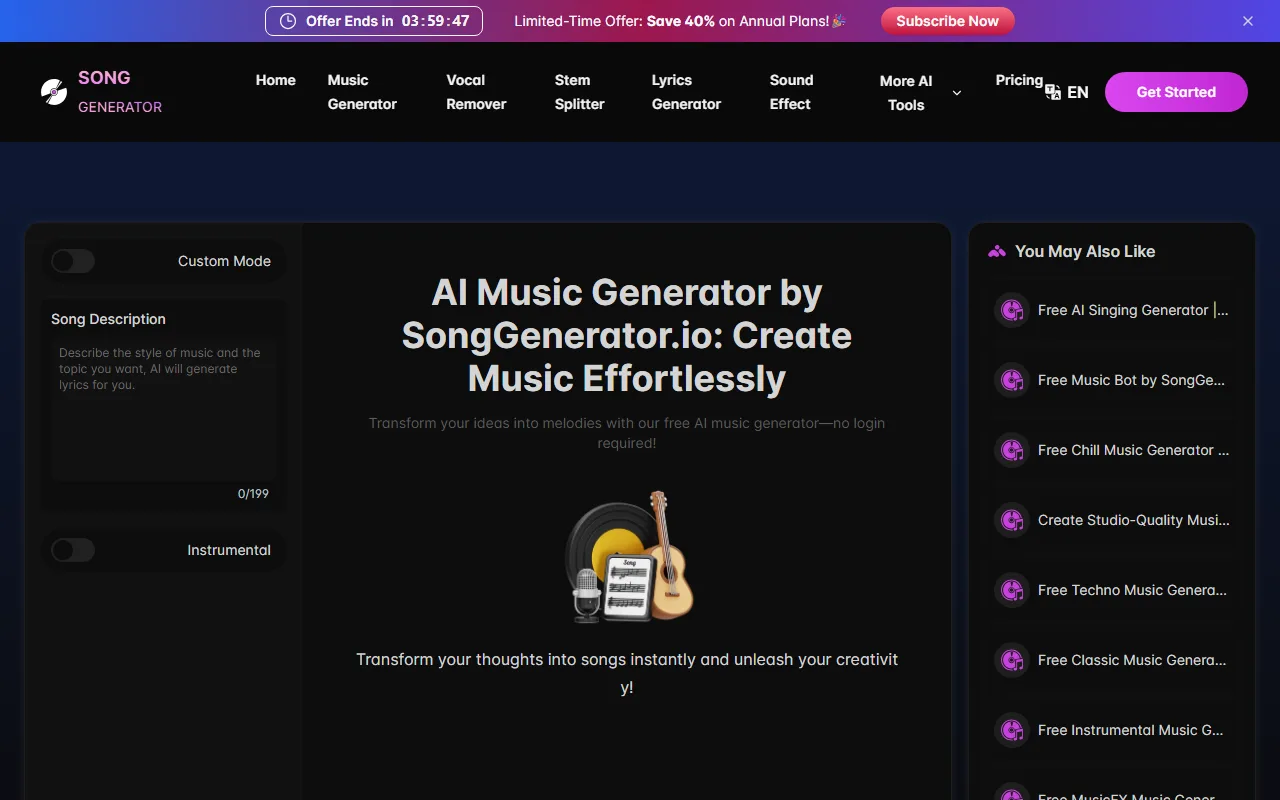 SongGenerator.io's generator: type a description, toggle Instrumental or Custom Mode, and create a song with no account.
- What it is: A browser generator that turns a text prompt into a complete song with verse, chorus, AI vocals, and lyrics, all without an account.
- How it works: Type a description of the mood, genre, and theme, or paste your own lyrics, pick a style, and the tool returns a structured track you can play and download in the browser. No install, no email.
- How it stands out: It produces a full structured track (not a loop) in roughly 60 to 90 seconds, and it writes the lyrics for you if you do not supply them. That makes it the fastest path from a one-line idea to a complete song with singing on this list.
- Best for: Creators who want a finished song with singing, fast, for a TikTok or Reels clip, a rough demo, or a jingle, without learning a digital audio workstation.
- Free tier and pricing: Free with a daily generation cap and no account; the exact free-tier number is not publicly stated. Paid plans add more daily generations, longer queue priority, and clearer commercial licensing.
- Limitations: Vocal quality on the free tier is acceptable for casual use but, per user reviews, trails Suno and Udio on prosody and clear consonants, especially on fast, lyric-dense verses. Heavy daily use hits the cap, and fine genre control is lighter than MusicHero.
- Data point: Reported generation time for a full track with vocals is about 60 to 90 seconds, as of June 2026.
Pros: Full songs with vocals, no account, auto-written lyrics, fast. Cons: Vocals less natural than account-gated tools, daily cap on free use.
Try it: SongGenerator.io
MusicHero.ai: Best for Style Control Without an Account
- What it is: A text-to-music tool that generates complete tracks with vocals and offers more style and genre controls than most no-sign-up options.
- How it works: Enter a prompt or lyrics, set the style and mood, and generate a full song from text. The output plays in the browser and downloads with no account on the free tier.
- How it stands out: It gives you finer control over style and mood than most free no-account tools, and it is one of the few that adds no watermark to free downloads. Per user reports, vocal quality on ballads and slower songs is a notch above SongGenerator.
- Best for: Users who want to steer the genre and feel of a track without registering, for a one-off project where 3 tracks is enough.
- Free tier and pricing: Free tier with no account, capped at 3 generated tracks per browser. The count is tracked without a login (by cookie or device), so it can reset if you clear cookies. Paid plans unlock higher or unlimited generation and commercial terms.
- Limitations: The 3-track cap makes it best for a small project, not ongoing production. Vocal quality on ballads is decent but gets inconsistent on faster, busier songs, and you burn the cap quickly while experimenting.
- Data point: Free tier documented at 3 tracks (browser-tracked, no login) with no watermark, as of June 2026.
Pros: Real style controls, no watermark, no account. Cons: Only 3 free tracks total, vocal consistency varies.
Try it: MusicHero.ai
AIMusicGen.ai: Best for Royalty-Free Instrumental Backing Tracks
- What it is: A free generator built on Meta's open-source MusicGen model that produces instrumental clips from a text description, with no account.
- How it works: Describe the genre, instruments, and mood in plain text, generate, and download the instrumental as an audio file. Because the model is MusicGen, prompt phrasing has a real effect on the result.
- How it stands out: Because it runs MusicGen, its instrumental quality on loop-based genres (lo-fi, ambient, electronic) is close to premium tools, and downloads carry no watermark. Running a known, openly documented model also makes its output easier to trust than a black-box generator, which is rare in this free no-account tier.
- Best for: Video editors, podcasters, and streamers who need royalty-free background music rather than a song with vocals.
- Free tier and pricing: Free with multiple generations per day and no account. Output is royalty-free for the free tier, which is rare among no-sign-up tools.
- Limitations: Instrumentals only, so it is the wrong tool if you want vocals. The quality gap versus premium tools widens on complex, multi-instrument arrangements with tight transitions, where the loop-based strength does not carry over.
- Data point: Reported generation time under 1 minute (about 30 to 60 seconds), tracks up to 4 minutes, built on Meta's MusicGen / AudioCraft model.
Pros: Strong instrumental quality, no watermark, royalty-free, fast. Cons: No vocals, gap shows on complex arrangements.
Try it: AIMusicGen.ai
Remusic.ai: Best for Longer Tracks Up to 4 Minutes
- What it is: A free online suite that generates songs, covers, and remixes from a prompt, plus an AI music video tool, with no sign-up for the basics.
- How it works: Enter a prompt or lyrics, generate a full song, and optionally run it through the cover or remix tools or pair it with the music-video generator. Tracks play and download in the browser.
- How it stands out: It generates full-length tracks up to about 4 minutes, longer than the short clips many free tools cap you at, and its music-video feature exports without a watermark. The bundled covers and remix tools make it more of a suite than a single generator.
- Best for: Anyone who needs a longer, complete track in one pass rather than a 30-second snippet, or who wants song plus matching video from one place.
- Free tier and pricing: Free to generate and download, with per-session caps. The site advertises "unlimited" free use, but in practice you hit session-based throttling, and the exact ceiling is not published.
- Limitations: Quality is variable across genres and less consistent than the MusicGen-based instrumentals above. The "unlimited" claim is marketing language; expect throttling under heavy use, and the free-tier ceiling is not clearly stated.
- Data point: Full songs up to roughly 4 minutes, generated in seconds, per the tool's current specs as of June 2026.
Pros: Longer tracks, covers and remix tools, no watermark on video. Cons: Inconsistent quality, vague free-tier limits.
Try it: Remusic.ai
NoteGPT: Best for Quick Browser-Based Clips
- What it is: A free, no-sign-up generator that creates lyrics or instrumental music from a text prompt and style selection, inside a simple browser interface.
- How it works: Type a prompt, choose a style, and pick whether you want lyrics, custom lyrics, or an instrumental track. The tool generates the result in seconds inside the same page.
- How it stands out: It can output either custom lyrics or an instrumental track, and it handles songs up to about 5 minutes, which is the longest length cap among the free no-account tools here. It also doubles as a quick lyric writer when you only need words.
- Best for: Quick one-off clips when you want either lyrics or a simple backing track without leaving the browser, or a fast lyric draft.
- Free tier and pricing: Free plan includes 15 uses with no account. Paid upgrade adds more generations and removes the use cap.
- Limitations: The 15-use cap is reached quickly once you start experimenting with prompts, and the output is more functional than polished compared with the dedicated song tools above.
- Data point: Free plan documented at 15 uses, songs up to 5 minutes, as of June 2026.
Pros: Lyrics or instrumental, longer length cap, no account. Cons: Only 15 free uses, basic output polish.
Try it: NoteGPT AI Music Generator
Vidnoz AI Music: Best for Text-to-Music for Video Creators
- What it is: A free text-to-music generator that turns a short genre-and-vibe description into a royalty-free track, exported as MP3 or WAV, with no sign-up.
- How it works: Enter a few words describing the genre and mood, or set the music parameters, generate, and download the result as MP3 or WAV ready to drop into a timeline.
- How it stands out: It is built into a wider video toolkit, so it fits a video-first workflow, and the generated audio is free for commercial use. The MP3 or WAV export choice is handy when you need a specific format for an editor.
- Best for: Video creators who need a quick royalty-free backing track to drop straight into an edit, especially if they already use Vidnoz for video.
- Free tier and pricing: Free with no account; roughly 3 music clips are free for commercial use. Paid plans add volume and remove limits.
- Limitations: Instrumental and prompt-driven rather than full songs with vocals, so it is not the tool for a lyric track. The broader Vidnoz video exports can carry a visible watermark even though the audio itself does not.
- Data point: MP3 or WAV export, about 3 commercial-use clips on the free tier, per the tool's current terms as of June 2026.
Pros: MP3/WAV download, commercial-use audio, fits video workflows. Cons: No vocals, limited free clip count.
Try it: Vidnoz AI Music
AIMusic.so: Best for a No-Frills Free Generator
- What it is: A straightforward royalty-free generator that makes both lyric-based songs and instrumentals from a prompt, with no account or login.
- How it works: Enter a prompt, pick a style or theme, and the tool returns two songs at once so you can pick the better take. Both play and download in the browser with no account.
- How it stands out: It generates two songs at once from a single prompt, so you can compare options without spending a second generation, and it markets itself as fully free with no premium tier.
- Best for: Users who want a simple, no-decision free generator and like getting two variations to choose from in one pass.
- Free tier and pricing: Free with no account; the site states there are no hidden costs or premium plans, which is unusual and worth confirming for commercial work.
- Limitations: Fewer fine style controls than MusicHero, and a single-vendor "100% free" claim is worth verifying against current terms before you rely on it commercially. Output polish is mid-tier.
- Data point: Generates two songs per run, marketed as royalty-free, as of June 2026.
Pros: Two variations per prompt, songs and instrumentals, no account. Cons: Light on controls, verify licensing for commercial work.
Try it: AIMusic.so
How to Choose the Right Free AI Music Generator
Match the tool to the job rather than chasing one "best" pick:
- You want a full song with vocals: Start with SongGenerator.io, then try MusicHero.ai for more style control.
- You need royalty-free background music for a video or podcast: AIMusicGen.ai (Meta MusicGen) gives the cleanest instrumentals, with Vidnoz AI Music as a close second for video workflows.
- You need a longer track in one pass: Remusic.ai (up to ~4 minutes) or NoteGPT (up to ~5 minutes).
- You only need a couple of quick variations: AIMusic.so generates two songs per prompt; MusicHero.ai is fine if its 3-track free cap covers your project.
- Commercial use matters most: Confirm licensing first. AIMusicGen.ai and Vidnoz AI Music are the clearest on royalty-free or commercial-use terms, but always re-read the current terms before publishing.
A quick rule of thumb: instrumentals are where free no-account tools are strongest, and vocals are where they still trail the account-gated options like Suno and Udio.
Conclusion
The honest split in 2026 is this: free no-sign-up tools have gotten genuinely good at instrumentals and royalty-free backing tracks, but they still trail the account-gated options on vocals. So the right pick depends less on which tool is "best" and more on whether you need singing or a backing track.
For full songs with vocals, SongGenerator.io is the most accessible starting point, with MusicHero.ai close behind when you want more style control. For royalty-free instrumentals to sit under a video or podcast, AIMusicGen.ai running Meta's MusicGen is the standout, and Vidnoz AI Music is a strong companion inside a video workflow. If you need a longer track in one pass, reach for Remusic.ai or NoteGPT. Whatever you pick, confirm the licensing terms before you use a track commercially, and remember that vocals are still where the account-gated tools hold an edge.





