ChatGPT
 Perplexity
 Claude
 Gemini
 Grok




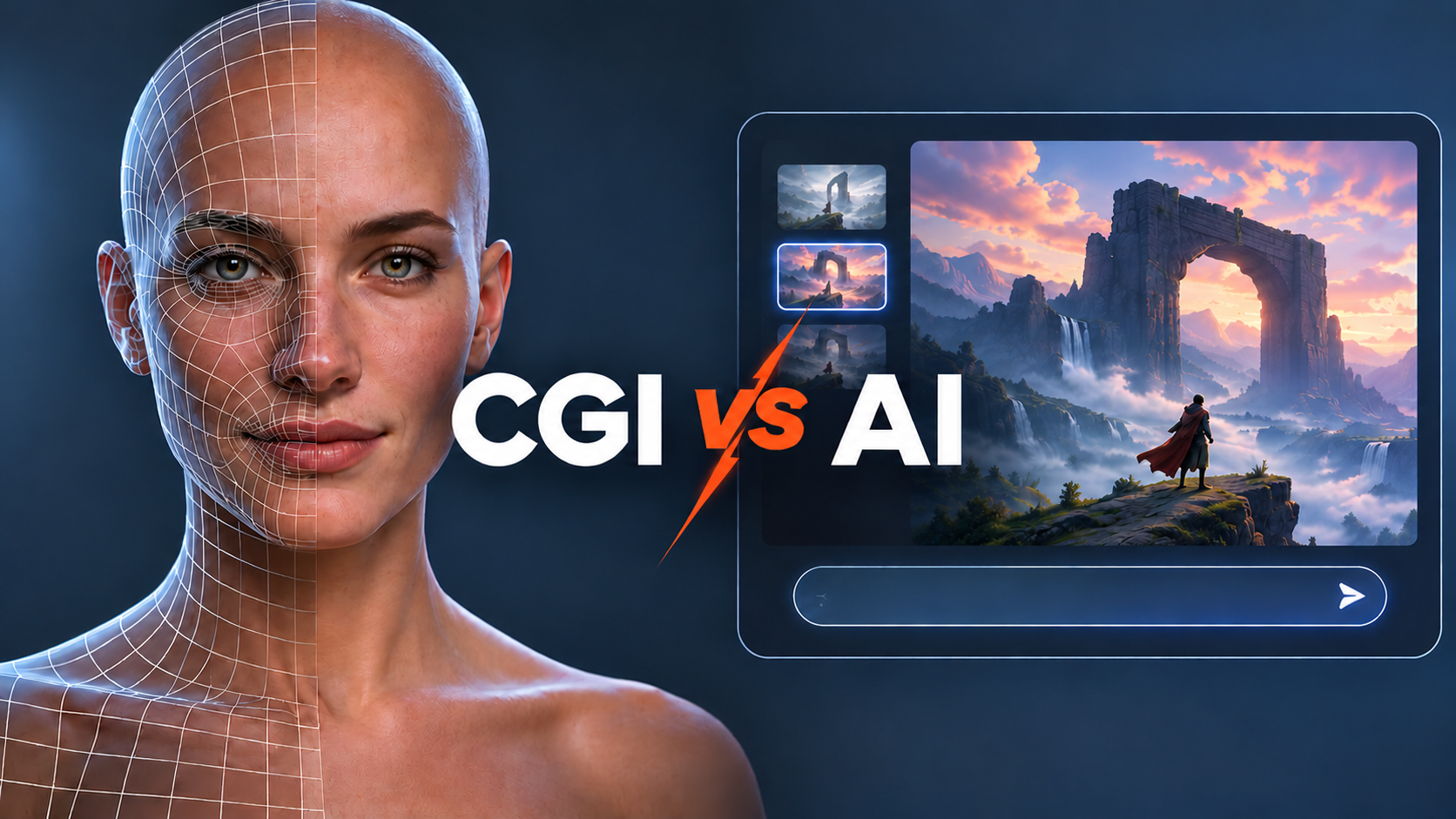
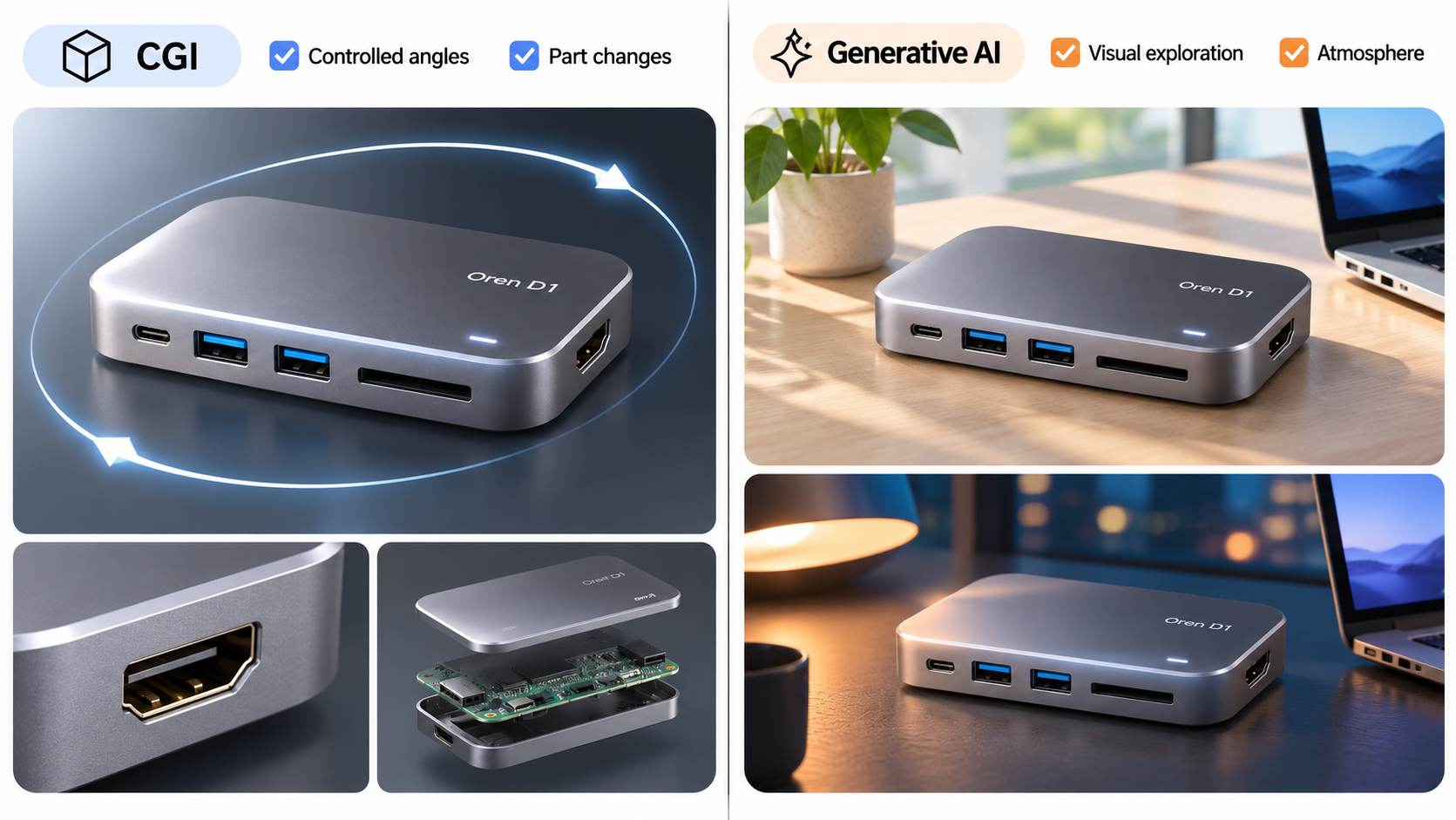
For a product video that must show connectors from repeatable angles, commission a validated, editable 3D asset. Generative AI can suit exploratory settings and visual treatments. A hybrid can combine a controlled product with generated surroundings.
The useful CGI vs AI decision includes the next revision. Ask how the team will change a port, replace a label or return to an approved camera angle. A finished clip alone may not give the next producer those options.
What Must the Product Shot Show Accurately?
It must preserve the details that identify the product and support the message: shape, parts, labels, material appearance and the action being explained.
Use Oren D1, a fictional desktop hub, throughout this comparison. The hypothetical launch brief requests a 20-second website video and two six-second vertical cutdowns. It needs a hero orbit, connector close-ups and a styled desk setting.
Assume the team can supply approved drawings or a validated model, current photographs, logo artwork and a material reference. The illustrative SKU has two front USB-A ports, a side USB-C port and a rear HDMI port. Its finish is matte silver.
These are planning assumptions, not a real product or campaign. A pretty orbit fails this brief if it reveals an invented connector. Neither a render nor a generated demonstration proves transfer speed or compatibility.
Compare CGI and AI on the Same Product Brief
Compare the same views, wording, formats and review obligations. Here, CGI means an explicitly modeled and rendered 3D scene; AI means generative image or video production. CGI software can also contain AI assistance.
Source Assets, Geometry, Labels, and Materials
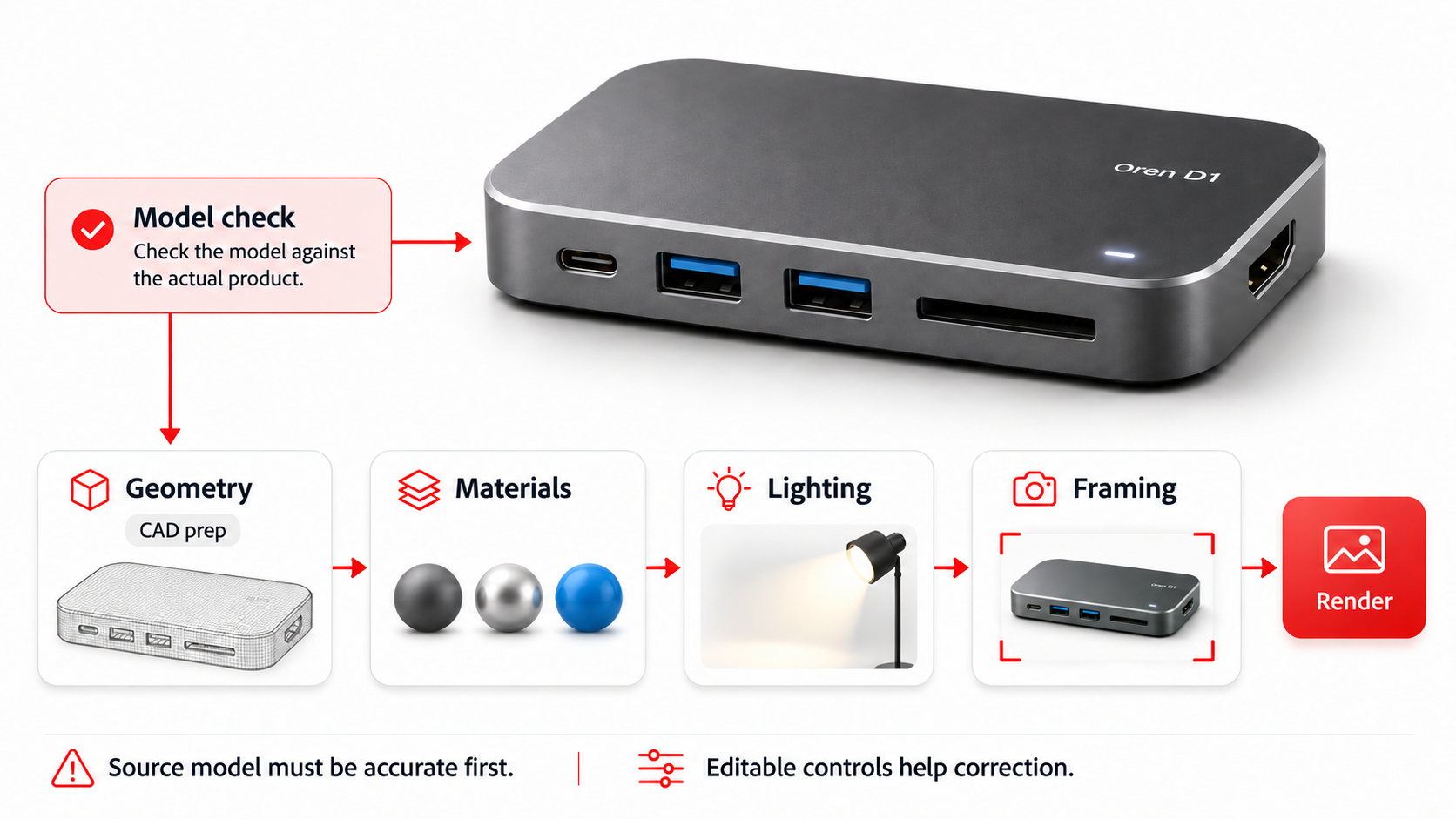
A CGI artist builds or prepares geometry, assigns materials, places artwork and sets cameras and lighting. The model must first be checked against the actual SKU. CAD may need preparation before it becomes a useful rendering asset.
Adobe's 3D staging workflow illustrates these separate controls for layout, materials, lighting and framing. Editable controls make a specific correction possible; they do not make an inaccurate source model correct.
Generative workflows can start from prompts and approved images. A reference guides the result, but the team must still check every visible port, word and surface. A still showing Oren's front does not establish its unseen rear geometry.
Revision Control, Reusable Angles, and Handoff
With the retained 3D scene, an artist can change a camera or label while keeping approved geometry. New views still need lighting, rendering and review. A material can be technically consistent yet look different under different illumination.
A generated clip can be revised through the chosen service's controls or separate editing. Do not assume it contains an editable mesh, individual materials or a recoverable camera path.
Specify native projects, linked textures, artwork, camera setups and permitted reuse in the contract. Receiving final videos, receiving source files and owning the underlying assets are separate agreements. For AI work, retain sources, prompts, settings and accepted outputs; those records do not create a 3D model.
When Does CGI Fit a Product Video?
CGI fits when the assignment depends on controlled geometry, repeated angles or deliberate changes to individual product parts.
For Oren, the rear connector close-up and repeatable hero orbit are candidates once the model is validated. A future colorway can use the same geometry if the physical design remains unchanged.
CGI also suits explanatory cutaways when the team has approved internal references. An animated light trail or moving fluid remains an illustration unless supported by an appropriate technical method and evidence. Rendering it convincingly does not validate a performance claim.
Allow for model cleanup, surface preparation and artwork review. An old model can reproduce an obsolete product consistently.
When Does Generative AI Fit?
Generative AI fits when visual exploration or atmosphere matters and the brief allows variation in those elements. It can help develop desk settings, abstract transitions or alternative creative treatments.
For Oren, the team could explore daylight and evening desk environments before choosing a direction. Product-critical views still need checking against the same reference pack.
A generated camera move may reveal details absent from the input photograph. Treat that reveal as something to verify, not new product evidence. If the requested correction repeatedly changes already approved parts, consider compositing or a controlled render instead of another broad regeneration.
Compare actual proposals for generation, selection, finishing and review. Neither route has an automatic price, speed or accuracy advantage for this brief.
When Is a Hybrid Workflow Useful?
A hybrid is useful when the product needs specific control while the surrounding scene has creative flexibility. Define that separation in the production brief.
One Oren approach is to render the validated hub separately and composite it over an approved generated desk environment. Keep the product render available for replacement. Check perspective, contact shadows, reflections and motion so the two elements belong together.
Sending that render through a generative video step may change the product again. If its geometry must remain controlled, specify a finishing method that preserves the product layer and inspect the composite.
The revision request should name the affected element. Changing the desk background can leave the product model intact. Moving the side USB-C port requires a geometry update, new affected renders and another composite review. Any associated labels and copy need checking too.
Once the visuals are approved, Pexo offers an AI video agent path for developing the complete cut through its video production workflow. Give it the usable assets, story direction and restrictions, then review the preview and request specific changes. Confirm input compatibility; this does not replace editable 3D modeling or guarantee unchanged product pixels.

A Decision Matrix for a Fictional Product Launch
Use this matrix for the hypothetical Oren brief. The route follows what each deliverable needs; it is not a measured tool ranking.
| Requirement | Candidate route | Keep for revisions | Acceptance condition |
|---|---|---|---|
| Hero orbit revealing the rear | CGI | Validated model, camera and lighting | Connector layout matches approved references throughout |
| Daylight versus evening desk concepts | Generative AI | Source images, prompts, settings and selected candidates | Setting fits direction without implying unsupported product facts |
| Accurate hub in the chosen desk scene | Hybrid | Separate product render, background and composite | Product remains correct; perspective and contact look coherent |
| Revised port label | CGI artwork update, then affected finishing | Label master, texture mapping and affected shots | Exact wording matches the current SKU in every export |
| Vertical cutdowns | Reframe approved shots; render another view if needed | Masters, camera options and crop instructions | Ports and required text remain visible and readable |
Before commissioning, ask the supplier to explain the port-change request using its proposed files. If only a flattened clip will be delivered, agree who can make that change later and what requires new production.
Review Product Fidelity and Usage Rights
Review the whole shot at normal playback, then inspect difficult frames. Compare silhouettes, connector positions, label spelling, finish and continuity against approved references. Recheck each cutdown after cropping and captions.
Keep product accuracy separate from whether the film feels polished. A CGI model can be wrong; an AI shot can look plausible while depicting an extra feature.
Check rights to CAD, logos, textures, stock models, environments, people, voices and music. Review the service's current input/output terms and the supplier's contract. Neither CGI nor AI automatically clears third-party rights or grants ownership of source files.
Before uploading material to Pexo, check its terms for any permissions or written consent needed to process it and use it in your campaign. Keep a record of where you plan to publish it and any restrictions on reuse. This article does not provide legal advice.
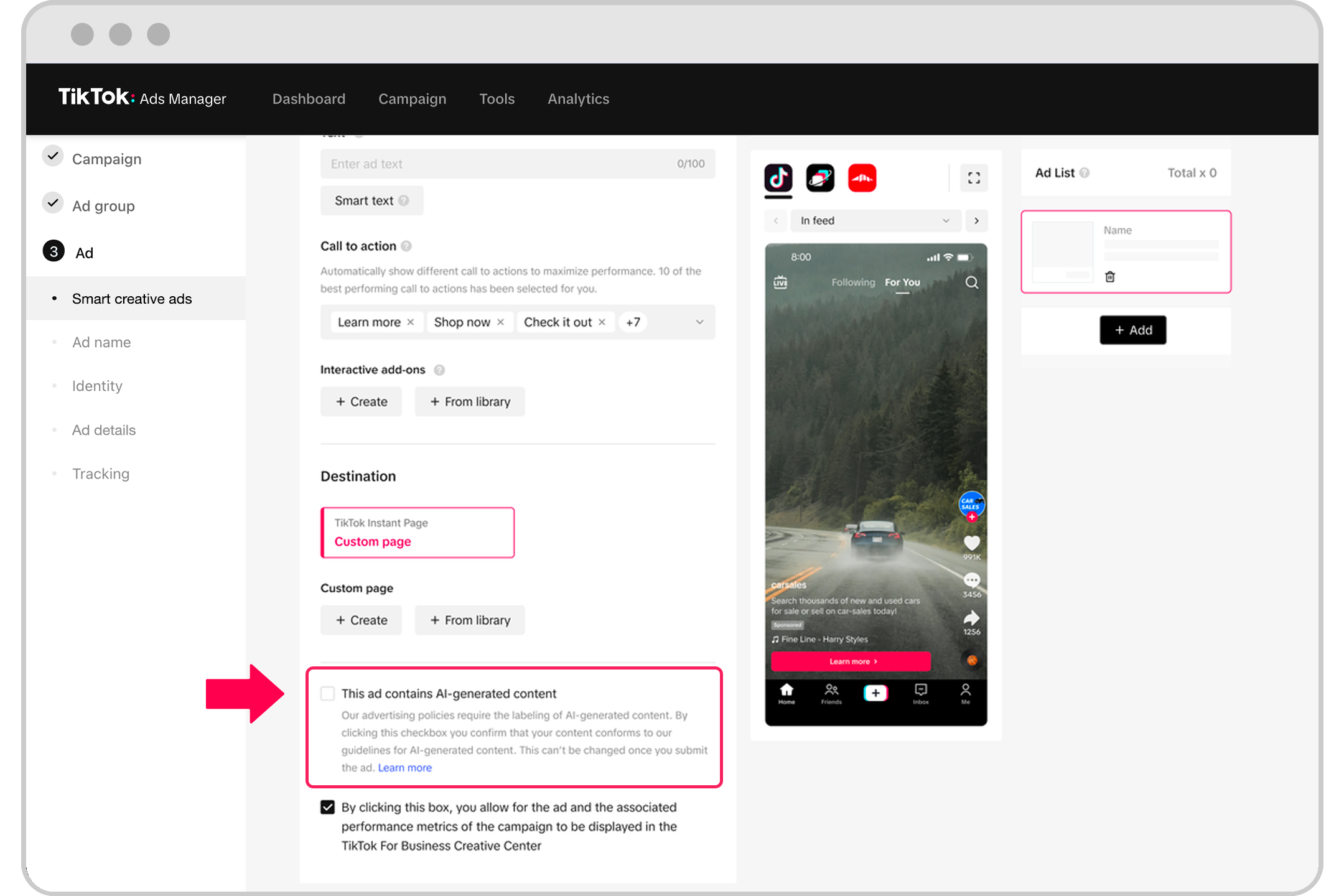
Before release, check whether the ad contains images, video or audio that are fully AI-generated or significantly modified by AI. Follow TikTok’s AI-generated content disclosure guidance to confirm whether a label is required and how to apply it for your ad format.
Conclusion
Choose the route that lets your team correct the product and reuse the views it actually needs. Give product-critical geometry, generated surroundings and final assembly clear owners. Commission the source files and permissions needed for the next change alongside the launch video.