ChatGPT
 Perplexity
 Claude
 Gemini
 Grok



A product video can make a promise through a caption, a packaging close-up or a spoken line. Each needs the same source check before release.
For a HeyGen Claude product video, keep approved claims beside the script and follow them into the rendered picture and sound. Claude can help organize the work; your product owner still decides whether the statements are supported.
Which Product Claims Belong in the Video?
Include statements supported by current materials and cleared for the specific product, market and use. Leave unresolved claims out of the production brief until the responsible owner approves them.
Copy this claim-source table. Keep exact wording, document versions and scope together so a shortened caption cannot quietly broaden a statement.
The filled rows concern Mavi M2, a fictional label printer. All product facts, filenames and versions below are invented examples.
| ID | Approved wording | Source and locator | Scope and approver | Check in video |
|---|---|---|---|---|
| C1 | Uses 24 mm label rolls | Product manual v2, p. 3 | M2; product owner | Speech, captions, roll shown |
| C2 | Select a design in Label Library | Approved app capture, build 42, view B | Current app; product owner | Spoken instruction and UI label |
| C3 | USB-C cable included in the US kit | Packing list US v2, contents section | US kit only; regional owner | Caption and packaging view |
| ___ | Exact cleared statement | File/version/page or frame | SKU/market/owner | Speech/text/image locations |
Add the approval date and a link to the controlled source in your working copy. A document title alone is insufficient if several revisions exist.
Turn Approved Claims into a Claude Video Brief
Give Claude the cleared wording, permitted visuals and review constraints before asking it to call HeyGen. The HeyGen MCP documentation describes the connector and follow-up tools; it does not establish automatic product-fact verification.
A reusable instruction is:
Build a product video using claims C1–C3 only. Preserve every product and regional qualification. Use the approved UI and packaging references. Return the proposed spoken script, caption wording and scene references for review before requesting media generation. Flag missing evidence instead of filling gaps.
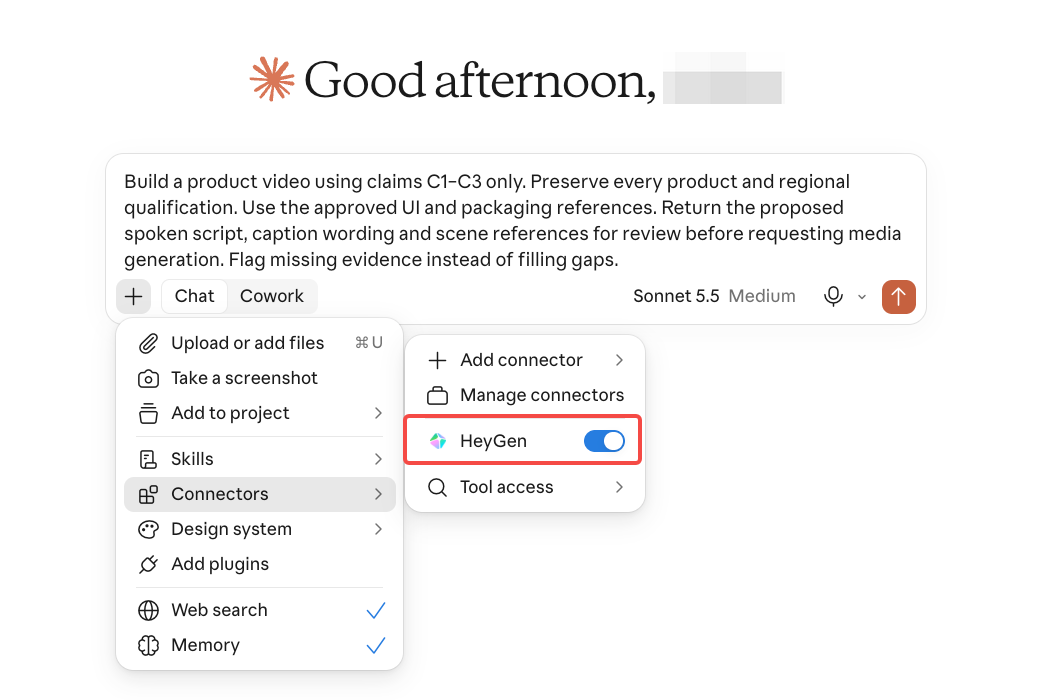
Check that plan against the table. For Mavi, removing “US kit” changes C3's scope even if the sentence sounds smoother.
HeyGen's Video Agent offers planning and generation stages. Confirm which tool Claude will invoke and where your review happens. Do not assume every MCP request pauses for script approval; make that instruction explicit.
Review the HeyGen Draft Against Source Material
Review the rendered result in a repeatable order. A correct plan can still become an inaccurate picture, subtitle or spoken phrase.
-
Listen without relying on captions. Check every statement, number, unit and qualification against its claim ID.
-
Read captions separately. Confirm spelling and scope; “included” without the kit restriction is a different promise.
-
Inspect UI and packaging. Compare the shown app label, model name, accessories and product appearance with the approved references.
-
Watch the complete sequence. Check whether the picture shown during each statement supports what viewers hear.
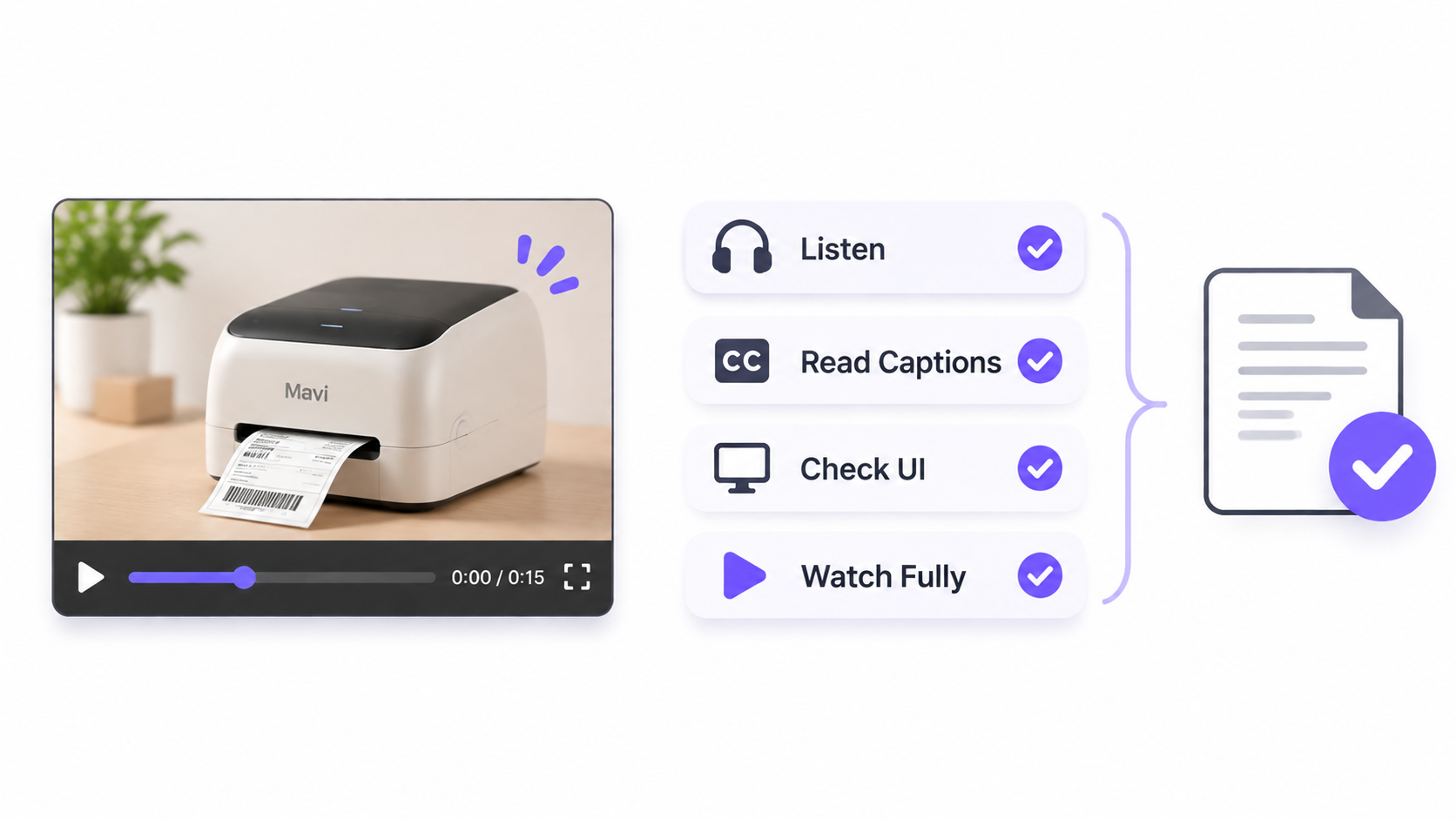
Record the version and timestamp beside each finding. A review note should identify the source, the mismatch and the required correction.
Spoken Claims and On-Screen Product Details
For C1, verify that the voice says “24 millimeters,” the caption preserves the unit and the pictured roll matches the approved product reference. Clear pronunciation alone cannot validate the specification.
For C2, the interface must actually show Label Library when that instruction is given. An attractive substitute screen should not be presented as the real product interface.
For C3, inspect the package and any accessories shown. The image can imply that something is included even when the narration never says so. Return unsupported depictions for correction.
Approve the Export or Request a Revision
Approve only when every included claim matches its source across speech, text and images. Keep the source-table version, final file and named approval together.
For a revision, write: “At C3, restore ‘in the US kit’ in narration and captions. Keep C1 and C2 unchanged.” Check the next render for that repair, then watch the full video again.
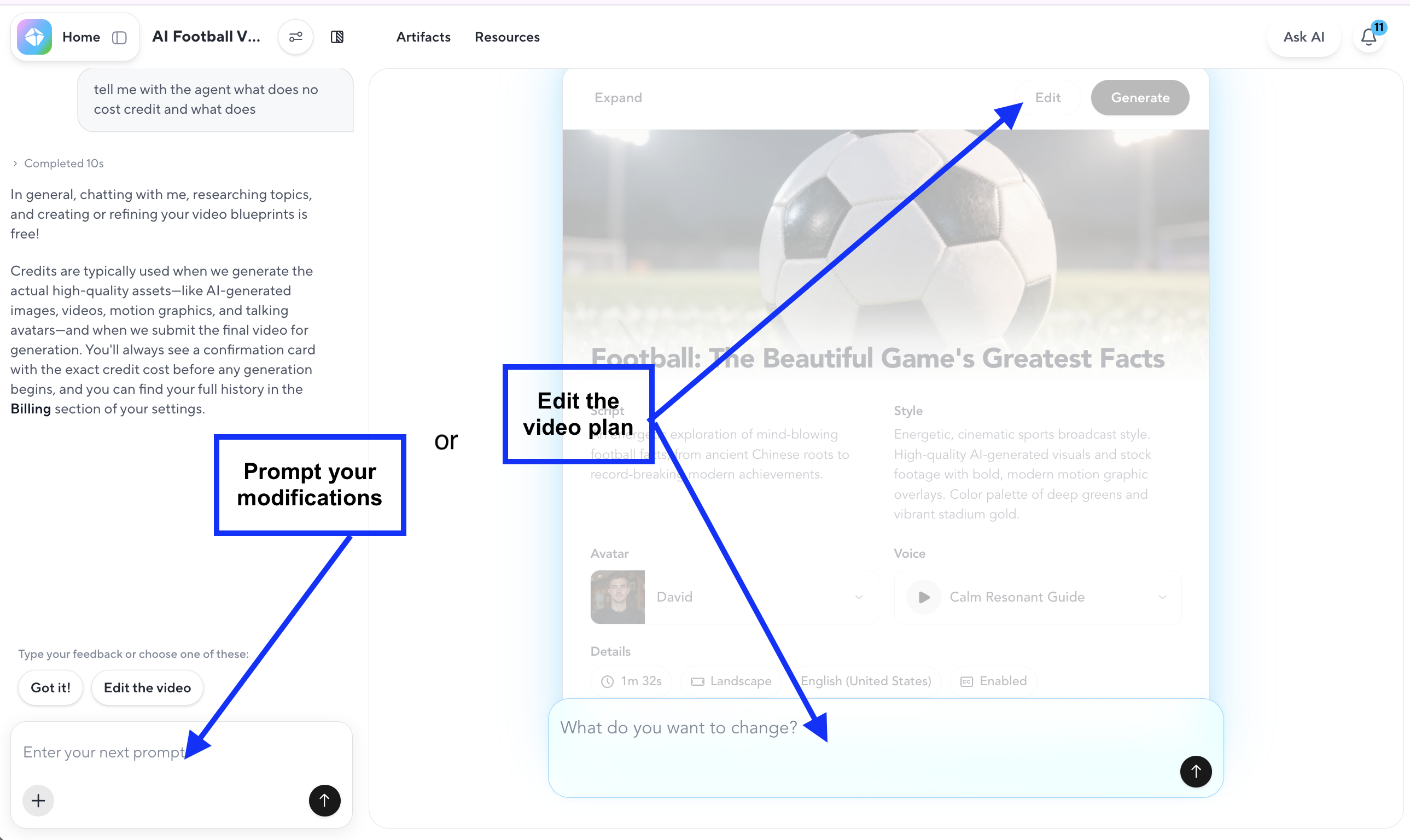
HeyGen documents Video Agent follow-ups and Edit a Copy in AI Studio for manual refinements. Check its generation and revision rules before authorizing work that may consume more credits.
Confirm review access before sharing confidential material. HeyGen's share page supports comments, but a comment does not identify who is authorized to approve your product claims.
Route consumer-advertising copy and any medical or financial claims to the appropriate legal and subject-matter reviewers. Separately confirm source-asset permissions, presenter and voice consent, commercial output rights, and destination policies. This article does not provide legal advice.