ChatGPT
 Perplexity
 Claude
 Gemini
 Grok



A layered Photoshop end card and an After Effects opener give a marketing team a reason to keep Premiere Pro in its workflow. Resolve becomes more attractive when those designs can arrive as approved media and the team wants finishing inside one application.
The DaVinci Resolve vs Premiere Pro choice depends partly on which design decisions remain open. A headline the editor must rewrite needs a different handoff from an animation the designer has already approved.
Which Editor Fits a Small Marketing Team?
Premiere Pro fits teams that regularly revise Adobe design assets alongside the edit. Resolve fits teams whose priorities include integrated color, audio and compositing, or collaboration involving supported Linux systems. Both serve Windows and Mac workflows.
Use Milo Fold, a fictional fold-flat laptop stand, for this comparison. The hypothetical launch needs a 45-second website demonstration and two 15-second vertical variations. Real footage must show how the stand opens and folds.
The team has approved product photographs, narration, a layered PSD end card, an After Effects opener and a reusable .mogrt feature callout. A Mac-based designer works with a Windows-based editor. The marketing lead reviews the complete cut in a browser.
Assume the headline will change between variations, while the opening animation can remain fixed. Those requirements, rather than a claimed export-speed advantage, guide the recommendations below.
Compare Device Support and Existing Project Assets
Premiere Pro supports Windows and macOS; Resolve also supports Linux. Compatibility still depends on the exact build, hardware and media.
On November 9, 2026, Adobe's current Premiere 26.x requirements listed Windows 11 v24H2 and macOS Sonoma 14 as minimum operating systems. Resolve 21.2's Mac requirements specified macOS 15 Sequoia or later and Apple silicon. Check GPU, memory and codec requirements separately; a supported operating system alone does not establish suitable playback.
For Milo, inventory assets by what the editor must change:
-
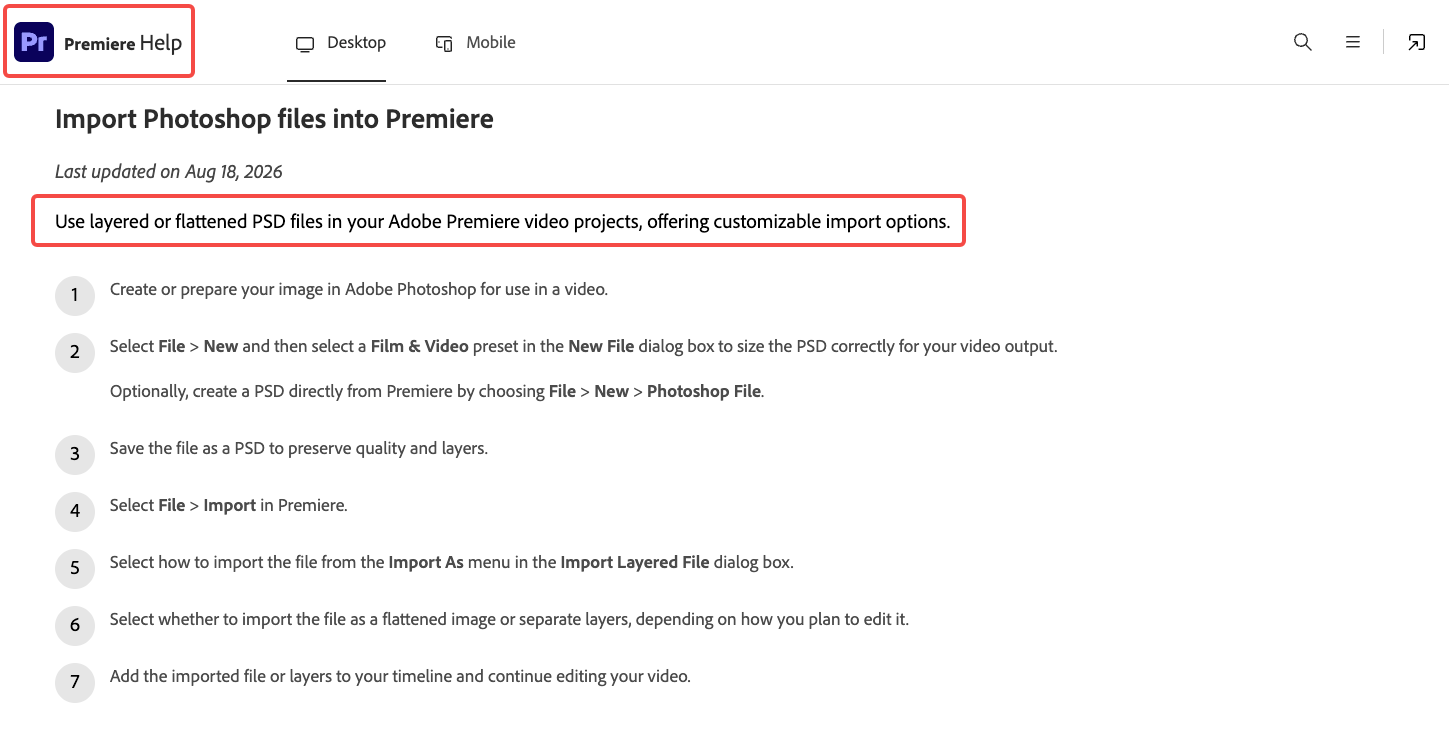
PSD end card: Premiere documents importing a flattened image or separate layers. Retain layers when the layout still needs adjustment.
-
After Effects opener: Dynamic Link can keep an After Effects composition connected to Premiere. Adobe requires matching major application versions.
-
Motion Graphics template: A .mogrt exposes the controls its author supplied for use in Premiere. Establish whether those controls cover the headline variation.
-
Approved artwork: Exported images or rendered animation can be supplied to either route when their format suits the project.
Moving a rendered opener into Resolve can preserve its approved appearance. Changing the animation later still requires its source application or a rebuild. Keep the After Effects source and identify the designer responsible for replacements.
What Editing and Finishing Tasks Drive the Choice?
Choose around the work that remains: assembling footage, revising graphics, matching product shots or finishing sound. Both applications offer substantial editing and finishing controls.
Premiere provides timeline editing, color tools and scopes, plus Essential Sound controls for dialogue, music and effects. Its connection to After Effects matters when the designer is still adjusting animation during the edit.
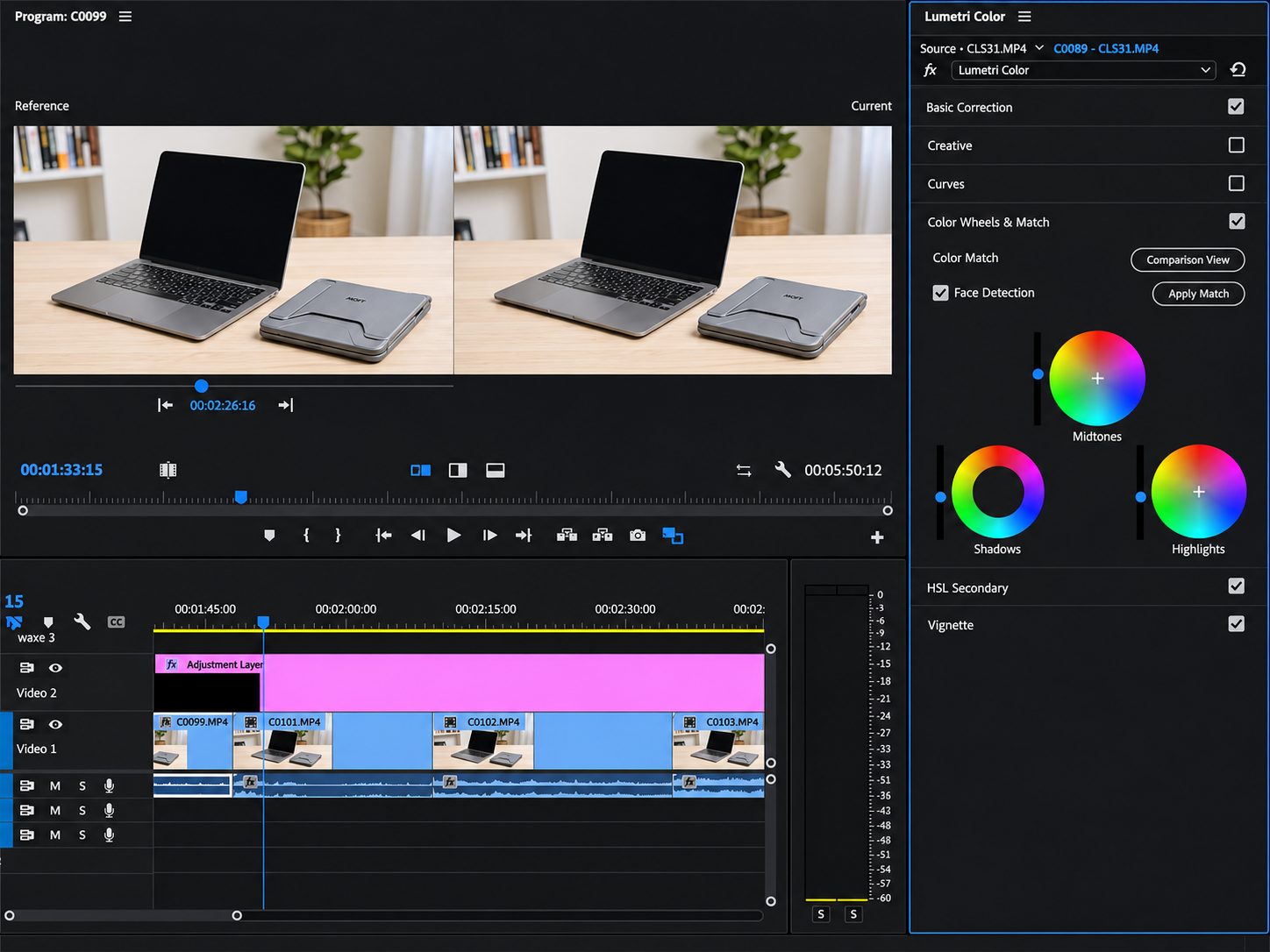
Resolve combines its editing pages with Color, Fairlight audio and Fusion compositing. That can suit a team keeping those finishing tasks in one Resolve project. It does not turn an existing Adobe composition into an editable Fusion composition.
For Milo, separate three review decisions. First, does the shortened version preserve the complete folding action? Second, does the stand's color match the approved product reference? Third, can the offer headline change without requiring a new render of the entire closing sequence?
The editor's existing skills matter here. Switching applications introduces work even when both can perform the required task. Count template rebuilding, media preparation and colleague training alongside software charges; none has an automatic speed or quality advantage for this fictional assignment.
How Do Subscription and License Costs Differ?
Premiere Pro uses a subscription. Resolve has a free edition and a paid Studio purchase, with optional services and rental licensing available separately.
These US dollar prices were checked on November 9, 2026:
| Purchase route | Published price | Commitment to compare |
|---|---|---|
| Premiere individual single-app plan | $22.99/month | Annual, billed monthly |
| Premiere for teams single-app plan | $37.99/month per license | Annual, billed monthly |
| Resolve | Free | Required codecs and features still need checking |
| Resolve Studio | $236, reduced from $295 | Current purchase promotion; recheck before ordering |
Adobe's Premiere for teams plan adds business administration, including license reassignment. A monthly payment on an annual plan is a yearly commitment. Confirm renewal, cancellation and tax terms for the actual contract; do not treat it as a freely cancellable one-month booking.
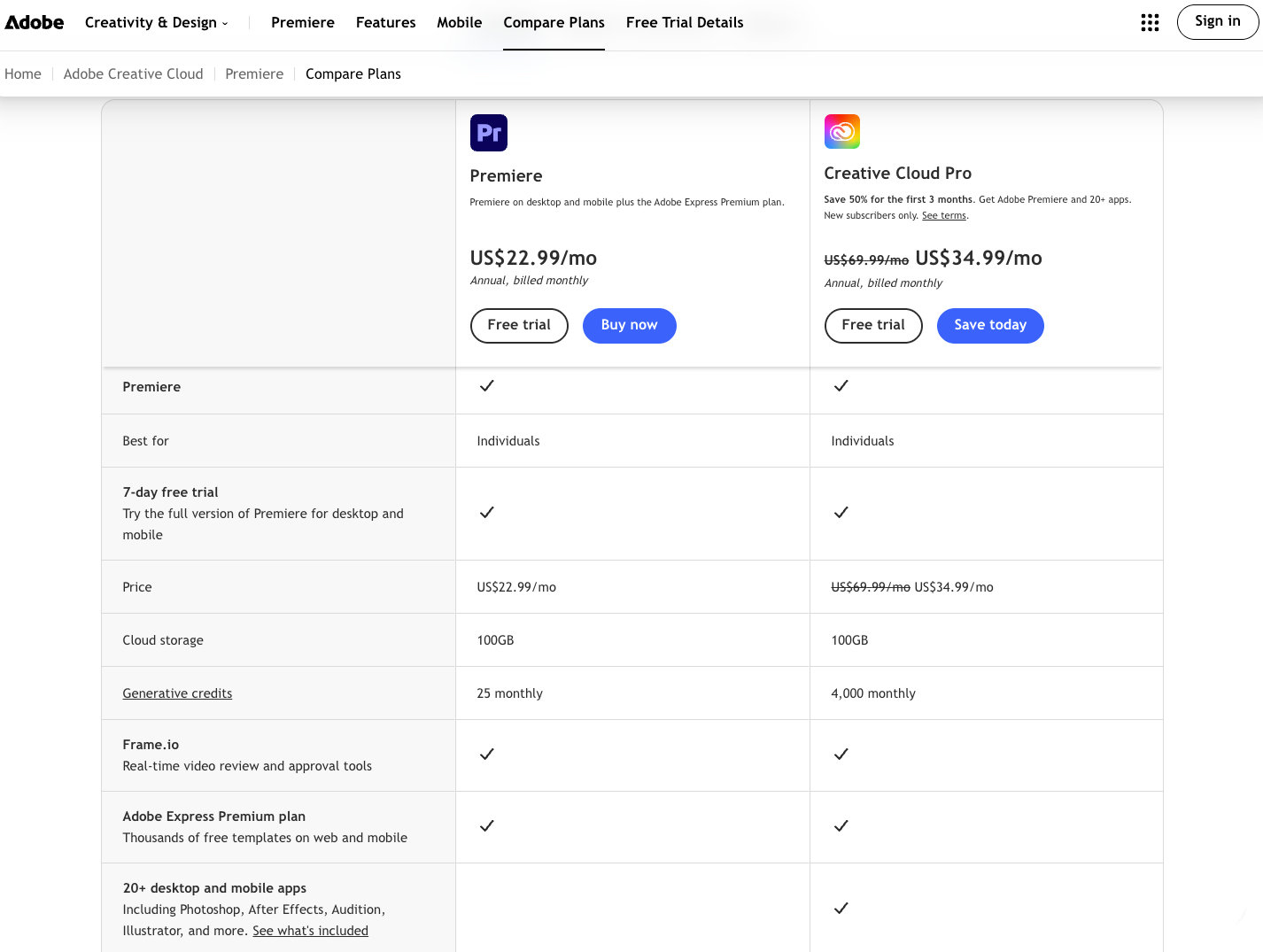
As a hypothetical calculation, two team licenses at $37.99 total $75.98 per month, or $911.76 across twelve monthly payments, before applicable taxes. That excludes any separately needed After Effects subscription, stock, plugins or services.
Blackmagic's Resolve product page shows the dated Studio promotion. The purchase price does not establish the cost of cloud hosting, shared storage or every team member's entitlement. Price the intended license arrangement and collaboration setup separately.
Before adding an Adobe subscription, inspect existing assigned plans. A multi-app plan may already include Premiere and After Effects for that user. A designer's subscription does not automatically license a different editor.
A Handoff Matrix for Designers, Editors, and Reviewers
Give each person files suited to their responsibility. A reviewer needs a reliable view of the cut; an editor changing copy needs the relevant controls and dependencies.
| Person and requested change | Premiere route | Resolve route | Acceptance check |
|---|---|---|---|
| Designer updates the end card | PSD with agreed layer imports | Agreed image exports, or prepared layers for a rebuild | Correct copy, dimensions and transparency |
| Editor changes the feature headline | .mogrt with suitable exposed controls and fonts | Rebuilt title or replacement render | Text remains editable where required |
| Designer revises the opener | After Effects source and compatible Dynamic Link setup | Replacement rendered animation plus retained source | Duration, color and any alpha channel match |
| Marketing lead reviews the cut | Frame.io Share link with review permissions | Agreed review export or configured review service | Comments identify the version and moment |
| Editor transfers the sequence to another NLE | Agreed interchange export plus media | Agreed interchange export plus media | Compare against an approved reference video |
Premiere's current Frame.io panel connects the edit with browser review and comments. Resolve documents shared-project collaboration through project libraries, including Blackmagic Cloud. Project access, media access and permission to approve marketing claims remain separate responsibilities.
For a cross-editor handoff, agree on the supported XML or other interchange route before delivery. Adobe documents limited effects transfer through its Final Cut Pro XML export. Inspect graphics, nesting, speed changes, audio and color against a reference; conversion is not proof of equivalence.
Include font, stock and template permissions with the asset inventory. Passing a project file does not necessarily permit redistributing every dependency inside it.
Where Does Generated Video Fit Before Editing?
Generated video can supply reviewed media before either NLE assembles the final campaign. For Milo, it might provide a styled desk introduction while the real footage demonstrates the stand's mechanism.
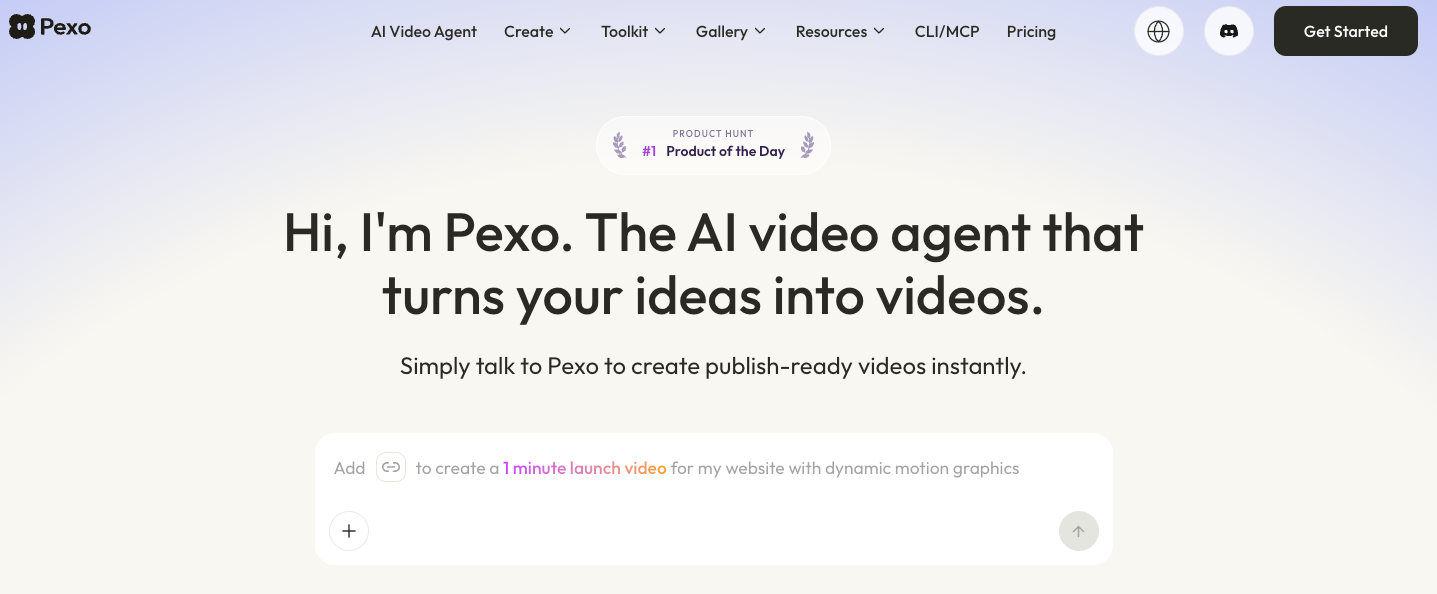
When the team needs that new sequence, Pexo offers an AI video agent workflow using supplied context and assets. Describe the scene's purpose, review the direction and request specific changes through conversation. Inspect the returned product details before accepting the material.
Agree on delivery format, frame rate, color handling, duration and whether sound is included. A rendered video should not be assumed to contain editable Premiere graphics, an After Effects composition or Resolve nodes.
Before uploading material, check Pexo's terms for permissions or written consent needed for processing and promotional use. Record the intended channels and any restrictions on reuse. This article does not provide legal advice.
Conclusion
Keep Premiere Pro in consideration when the team must continue changing Adobe source designs throughout production. Choose Resolve when prepared media and its finishing workflow meet the assignment. For Milo, settle who owns the changing headline and opener, then compare the required seats and contract term against that division of work.