ChatGPT
 Perplexity
 Claude
 Gemini
 Grok




For interviews that feed a marketing edit, start with access to each speaker's separate track. For lead-generation webinars, include registration, audience tools and the people managing the session.
A useful Riverside pricing budget covers that whole assignment. Recording duration, independent files, studios, editor access and AI purchases have different limits. Buying more of one resource may leave another requirement unresolved.
What Does Each Riverside Plan Cover?
Free provides a way to try the workflow. Pro suits recurring recorded content; Grow adds streaming and audience-growth tools. Webinar adds structured webinar features, while Business covers broader production and team requirements through a quote.
The following USD figures were listed in Riverside's public plan data on November 9, 2026:
| Plan | Monthly billing | Annual payment / monthly equivalent | Separate-track allowance | Studios |
|---|---|---|---|---|
| Free | $0 | — | First 2 recorded hours, one time | 1 |
| Pro | $35 | $288 / $24 | 15 hours/month | 1 |
| Grow | $45 | $408 / $34 | 20 hours/month | 2 |
| Webinar | $99 | $948 / $79 | 25 hours/month | 3 |
| Business | Sales quote | Sales quote | Unlimited, per published plan description | Unlimited |
Riverside's public price displays were not fully consistent at review. Treat these as dated planning figures and confirm your offer through the current plan comparison and checkout. Taxes are additional under Riverside's terms.
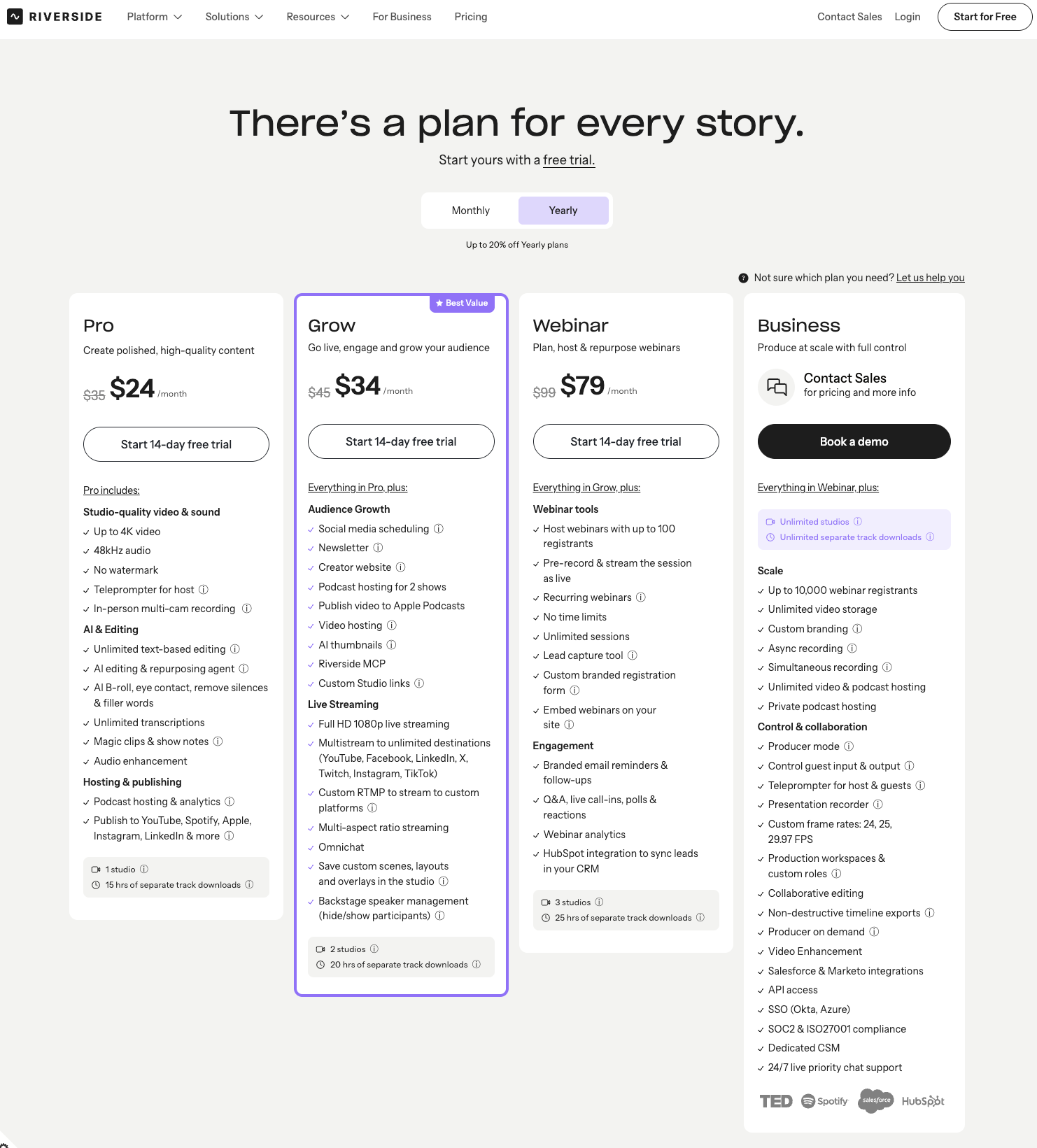
For an interview series, Pro's separate tracks may cover the editing requirement. A webinar with registration, Q&A and polls needs the Webinar tier's functionality even if its recording time fits Pro. Grow's live streaming alone does not provide that complete webinar package.
Annual billing commits the annual payment shown; the monthly equivalent is a comparison figure. Download allowances still reset monthly. Compare that commitment with the number of months your program will actually run.
Why Can Recording Time and Track Downloads Differ?
Riverside permits unlimited recording, but separate high-quality track access has a plan allowance. Finished edits and clips are a different output from each participant's individual audio and video files.
Riverside's download-hours rules tie the allowance to recorded session duration. A one-hour interview with three people uses one hour, rather than three. Live streaming also counts; unused monthly hours do not roll over.
Crucially, this is not simply a meter of files you click Download on. The help center says exceeding recorded-hour allowances can block individual-track downloads, including tracks from earlier recordings. Deleting recordings does not restore the month's allowance.
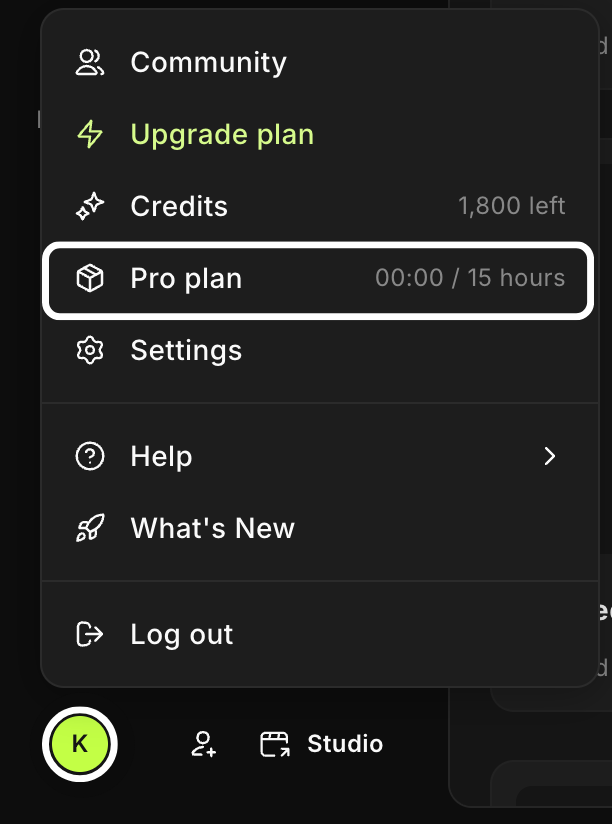
Budget all recorded sessions, including rehearsals and discarded takes. Do not assume that selecting only the best interview later protects download access. At the cap, Riverside's pricing FAQ directs users to wait for the next cycle or upgrade; it does not describe automatic per-hour overage billing.
A Remote Interview and Webinar Budget Worksheet
Consider a fictional marketing team at Fern, planning one month of customer interviews and product webinars. These volumes are hypothetical, and the rehearsals below are ordinary recorded sessions.
| Monthly program | Quantity × duration | Recorded minutes to budget |
|---|---|---|
| Customer interviews | 6 × 45 minutes | 270 |
| Product webinars | 2 × 75 minutes | 150 |
| Recorded rehearsals | 4 × 15 minutes | 60 |
| Additional-take reserve | 1 × 60 minutes | 60 |
| Total | 540 ÷ 60 | 9 hours |
The nine-hour budget fits Pro's published track allowance. However, assume Fern also needs native webinar registration for up to 80 registrants per event. That requirement points to Webinar, whose published standard limit is 100 registrants.
For a single month, the reference base cost is therefore $99 before tax and extras. The annual reference is $948 upfront, not a $79 month-to-month purchase.
Complete the remaining cost lines before approving the spend:
| Budget line | Fill with your actual requirement |
|---|---|
| Subscription | Selected plan, currency, billing term and renewal date |
| Editor access | Add-on quantity × account-visible price and term |
| AI purchases | Required credits minus usable balance; price the available purchase pack |
| Other production | Guest preparation, equipment, editing and approved storage |
| Total cash commitment | Subscription + add-ons + AI purchases + other costs + applicable tax |
Separately, budget any AI translation. At the help center's current rate of 100 credits per minute, four hypothetical three-minute translations require 1,200 credits. Subtract the usable balance shown in the account before pricing a top-up. Do not subtract unused recording hours from an AI requirement.
How Do Studio, Seat, and AI Limits Affect the Bill?
They cover different work: studios organize programs, seats grant working access, and credits fund selected AI actions. Confirm each requirement separately.
A second studio can separate another show or client's recordings. It does not automatically supply another editor or a second pool of download hours. Ask about simultaneous-session requirements if two producers must record at once.
Pro, Grow and Webinar offer an editor add-on. Riverside's purchase instructions show its price in the invitation flow; use that account-visible quote in the worksheet. Business provides broader collaboration and roles. Guest speakers and staff who need ongoing editing access should occupy different budget lines.
AI translation, generated B-roll and selected other actions use credits. Core tools do not all consume that balance. Use the starting grant shown in your account and verify whether any allowance replenishes. Riverside's help center says purchased credits do not renew monthly.
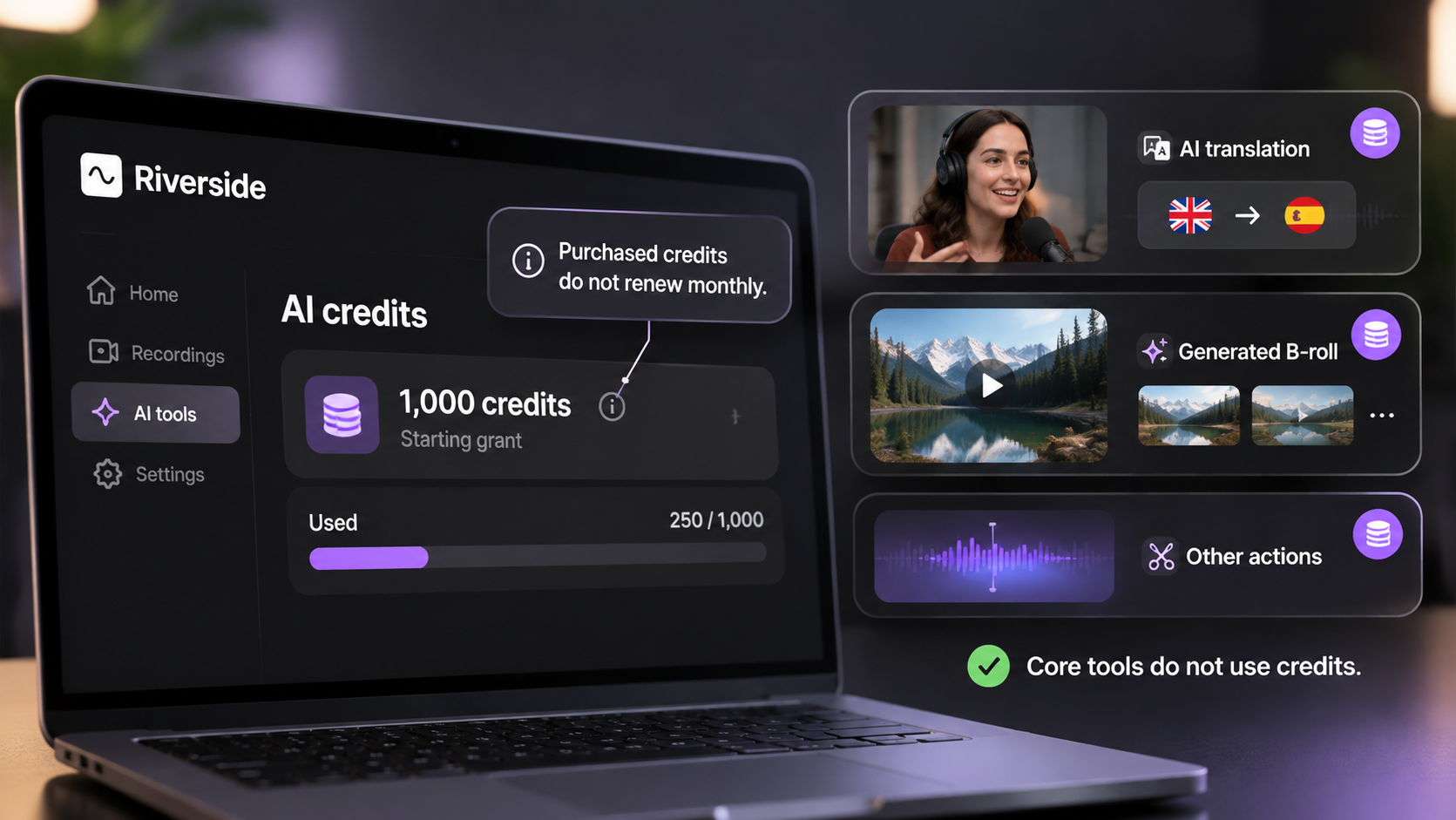
For model-dependent generation, check the displayed charge before each attempt. A second generated background is another production decision; it does not extend the interview-track allowance.
When Is Riverside the Right Input Workflow?
Riverside fits when you need to capture real remote speakers, preserve separate recordings and turn conversations into reusable marketing material. Its own editor can also produce finished interview cuts and clips.
Prepare guests, verify uploads and approve quotations before commissioning a new campaign video. A customer's comment needs its original context, permitted use and any qualification that changes its meaning.
If the next assignment combines approved excerpts with product visuals and a new story, Pexo offers an optional AI video agent workflow. Supply the cleared material and direction, then review the video and request specific changes through conversation. Confirm file compatibility; do not assume a native Riverside project transfer.

Check consent for recording, processing and promotional reuse across the services involved. Confirm Pexo's applicable written-consent requirements for promotional use under its terms. This article does not provide legal advice.
Conclusion
For Fern's hypothetical program, nine recording hours fit a lower track allowance, but webinar registration determines the plan. Build your own schedule first, then price the required studios, working access and AI purchases. Secure the separate files your next producer needs while the relevant download entitlement is active.