ChatGPT
 Perplexity
 Claude
 Gemini
 Grok
Grok



Replacing a shot with the wrong product lid and shortening an ending are different budget decisions. One may need new generated footage. The other may be possible with a manual trim.
For InVideo AI pricing, that distinction matters as much as the subscription fee. A recurring video team needs room to correct product details, finish the cut, and review it before the month's allowance runs out.
What Does the Current InVideo AI Plan Include?
It includes a credit allowance and access to specified tools, models, and collaboration features. The exact combination depends on the plan and billing option selected.
On October 27, 2026, the InVideo pricing page displayed these options with its annual promotion selected:
| Plan | Price per seat/month, billed annually | Credits per seat/month |
|---|---|---|
| Starter | $10 | 400 |
| Plus | $30 | 2,000 |
| Max | $75 | 5,000 |
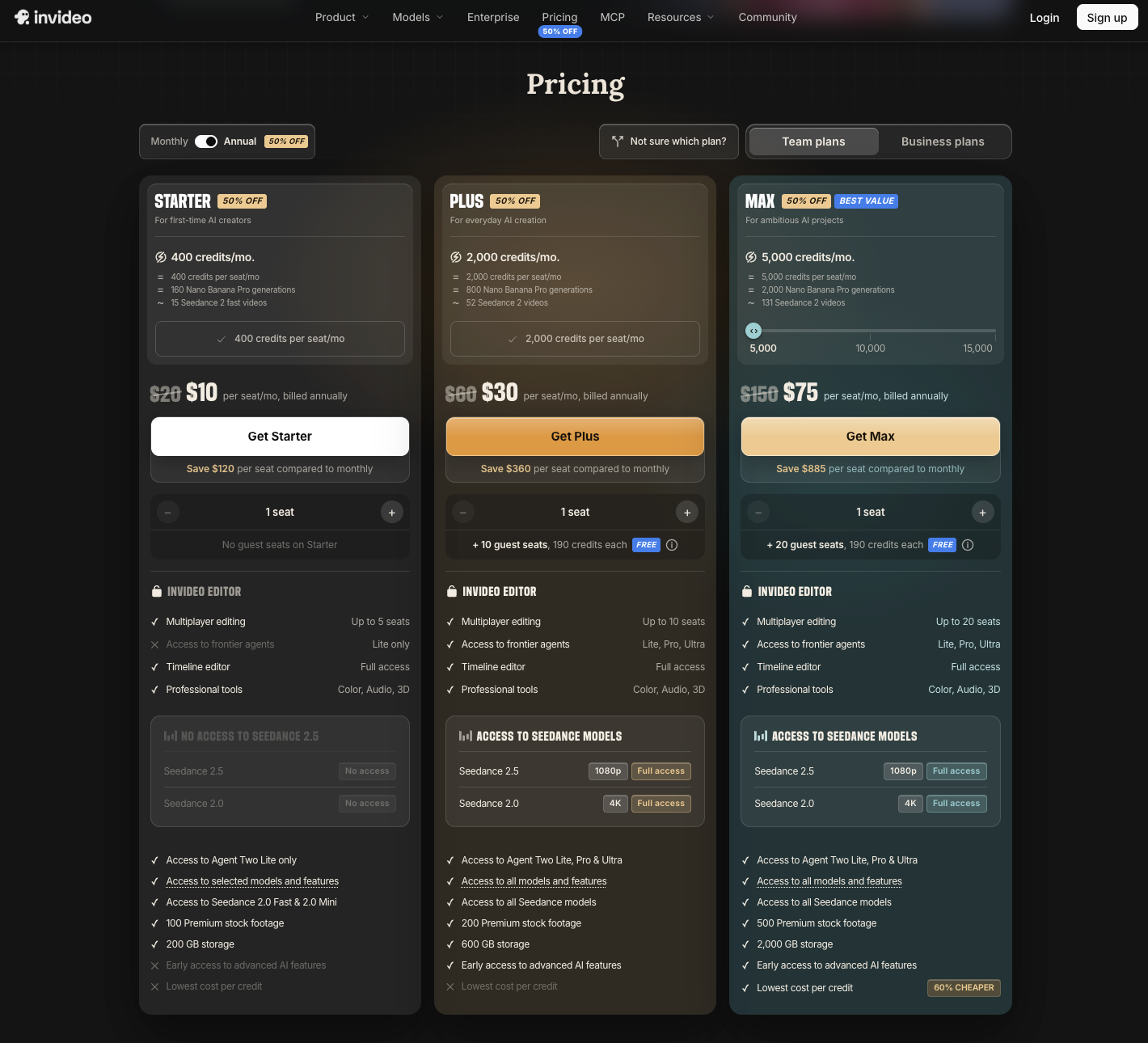
These are annual-billing figures in the page's displayed dollars, not month-to-month quotes. At the displayed Plus rate, one seat works out to $360 for a year before applicable taxes. Confirm the total, currency, promotional conditions, and renewal price at checkout.
According to the pricing page viewed on October 27, 2026, the displayed Starter plan limits agent access to Lite; Plus lists Lite, Pro, and Ultra. When comparing InVideo AI plans, check whether the cheaper allowance covers the workflow you need.
Some official help tables still show different plan names and allowances. Match your purchase to the live checkout and account details rather than combining figures from different tables. Annual payment also doesn't make the year's plan credits available at once: the allowance resets monthly.
Which Activities May Consume Credits?
AI agent processing and media generation may consume credits. Manual timeline editing in InVideo Editor does not, according to its current help guidance.
That changes how you describe a revision. “Trim the ending” could mean doing it manually or asking an agent to process the request. Asking for a new product shot adds generation work. Agent processing can also consume credits without producing new media.
For generated video, duration, model, resolution, and audio settings can affect the charge. Copy the estimate for the actual settings before approving work; a model's minimum advertised cost cannot price an entire finished ad.
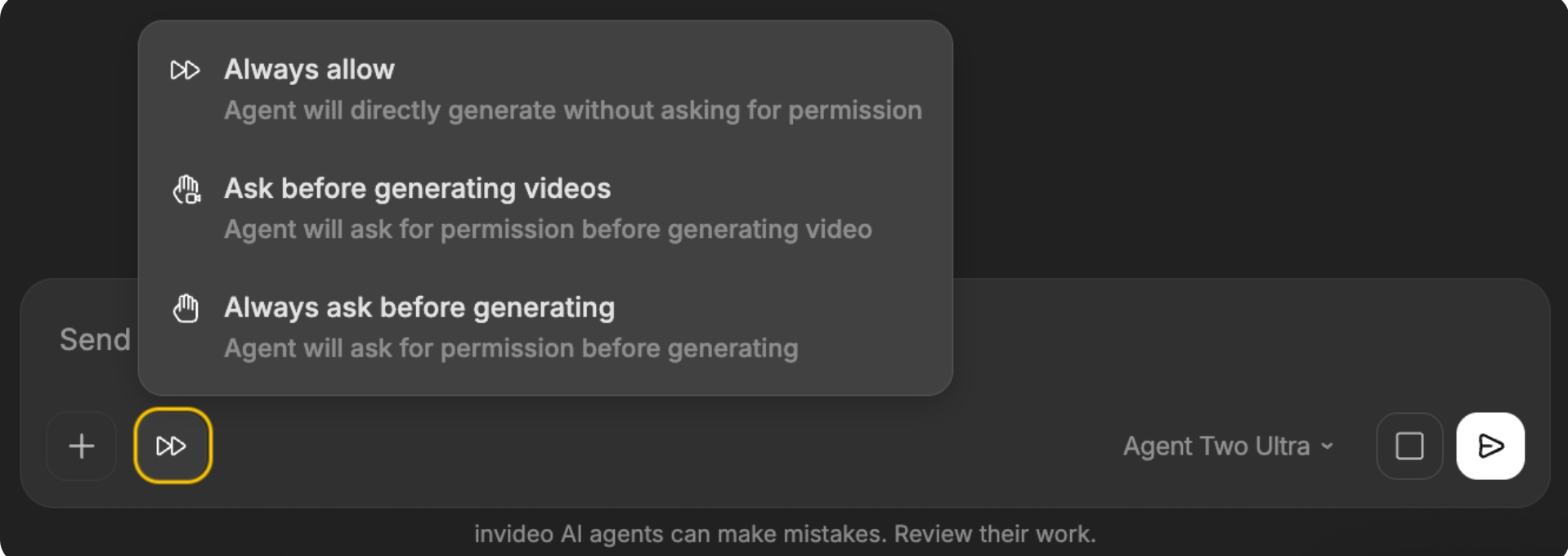
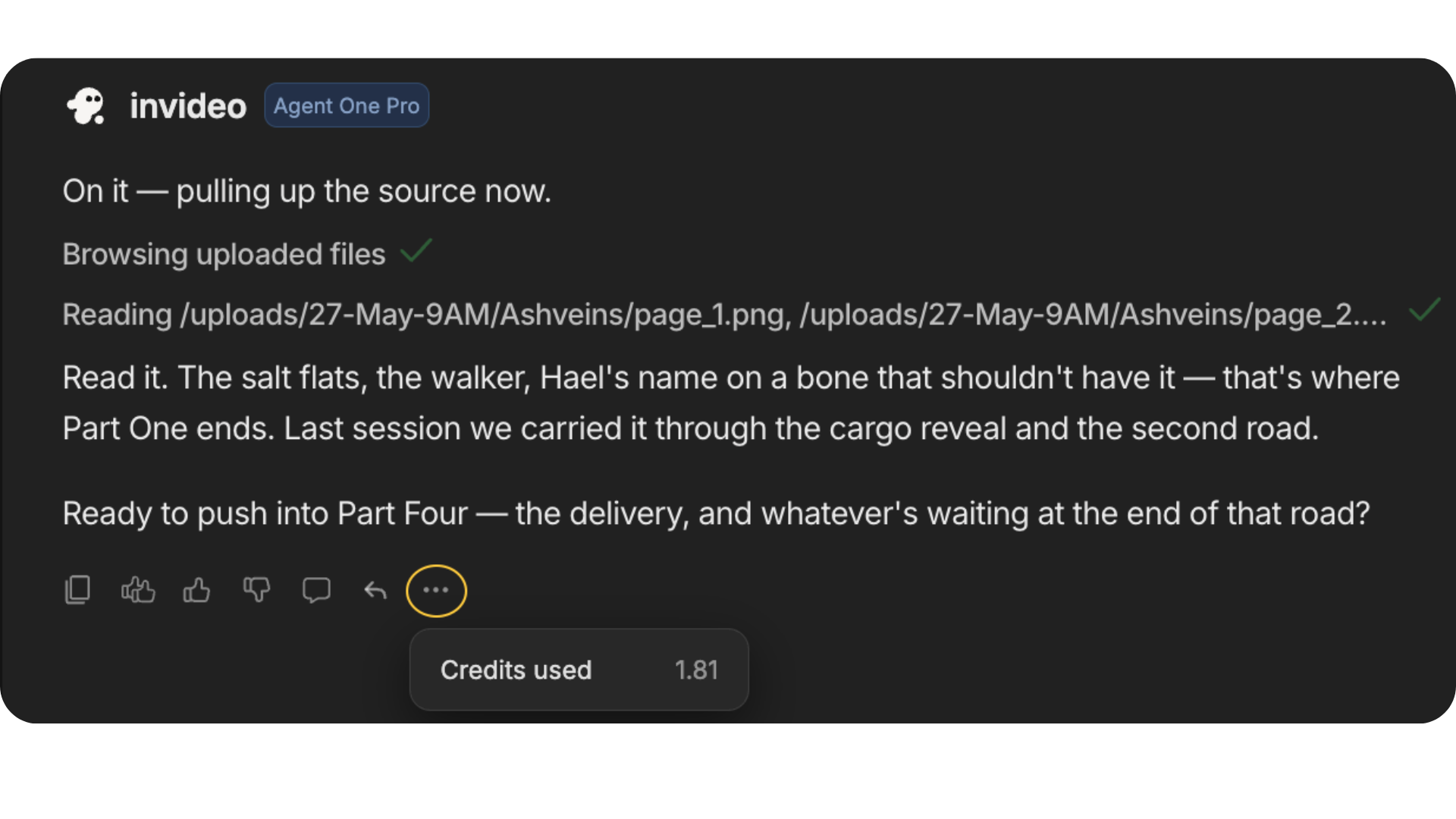
InVideo documents generation permissions such as “Always ask before generating.” Use them to review proposed media work, while remembering that agent processing can still incur charges. Afterward, inspect the message's credit usage and the project's total usage. Record both accepted and rejected attempts.
Model One Product Video With a Revision Allowance
Consider Orin, a fictional food-storage container. For this exercise, the team has approved photographs and footage showing its removable divider. The video should show the divider lifting out, then close with “Choose your size.” No leakproof or freshness claim is part of the brief.
Approval requires the correct lid, divider shape, product name, and closing line. Those details give each proposed revision a purpose.
Track InVideo AI credits for that brief in the table below. Fill the quote column from your account, keeping actual charges separate so an estimate never becomes a reported result.
| Step | Planned work | Quoted or reserved credits | Actual credits | Review result |
|---|---|---|---|---|
| Inputs | Prepare approved references and copy; record any agent work interpreting them | I: ___ | ___ | Correct sources used? ___ |
| First draft | Produce the agreed product video | G: ___ | ___ | What needs correction? ___ |
| Revision 1 | Replace a shot if it shows the wrong lid; preserve the divider action | R1: ___ | ___ | Lid matches reference? ___ |
| Revision 2 | Shorten the ending and retain the exact closing line | R2: ___; manual trim uses no AI credits | ___ | Ending readable? ___ |
| Final review | Check the complete cut and download the accepted version | Download uses no credits; quote further AI work separately | ___ | Approved version: ___ |
Planned credit ceiling = I + G + R1 + R2. The revision allowance is R1 + R2. These blanks are budget fields, not estimated charges; complete them before approving the corresponding work.
If the first draft is still pending, reserve a team-approved amount for each correction, then replace it with the displayed quote. Pause if the next request exceeds the remaining allowance.
Keep a second line for cash: subscription payment due, purchased extra credits, and staff time. Allocating part of an annual subscription to this video is an accounting choice. It does not establish a universal dollar price per credit or per approved video.
Check Export and Cancellation Terms
InVideo's help guidance says exporting or downloading consumes no credits. Before committing, also verify the selected plan's watermark, resolution, stock allowance, and delivery conditions against the file you need.
Cancellation stops renewal while the subscription remains active through the paid period. It does not automatically refund that period. The current subscription and content terms describe a limited refund-request window with conditions, including no use of credits or premium features. Don't treat a paid production trial as automatically refundable.
Before the plan ends, save the approved export, its product references, and the applicable asset-license records. Access to editing features and permission to use an existing export are separate questions.
When Does a Plan Fit a Recurring Video Team?
A plan fits when its available tools and monthly allowance support the videos your team actually approves, including correction work.
Review completed projects by the problem that consumed the revision budget. Repeatedly replacing an inaccurate lid suggests the product references or production method need attention. Repeatedly adjusting the same closing line may justify a reusable ending or manual edit.
If you’re also considering Pexo, this guide’s publisher, build a separate estimate for the same product brief. Include production, revisions, and your team’s review time. Compare what it takes to reach an approved video, with each service’s charges calculated on its own terms.
Before renewing, ask whether the next month's brief removes a recurring correction. Buying more capacity makes sense only after deciding which work deserves it.