 ChatGPT
 Perplexity
 Claude
 Gemini
 Grok



Storyblocks pricing is easier to estimate when you separate three decisions. Which stock library does the campaign need? Who is the license holder? How many AI Toolkit actions will the editor actually run? A plan with unlimited downloads can still be the wrong purchase if the person using it is not the person or organization covered by the license.
The figures below are a dated USD snapshot checked on November 16, 2026. Confirm the checkout total, currency, tax, renewal amount, and allowance before paying.
What Does Each Current Storyblocks Plan Cover?
Storyblocks currently separates Essentials, Unlimited All Access, Small Business, and Business. The current pricing page is the reference for the dated figures below. Essentials, Unlimited All Access, and Small Business are self-serve plans with one user. Business is a quote-based route for organizations that need multiple users and broader coverage.
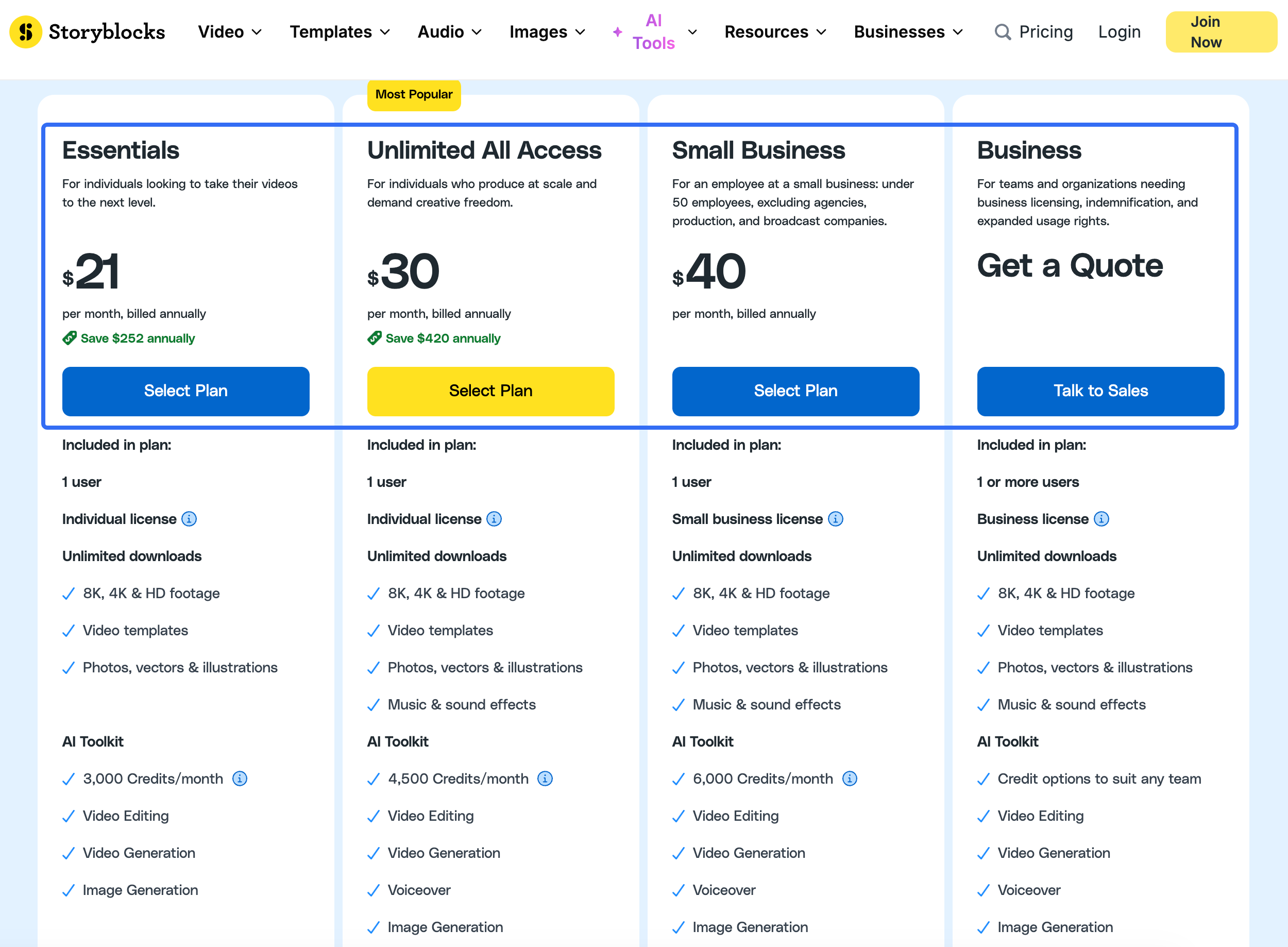
| Plan | Dated price shown by Storyblocks | Users and license | AI Toolkit allowance | Stock scope |
|---|---|---|---|---|
| Essentials | $21/month billed annually, or $252/year; FAQ lists $42/month billed monthly | 1 user, Individual | 3,000 credits/month | Unlimited visual downloads, including footage, templates, photos, vectors, and illustrations |
| Unlimited All Access | $30/month billed annually, or $360/year; FAQ lists $65/month billed monthly | 1 user, Individual | 4,500 credits/month | Adds music and sound effects to the full stock library |
| Small Business | $40/month billed annually, or $480/year | 1 user, Small Business | 6,000 credits/month | Full stock library with a small-business license |
| Business | Quote from sales | 1 or more users, Business | Credit options are quoted for the team | Organization-wide coverage, admin controls, expanded distribution, and business support |
Keep the annual total in your budget, then add tax and any regional currency conversion shown at checkout.
Which License Holder Needs to Use the Assets?
The license holder is the first budget line, not a footnote. Storyblocks describes its Individual license as coverage for one named user. Its license comparison guidance distinguishes individual, small-business, and business coverage. That user may create personal or client work, but cannot share login details, raw downloads, or a shared stock folder with another person.
The Small Business license is intended for one employee at a business with fewer than 50 full-time employees, excluding agencies, production and broadcast companies. The Business license is written to the organization and can cover multiple assigned users. It also lists broader distribution, rights certificates and cue sheets, and up to $1 million in indemnification on the current license explanation.
For an agency, “one editor downloads the clip” does not answer who owns the license or whether the client may receive project files. Keep the finished export separate from the unedited stock file. Storyblocks says client projects are permitted when the asset is incorporated into an original project or modified, while handing over the original stock asset is not permitted.
How Do Stock Downloads and AI Credits Affect Budget?
Stock downloads and AI Toolkit actions are different meters. Eligible plans use an unlimited-download model for the included library, subject to Storyblocks' commonsense limits on unusually high-volume downloading. AI editing, video generation, image generation, and voiceover draw from a monthly credit balance.
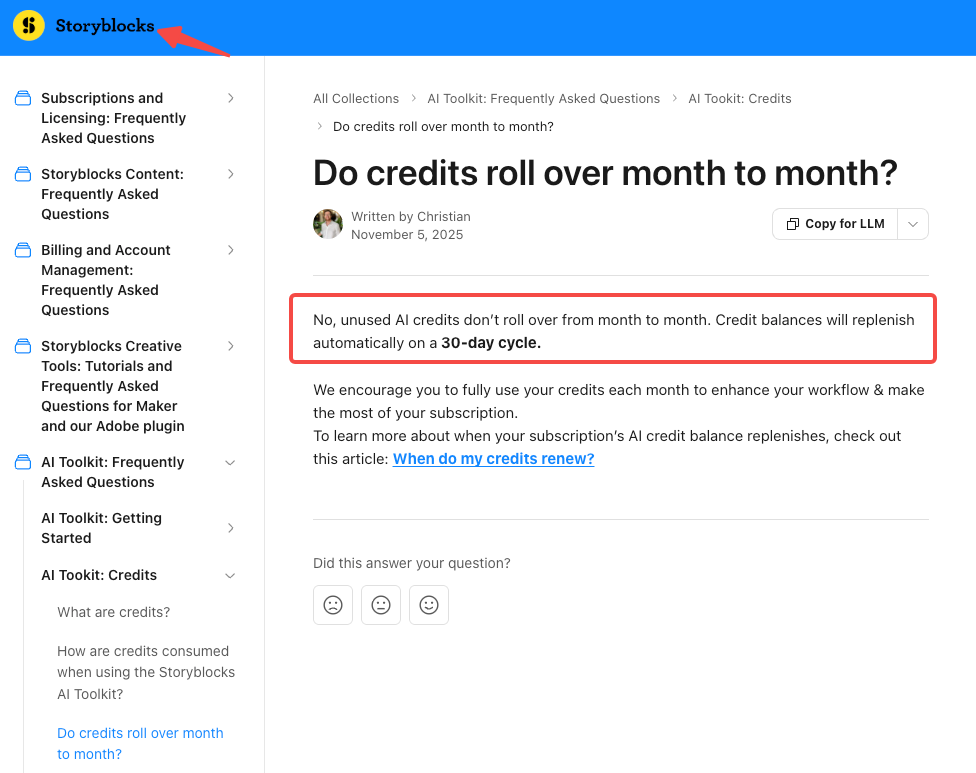
Storyblocks says the interface shows the total credit cost before an AI edit starts. Longer modifications can use more credits. Credits renew on a 30-day cycle, and the AI Toolkit help center says unused credits do not roll over. An annual plan still provides a monthly allowance rather than one large annual pool.
The stock library is described as human-made. Review every AI output, voice, reference image, and client-supplied asset separately.
A Reusable Asset Budget for a Product Campaign
Use this fictional example to turn Storyblocks pricing into a campaign estimate. Luma Cart is a small online retailer making one 30-second product ad, two social cutdowns, and one seasonal refresh. One employee selects footage, music, and a template. The team also wants a few AI background edits.
| Budget line | Hypothetical quantity | What to record |
|---|---|---|
| Stock footage and images | 14 downloads | Asset IDs, project name, download date, license holder |
| Music and sound effects | 3 downloads | Whether the chosen plan includes audio |
| Template files | 2 downloads | Required editor, plug-ins, fonts, and source-file terms |
| AI background edits | 6 attempts | Credit total shown before each run |
| AI image or video inserts | 4 attempts | Model, settings, accepted and rejected outputs |
| Voiceover or pickup | 1 version | Speaker permission, script, and credit estimate |
| Review reserve | Reader-entered | Allowance for a changed product claim or new crop |
Enter the amount shown in the account before each action. If the campaign uses 10,000 credits across a month, compare that requirement with the selected plan's 3,000, 4,500, or 6,000 monthly allowance instead of treating stock downloads as the same resource.
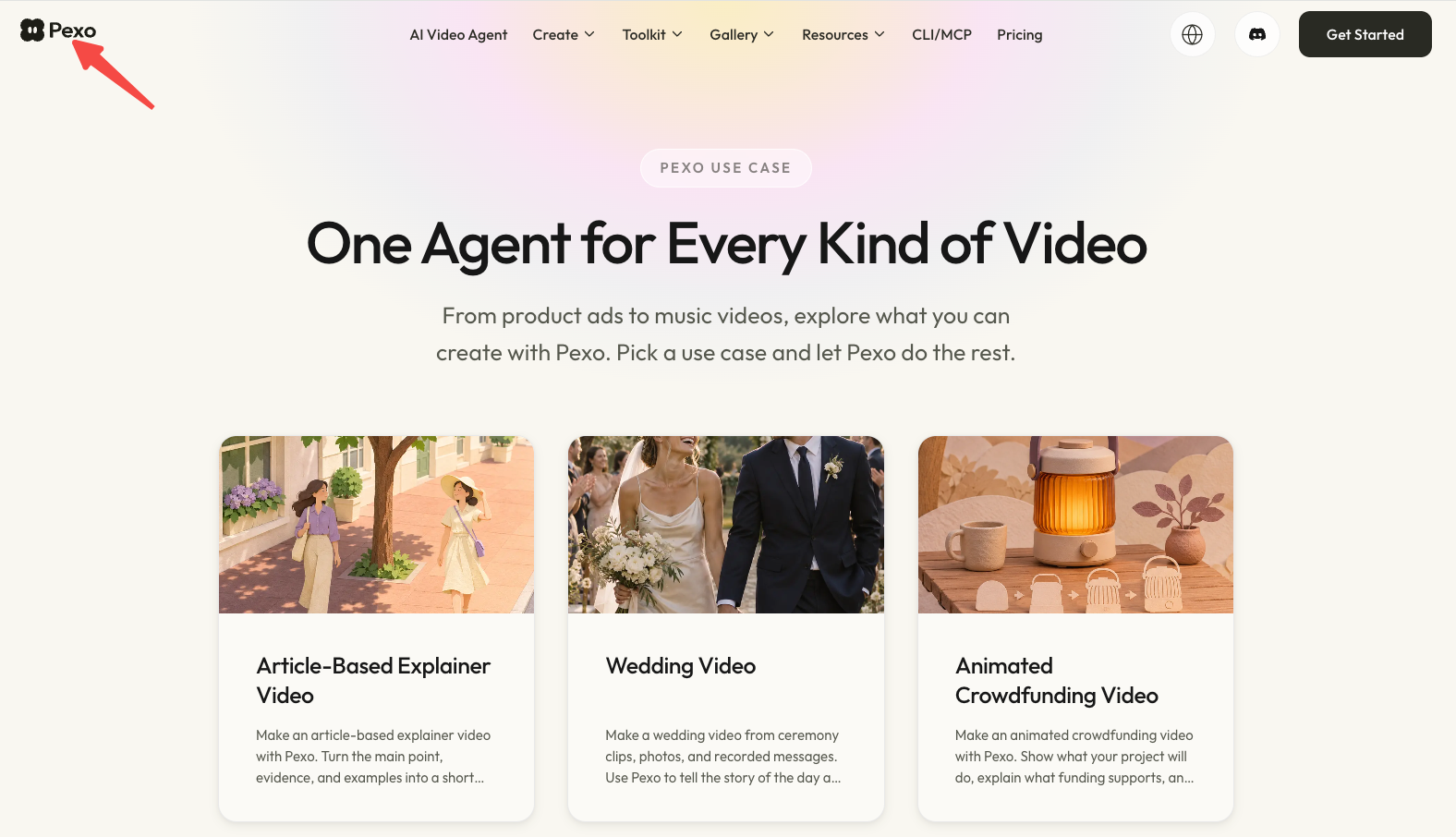
Keep a cash column for editing time, tax, separately licensed music, and any production route. If the team wants to turn approved product material into a finished video, Pexo’s video use cases is a separate production option. Before uploading stock or other campaign material, review Pexo's current processing and promotional-use terms. Pexo does not replace Storyblocks' license or turn a stock download into a cleared source file.
When Does a Stock Subscription Fit Better Than Original Capture?
Storyblocks fits a campaign that needs many searches, alternate b-roll choices, templates, and recurring social cuts. Unlimited downloads can make sense when the team will genuinely review and use a broad library during the active subscription.
Original capture gives the team control over the real product, current packaging, customer setting, and proof that stock footage cannot supply. A stock clip of a person using a generic package cannot establish that your SKU performs the same way.
For a client campaign, retain the download record, project registration details where applicable, license holder, and final export. If the plan is Individual or Small Business, Storyblocks says work created and published during the subscription remains covered, but new projects using previously downloaded assets cannot be published after the subscription ends. Business-license downloads can continue to be used by the covered organization after cancellation.
The Envato Elements pricing guide covers a separate credit and license model. If you plan to send stock or other campaign assets to Pexo, review Pexo’s current processing and promotional-use terms first. Check Artlist’s own AI and stock terms separately before relying on a dedicated guide.
Conclusion
Choose Storyblocks pricing by matching the license holder and AI workload to the campaign. Stock volume may justify an unlimited-download plan, while music access, team coverage, or non-rolling AI credits may change the decision. Price the library, the credits, and the rights record as separate parts of the same production budget.
This article does not provide legal advice. Confirm the current Storyblocks license, checkout terms, tax, and target-channel requirements before purchase or publication.