
 ChatGPT
 Perplexity
 Claude
 Gemini
 Grok




The best UGC video software for Google Ads depends on the asset set you need to hand to the campaign, not on how convincingly a tool labels a clip “UGC.” A Google Ads team may need a real creator’s footage, a product-page concept, or several scripted presenter variations. Those are different starting materials.
Use one brief to compare them. Imagine Luma Cart, a fictional reusable lunch-container brand, promoting a leak-resistant set. The campaign needs a 20-second product story, a real-use proof point, captions, and horizontal, square, and vertical versions for Demand Gen and YouTube Shorts. The same brief makes the differences visible without pretending that a generated presenter is a customer.
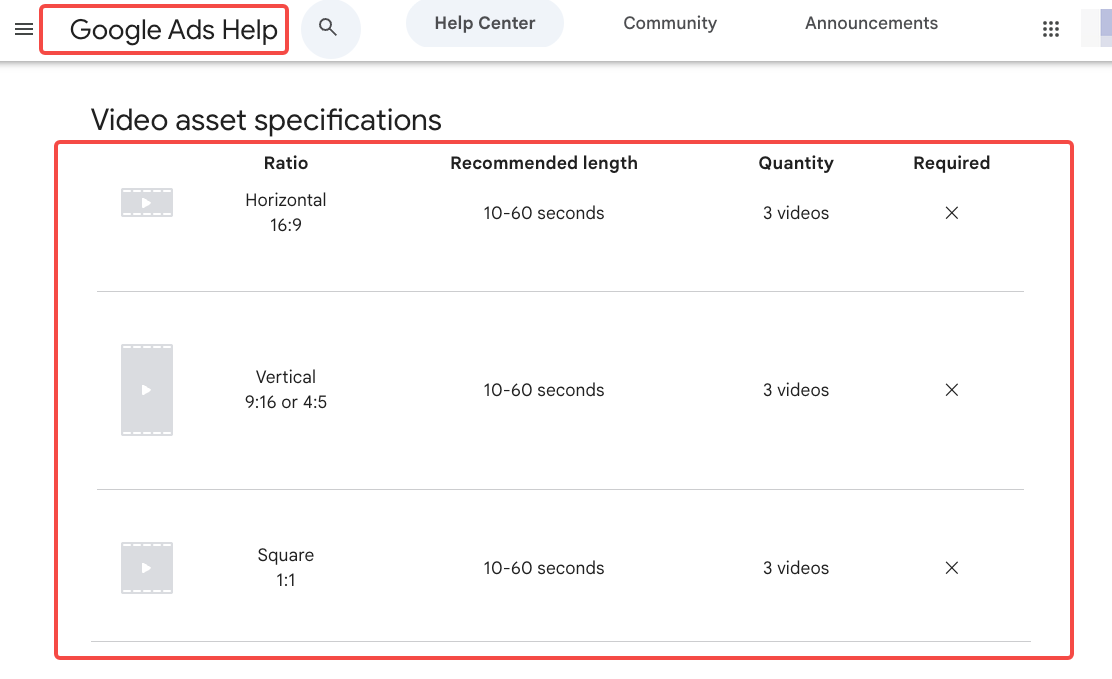
Google’s current Demand Gen specifications list horizontal 16:9, vertical 9:16 or 4:5, and square 1:1 video assets, generally 10–60 seconds for the video asset table. Google also recommends multiple orientations for broader coverage and provides an in-platform crop and trim tool. Treat those as delivery checks, then confirm the campaign’s current setup before export.
What Must a Google Ads Video Asset Set Deliver?
Start with the destination, then work backward to the edit. For a Demand Gen brief, ask for:
-
A product fact that the footage can actually support, such as a closed lid staying attached during a commute.
-
At least one cut with a clear first-second hook and readable captions.
-
A source label for every person, voice, product photo, and stock element.
-
A plan for 16:9, 1:1, 4:5, or 9:16 crops, with important text kept out of platform overlays and safe areas.
-
A review copy that records whether the speaker is a real creator, a licensed performer, or a synthetic actor.
-
A final export that can be uploaded to the Google Ads account with the required permissions and file settings.
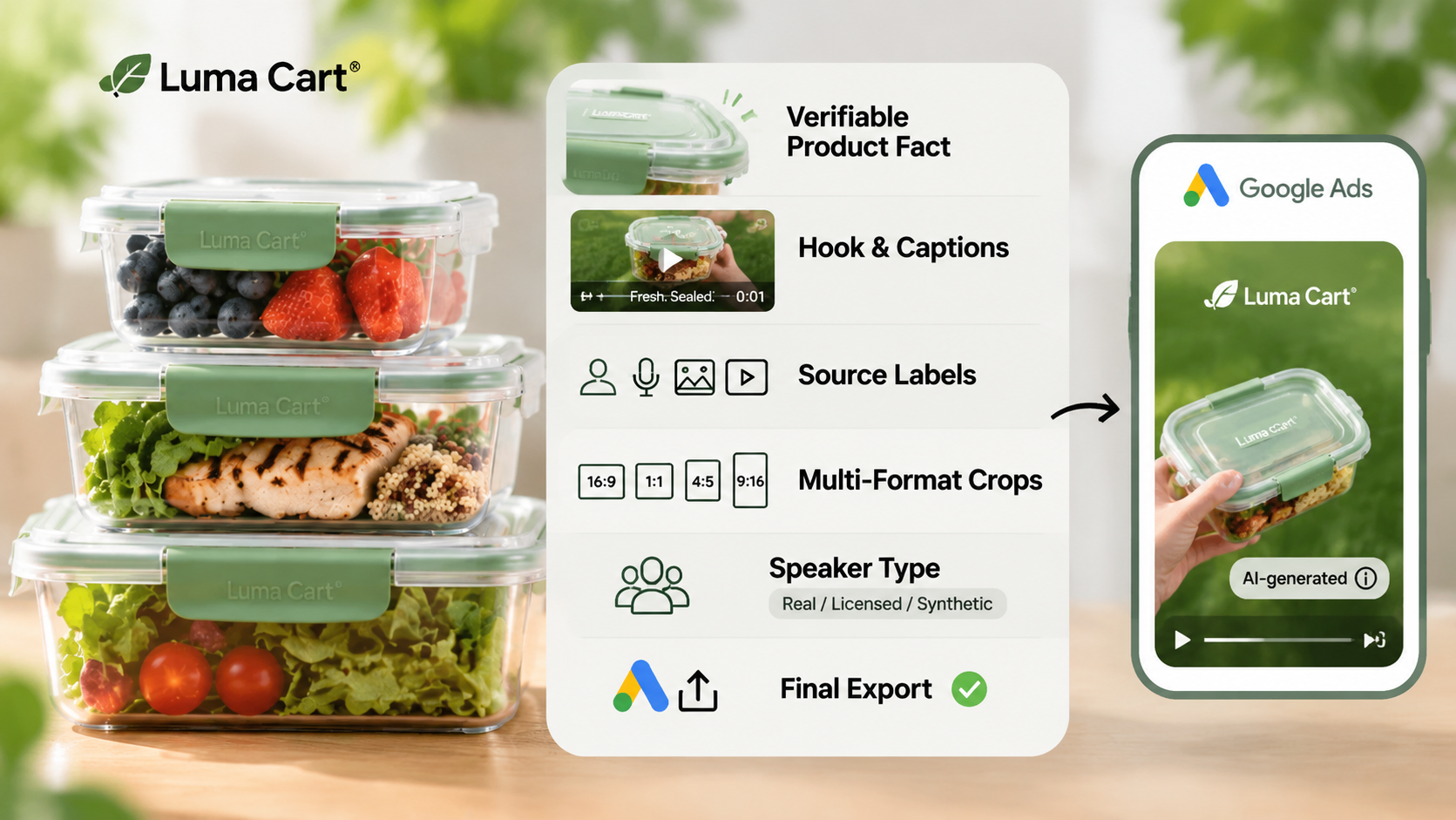
Google’s AI label controls allow advertisers to designate ad assets as created or edited with AI. In some regions, visible labels may appear on the ad itself. A label does not turn a synthetic testimonial into a real customer experience, and it does not settle rights for the voice, face, product photo, or music.
How Were the UGC Video Tools Compared?
Each tool is considered against the same Luma Cart brief across four buyer questions:
-
What does the team provide first: authorized footage, a URL, a script, or a product image?
-
Can the team preserve the evidence that makes the ad credible?
-
Can the output be adapted to the required ratios, captions, and cut lengths?
-
What still needs human approval before a paid upload?
This is a task comparison based on current public product documentation. It is not a matched generation test, performance ranking, or prediction of campaign results.
1. CapCut for Editing Authorized Creator Footage
Suitable Task, Export Path, and Limits
CapCut fits the first route when a creator has already filmed the product. The editor can trim the original take, arrange product close-ups, add captions, adjust the frame, and prepare a social-first cut. CapCut’s own guidance describes changing the aspect ratio for vertical work, including 9:16 for TikTok-style delivery. That makes it useful when the team is protecting a real performance and shaping it for a new placement.
For Luma Cart, the source might be a creator opening the container at a desk, tipping it inside a bag, and showing the seal. Keep the original file and the creator’s spoken words beside the project. If the edit removes the sentence that limits the claim, the remaining shot may sound stronger than the recording supports.
The limitation is provenance, not a missing effect. CapCut cannot grant permission to use the creator’s likeness, music, product footage, or a client’s raw files. Confirm the commercial terms of every library element and record who approved the crop, captions, and paid-media use. CapCut also offers separate AI avatar and script-to-video workflows. For this comparison, its role is the editing of authorized creator footage rather than a dedicated product-URL-to-ad workflow.
2. Creatify for Product-Page-Based Concepts
Suitable Task, Export Path, and Limits
Creatify’s URL-to-Video route starts with a product link or store page. Its current help guidance describes selecting a video language, generating an ad, exporting it, and revising it in a precise editor. That suits a team that has a product page but no approved creator recording yet.

For Luma Cart, the product page can supply the container name, feature copy, and images used for a first concept. The buyer still needs to compare every spoken line with the current product page and approved claim sheet. A generated scene that shows a dry laptop bag may suggest a test the brand has never run.
Creatify can help assemble a concept into an ad-shaped draft, but a product URL is not a rights clearance packet. Check whether the images, music, voice, presenter, and third-party claims may be used in a paid Google campaign. Then inspect the horizontal and vertical crops rather than assuming a single generated layout will survive every placement.
3. Arcads for Scripted Presenter Concepts
Suitable Task, Export Path, and Limits
Arcads is built around scripted UGC-style ads with AI actors. Its current help material describes choosing an actor, selecting a talking model, showing a product, adding caption styles, and creating variants across actors or languages. Its workflow documentation also describes taking one script and product image into a batch of UGC videos.
That is a different brief from CapCut. For Luma Cart, the team might write one approved hook about a lunch that survived a train commute, then create presenter variations. The sentence must remain a marketing script unless a real person actually experienced and said it. Label the asset internally as synthetic and check the destination’s AI disclosure path before launch.
Arcads is a strong fit when the buyer wants scripted presenter concepts and controlled variation. It does not remove the need to approve product handling, actor representation, voice rights, captions, music, or claim wording. Actor-library availability, custom-actor terms, credits, export options, and commercial rights should be checked on the current account and plan before a batch is commissioned.
A Same-Brief Google Ads Deliverable Matrix
| Requirement from the Luma Cart brief | CapCut | Creatify | Arcads |
|---|---|---|---|
| Starting input | Authorized creator footage | Product URL, page assets, and direction | Script, product image, actor choice |
| Best use | Edit a real performance | Turn product information into a concept | Make scripted presenter variants |
| Product proof | Comes from the recorded shot | Must be checked against source claims | Must be written and reviewed as a script |
| Ratio work | Editor-controlled crops and exports | Check generated layouts and exports | Check each variant and placement crop |
| Captions | Add and review in the edit | Generated or edited captions need inspection | Caption styles are available, then require review |
| Main approval risk | Cut changes the creator’s meaning | URL data becomes an unsupported claim | Synthetic delivery is mistaken for a real customer |
| Google Ads handoff | Export approved cuts | Export and inspect each format | Export variants and record disclosure status |
The matrix is a handoff tool, not a winner list. If the campaign’s strongest evidence is a real creator demonstrating the seal, start with CapCut. If the team needs a fast product-page concept, Creatify addresses the input gap. If the test plan needs many scripted presenter openings, Arcads addresses variation. A separate directed workflow such as Pexo’s product video generator can be considered when the brief has moved beyond UGC-style variants into a complete product video, but Pexo is not being listed here as UGC software or a digital-actor library.

How to Choose Between Real Creator and Synthetic Style
Choose real creator footage when the message depends on a person’s actual use, opinion, or demonstration. Keep the release, raw recording, music source, and paid-media scope with the project. A creator’s organic post is not automatically cleared for a Demand Gen ad or a new crop.
Choose synthetic style when the team wants a scripted concept, controlled presenter variation, or a visual direction that does not depend on a real customer’s experience. Write the script as advertising copy. Do not use first-person language that implies testing, ownership, or results unless the statement is true and supportable.
Google permits AI labels in its advertising products and may apply disclosures in relevant regions. YouTube also requires disclosure for realistic AI-generated or meaningfully altered content uploaded as organic video. Check both the Google Ads asset setting and the YouTube upload path when the same video will be used in both places. These settings do not replace local advertising review or rights checks.
Conclusion
The best UGC video software for Google Ads is the route that preserves the evidence your campaign depends on. CapCut starts with a real performance, Creatify starts with product-page information, and Arcads starts with a scripted synthetic presenter. Build the asset matrix before you buy, then review each ratio, caption, claim, speaker label, and disclosure path before the upload.
This article does not provide legal advice. Confirm current Google Ads, YouTube, tool, creator, voice, music, and product-asset terms before publishing or running paid media.