ChatGPT
 Perplexity
 Claude
 Gemini
 Grok



An annual stock subscription can make sense for a busy video calendar. For one campaign, the larger upfront payment deserves a closer look—especially when the team also needs AI-generated scenes.
For Envato Elements pricing, compare the subscription commitment with the work you expect to finish. The worksheet below separates stock selection, AI attempts and licensed users, so a useful library does not become an automatic annual purchase.
What Does an Envato Elements Subscription Cover?
It combines stock-library access with a monthly AI allowance. The stock catalog includes footage, music, sound effects, templates, graphics, photos and fonts; the tiers mainly change AI capacity.
These individual rates were checked against Envato's current plan comparison on November 5, 2026. Prices are in US dollars before local tax.
| Individual plan | Pay monthly | Monthly equivalent, billed annually | Annual subscription total* | Monthly AI credits |
|---|---|---|---|---|
| Core | $39 | $16.50 | $198 | 20 |
| Plus | $59 | $39 | $468 | 200 |
| Ultimate, 1,000-credit selection | $259 | $168 | $2,016 | 1,000 |
Annual totals are calculated as the displayed annual-billing monthly rate × 12. Confirm the actual charge, currency and tax at checkout.
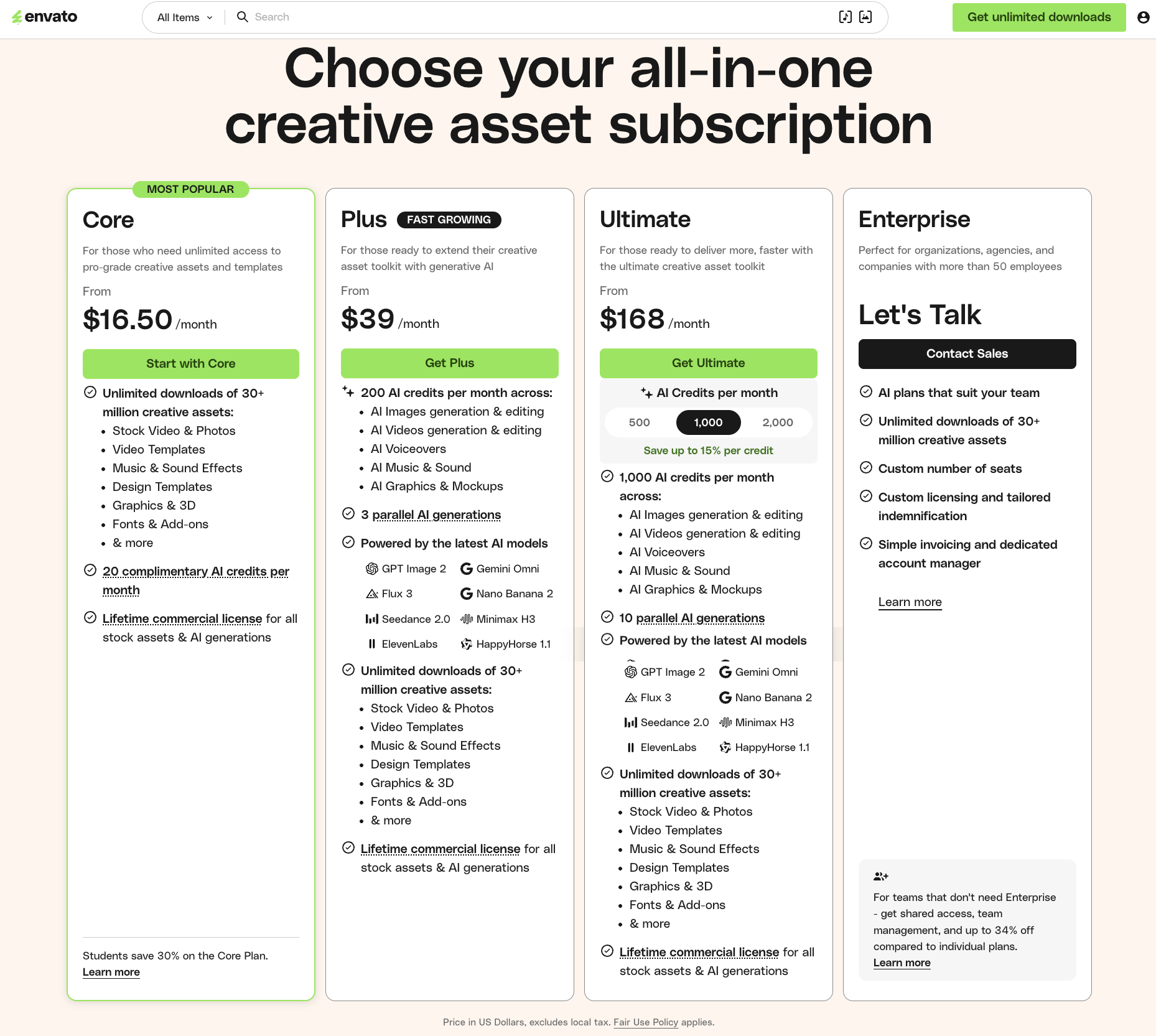
Ultimate also offers 500- and 2,000-credit selections; their prices need separate confirmation. Enterprise has custom terms. An Envato stock subscription does not include purchases from the separate Envato Market marketplace.
Which Stock Actions and AI Actions Have Different Limits?
Stock downloads are unlimited subject to fair use. AI generation draws on a finite credit balance, with the charge depending on the action and settings.
Fair use excludes account sharing and mass downloading to stockpile assets for use after a subscription ends. Downloading more files does not expand the uses your license permits.
Envato's credit guide currently lists image generation and editing at one credit, with video generation and editing starting at two. Its four-second video examples cost two credits at Low, five at Standard and nine at High. Extra variations or combined actions can change the charge; read the total shown before generating.
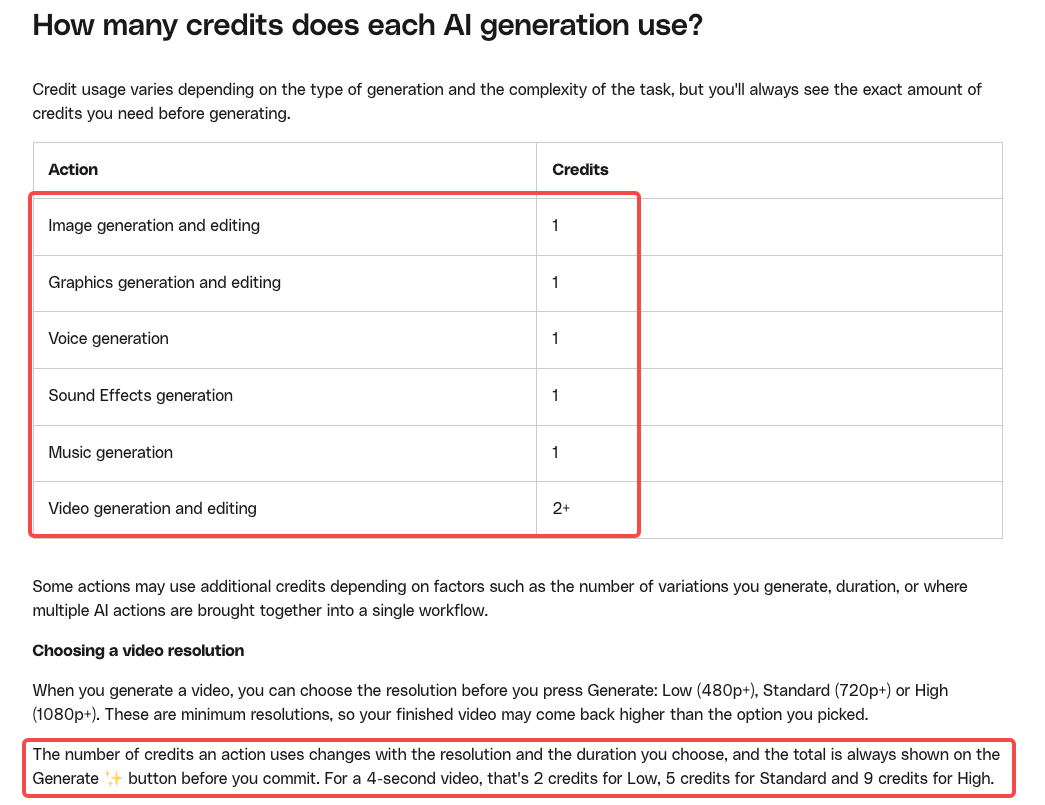
Uploading a reference, cropping an image or reviewing previous outputs does not consume credits when no generation is triggered. An AI background replacement does. Count the attempts you commission, including replacements you request after rejecting an otherwise completed draft.
A Branded Video Asset Budget Worksheet
Consider Mira, a fictional desk-lamp brand, planning one product ad and two shorter cuts. The team owns its product footage. It wants a stock music track, a title template and an AI-generated room insert.
The workload below is hypothetical. Credit rates follow the current guide's basic image and four-second Standard video examples; they are not a quote for every model or setting. One person handles all AI generation.
| Budget line | Hypothetical quantity | Credits per action | Example total | Your quantity / total |
|---|---|---|---|---|
| Stock track and title-template downloads | 2 items | No AI credits | Included stock access | ___ |
| Image drafts | 4 attempts | 1 | 4 | ___ / ___ |
| Image edits | 2 attempts | 1 | 2 | ___ / ___ |
| Four-second Standard video drafts | 3 attempts | 5 | 15 | ___ / ___ |
| Revision allowance | 1 video + 2 image edits | 5 + 2 | 7 | ___ / ___ |
| AI total | 28 | ___ |
The initial work uses 21 credits; the revision allowance takes it to 28. Core's 20-credit allowance would fall short for this operator before the reserved changes. Plus covers the modeled volume, subject to any other work using that person's balance.
That does not make upgrading the only sensible response. Mira could use its own room footage and remove the generated insert if the real shot explains the lamp equally well.
Add cash lines beneath the worksheet:
-
Subscription: selected tier, users, billing period and quoted charge: ___
-
Additional purchases: missing fonts, plugins or separately licensed media: ___
-
Production: editing or video production, plus review time: ___
-
Tax and currency charges: applicable amounts: ___
For a complete new video, Pexo's video creation workflows offer an optional route from approved product material and direction. Budget that production separately. Before supplying stock to any AI service, confirm that the license and the service's processing terms permit the intended upload and use.
How Do Seats and Billing Terms Affect Cost?
Seats determine who can use the subscription; billing frequency determines the payment commitment. Envato team pricing needs a quote for the chosen tier and seat count.
Self-service Teams supports up to five people, including the owner. AI allowances are assigned per user. Do not assume two Core users give one operator 40 spendable credits. Assign the worksheet's generation work to actual people before choosing seats.
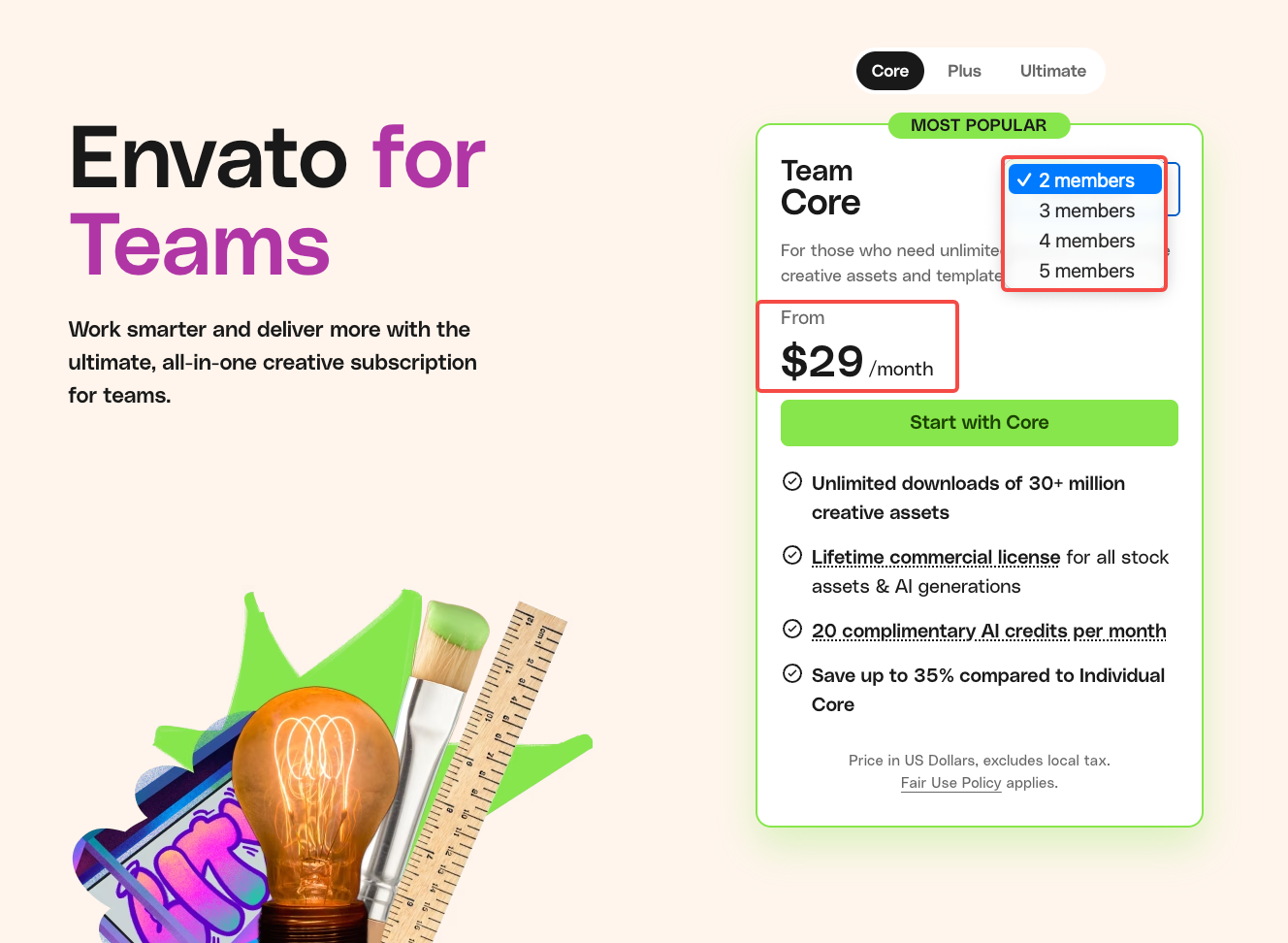
The Teams pricing page lists Core from US$29 per month when billed annually. Confirm the full price for the selected tier, seat count, billing period, and location before purchase. Keep the team's quoted total separate from the individual rates above. Organizations with 50 or more employees should verify Enterprise eligibility under the current User Terms.
For one individual using Core for two months, the listed monthly rate totals $78 before tax; the annual commitment is $198. Plus would be $118 versus $468. Those are subscription comparisons, not campaign quotes.
Subscriptions bill in advance and renew automatically. Cancellation stops a future renewal; it does not turn an annual purchase into monthly payments. Check the renewal date, cancellation terms and applicable refund rules before committing.
What Does the License Permit?
It permits qualifying commercial projects under defined conditions. Envato's stock license terms require a license for each separate project; fonts and add-ons have different installation rules.
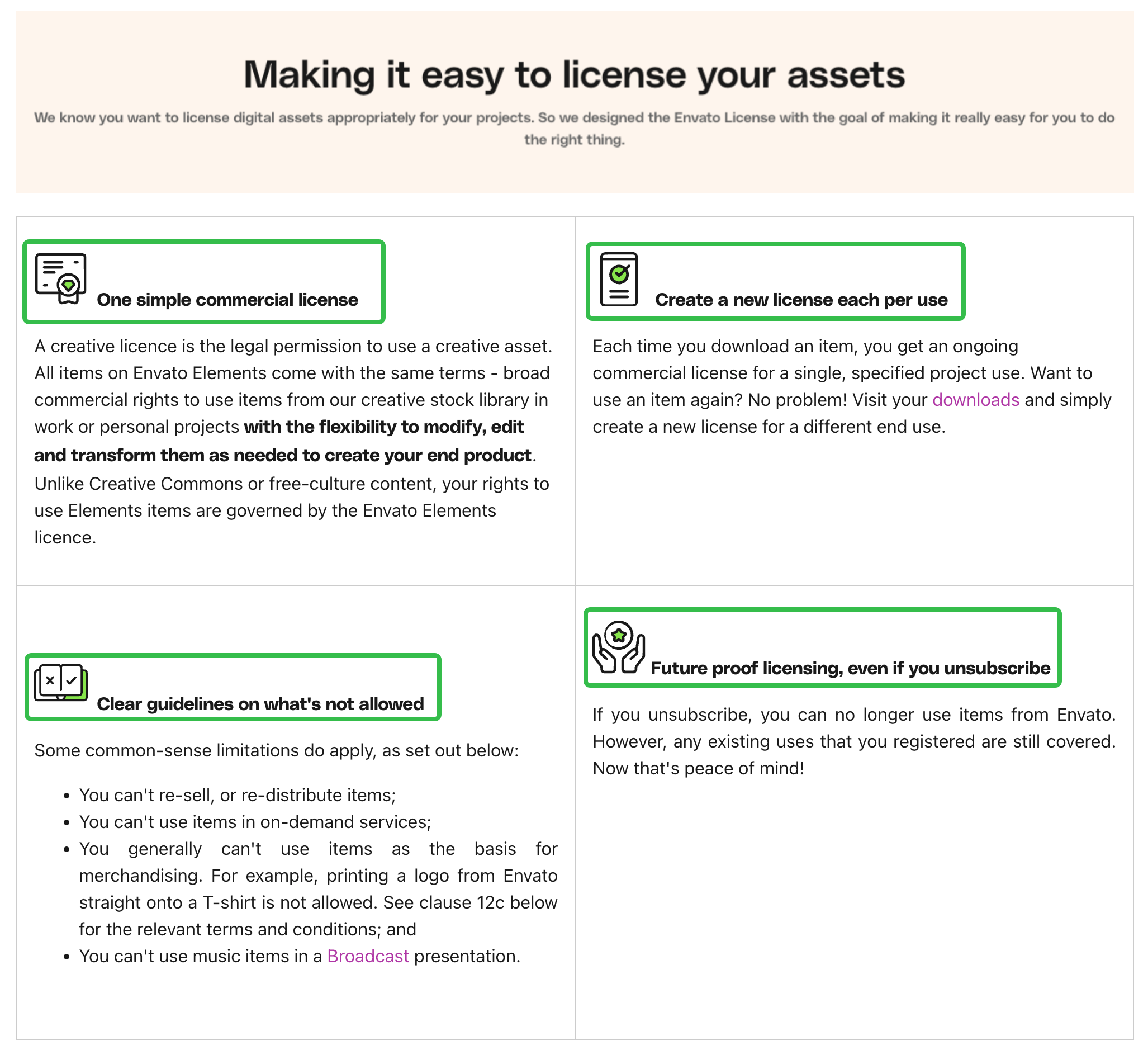
For Mira, retain the item ID, license certificate, project name, licensee and completed-ad record. Delivering a finished client video does not give the client a reusable stock library. Check permission separately before handing over editable files containing licensed assets.
AI outputs have separate Product Terms. If stock is used as AI input, both sets of terms apply. Generated content still needs checks for product accuracy and third-party rights. Review music restrictions, identifiable people and any third-party preview media against the intended placement.
This article does not provide legal advice. Have the person responsible for rights resolve unclear permissions before purchase or delivery.
Conclusion
Choose the plan after counting the people and AI attempts behind the ad. For Mira, the decisive question is whether the generated room insert earns its place in the production budget. Keep that decision alongside the payment commitment and project license, then purchase what the campaign can justify.