

 ChatGPT
 Perplexity
 Claude
 Gemini
 Grok
Grok

Introduction
Vidyo AI, recently rebranded as Quso.ai, is an AI-powered video platform designed around a single, clear purpose. It helps creators and marketing teams transform long-form videos into short, social-ready clips automatically. Unlike newer generative AI video platforms that produce videos from prompts or scripts, Vidyo AI focuses on repurposing existing content. It analyzes uploaded footage, detects highlight moments, and reformats videos for platforms like TikTok, Instagram Reels, YouTube Shorts, and other social channels.
Understanding this distinction is important because Vidyo AI is not trying to replace traditional video production entirely. Instead, it helps teams maximize the value of content they already own while reducing the time, effort, and repetitive editing work required to create multiple short-form assets from one long video. For teams aiming to produce entirely new product-focused content rather than repurposing existing footage, Pexo AI’s Product Video Creation Workflow provides a more suitable alternative.
Why Vidyo AI Matters
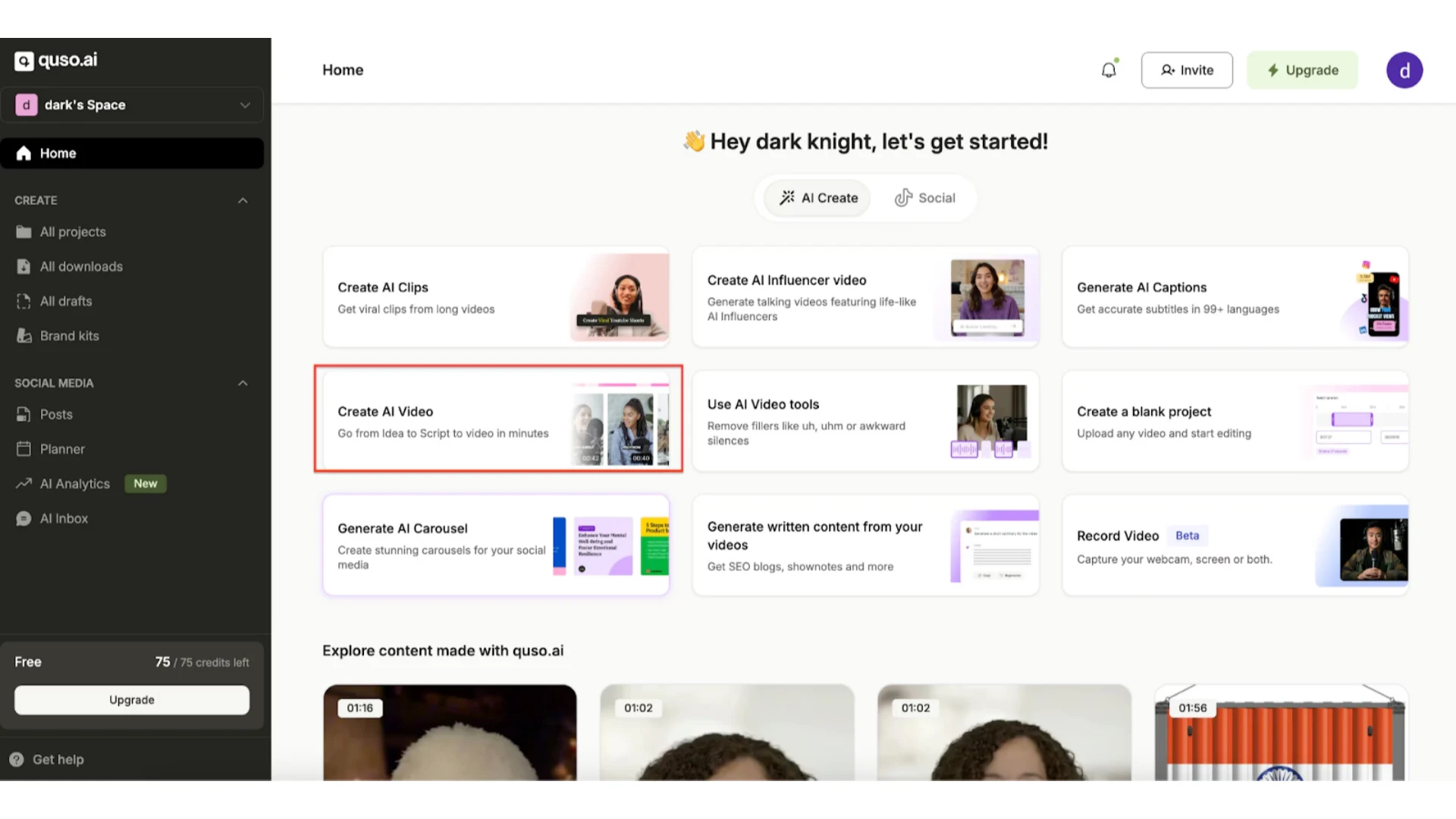
The growing popularity of Vidyo AI reflects a broader shift in content marketing. Today, the challenge is rarely producing a single video.It is scaling distribution across multiple channels. One webinar, for example, may need to become ten LinkedIn clips, five TikTok videos, multiple YouTube Shorts, and several Instagram posts. Traditionally, this would require hours of manual editing, cropping, captioning, and formatting.
Vidyo AI automates this process. After uploading a video or pasting a YouTube link, it analyzes the footage, identifies key moments, generates short clips, automatically adds captions, and formats the output for social media. Instead of spending an afternoon manually creating short-form assets, creators can produce multiple clips in just minutes.
This automation has made Vidyo AI particularly valuable for podcasters, YouTubers, agencies, and social media teams looking to scale content output quickly without increasing the editing workload.
How Vidyo AI Works
Vidyo AI follows a relatively simple workflow that prioritizes speed and automation.
Users begin by uploading a video file or pasting a YouTube link. Vidyo AI then analyzes the footage, detects potentially engaging moments, and automatically turns those sections into short-form clips formatted for social media. Captions, aspect ratios, and basic formatting are handled automatically, allowing creators to publish content much faster than traditional manual editing workflows.
Unlike generative AI tools that build videos scene by scene, Vidyo AI extracts, edits, and reformats existing footage. That automation is also where the platform becomes somewhat limiting for users who want deeper creative control.For teams seeking to generate videos directly from scripts or concepts, Pexo AI’s Text-to-Video workflow offers more flexibility.
Key Features of Vidyo AI (With Context)
AI-Powered Content Repurposing
The core feature inside Vidyo AI is automated content repurposing.
Instead of manually editing long recordings into smaller clips, the system identifies highlight moments automatically and converts them into short-form videos optimized for social platforms.
This workflow is especially effective for podcasts, webinars, interviews, tutorials, commentary videos, and YouTube content where valuable insights are already embedded inside longer recordings.
The biggest appeal of Vidyo AI is how quickly it can transform a long recording into dozens of short-form clips without needing a dedicated editing team.
However, because the process is heavily automated, results may vary depending on the quality and structure of the original footage. Users sometimes need to regenerate clips or manually refine outputs to achieve the best results.
Script-to-Video Capabilities
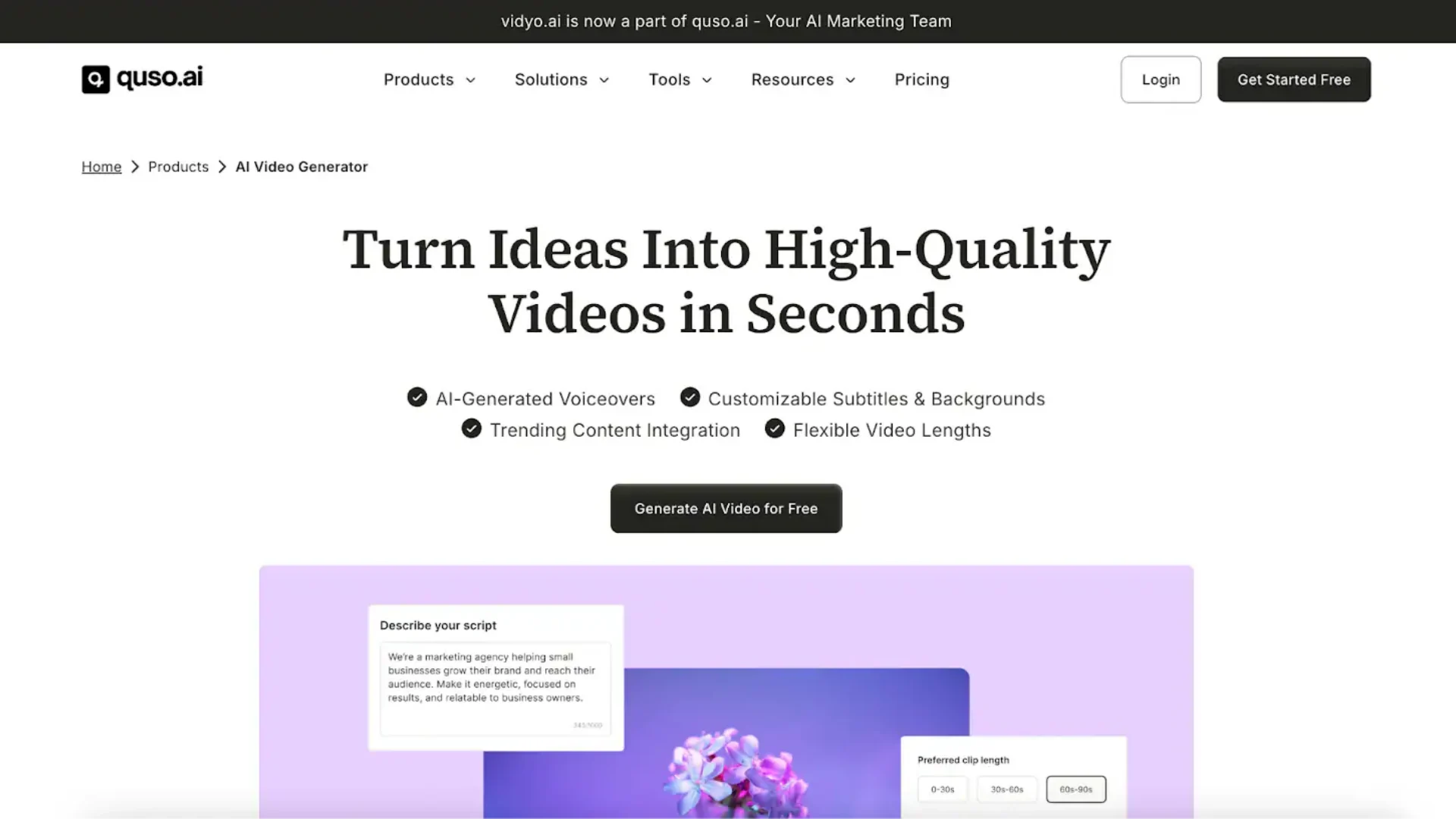
Vidyo AI also includes script-to-video functionality, though it works differently from modern generative AI video platforms.
Rather than producing entirely original scenes or cinematic visuals, the feature generally combines stock-style footage, text overlays, and AI voice narration into lightweight informational videos.
This makes the feature useful for simple content creation workflows, but less ideal for highly branded storytelling, polished product marketing, or advanced visual campaigns.
Teams looking for more flexible AI-generated workflows can also explore Text-to-Video generation, which focuses on structured video creation from scripts and product messaging.
AI Avatars and “AI Influencers”
Vidyo AI offers a library of AI avatars that let creators produce presenter-style videos without appearing on camera. These avatars can narrate scripts and deliver content consistently across videos, supporting faceless workflows. While convenient, avatar realism and customization are limited compared to platforms specialized in high-end AI Avatar generation.
Pros and Cons of Vidyo AI
Pros
Vidyo AI excels at automating repetitive editing workflows. It dramatically speeds up short-form content production, requires very little technical expertise, and works especially well for creators already producing long-form video content regularly.
The platform is also beginner-friendly, making it accessible to solo creators, agencies, and marketing teams without advanced editing experience.
Cons
The platform’s biggest limitation is that it does not generate fully original videos from concepts or prompts. Since all outputs depend on existing footage, creative flexibility is inherently restricted.
Users seeking detailed storytelling control, cinematic editing, or advanced visual branding may eventually outgrow the platform’s automation-first workflow.
Vidyo AI is also less suitable for product demos, AI-generated explainer videos, or structured marketing campaigns that begin with ideas rather than source footage.
When Should You Use Vidyo AI?
Vidyo AI is best suited for workflows centered around content distribution rather than content generation.
Creators who already produce podcasts, webinars, tutorials, interviews, or YouTube videos will likely benefit the most from the platform because it removes the bottleneck of manual editing and social formatting.
The platform is especially useful for YouTubers scaling Shorts content, podcasters creating social clips, marketing teams distributing webinars, agencies managing multi-platform publishing, and social media managers handling high-volume content calendars.
If your workflow begins with existing videos, Vidyo AI can save substantial editing time.
If your workflow begins with scripts, ideas, product messaging, or landing pages, generative AI video platforms may provide greater flexibility.
When Vidyo AI Might Not Be Enough
Vidyo AI becomes limiting when your workflow starts earlier in the funnel:
-
Need to turn ideas into videos
-
Create product demos from scratch
-
Test different messaging angles
-
Build marketing videos without existing footage
In these cases, teams often look for AI video creation tools that generate videos directly from concepts, scripts, or product messaging.
Vidyo AI vs Modern AI Video Generators
A common misconception is treating Vidyo AI as equivalent to text-to-video AI platforms. In reality, Vidyo AI and modern generative video tools are built for very different workflows.
-
Vidyo AI focuses on repurposing and optimizing existing content, excelling in speed and scalability.
-
Generative AI video platforms produce entirely new content from concepts, scripts, or product information, prioritizing creative flexibility.
For many teams, the most effective approach combines both: use repurposing tools like Vidyo AI to maximize existing assets, while leveraging generative AI platforms to create new marketing content efficiently.
Conclusion
Vidyo AI is best understood as a content repurposing engine rather than a full AI video generation platform. Its strength lies in transforming long-form videos into social-ready clips quickly, automating clipping, formatting, captioning, and distribution workflows.
The platform is far less suitable for cinematic storytelling, advanced visual direction, or fully original AI-generated marketing campaigns. At the same time, Vidyo AI is a powerful efficiency tool for creators and marketing teams who already produce video content consistently. For teams seeking new product-focused videos, combining Vidyo AI with generative AI tools delivers the most scalable long-term strategy.




